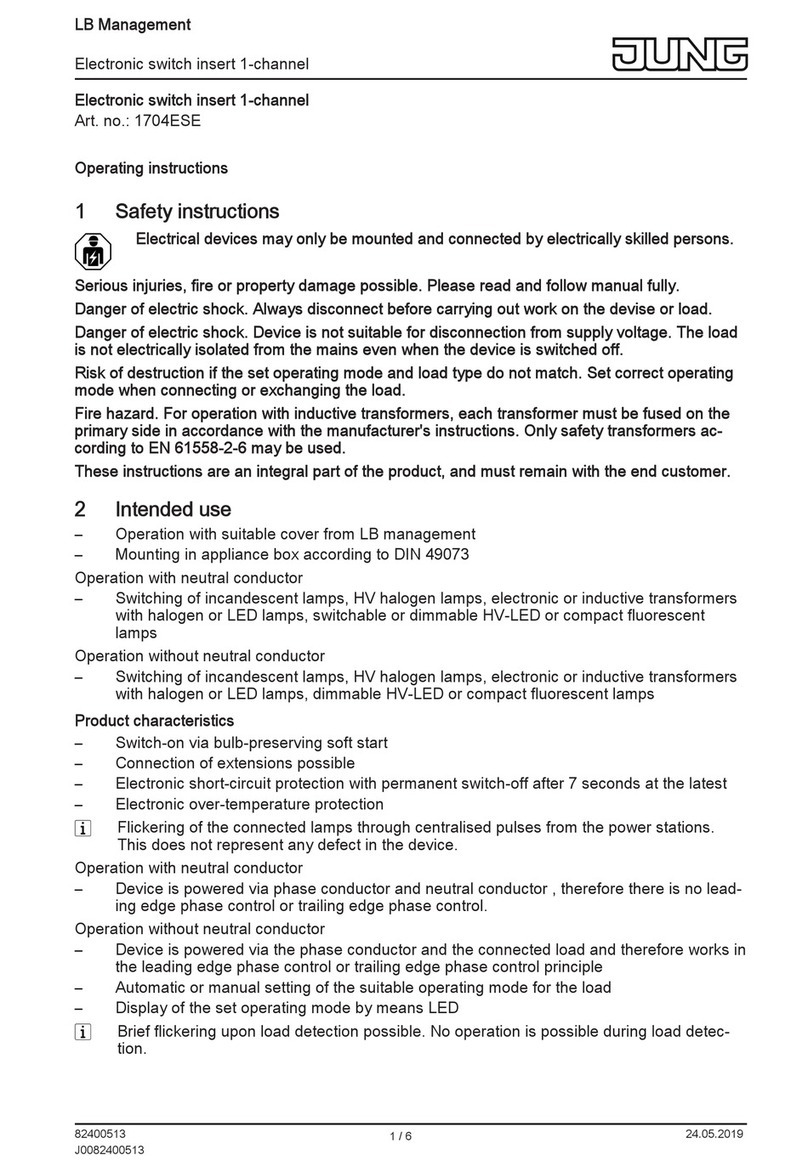
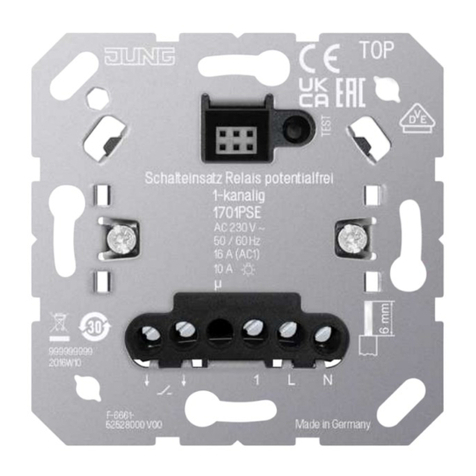
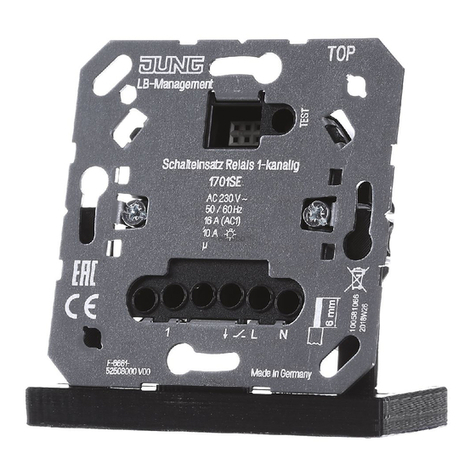
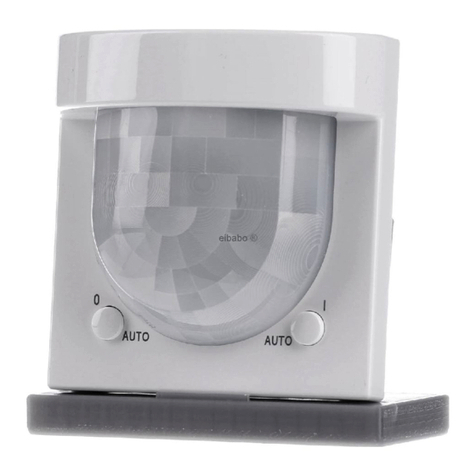
Jung LB management User manual

LB management
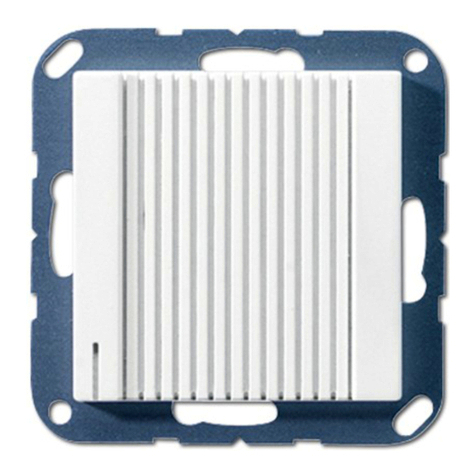
Universal automatic switch 1.1 m, Universal automatic switch 2.2 m
Universal automatic switch 1.1 m
Art. no.: ..17181..
Universal automatic switch 2.2 m
Art. no.: ..17281..
Operating instructions
1 Safety instructions
Electrical devices may only be mounted and connected by electrically skilled persons.
Serious injuries, fire or property damage possible. Please read and follow manual fully.
Danger of electric shock. Always disconnect before carrying out work on the device or load. In
so doing, take all the circuit breakers into account, which support dangerous voltages to the
device and or load.
Danger of electric shock. Device is not suitable for disconnection from supply voltage. The load
is not electrically isolated from the mains even when the device is switched off.
Do not press on the sensor window. Device can be damaged.
The device is not suitable for use as a burglar alarm or other alarm.
These instructions are an integral part of the product, and must remain with the end customer.
2 Device components
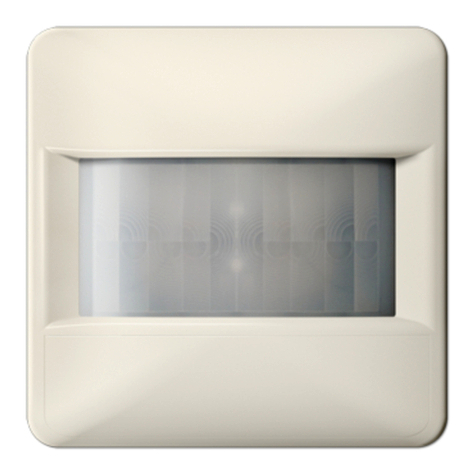
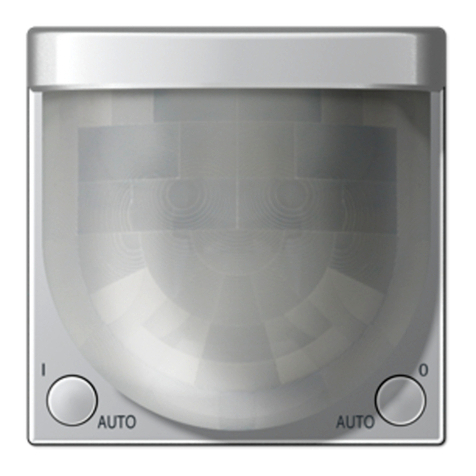
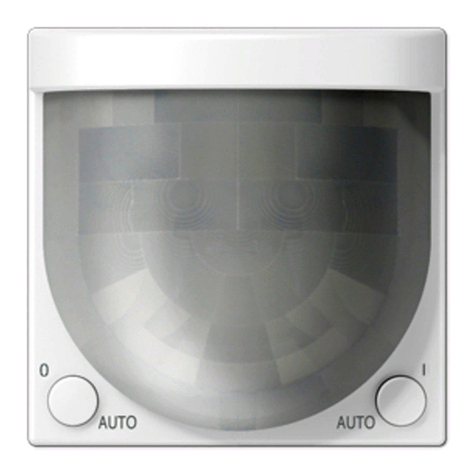
Figure1: Motion detector cover 1.10m
1 / 16
32599733 02.10.2019
J0082599733

LB management
Universal automatic switch 1.1 m, Universal automatic switch 2.2 m
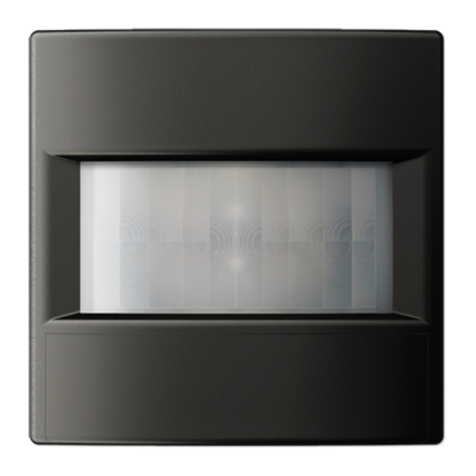
Figure2: Motion detector cover 2.20m
(1) FMinsert
(2) Frame
(3) Motion detector cover
(4) Sensor window and status LED
(5) Switch 0 AUTO I
(6) Button ON
(7) Button OFF
Status LED
Red LED lights up Self-test
Red LED flashes 3 s on / 3 s off Alarm function active
Red LED flashes 0.5 s on / 0.5 s off Alarm was triggered
Red LED flashes three times followed by a 1 s
pause
Cover was previously connected to another in-
sert
Yellow LED lights up "Continuous off" or "Off for 0.5 - 5 hours" func-
tion active
Yellow LED flashes Presence simulation active
Green LED lights up "Continuous on" or "On for 0.5 - 5 hours" func-
tion active
Blue LED lights up Device is coupled with a mobile end device
and active app
Blue LED flashes 0.5 s on / 0.5 s off Bluetooth coupling mode active
3 Intended use
– Automatic switching of lighting depending on the heat motion and ambient brightness
– Operation with flush-mounted insert for dimming or switching or 3-wire extension from LB
management
– Wall installation on flush-mounted insert
2 / 16
32599733 02.10.2019
J0082599733

LB management
Universal automatic switch 1.1 m, Universal automatic switch 2.2 m
Product characteristics
Functions directly on the cover
– Extension of the detection area in combination with 3-wire extension
– Continuous on, Continuous off
– Operation with 2-wire or 3-wire extension, rotary dimmer extension or push-button
– Dimming insert can be dimmed via extension
– Resetting to factory setting
Motion detector cover 1.10m
– Cover panel for limiting the detection field
Functions via app
– Setting the brightness threshold
– Adjusting the sensitivity of the PIR sensors
– Setting the run-on time
– Continuous on, Continuous off
– On or off for 0.5 - 5 hours
– Switch-off warning
– Dynamic run-on time
– Presence simulation
– Alarm function
– Timer function
– Operating lock
– Reduced basic sensitivity
– Automatic summer/winter time changeover
– Test operation
In combination with a switch insert
– Short time operation
In combination with a dimming insert
– Switch on with last saved brightness or saved switch-on brightness
– Adjusting the minimum brightness
– Adjusting the maximum brightness
– Hotel function
– Night light function
Automatic operation
The device detects heat motions of people, animals and objects.
– The light is switched on if a person enters the detection field and the brightness threshold
is below the set brightness threshold.
– The run-on time restarts with each detected motion.
– The light is switched off, if:
no more movement is detected in the detection field and the run-on time has elapsed or
the ambient light is too bright and the run-on time has elapsed.
To avoid any switch-on caused by a cooling illuminant, no movement signals are evaluated for a
brief lockout time after switching off. The motion detector adjusts itself to the ambient conditions
to keep the time as short as possible.
Behaviour after a mains voltage failure
After mains voltage return, the device performs a self-test for a maximum of 20 seconds. After
the self-test has been completed, the device is ready for operation.
3 / 16
32599733 02.10.2019
J0082599733

LB management
Universal automatic switch 1.1 m, Universal automatic switch 2.2 m
If the red status LED flashes three times at repeated intervals, the cover was previously
connected to another insert. To enable the function again, either place the cover onto the
respective insert or press the switch (5) within 10 seconds from AUTO position to the OFF
position for motion detector cover 1.10m, and the OFF button for more than 4 seconds
for motion detector cover 2.20m.
The following applies during the self-test:
– The red status LED is illuminated.
– The load is switched off.
– Movements are not detected
– The device can be operated via extensions
4 Commissioning
Install app on a mobile end device
Requirement for operation via app is a mobile end device with Bluetooth interface, running the
Android operating system or iOS.
■ Download and install the Clever Config app from the iTunes App Store (iOS) or Google
Play Store (Android).
Couple mobile end devices via Bluetooth
Precondition: insert and cover must be ready for operation. The mobile end device is located
close to the cover.
■ Activate coupling mode motion detector cover 1.10m: Move the switch (5) from position
AUTO (centre) to the right.
The green LED lights up and the light is switched on.
■ Cover the lens for at least 4 seconds within 1 minute.
■ Activate coupling mode motion detector cover 2.20m: Press the button ON (7) for more
than 4 seconds.
The blue LED flashes. The coupling mode is active for 1 minute.
■ Start the app and search for device to be coupled.
Cover is coupled with the end device and shown in the app.
The coupling mode is automatically exited after successful coupling. The blue LED lights
up to confirm an active connection.
A maximum of 8 mobile end devices can be coupled with a cover. When coupling the 9th
device, the oldest device will be deleted.
5 Operation
Operation using 2-wire or 3-wire extension with button cover or push-button
Multiple extensions can be combined with each other. All operations described here are also
possible via the app. Operation with the rotary dimmer extension is described in the rotary dim-
mer extension instructions.
Switching on light for the duration of the run-on time
■ Press the button cover or push-button briefly.
If the button cover or push-button is pressed again in the switched-on state, the run-on
time is restarted. In combination with a dimming insert, switch-on brightness is switched
on again.
Short-time operation: When pressed, pulses are generated approx. every 3 seconds for 1
minute. Exception for 3-wire extension: only one pulse is generated.
Adjust the brightness, only in combination with dimming insert
■ Long press on button cover at the top or bottom or push-button.
4 / 16
32599733 02.10.2019
J0082599733

LB management
Universal automatic switch 1.1 m, Universal automatic switch 2.2 m
Save switch-on brightness, only in combination with dimming insert
■ Adjust the brightness.
■ Press the button cover over entire surface for longer than 4 seconds.
An push-button cannot be used to save the switch-on brightness.
Delete switch-on brightness, only in combination with dimming insert
■ Press the button cover briefly: Light switches on at the saved switch-on brightness.
■ Press the button cover over the entire surface for longer than 4 seconds: Switch-on
brightness is deleted. Switching on takes place at the last brightness value set.
A push-button cannot be used to delete the switch-on brightness.
Operation on the cover
With the switch or the two buttons you can switch between automatic operation, continuous on
and continuous off.
■ Motion detector cover 1.10m: Move the switch (5) to position ON or OFF.
■ Motion detector cover 2.20m: Press the button ON (7) or OFF (6).
Continuous on function green LED is illuminated or continuous off function yellow LED is
illuminated.
In order to switch on automatic operation again, put the switch (5) back to the centre posi-
tion for motion detector cover 1.10m, and the ON button (7) or OFF button (6) for motion
detector cover 2.20m. Green or yellow LED goes out.
6 Information for electrically skilled persons
DANGER!
Mortal danger of electric shock.
Disconnect the device. Cover up live parts.
Motion detection
The detection of heat sources through a motion detector and thus the extent of the detection
field is influenced by the following criteria:
Geometry of the detection field, assembly height and set sensitivity (Figure 3) up to (Figure 10)
Direction of movement: If motion detector passes tangentially, this results in a heat signal which
can be evaluated well. If movement is radial to the sensor, the heat signal is smaller and thus
harder to evaluate, resulting in a smaller range.
The following specifications on the extent of the detection field are general guide values.
Discrepancies can occur depending on the installation environment and the intensity of
the heat motion.
5 / 16
32599733 02.10.2019
J0082599733

LB management
Universal automatic switch 1.1 m, Universal automatic switch 2.2 m
Motion detector cover 1.10 m detection field and range
Figure3: Motion detector cover 1.10 m detection field and installation height
Figure4: Range with tangential direction of motion motion detector cover 1.10 m
1 25% sensitivity
2 50% sensitivity
3 75% sensitivity
4 100% sensitivity
Figure5: Range with radial direction of motion motion detector cover 1.10 m
6 / 16
32599733 02.10.2019
J0082599733

LB management
Universal automatic switch 1.1 m, Universal automatic switch 2.2 m
1 25% sensitivity
2 50% sensitivity
3 75% sensitivity
4 100% sensitivity
Motion detector cover 2.20 m detection field and range
Figure6: Motion detector cover 2.20 m detection field and installation height
Figure7: Range with tangential direction of motion motion detector cover 2.20 m, mounting
height 2.20 m
1 25% sensitivity
2 50% sensitivity
3 75% sensitivity
4 100% sensitivity
7 / 16
32599733 02.10.2019
J0082599733

LB management
Universal automatic switch 1.1 m, Universal automatic switch 2.2 m
Figure8: Range with radial direction of motion motion detector cover 2.20 m, mounting height
2.20 m
1 25% sensitivity
2 50% sensitivity
3 75% sensitivity
4 100% sensitivity
Figure9: Range with tangential direction of motion motion detector cover 2.20 m, mounting
height 1.10 m
1 25% sensitivity
2 50% sensitivity
3 75% sensitivity
4 100% sensitivity
8 / 16
32599733 02.10.2019
J0082599733

LB management
Universal automatic switch 1.1 m, Universal automatic switch 2.2 m
Figure10: Range with radial direction of motion motion detector cover 2.20 m, mounting height
1.10 m
1 25% sensitivity
2 50% sensitivity
3 75% sensitivity
4 100% sensitivity
Selecting installation location
■ Select a vibration-free installation location. Vibrations can lead to unwanted switching.
■ To achieve optimum range, choose an installation location that is tangential to the direc-
tion of motion.
■ Avoid interference sources in the detection area. Interference sources can trigger the mo-
tion detector, e.g. heat sources such as heating units, outlets from ventilation openings or
air conditioners, copiers, printers, coffee machines, draughty doorways, animals etc.
Fitting the cover
■ Connecting and mounting the FM insert properly (see flush-mounted insert instructions).
Further installation steps are necessary to ensure the degree of protection IP 44 (see
Seal set instructions).
■ Fit the cover with frame on the flush-mounted insert.
Expanding the detection field
To expand the detection field, connect a 3-wire extension with presence or motion detector
cover. The main device also evaluates signals of the extension and, if necessary, switches the
lighting on.
Limiting the detection field
The detection field can also be limited by reducing the sensitivity or switching off a sensor.
Alternatively, the detection area for motion detector cover 1.10m can be limited with a panel
(Figure 11).
Figure11: Limiting detection area for motion detector cover 1.10m
9 / 16
32599733 02.10.2019
J0082599733

LB management
Universal automatic switch 1.1 m, Universal automatic switch 2.2 m
Mounting the panel
Figure12: Dismounting of cover series CD/LS
Figure13: Dismounting the design cover series CD/LS
Figure14: Mounting of panel series CD/LS and A
Series CD, LS
■ Remove switch (5) (Figure 12).
■ Use a screwdriver to carefully remove the design cover (Figure 13).
■ Mount the cover for the left or right side of the device (Figure 14).
Series A:
■ Mount the cover from the front on the left or right side of the device (Figure 14).
10 / 16
32599733 02.10.2019
J0082599733
Other manuals for LB management
1
Table of contents
Other Jung Switch manuals

Jung
Jung 10911ST Series User manual
Jung
Jung 1202 URE User manual
Jung
Jung FAS180 Series User manual
Jung
Jung FMAS816REG User manual

Jung
Jung 1701SE User manual
Jung
Jung KNX 4071.0 LED Series Operator's manual
Jung
Jung 1180 Series User manual
Jung
Jung 10911STRF Series User manual
Jung
Jung 1254 TSE User manual
Jung
Jung 3281-1 Series User manual