manuals.online logo
Brands
  1. Home
  2. •
  3. Brands
  4. •
  5. JVC
  6. •
  7. Cassette Player
  8. •
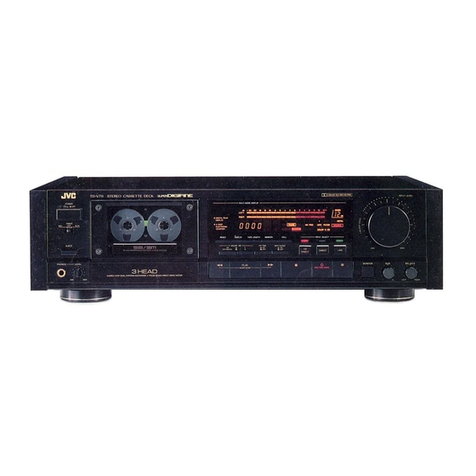
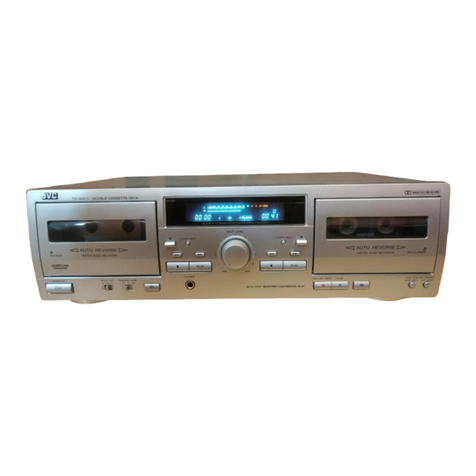
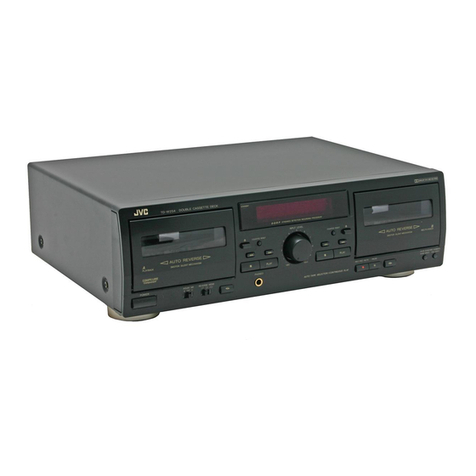
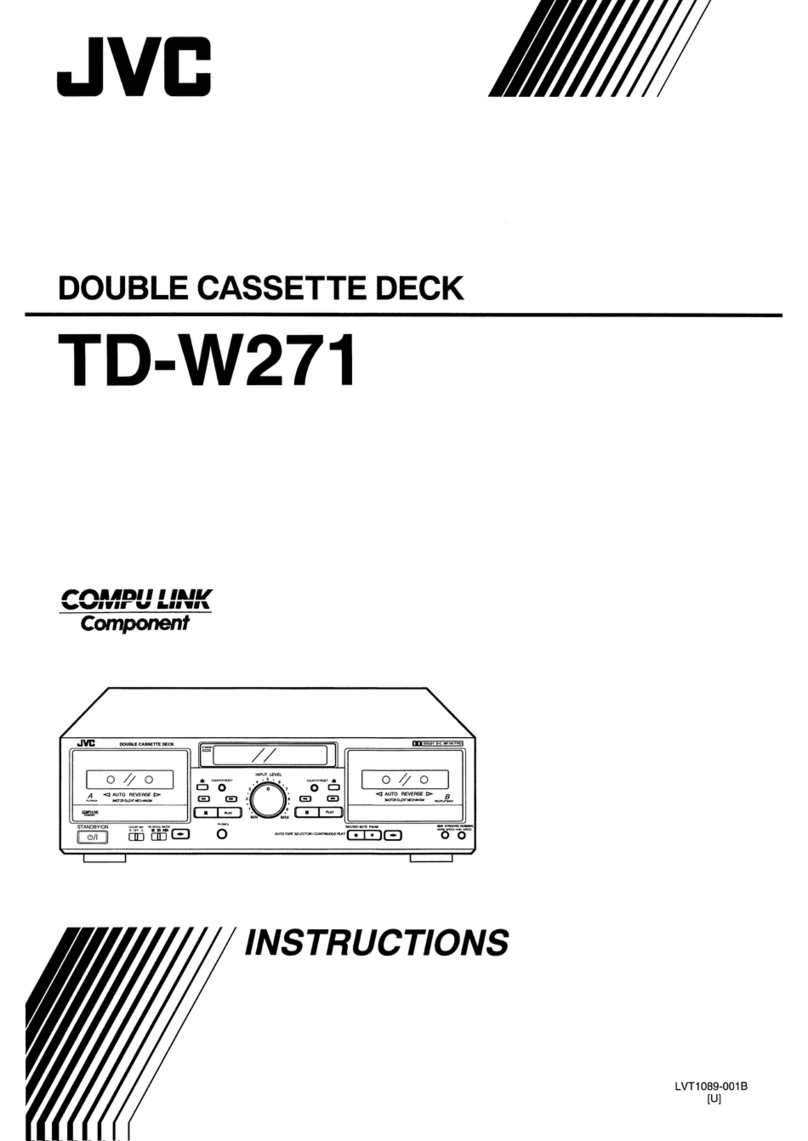
  9. JVC TD-V711 User manual

JVC TD-V711 User manual

Other manuals for TD-V711

1

This manual suits for next models

7

Other JVC Cassette Player manuals

JVC TD-W220 SERIES User manual

JVC

JVC TD-W220 SERIES User manual

JVC TD-W208BK User manual

JVC

JVC TD-W208BK User manual

JVC HR-XVC1U User manual

JVC

JVC HR-XVC1U User manual

JVC SR-W320U User manual

JVC

JVC SR-W320U User manual

JVC KD-A66 User manual

JVC

JVC KD-A66 User manual

JVC HR-VP680U User manual

JVC

JVC HR-VP680U User manual

JVC MIK-100 User manual

JVC

JVC MIK-100 User manual

JVC TD-W503A User manual

JVC

JVC TD-W503A User manual

JVC TD-W103A User manual

JVC

JVC TD-W103A User manual

JVC BIPHONIC RC-838W User manual

JVC

JVC BIPHONIC RC-838W User manual

JVC TD-W717TN User manual

JVC

JVC TD-W717TN User manual

JVC TD-W254 B User manual

JVC

JVC TD-W254 B User manual

JVC DD-9 A User manual

JVC

JVC DD-9 A User manual

JVC RC-636L User manual

JVC

JVC RC-636L User manual

JVC Instructions User manual

JVC

JVC Instructions User manual

JVC RC-W410 User manual

JVC

JVC RC-W410 User manual

JVC KD-2A User manual

JVC

JVC KD-2A User manual

JVC HR-XVC1U User manual

JVC

JVC HR-XVC1U User manual

JVC RC-250L User manual

JVC

JVC RC-250L User manual

JVC RC-565 JW User manual

JVC

JVC RC-565 JW User manual

JVC TD-WS305TN A User manual

JVC

JVC TD-WS305TN A User manual

JVC RC-M90JW User manual

JVC

JVC RC-M90JW User manual

JVC CD-1770 User manual

JVC

JVC CD-1770 User manual

JVC CX-F5K User manual

JVC

JVC CX-F5K User manual

Popular Cassette Player manuals by other brands

Ahuja CPA-360 Operation manual

Ahuja

Ahuja CPA-360 Operation manual

Sony Pressman TCS-60DV Specifications

Sony

Sony Pressman TCS-60DV Specifications

Philips AQ6485/14 Product information

Philips

Philips AQ6485/14 Product information

Sony TCM-200DV - Cassette Recorder operating instructions

Sony

Sony TCM-200DV - Cassette Recorder operating instructions

Nakamichi BX-300 Service manual

Nakamichi

Nakamichi BX-300 Service manual

Panasonic RQ-E25V operating instructions

Panasonic

Panasonic RQ-E25V operating instructions

Aiwa TP-VS535 operating instructions

Aiwa

Aiwa TP-VS535 operating instructions

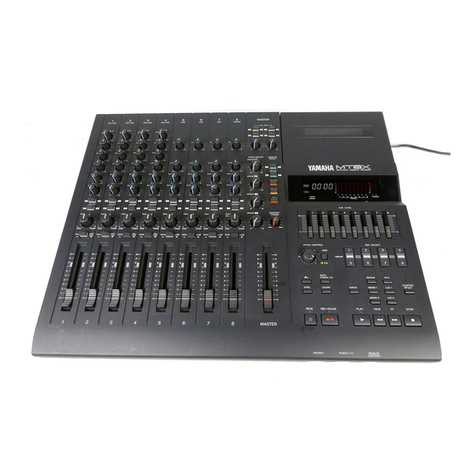
Yamaha MT8X Operation manual

Yamaha

Yamaha MT8X Operation manual

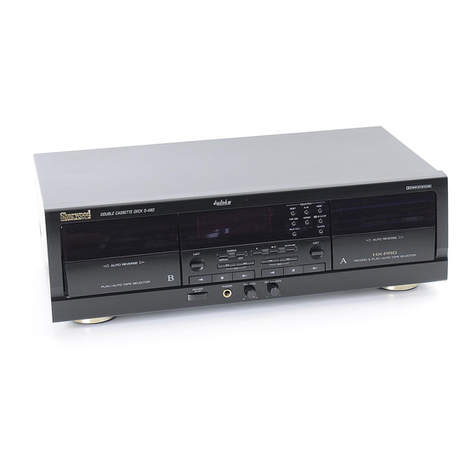
Sherwood Newcastle D-480 operating instructions

Sherwood

Sherwood Newcastle D-480 operating instructions

Manta MA408 user manual

Manta

Manta MA408 user manual

GPO W0162B user guide

GPO

GPO W0162B user guide

Marantz CP230 Service manual

Marantz

Marantz CP230 Service manual

Sony HST-471 Service manual

Sony

Sony HST-471 Service manual

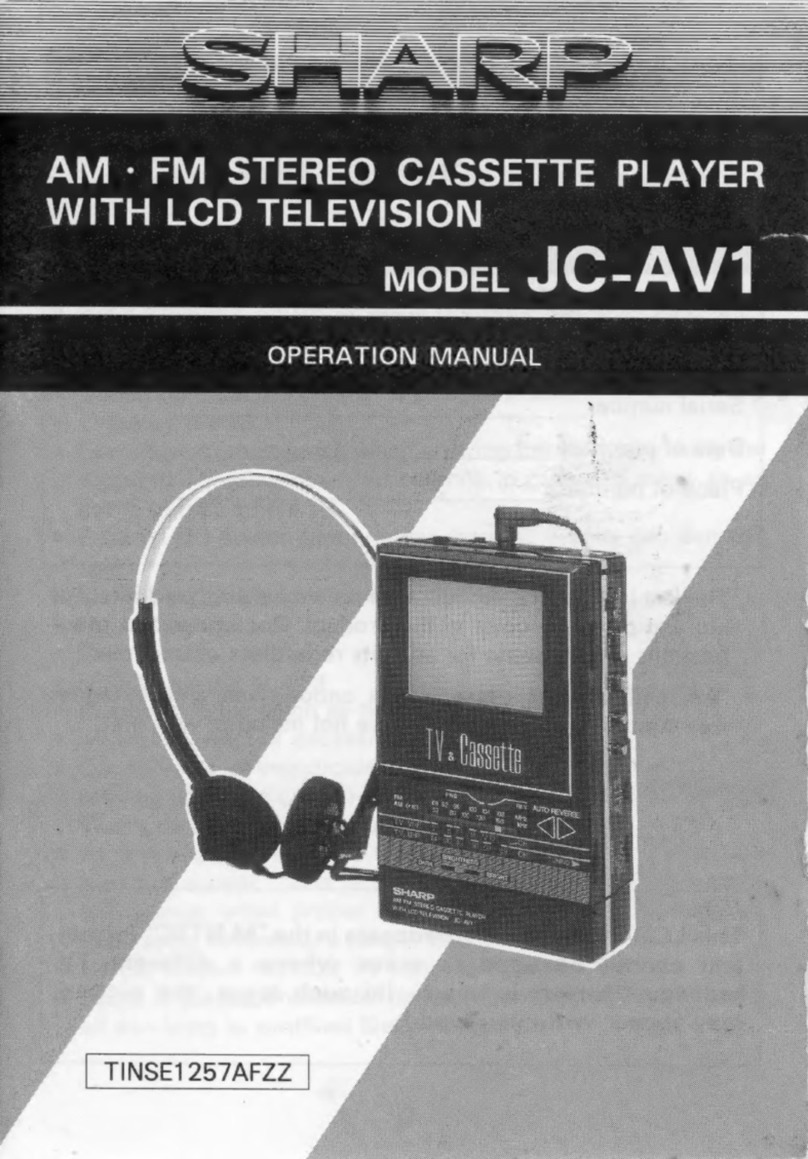
Sharp JC-AV1 Operation manual

Sharp

Sharp JC-AV1 Operation manual

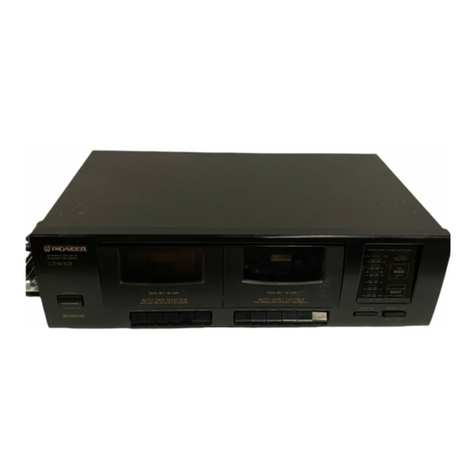
Pioneer CT-W103 Service manual

Pioneer

Pioneer CT-W103 Service manual

Sony CFS-B15 - Am/fm Stereo Cassette Recorder operating instructions

Sony

Sony CFS-B15 - Am/fm Stereo Cassette Recorder operating instructions

Sony WMFS220 - Portable Sports AM/FM Cassette... operating instructions

Sony

Sony WMFS220 - Portable Sports AM/FM Cassette... operating instructions

Aiwa HS-TA21 operating instructions

Aiwa

Aiwa HS-TA21 operating instructions

manuals.online logo
manuals.online logoBrands
  • About & Mission
  • Contact us
  • Privacy Policy
  • Terms and Conditions

Copyright 2025 Manuals.Online. All Rights Reserved.

TD-V711
A/B/C/E/G/J/
_
SERVICE
MANUAL
Contents
Page
Page
[1]
Safety
Precautions
....0..0.ccccccccceeseseteerreee
2
[10]
Location
of
P.C.
Board
Parts
and
Parts
List
Specifications
........c0.ccccccceeeeee
ap
edi
aks
ateeas
3
Main:
Bat
ect
22
ccc
ace
steric
bacesecamselelaesteiateans
16
[3]
Location
of
Main
Parts
.......
iezivdead
¢
visas
oeseh
Cente
vase
4
Power
Supply/Mechanism
Control
...............5..
20
[4]
Location
of
Control
.........
saaggetagas
eee
ES
[14]
Exploded
View
of
Mechanism
Assembly
Parts
Removal
of
Main
Parts
...............
wiedcghs
pee
wu
and:
Parts:
Listisi
So.
sfeccuectsycudidda
ee
Sui
Sh
oe
ts
22
[6]
ACJUStMENt
20...
..ccc
ccc
cccececcecncccsencaucecnccscnreusecs
ew
[12]
Exploded
View
of
Enclosure
Assembly
Parts
[7]
Block
Diagram
......ccccccccccccccssecesseseesecesevssecsvese
12
and
Parts
List
.............
cece
Ledisaantet
totes:
24
[8]
Wiring
oo...
cece
‘ggasasanee
ges
aeChectonctsssa
13
[13}
Packing”
s..c.icscccssssscsssecssssesecvscsserensevseveceereeteess
28
[9]
Standard
Schematic
Diagram
.............0.....
wegen
4
[14]
ACCOSSONES
is.
sonic
Ai
Seis
sasseatieeaas
certian
ooadadasee
ed
No.
4294
March
1988

TD-V711
A/B/C/E/G/J/U
[1]
Safety
Precautions
1.
The
design
of
this
product
contains
special
hardware
and
may
circuits
and
components
specially
for
safety
pur-
poses.
For
continued
protection,
no
changes
should
be
made
to
the
original
design
unless
authorized
in
writing
by
the
manufacturer.
Replacement
parts
must
be
identical
to
those
used
in
the
original
circuits.
Service
should
be
performed
by
qualified
personnel
only.
2.
Alterations
of
the
design
or
circuitry
of
the
product
should
not
be
made.
Any
design
alterations
of
the
product
should
not
be
made.
Any
design
alterations
or
additions
will
void
the
manufacturer’s
warranty
and
will
further
relieve
the
manufacturer
or
responsibility
for
personal
injury
or
property
damage
resulting
therefrom.
3.
Many
electrical
and
mechanical
parts
in
the
product
have
special
safety-related
characteristics.
These
characteristics
are
often
not
evident
from
visual
inspection
nor
can
the
protection
afforded
by
them
necessarily
be
obtained
by
using
replacement
components
rated
for
higher
voltage,
wattage,
etc.
Replacement
parts
which
have
these
special
safety
characteristics
are
identified
in
the
Parts
List
of
Service
Manual.
Electrical
components
having
such
features
are
identified
by
(A\)
on
the
schematic
diagram
and
Parts
List
in
Service
Manual.
The
use
of
a
substitute
replacement
which
does
not
have
the
same
safety
characteristics
as
the
recommended
replace-
ment
part
shown
in
the
Parts
List
in
Service
Manual
may
create
shock,
fire,
or
other
hazards.
4.
The
leads
in
the
products
are
routed
and
dressed
with
ties,
clamps,
tubings,
barriers
and
the
like
to
be
separated
from
live
parts,
high
temperature
parts,
moving
parts
and/or
sharp
edges
for
the
prevention
of
electric
shock
and
fire
hazard.
When
service
is
required,
the
original
lead
routing
and
dress
should
be
observed,
and
it
should
be
confirmed
that
they
have
been
returned
to
normal,
after
re-assembling.
5.
Leakage
current
check
(Electrical
shock
hazard
testing)
After
re-assembling
the
product,
always
perform
an
isolation
check
on
the
exposed
metal
parts
of
the
product
(antenna
terminals,
knobs,
metal
cabinet,
screw
heads,
headphone
jack,
control
shafts,
etc.)
to
be
sure
the
pro-
duct
is
safe
to
operate
without
danger
of
electrical
shock.
Do
not
use
a
line
isolation
transformer
during
this
check.
©
Plug
the
AC
line
cord
directly
into
the
AC
outlet.
Using
a
‘‘Leakage
Current
Tester’’,
measure
the
leakage
current
from
each
exposed
metal
part
of
the
cabinet,
particularly
any
exposed
metal
part
having
a
return
path
to
the
chassis,
to
a
known
good
earth
ground.
Any
leakage
current
must
not
exceed
0.5
mA
AC
(r.m.s.).
e
Alternate
check
method
Plug
the
AC
line
cord
directly
into
the
AC
outlet.
Use
an
AC
voltmeter
having
1,000
ohms
per
volt
or
more
sensitivity
in
the
following
manner.
Connect
a
1,500
©
10
W
resistor
paralleled
by
a
0.15
»F
AC-type
capacitor
between
an
exposed
metal
part
and
a
known
good
earth
ground.
5
f
AC
VOLTMETER
Measure
the
AC
voltage
across
the
resistor
with
the
AC
Peary
(Having
1000
ohms/volt
voltmeter.
or
more
sensitivity.)
Move
the
resistor
connection
to
each
exposed
metal
part,
particularly
any
exposed
metal
part
having
a
return
path
to
the
chassis,
and
measure
the
AC
voltage
across
the
resistor.
Now,
reverse
the
plug
in
the
AC
outlet
and
repeat
each
measurement.
Any
voltage
measured
must
not
exceed
0.75
V
AC
(r.m.s.).
This
corresponds
to
0.5
mA
AC
(r.m.s.).
0.15
wF
AC
TYPE
Place
this
probe
c
on
each
exposed
1500
2
10
W
metal
part.
Good
earth
ground
Warning
.
This
equipment
has
been
designed
and
manufactured
to
meet
international
safety
standards.
.
It
is
the
legal
responsibility
of
the
repairer
to
ensure
that
these
safety
standards
are
mainteined.
.
Repairs
must
be
made
in
accordance
with
the
relevant
safety
standards.
.
It
is
essential
that
safety
critical
components
are
replaced
by
approved
parts.
.
If
mains
voltage
selector
is
provided,
check
setting
for
local
voltage.
ahWN
=
2
(No.
4294)
2)
Specifications
Type
Track
system
Tape
speed
Frequency
response
S/N
ratio
Improvement
of
MOL
Wow
and
flutter
Channel
separation
Crosstalk
Harmonic
distortion
Heads
Motors
:
Stereo
cassette
deck
:
4-track,
2-channel
:
1-7/8
inch/sec
(4.8
cm/sec)
:
(—
20 dB
recording)
Metal
tape;
10—22,000
Hz
15—20,000
Hz
(+3
dB)
Chrome
tape;
10—20,000
Hz
15—
18,000
Hz
(+3
dB)
Normal
tape;
10—20,000
Hz
15—18,000
Hz
(+3
dB)
:
59 dB
(S=1
kHz,
K3=3%
N=A-weighted,
Metal
tape)
The
S/N
is
improved
by
about
15
dB
at
500
Hz
and
by
max.
20
dB
at
1
kHz
~
10
kHz
with
Dolby
C
NR
on
and
improved
by
5
dB
at
1
kHz
and
by
10 dB
at
above
5
kHz
with
Dolby
B
NR
on.
:
4
dB
at
10
kHz
with
Dolby
C
NR
on.
:
0.022%
(WRMS)
:
40
dB
(1
kHz)
:
65
dB
(1
kHz)
:K3;
0.5%
THD;
1.0%
(metal
tape,
1
kHz
O
VU)
:
Erase
(2-Gap
Ferrite)
x
1,
Record
(Sen-Alloy)
x
1,
Playback
(Amorphous
Ferrite)
x
1
:
Pulse
servo
direct
drive
motor
for
capstan
x
1
DC
motor
for
reel
x
1
DC
motor
for
mechanism
drive
x
1
Fast
forward/Rewind
time
Imput
terminals
CD
DIRECT
(x
1
circuit)
DIRECT
(x
1
circuit)
LINE
IN
(x
1
circuit)
Output
terminals
LINE
OUT
(x
1
circuit)
PHONES
x
1
Other
terminals
Power
requirement
TD-V711A/B/E/G
TD-V711C/J
Power
consumpiton
Dimensions
(W
x
H
x
D)
Weight
Accessories
TD-V711
A/B/C/E/G/J/U
:
Approx.
95
sec.
with
C-60
cassette
:
Min.
input
level;
80
mV
Input
impedance;
50
kQ
:
Min.
input
level;
80
mV
Input
impedance;
50
kQ
:
Min.
input
level;
80
mV
Input
impedance;
50
kQ
:
Output
level;
300
mV
Output
impedance;
600
2
:
Output
level;
O~
1
mW/8
Q
Matching
impedance
82
—
1k2
:
COMPU
LINK-1/SYNCHRO
x
2
:
AC240/220/120
V,
50/60
Hz
:
AC
120
V,
60
Hz
:18W
>475
x
132
x
336mm
(18-3/4""
x
5-1/4"
x
13-1/4’’)
:
8.3
kg
(18.4
Ibs)
:
Pin
plug
cord
.............:.c08
2
Remote
cable
...............06
1
Design
and
specifications
are
subject
to
change
without
notice.
(No.
4294)
3
TD-V711
A/B/C/E/G/J/U
4
3)
Location
of
Main
Parts
Main
Board
Ass’y
Power
Switch
Power
Supply/
Power
Cord
Mechanism
Control
Board
Ass’y
input
Select
Switch
Main
Board
Ass’‘y
Power
Transformer
=
A
ae
I
>
i, ss
mn.
Volume
(Input)
q
Power
Switch—e
/
Remote
Bar
“EE
Leaf
Switch
Board
Ass’y
BIAS/BALANCE
Mechanism
Ass’‘y
Volume
Board
Ass’y
'
H.
Phones
Board
Ass’y
H.
Phones
Board
Ass‘y
Power
Supply/
Mechanism
Control
Board
Assy
Cam
Motor
Reel
Motor
Cam
Switch
Board
Cam
Motor
Ass’y
Reel
Motor
Ass’y
PB
Head
REC
Head
Pinch
Roller
E.
Head
DD
Motor
Ass’y
Pinch
roller
Fig.
3-1
(No.
4294)
4)
Location
of
Controls
TO-V711
STEREO
CASSETTIIDECK
@
TIMER
switch
When
an
optional
timer
is
used,
recording
and
playback
can
be
performed
at
any
desired
time.
@
POWER
switch
©
Cassette
holder
@
MULTI
MODE
display
(See
Fig.
4-2)
Tape
remaining
time
display
MEMORY
indicator
PEAK
LEVEL
METER
Recording
guide
indicator
Digital
peak
indicator
Tape
indicator
Digital
counter
Tape
length
indicator
Mechansim
mode
indicator
HX
PRO
indicator
NR
DEFEAT
indicator
MPX
Filter
indicator
DOLBY
NR
mode
indicator
Monitor
indicator
@
INPUT
LEVEL
control
Adjust
the
recording
level
with
this
control.
@
EJECT
button
Press
to
open
the
cassette
holder.
@
PHONES
jack
connect
headphones
(with
an
impedance
of
8
ohms
to
1
kohm).
@
PHONES
LEVEL
control
@
DOLBY
NR
switches
Set
to
ON
for
recording
using
the
Dolby
NR
SYSTEM
or
for
playback
using
the
Dolby
NR
system.
Set
to
OFF/DEFEAT
when
the
Dolby
NR
system
is
not
used.
@
Dolby
HX
PRO
switch
POWOQVOMWOOOONWO)
Fig.
4-1
@
MPxX
FILTER
siwtch
The
MPX
filter
functions
when
the
tape
is
recorded
using
the
Dolby
NR
system.
Normally,
set
this
switch
to
OFF.
When
an
FM
stereo
broadcast
is
to
be
recorded
using
Dolby
NR,
set
this
to
ON
to
prevent
the
Dolby
NR
circuit
from
malfunctioning
(otherwise
the
sound
quali-
ty
could
deteriorate).
@
INPUT
SELECT
switches
and
indicators
Press
these
to
set
to
the
inpujt
you
want
to
record.
The
corresponding
indicator
will
ight:
CD
DIRECT:
When
recording
directly
from
a
CD
player.
DIRECT:
When
recording
directly
from
other
equipment.
LINE:
When
recording
from
a
stereo
amplifier.
@®
MONITOR
button
When
recording,
set
to
SOURCE
to
monitor
the
sound
just
before
it
is
recorded.
Set
to
TAPE
to
monitor
the
sound
recorded
on
the
tape.
@®
BIAS
adjust
control
Adjust
recording
bias
according
to
the
characteristics
of
the
tape
used
for
recording.
@®
BALANCE
control
Adjusts
the
balance
between
the
signals
input
via
the
left
and
right
LINE
IN
jacks.
@
RESET
button
Press
to
reset
the
tape
counter
to
‘‘O0000’’.
@
DISPLAY
button
Select
the
mode
of
the
digital
counter.
The
tape
counter
will
be
indicated
when
the
power
is
first
switched
on.
Press
this
button
to
select
the
tape
remaining
time
display.
dis
-—30
20]
15
12
10
TD-V711
A/B/C/E/G/J/A
LEFY
Sie
It
RIGH}
C300
C
@®
TAPE
LENGTH
button
use
this
button
when
you
want
to
check
the
remaining
tape
time.
The
remaining
time
must
be
displayed
in
the
digital
counter
before
setting
the
tape
length
(e.g.,
C-60).
@®
MEMORY
button
Use
this
button
to
specify
the
position
at
which
you
want
the
tape
to
stop
in
rewind,
etc.
@)
CALL
button
(Digital
peak)
Press
to
call
up
the
stored
peakm
level
or
reset
the
memory.
@
Cassette
operation
buttons
<<
(Rewind):
Press
to
rewind
the
tape.
PLAY:
Press
to
start
recording/playback.
Press
this
but-
ton
with
either
the
<<
or
®®
button
for
music
scanning.
bP
(fast
forward):
Press
to
fast
forward
the
tape.
@
(stop):
Press
to
stop
the
tape.
©
REC/REC
MUTE:
Press
the
PLAY
button
while
pressing
this
button
to
start
recording,
and
press
to
leave
an
ap-
propriate
non-recorded
section.
Hi
(pause):
Press
to
stop
the
tape
temporarily.
Press
the
PLAY
button
to
release
the
pause
mode.
Press
this
together
with
O
REC/REC
MUTE
button
before
starting
recording
to
enter
the
record-pause
mode.
Fig.
4-2
(No.
4294)
5
TD-V711
A/B/C/E/G/J/U
[5]
Removal
of
Main
Parts
Cabinet
Section
@
Top
Cover
1)
Remove
four
screws
on
both
sides.
2)
Remove
two
screws
fixing
the
back.
@
Bottom
Cover
1)
Remove
six
screws
@)
and
a).
[Main/power
source
base
parts
can
be
replaced
in
this
condition]
@
Front
Plate
1}
Remove
INPUT
LEVEL
voiume
knob
and
BIAS/BALANCE
knob.
2)
Remove
five
screws
(2)
fixing
the
front
panel.
@
Front
Panel
Ass‘y
1)
Remove
power
switch
knob.
2)
Remove
switch
side
of
input
switch
remote
bar
and
remove
knob.
3)
Pull
input
volume
remote
bar
inside
and
remove
from
front
panel.
4)
Remove
two
screws
(3)
fixing
the
center
chassis
from
the
front.
5)
Remove
four
screws
(4)
on
both
sides.
6)
Remove
wires
if
necessary.
@
Removal
from
Front
Panel
Mechanism
Ass‘y
1)
Remove
two
screws
fixing
mechansim
ass’y
top.
2)
Remove
LED
lead
soldering
on
leaf
switch
base.
3)
Remove
two
screws
6)
fixing
mechanism
ass’y
bottom.
4)
Open
cassette
door
and
remove.
Timer
Switch
Remove
four
pawls
(A)
fixisng
the
switch
base.
Headphone
jack
Base
1)
Pull
out
output
volume
knob.
2)
Remove
nut
fixing
the
jack.
3)
Remove
volume
bracket,
push
up
volume
shaft
and
remove
from
groove.
Volume
Base
1)
Remove
two
pawls
fixing
the
BIAS
adjustment
volume/BALANCE
volume
base.
Display,
DOLBY
B/C NR,
HX,
MPX
Switch
Base
1)
Remove
two
scrws.
@)
fixing
the
switch.
2)
Remove
six
pawls
©)
fixing
the
base.
Inside
view
Fig.
5-4
Switch
Base
Ass’y
Remove
pawl
©)
,
then
remove
five
pawls
©
pawls
from
(©)
side
in
order.
Push
base
from
front
panel
hole
for
easier
removal.
(No.
4294)
6
Mechansim
Section
@
Head
parts
1)
To
remove
head
block,
remove
three
screws
@)
@)
3)
.
2)
To
remove
erasing
head,
remove
one
screw
3)
To
remove
playback
head,
remove
three
special
nuts
(5)
;
then
remove
playback
head
base
and
remove
two
screws
Caution:
A
spring
will
come
off
when
removing
playback
head.
4)
To
remove
record/playback
head.
(1)
Remove
playback
head.
(2)
Remove
three
screws
M®Ee
fixing
record/playback
head.
Caution:
Springs
@@)
are
the
same
and
@)
is
different.
(Springs
Q)
and
6)
are
the
same)
@
DD
Motor
Ass’y
1)
Remove
two
screws
;
2)
Remove
two
screws
from
both
sides
of
the
chassis.
3)
Slide
idler
to
right
and
lift
chassis
to
remove.
@
Cam
Motor
Remove
two
screws
a2
a3
‘
@
Reel
Motor
Remove
two
screws
(5)
:
@
Cam
Switch
1)
Remove
one
screw
:
2)
Slide
brake
and
pull
out.
(Cautions
for
assembling)
(1)
Align
car
gear
and
cam
switch
holes.
(2)
Head
base
arm
stud
must
match
cam
switch
gear
groove.
@
Pinch
Roller
1)
Remove
left
hexagon
nut
a?
,
2)
Remove
arm
hooked
on
chassis
on
right.
(Only
push
arm
as
required
to
remove)
®
is
playback
head
in-
Stalling
position
adjusting
.
screw.
(to
move
playback
Fig.
5-5
head back
and
forth)
Brake
(Slide
position)
Push
arm
to
remove
(Only
push
as
required
to
remove)
Fig.
5-8
TD-V711
A/B/C/E/G/J/U
16]
Main
Adjustment
1.
Measuring
instruments
required
for
adjustment
(1)
Audio
frequency
oscilloator
(5)
Recording
standard
tape
(range:
50~20
kHz
and
output
OdB
with
6000
TS-9(UDI),
TS-6(SA),
TS-7(ME)
or
the
like.
impedance)
(use
standard
tape
specified
by
Victor)
(2)
Attenuator
(impedance
600
)
(6)
Resistors
600
Q
(attenuator
matching)
(3)
Electronic
voltmeter
(7)
Distortion
gauge
(band
pass
filter)
(4)
Standard
tape
(8)
Torque
gauge
(cassette)
CTG-N
mechanical
adjusting.
VTT712
(Tape
speed,
wow
and
flutter
check)
(9)
Wow
and
flutter
gauge
VTT724
(reference
level)
(10)
Frequency
counter
VTT739
(for
playback
frequency
characteristics)
(11)
M300
gauge
VMT6447
(music
scanning)
TMT6448
(music
scanning)
TMT702
(14
kHz)
2.
Mechanical
Adjustment
When
replacing
head,
check
the
height,
direction
and
tilt
(rough
adjustment)
of
each head
as
follows.
Tape
travel
adjustment
Use
tool
M300.
Be
careful
not
to
damage
head.
Tape
guide
adjustment
Tilt
adjustment
Reflector
position
(guide
post)
Reflector
position
(guide
post)
Guage
moving
direction
Le
Fig.
6-1
Fig.
6-2
(No.
4294)
7
TD-V711
A/B/C/E/G/J/U
\
Fly
wheel
and
thrust
check
Check
by
feeling
Back
tension
rubber
position
check
At
PLAY,
back
tension
rubber
should
touch
supply
wheel
to
stop
wheel.
At
MS/Stop,
back
tension
rubber
should
not
touch
supply
wheel.
Supply
disk
Back
tension
rubber
3
|
Pinch
roller
fastening
Right
pinch
roller
should
fasten
to
capstan
shaft
order
check
before
left
pinch
roller.
4
|
Pinch
roller
guide
Use
M300
gauge
and
adjust
@
so
that
3.8
mm
height
adjustment
gauge
can
pass.
5
|
Playback
head
height
1)
Use
M300
gauge
and
adjust
playback
head
Pinch
roller
and
tilt
adjustment
tape
guide
with
screw
so
that
3.8
mm
guide
height
gauge
can
pass.
Head
guide
adjustment
2)
Adjust
©
screw
so
that
playback
head
is
not
height
j
db
tilted
and
that
there
is
no
gap
between
the
~~
i
gauge
and
head.
3)
Gaugbe
will
touch
gap
face,
adjust
carefully.
Hold
a
flash
light
from
the
opposite
side
and
check
for
light
leakage.
4)
Re-check
guide
height.
If
gauge
touches,
re-adjsut
upper
1),
2).
Playback
head
tilt
adjustment
Playback
TMT7008
(14
khz)
and
adjust
screw
(0)
to
maximum
output
position
with
no
phase
difference.
Playback
azimuth
adjustment
Tape
travel
check
Recording
head
height,
tilt.
Azimuth
adjustment
Use
C-90
padded
tape
and
check
that
tape
head
is
not
curled
at
beginning
of
wind.
Use
mirror
tape
to
check
tape
travel.
1)
Record
and
playback
10
kHz
and
adjust
screw
to
maximum
output
position
with
no
phase
difference.
(azimuth
adjustment)
2)
Record
and
playback
10
kHz
and
adjust
screw
to
maximum
output
position
with
no
phase
difference.
(height
adjustment)
3)
use
M300
gauge
and
adjust
recording
head
tilt
with
screw
@)
following
the
procedure
for
adjusting
playback
head
tilt.
4)
Record
and
playback
10
kHz
and
re-adjust
Recording
head
azimuth
adjusting
screw
(E)
to
maximum
out-
nitadjustnent
put
position.
Match
L/R
phases.
8
(No.
4294)
TD-V711
A/B/C/E/G/J/U
Head
position
Use
M300
gauge
and
adjust
so
that
playback
head
is
in
front
of
recording
head.
Other
standards
are
as
follows.
The
measurements
are
as
against
guide
post
(H).
a=3.1~4.0
Playback
{¢7
3149
Guide
Post
MS
a=4.4~5.1mm
b=0.05~0.35
d=0.2~0.3
mm
9=0°
E
Head
R
Head}ip
B
Head
d
Bend
and
adjust
head
base
so
that
a
is
within
4.4~5.1
mm
at
MS.
al
Adjusting
part
-|
=
Head
position
adjustment
Adjust
screw
®)
so
that
playback
head
is
“‘b’’
measurement
in
front
of
recording
head.
[re-adjust
playback,
recording
azimuth
after
adjusting
@).1
Excessive
Insufficient
Bend
in
#
direction
("]
Bend
in
$
direction
Ht
After
this
adjustment,
check
Item
.
Controls
clearance
between
head
base
and
door
safety
when
door
safety
is
pulled
in
the
direction
of
the
arrow
at
STOP.
Checkling
door
safety
Head
base
Door
safety
lever
3.
Electric
Circuit
Adjustment
Location
Main
Amplifier
Base
(parts
side)
Playuback
F
special
adjustment
O
VRI01
Playback
level
[vrioz
adjustment
'
'Record/Playback
bias
Playback
F
’
frequency
Sdjustment
special
adjustment
Dyvrz02
Playback
level
(yvrzo1
VR903
adjustment
adjustment
Note:
The
record
a
1
kHz,
—
20
dB
signal
is
reference
VR401
level
(—
8
dBs)
level,
so
oO
Rech
|
Record/Playback
—
20
dB
is
fow
level.
Ctch
sensitivity
adjustment
i
Ref.
Record/
level
20
dB
Papecial
H
t
—
20
dB
wo
a
(oom
&
O
z
o
6
F
'
i)
{901
C35!
Meter
adjustment
AMP
P.C.
Board
Fig.
6-3
(No.
4294)
9
TD-V711
A/B/C/E/G/J/U
|
4.
Electrical
Circuit
Adjustment
Conduct
following
adjustments
after
adjusting
tape
travel
and
head
angle.
¢
Adjust
in
the
following
order.
¢
*
marks
must
be
adjusted
when
replacing
head.
Notice:
0
dBs
=
0.775V
Adjustment
and
checking
methods
;
Dolby
fee
=
eee
|
Frequency
level
Output
value
and
deviation
recording
sored
(=Cal.
Level)
;
Adjusting
Standard
Playback
level
|
1)
Playback
VTT724
(1
kHz)
and
adjust
|VR102,
Adjust
playback
level
when
VR102,
202
so
that
LINE
OUT
out-
202
replacing
head.
put
is
—
8
dBs.
(L—R
channel
output
Electronic
voltmeter
impedance
difference
should
be
within
0.5
dBs)
should
be
over
100
kQ.
2)
Check
headphone
output
(headphone
10
kHz
VR
...
maximum)
—
15
dBs+3
dB,
L—R
difference
VR101,
201
0.5+0.5
dB
L901
95
kHz
+1
kHz
within
2
dB.
Playback
test
tape
VTT739
(1
kHz,
L304,
404
Playback
equalizer
With
1
kHz
as
reference
NR
:
OFF
63
Hz
:
+2
dB+3
dB
(Check)
10
kHz)
and
adjust
VR101,
201
so
that
1
kHz,
10
kHz
output
is
at
standard
value.
TAPE
:
METAL
(fix
needle
to
gaugbe
lead
end
and
plug
to
connector
socket)
Connect
1
MQ
to
F.
counter
and
adjust
L901
so
that
CN
3 5
PIN
output
is
95
kHz.
At
METAL
poisiton
recording
mode,
ad-
just
L304,
L404
so
that
R354
and
R454
end
voltages
are
minimum.
Record
1
kHz
at
ref
—
20
dBs
input
and
then
record
50
Hz,
12.5
kHz.
Playback
and
adjust
302,
VR402
so
that
a
deviation
of
50
Hz,
12.5
kHz
against
1
kHz
is
at
standard
value.
(Basically,
adjust
so
that
1
kHz
and
12.5
kHz
out-
put
is
at
standard
value)
Bias
frequency
adjustment
HX
PRO
coil
adjustment
DC
voltmeter
Record/
Playback
frequency
characteristics
VR302,
402)With
1
kHz
bias
as
(VR904)
reference,
should
be
at/at
12.5
kHz
the
center.
|0.5+0.5
dB
(front
volume)
Ref
~—
20
dB:
—
20
GB
lowered
from
reference
input
value
=
—
28
dB
Adjust
normal,
left,
right
channels.
¢Bias
value
of
chrome
and
metal
tape
against
normal
tape
is
set
by
voltage
shift.
elf
bias
electric
current
is
not
adjusted
correctly
the
recor-
ding
characteristic
will
be
as
the
left
diagram.
High
frequency
rise
High
frequency
lowering
Response
(dB)
Excessive
bias
Insufficient
bias
electric
current
electric
current
-~~
Correct
value
of
bias
electric
current
Freqeuncy
t2.5kHz
10
(No.
4294)