manuals.online logo
Brands
  1. Home
  2. •
  3. Brands
  4. •
  5. JVC
  6. •
  7. Cassette Player
  8. •
  9. JVC CD-1920 User manual

JVC CD-1920 User manual

This manual suits for next models

5

Other JVC Cassette Player manuals

JVC CD-1770 User manual

JVC

JVC CD-1770 User manual

JVC KZ-V10J User manual

JVC

JVC KZ-V10J User manual

JVC TD-W254BK User manual

JVC

JVC TD-W254BK User manual

JVC KD-V6B User manual

JVC

JVC KD-V6B User manual

JVC TD-WS305TN A User manual

JVC

JVC TD-WS305TN A User manual

JVC TD-W717TN User manual

JVC

JVC TD-W717TN User manual

JVC TD-EX90 User manual

JVC

JVC TD-EX90 User manual

JVC KD-2A User manual

JVC

JVC KD-2A User manual

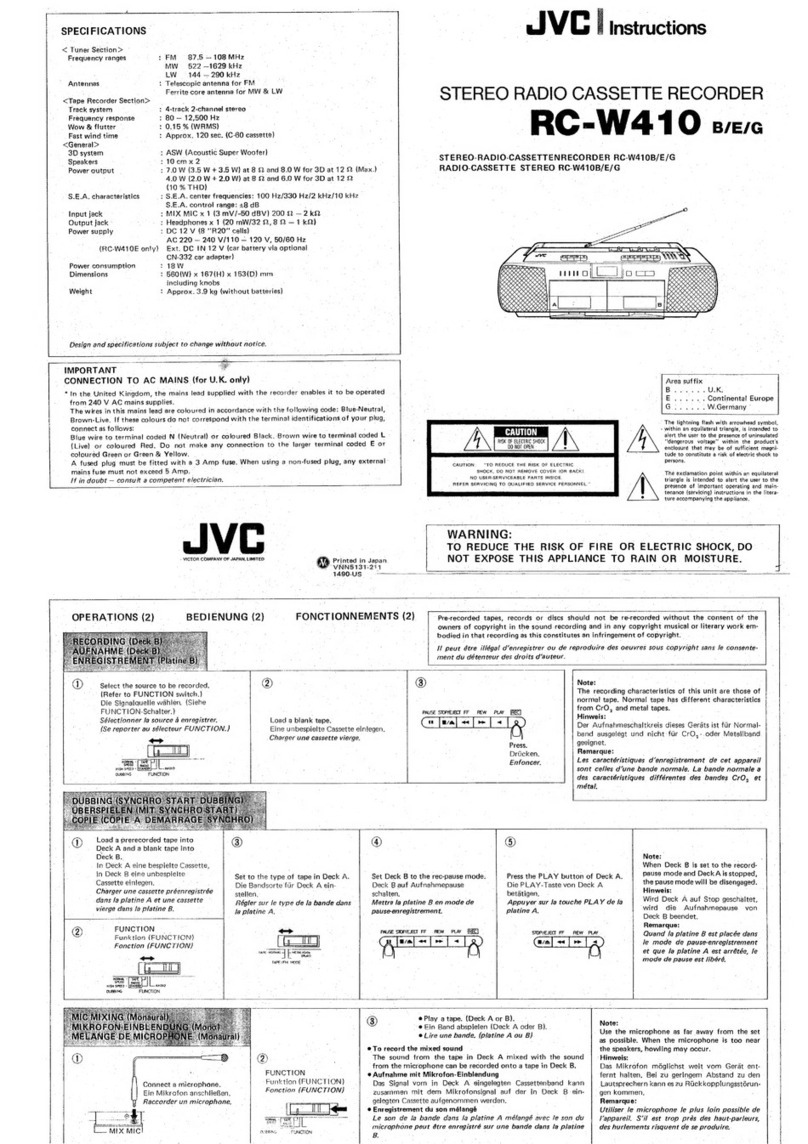
JVC RC-W410 User manual

JVC

JVC RC-W410 User manual

JVC Instructions User manual

JVC

JVC Instructions User manual

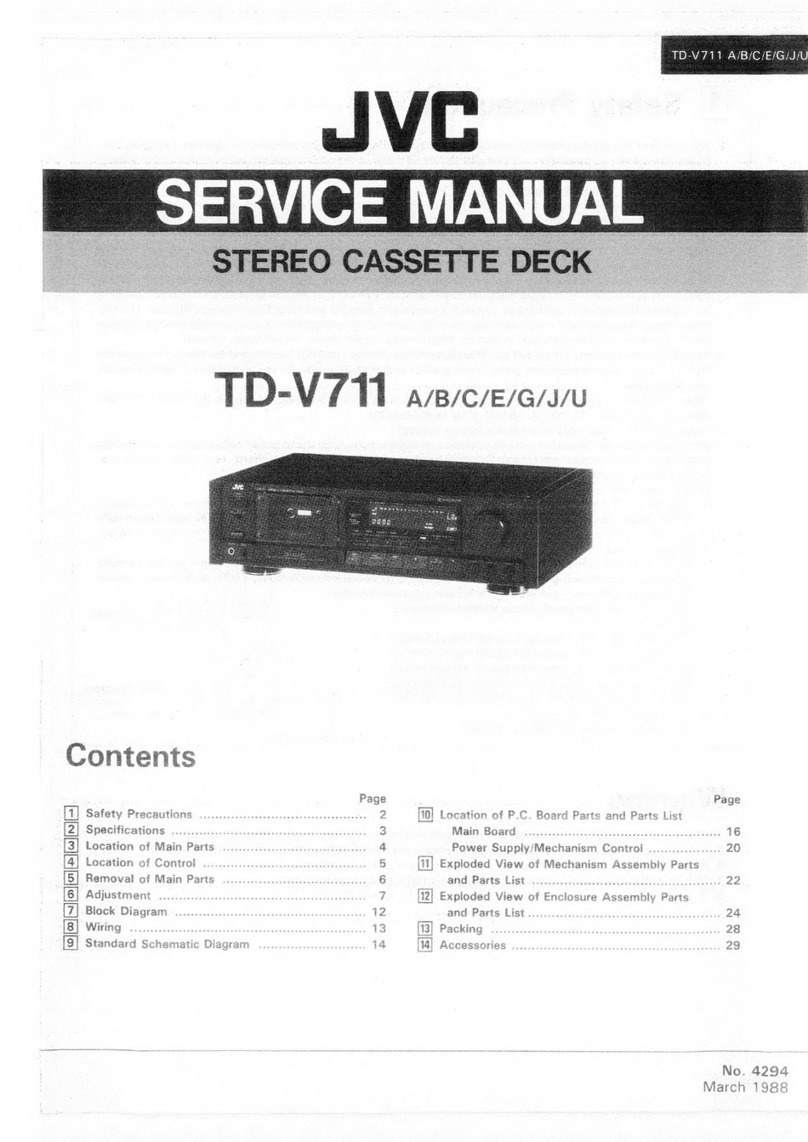
JVC TD-V711 User manual

JVC

JVC TD-V711 User manual

JVC KS-F150 User manual

JVC

JVC KS-F150 User manual

JVC TD-V711 User manual

JVC

JVC TD-V711 User manual

JVC HR-XVC22UC User manual

JVC

JVC HR-XVC22UC User manual

JVC TD-W254 B User manual

JVC

JVC TD-W254 B User manual

JVC LVT1089-001B User manual

JVC

JVC LVT1089-001B User manual

JVC TD-W354B User manual

JVC

JVC TD-W354B User manual

JVC PC-Y777 B User manual

JVC

JVC PC-Y777 B User manual

JVC RC-W410B User manual

JVC

JVC RC-W410B User manual

JVC TD-W20A User manual

JVC

JVC TD-W20A User manual

JVC TD-W217TNC User manual

JVC

JVC TD-W217TNC User manual

JVC TD-W208BK User manual

JVC

JVC TD-W208BK User manual

JVC RC-550L User manual

JVC

JVC RC-550L User manual

JVC CX-F5K User manual

JVC

JVC CX-F5K User manual

Popular Cassette Player manuals by other brands

Ahuja CPA-360 Operation manual

Ahuja

Ahuja CPA-360 Operation manual

Sony Pressman TCS-60DV Specifications

Sony

Sony Pressman TCS-60DV Specifications

Philips AQ6485/14 Product information

Philips

Philips AQ6485/14 Product information

Sony TCM-200DV - Cassette Recorder operating instructions

Sony

Sony TCM-200DV - Cassette Recorder operating instructions

Nakamichi BX-300 Service manual

Nakamichi

Nakamichi BX-300 Service manual

Panasonic RQ-E25V operating instructions

Panasonic

Panasonic RQ-E25V operating instructions

Aiwa TP-VS535 operating instructions

Aiwa

Aiwa TP-VS535 operating instructions

Yamaha MT8X Operation manual

Yamaha

Yamaha MT8X Operation manual

Sherwood Newcastle D-480 operating instructions

Sherwood

Sherwood Newcastle D-480 operating instructions

Manta MA408 user manual

Manta

Manta MA408 user manual

GPO W0162B user guide

GPO

GPO W0162B user guide

Marantz CP230 Service manual

Marantz

Marantz CP230 Service manual

Sony HST-471 Service manual

Sony

Sony HST-471 Service manual

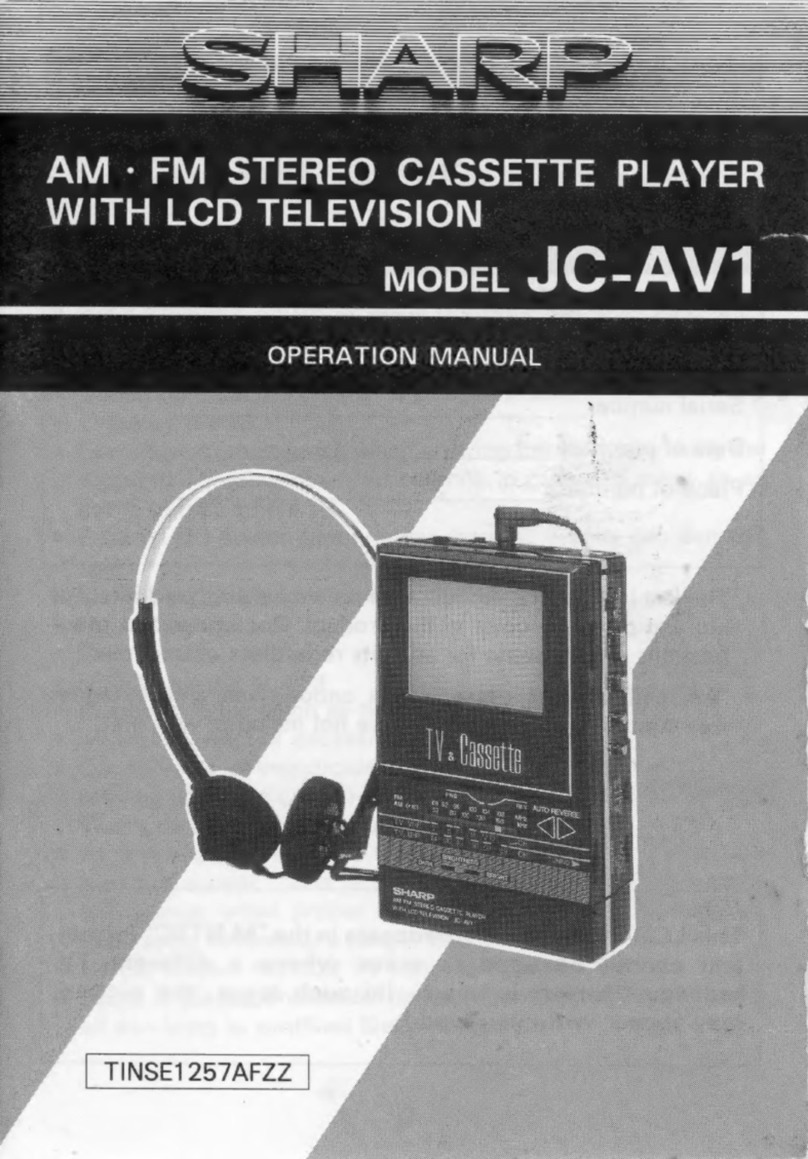
Sharp JC-AV1 Operation manual

Sharp

Sharp JC-AV1 Operation manual

Pioneer CT-W103 Service manual

Pioneer

Pioneer CT-W103 Service manual

Sony CFS-B15 - Am/fm Stereo Cassette Recorder operating instructions

Sony

Sony CFS-B15 - Am/fm Stereo Cassette Recorder operating instructions

Sony WMFS220 - Portable Sports AM/FM Cassette... operating instructions

Sony

Sony WMFS220 - Portable Sports AM/FM Cassette... operating instructions

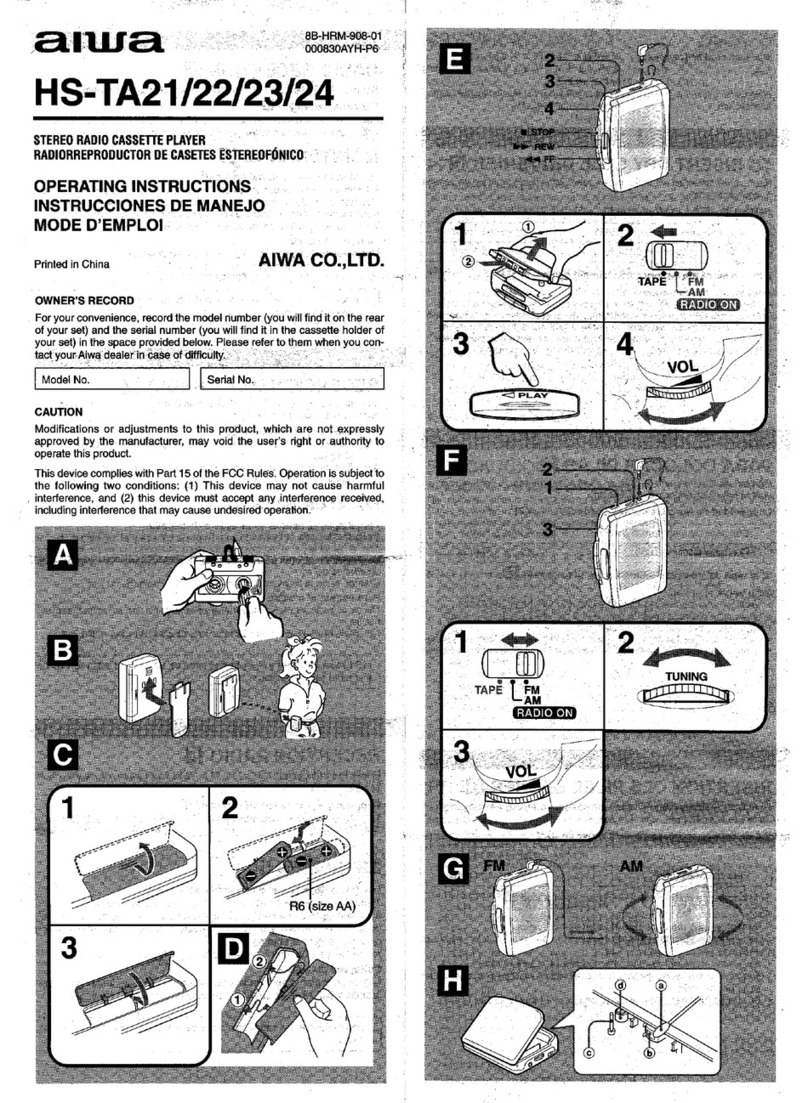
Aiwa HS-TA21 operating instructions

Aiwa

Aiwa HS-TA21 operating instructions

manuals.online logo
manuals.online logoBrands
  • About & Mission
  • Contact us
  • Privacy Policy
  • Terms and Conditions

Copyright 2025 Manuals.Online. All Rights Reserved.

MODEL
CD-1920/A/B/C/E/U
STEREO
CASSETTE
DECK
No.
4142
February
1976
Contents
Specifications..........
Features
.............-
Controls
and
Connections
Main
Parts
Location
.....
New
Technique
........
Main
Parts
Removing
....
Enclosure
Assembly
...
Electrical
Parts.......
Mechanical
Parts
Adjustments...........
Electrical
Adjustment
Mechanical
Adjustment
Specifications
Type
Track
system
Cassettes
Frequency
response
S/N
Wow
and
flutter
Crosstalk
Harmonic
distortion
Bias
Erasure
Heads
Motor
Tape
speed
Recording
time
Fast
forward
time
Rewind
time
Semiconductors
CD-1920/A/B/C/E/U
No.
4142
Stereo
cassette
deck
4-track,
2-channel
C-30,
C-60,
C-90
20
—
18,000Hz
(30
—
16,000Hz
+3dB)
with
chrome
tape
20
—
17,000Hz
(40
—
15,000Hz
+3dB)
with
normal
tape
52dB
(from
peak
level)
The
S/N
is
improved
by
5dB
at
1kHz
and
by
10dB
above
5kHz
with
ANRS
on.
0.09%
(WRMS)
65dB
1.3%
(normal
tape)
AC
bias
(95kHz)
AC
erasure
2
heads
Hard
permalloy
head
for
recording/playback
and
ferrite
head
for
erasure
Electronically
governed
DC
motor
4.8cm/sec.
2
x
30
minutes
with
C-60
cassette
125
sec.,
with
C-60
cassette
125
sec.,
with
C-60
cassette
7
ICs,
26
transistors,
2
SCRs
and
42
diodes
Input
jacks
Output
jacks
DIN
connector
(REC/PB)
:
Power
requirement
Power
consumption
Dimensions
Weight
Page
Page
aed
Peale
eee
eee
2
Trouble
Shooting
Guide
............-+--0--00-.
8
(kA
eRe
es
3
Maintenance::.c260.ccseweiatbaavtiecvediew
scene
9
B
Shani
te
ale
iiaegue
ters
whataueanteyen
OG
3
WHING
ceric
Scene
Cadmarannkemacccasmereaeaie
10
bop
wh
Fie
Baal
wie
Af
auegae
sarees
4
Standard
Schematic
Diagram
..........----.-+-+.
12
s-Gtiavo
this
eee
a
le
Bee
ees
4
Block
Diagram
.........00
cece
cece
e
eee
ee
eeeeee
WS
dhaf ais:
GrGkshererenenare
ve
<arapensimule
ane
5
Circuit
Board
Parts...........-0-2002
ee
eee
ee
eeee
14
erate
e
aaa
awe
ee
5
Mechanical
Components
..........200+eeeeeeeee
23
ine
EMa
Miao
Rates
ws
5
Enclosure
Assembly
and
Electrical
Parts
sales
eee
AHS
Rw
Ears
6
Except
Circuit
Board
Parts
.........--0+.000++
27
Ba
ied
woe
ume
atsens
eceyiacis
vases
merce
7
Packing)
sities
can
ciocrtareecieeenssesasoae
cine
28
iGteacsde
Gite
Gare
were
naar
7
ACCESSOFICS
«i
ccc
eee
nam
eee
caaceon
28
(OStaPeetswsiGuvecesen
8
Mic
jack
x2
Max.
sensitivity
0.2mV
matching
impedance
6002
—
10k2
Input
jack
x2
Min.
input
level
80mV
Input
impedance
100k2
Output
jack
x
2
Output
level
0.3V
Output
impedance
5kQ
Matching
load
impedance
50kQ
or
more
Headphone
jack
x
1
Output
level
0.3mW
Matching
impedance
82
—
1ka
Min.
input
level
15mV
Input
impedance
10ka
Output
level
0.5V
Output
impedance
5ka
Matching
impedance
50kQ
or
more
AC
120V,
60Hz
(CD-1920/C)
AC
240V,
50Hz
(CD-1920A/B)
AC
100V,120V,220V,
50Hz
(CD-1920E)
AC
100V,120V
,200V
,220V
50/60Hz
(CD-1920U)
30W
Width;
15-3/8""
(390mm)
Height;
5-15/16”
(151mm)
Depth;
12-5/8"
(321mm)
15.8
Ibs.
(7.2kg)
Design
and
specifications
are
subject
to
change
without
notice.

Features
“N/ertical-open-view”’
cassette
deck
Multi-point
peak
level
indicators
ANRS
Integrated
Circuit
ID
(Independent
Drive)
mechanism
Full
auto
stop
Air-damped
cassette
door
(Pat.
pending)
Input
select
switch
Tape
select
switches
Controls
and
Connections
Oo
®
8
®©
G8
&©®D
B®
YD ®@
®W
®
®
Fig.
1
WARNING
When
oot
in
use
‘or
fomaving
covers’
sh
from
mains
by
withdrawing
wall
plug.
Fig.
2
1
Headphone
jack
(PHONES)
16
REC-LEVEL
controls
2
Right
channel
microphone
jack
(MIC-R)
17
Rewind
button
(REW)
3
Left
channel
microphone
jack
(MIC-L)
18
Record
button
(REC)
4
Left
channel
level
meter
19
Play
button
(PLAY/REC)
5
PEAK
level
indicators
20
Fast
forward
button
(FF)
6
Right
channel
level
meter
21
STOP/Eject
button
(STOP/EJECT)
7
REC
indicator
22
Pause
button
(PAUSE)
8
ANRS
indicator
23
POWER
switch
9
Cassette
door
24
Left
channel
LINE
IN
terminal
10
Tape
COUNTER
25
Right
channel
LINE
IN
terminal
11
Counter
reset
button
26
Left
channel
LINE
OUT
terminal
12
INPUT
SELECT
switch
27
Right
channel
LINE
OUT
terminal
13
ANRS
switch
28
DIN
socket
(REC/PB)
14
TAPE
SELECT
EO
switch
29
Power
cord
15
TAPE
SELECT
BIAS
switch
CD-1920/A/B/C/E/U
No.
4142
Main
Parts
Location
©
®
Fig.
3
New
Technique
The
multi-point
peak
level
indicators
let
you
know
the
precise
levels
of
the
peak
signal
pulses
that
the
mechanical
VU
meters
cannot
follow.
They
are
essential
aids
for
making
good
recordings,
for
they
allow
recording
at
maximum
levels
without
exceeding
the
magnetic
saturation
level
of
the
tape.
During
adjustment,
sine
waves
are
used
and
the
indication
of
the
VU
meters
corresponds
to
that
of
the
peak
level
indicators.
But,
for
ordinary
musical
signals,
the
VU
meters
usually
indicate
lower
values
because
of
their
slower
response.
oro
na
a
=
=
=
O
!
L-CH
!
Power
supply
Input
H
.
|
terminal
terminal
I
re
Da404aP
I
Vcc=5V
R-ch
H
“
x
Light
Emitting
{
Input
I
Diode
(LED)
!
terminal
Mecsas
es
Se
es
Se
4
Fig.
4
CD-1920/A/B/C/E/U
No.
4142
MIC
jack
circuit
board
Main
amp
circuit
board
Peak
level
circuit
board
DIN
jack
PIN
jacks
ANRS
circuit
board
Power
transformer
Power
supply
circuit
board
Motor
ass’y
Cds
lamp
Flywheel
ass’y
Head
wire
terminal
circuit
board
Air-damp
pipe
Level
meter
(Right)
Indicator
circuit
board
Level
meter
(Left)
OONOoORWN
=
The
left
and
right
channel
inputs
are
individually
rectified
and
the
capacitor
C
is
charged
by
the
higher
of
the
left
and
right
channel
signal
levels.
The
variable
resistor
VR
adjusts
the
lighting
level
of
the
LED.
When
no
input
signal
is
available,
the
transistor
X
is
conducting
because
base
current
is
applied
through
the
resistance.

At
this
time
the
output
terminal
of
the
IC
TD3404AP
is
at
a
high
level
(5V),
providing
no
current
to
the
LED,
which
does
not
light
up.
When
the
base
potential
of
the
transistor
X
is
reduced
to
below
0.6V
by
the
input
signal,
X
becomes
non-conducting,
the
IC
output
is
at
a
low
level
(OV)
and
current
flows
to
the
LED
and
lights
it
up.
The
multi-point
peak
level
indicators
consist
of
five
of
the
circuits
encircled
by
the
broken
line,
connected
in
parallel.
Each
of
the
VRs
is
adjusted
according
to
the
signal
level
at
which
the
LED
lights
up
to
indicate.
A
circuit
which,
with
high
level
inputs,
provides
low
level
outputs
and
vice
versa,
such
as
TD3404AP,
is
usually
called
an
inverter.
This
1C
TD3404AP,
widely
used
in
computers,
is
a
digital
|C
which
includes
six
such
inverter
circuits,
five
of
which
are
used
in
this
set.
For
easy
use,
the
peak
level
indicator
circuit
of
this
set
is
so
designed
that
the
higher
one
of
the
right
and
left
channel
signal
levels
is
detected
to
light
the
LED.
The
attack
time
is
established
at
about
4msec,
achieving
both
easy
visibility
and
indication
accuracy.
For
adjustment,
see
the
section
‘“ADJUSTMENTS”
on
page
rp
Main
Parts
Removing
This
cassette
deck
which
features
a
compact
design
and
high
performance
uses
minuature-sized
parts
which
are
closely
arranged.
Use
special
care
when
servicing
it.
Enclosure
Assembly
Steel
cover
REC-LEVEL
Bottom
cover
knobs
Fig.
5
REC
LEVEL
Pull
off
the
inner
knob
and
the
outer
ring
@)
control
knobs
to
front
side.
Cassette
door
1.
Press
the
EJECT
button
to
open
the
GB)
cassette
door.
Inner
knob
—
for
left
channel
Outer
ring
—
for
right
channel
e
When
the
cassette
door
be
removed,
can
easy
clean
or
demagnetize
the
head.
e
When
replace
the
cassette
door,
insert
it
that
ball
bearings
be
full
locked.
.
Remove
the
cassette
door
by
sliding
it
upward.
Remove
2
screws
and
washers
of
both
sides
(L
&
R).
Steel
cover
Almost
all
parts
of
circuit
board
can
be
checked
when
only
steel
cover
is
removed.
Bottom
cover
e
3¢
8mm
screws
e
Almost
all
pattern
side
of
circuit
board
can
be
checked
when
only
bottom
cover
is
removed.
Remove
6
screws
and
6
washers
fastening
the
bottom
cover.
Front
panel
.
Remove
3
tapping
screws
fastening
up
side
of
the
F.
panel.
.
Remove
2
tapping
screws
fastening
under
side
of
the
F.
panel.
Remove
the
front
panel
after
removing
the
steel
cover
and
bottom
cover.
Remove
meter
escution
after
removing
the
front
panel.
Meter
escution
Remove
2
screws
(L
and
R
side
of
up-
ward)
fastening
the
meter
escution.
Rear
cover
.
Remove
3
screws
fastening
the
bottom
cover.
.
Remove
2
screws
(L
and
R
side
of
under
side)
fastening
the
rear
cover.
@
®
®
©
@
©
Electrical
Parts
Main
amp
C.
board
Fig.
6
Main
amp
circuit
board
Remove
the
main
amp
circuit
board
after
removing
the
front
pan
1.
Remove
2
screws
fastening
the
switch
ass’y.
.
Remove
rod
of
the
recording
lever.
.
Remove
4
tapping
screws
fastening
the
main
amp
circuit
board.
REC
volume
Remove
washer
and
nut
of
the
V.
Resistor
shaft
fastening
the
front
bracket.
Peak
level
Remove
4
tapping
screws
fastening
the
C.
board
peak
level
C.
board.
Power
supply
Remove
4
tapping
screws
fastening
the
C.
board
power
supply
C.
board.
ANRS
C.
board
Remove
4
tapping
screws
fastening
the
power
ANRS
C.
board.
Power
transformer
Remove
2
screws
and
washers
fastening
the
power
transformer.
MIC
jack
ass’y
Remove
2
screws
fastening
the
MIC
jack
ass’y.
Remove
the
V.
Resistor
after
removing
the
front
panel.
The
left
side
of
front
bracket.
CD-1920/A/B/C/E/U
No.
4142
Mechanical
Parts
Cassette
holder
Removing
the
cassette
holder
Don’t
remove
this
case
froin.
mecha
chassis
Remove
only
the
motor
Mecha
chassis
Cassette
Motor
speed
adjustment
holl
Flywheel
holder
®
Front
bracket
.
@
Nylon
washer
Fig.
7
CD-1920/A/B/C/E/U
No.
4142
Remarks
.
Press
the
EJECT
button,
then
the
cassette
door
be
loaded
Remove
the
brake
arm
(1)
from
stud
of
cassette
holder.
.
Remove
a
screw
@
fastening
the
recording
arm.
.
Remove
4
screws
fastening
the
front
bracket.
.
Pull
off
the
mecha-ass’y
to
back
side.
Cassette
holder
.
Remove
a
screw
fastening
the
cassette
holder.
.
Remove
“E”
ring
holding
the
brake
arm.
.
Remove
“E”
ring
holding
the
shaft.
.
Pull
off
the
shaft
to
right
side.
.
Remove
the
cassette
holder
by
sliding
it
upward
on
A
position
of
panel
bracket.
Don’t
remove
the
motor
case
from
mecha
chassis
and
remove
the
motor
only,
you
can
be
easy
replaced
it.
1.
Remove
the
take
up
belt.
2.
Remove
the
capstan
belt.
3.
Disconnect
2
wires
of
motor.
4.
Remove
a
screw
fastening
the
bottom
plate
of
motor.
.
Remove
a
screw
fastening
the
transistor.
.
Press
the
motor
from
upward
(pully
side),
then
can
be
removed
the
motor.
Flywheel
.
Remove
2
screws
fastening
the
muting
SW
bracket.
.
Remove
the
capstan
belt.
.
Remove
4
screws
fastening
the
flywheel
holder.
.
Pull
off
the
flywheel.
Pinch
roller
arm
ass’y
.
Remove
“E”
ring
holding
the
pinch
roller
arm
ass’y.
.
Remove
spring
on
the
arm
ass’y.
.
Remove
2
screws
fastening
the
cassette
holder.
.
Remove
the
counter
belt.
.
Remove
“E”
ring
holding
the
take
up
disc.
.
Pull
off
the
disc
from
the
shaft.
Take
up
disc
.
Remove
the
cassette
holder.
.
Remove
“E”
ring
holding
the
supply
disc.
.
Pull
off
the
disc
from
the
shaft.
Supply
disc
NOTE:
1.
Don’t
dirty,
slippery
and
undue
run-out
the
capstan
belt
and
counter
belt.
When
the
brake
arm
remove,
be
carful
not
to
stain
the
‘‘O”
ring
and
don’t
less
grease.
When
replace
the
cassette
holder,
don’t
forget
2
washers
of
the
shaft.
Be
carful
not
to
stain
the
belt.
Be
carful
no
to
stain
the
belt.
When
replace
the
flywheel,
don’t
forget
to
insert
a
nylon
washer
to
it’s
shaft.
2.
Adjust
height
of
the
motor
pulley,
when
the
capstan
belt
connect
to
the
flywheel
from
the
motor,
pulley,
so
that
it
will
be
parallel
to
the
chassis.
Adjustments
Electrical
Adjustment
Equipment
and
measuring
instruments
used
for
adjustment.
1.
V.T.V.M.
(measuring
AC
in
millivolt)
2.
Audio-frequency
oscillator
(range:
50—20kHz
and
output
OdB
with
impedance
6002
)
3.
Attenuator
4.
Reference
tapes
for
REC/PB
TS-1
(QP-12,
C521V)
—
normal
tape
TS-2
(TP-18,
C401R)
—
chrome
tape
5.
Reference
tapes
for
playback
VTT-664
(1kHz
16mM)
VTT-666
(400Hz
22mM)
6.
Resistors
1002
(for
measurement
of
the
bias
current)
AUDIO
Freq.
OSC
6002
(for
attenuator
matching)
Fig.
8
.
Set
the
deck
in
the
record
mode,
and
set
INPUT
SELECT
switch
at
LINE
IN.
2.
Input
1kHz
signals
(about
10dBs)
from
LINE
IN
jacks
and
adjust
volume
control
so
that
test
points
and
are
-3dBs.
3.
Adjust
semi-fixed
resistors
VR103
and
203
in
this
condition
it
obtain
zero
VU
meter
reading.
Peak
level
1.
Set
as
same
mode
at
step(1)
and
(Peak
level
adjust
semi-fixed
resistor
VR703
so
C.
board
that
the
0”
indicator
is
lighting
and
TAA305306)
no
lighting
at
-1dB
from
step(1)
with
VR703
attenuator.
2.
Adjust
semi-fixed
resistor
VR704
so
VR704
that
the
‘’-5”
indicator
is
lighting
at
-5dB
from
step(1)
with
attenuator.
3.
Adjust
semi-fixed
resistor
VR705
so
VR705
that
the
‘’-10”
indicator
is
lighting
at
-10dB
from
step(1)
with
attenuator
and
no
lighting
at
-11dB
from
step(1)
with
attenuator.
4.
Adjust
semi-fixed
resistor
VR702
so
that
the
“+3”
indicator
is
lighting
at
+3dB
from
step(1)
and
no
lighting
at
+2dB
from
step(1)
with
attenuator.
5.
Adjust
semi-fixed
resistor
VR701
so
that
the
+6”
indicator
is
lighting
at
+5dB
from
step(1)
with
attenuator.
1.
Level
meter
deflection
(Main
amp
C.
board
TAA305204)
The
angle
of
meter
deflec-
tion
has
been
factory-
adjusted,
but
should
be
adjusted
when
parts
are
replaced.
VR103,203
When
adjust
the
level
meter,
don’t
use
a
headphone.
Playback
1.
Set
equalizer
switch
at
normal
and
(Main
amp
1.
Adjust
playback
sensi-
sensitivity
playback
reference
tape
VTT-664.
C.
board
tivity
when
heads
are
Adjust
semi-fixed
resistors
VR101(L)
VR101,201
replaced.
and
VR201(R)
so
that
test
points
and
are
—3dBs,
then
level
meters
indicate
zero
VU
(about
0.3V
at
LINE
OUT).
2.
Playback
reference
tape
VTT-666
and
check
that
the
VU
meter
indicate
CAL.
2.
Make
this
adjustment
after
making
sure
level
meter
deflection
angle
is
correct.
No.
Item
4.
|
Bias
current
Recording
signal
current
ANRS
circuit
(DC
bias)
.
Set the
deck
in
the
record
mode.
.
Input
the
1kHz
signals
to
LINE
IN
Procedure
.
Insert
a
1009
resistor
into
the
ground
side
wiring
of
the
head
and
connect
the
V.T.V.M.
across
the
resistor,
and
set
the
BIAS
SW
at
chrome
or
normal.
Set the
deck
in
record
mode.
Input
signals
to
LINE
IN
jacks
and
adjust
the
recording
level
control
so
that
the
test
points
and
are
-13dBs.
First
adjust
for
chrome
tape,
then
for
normal
tape.
.
After
the
deck
correct
the
head
wires,
input
the
standard
level
of
1kHz
sig-
nals
to
use
reference
tape,
and
measu-
re
REC/PB
frequency
response
at
10kHz.
.
Adjust
semi-fixed
resistors
VR502,504
(chrome)
501,
503(normal)
so
that
the
10kHz
frequency
response
does
become
+10dBs
Repeat
the
recording
and
playback
so
that
10kHz
signals
become
correct
fre-
quency
response.
Level
over
at
10kKHz
compared
with
1kHz
—
bias
current
less
Level
less
at
1OkKHz
compared
with
1kHz
—
bias
current
over
jacks
and
adjust
the
recording
level
control
so
that
the
test
points
and
are
-13dBs,
make
recording
in
such
a
way.
.
Adjust
the
semi-fixed
resistors
VR104,
204
(chrome),
VR105,205(normal)
so
that
the
test
points
are
-13dBs.
.
Disconnect
+B
of
bias
circuit
so
that
oscillator
does
not
operate.
(Desolder
the
BIAS
CUT
in
main
amp
circuit
board)
.
Set the
deck
in
the
record
mode.
.
Apply
signal
of
1kHz
to
LINE
IN
and
adjust
volume
control
so
that
test
points
[12]
and
[62]
(in
main
amp
circuit
board)
are
OdBs.
.
Then,
connect
the
V.T.V.M.
to
test
points
(h)
G)
in
main
amp
circuit
board
and
adjust
below
steps.
.
Apply
signal
of
1kKHz,
—40dB
to
LINE
IN
and
adjust
R401,401
so
that
LINE
OUT
is
-34.3dB
with
ANRS
ON.
.
Apply
signal
of
5kHz
+40dBs
to
LINE
IN
and
adjust
R302,402
so
that
LINE
OUT
is
-17.5dBs
with
ANRS
ON.
.
When
apply
signal
of
1kHz
to
LINE
IN
and
output
is
OdB,
adjust
steps
(5)
through
(6)
so
that
level
does
not
change
when
ANRS
is
turned
on
and
off
(£5dB
less).
.
Playback
reference
tape
VTT-664
and
check
LINE
OUT
level
so
that
it’s
compare
are
+1dB
less
with
ANRS
SW
on
to
off.
.
Connect
+B
of
bias
circuit
(Solder
the
printed
in
main
amp
circuit
board
for
connect
+B).
(re
|
Ree
[Remar
1.
Adjust
bias
current
when
heads
or
other
parts
are
replaced.
2.
Use
the
highclass
V.T.V.M.
for
high
frequency
re-
sponse.
3.
After
the
bias
current
adjustment,
check
the
fre-
quency
response
at
10kHz
signals.
chrome
VR502,504
normal
VR501,503
(Main
amp
C.
board)
.
This
adjustment
is
necessa-
ry
when
heads
are
replaced.
2.
Make
this
adjustment
after
adjusting
steps
(1)
through
(4).
3.
Check
the
frequency
re-
chrome
sponse
at
10kHz
after
this
VR104,204
adjustment.
normal
4.
Set
EO
and
BIAS
switches
VR105,205
according
to
type
of
tape
used,
1.
See
figure
of
ANRS
circuit.
2.
Repeat
steps
(5)
through
(6).
Step
(5)
is
5.7dB
up.
Step
(6)
is
2.5dB
up.
CD-1920/A/B/C/E/U
No.
4142
Mechanical
Adjustment
1.
Replacement
and
adjustment
of
the
head
2.
(See
@
®@
©
O
in
Fig.
7
of
page
6)
If
either
of
the
record/playback
head
and
the
erase
head
shown
low
performance
because
of
wear,
broken
wire
or
excessive
magnetization,
it
should
be
replaced.
Screws
to
be
removed
REC/PB
head
E
head
REC/PB
head
After
replacement,
adjust
the
head
for
azimuth.
1.
Insert
the
cord
plug
into
the
LINE
OUT
jack
(or
REC/PB),
and
connect
the
other
end
of
the
cord
to
a
V.T.V.M.
(vacuum
tube
voltmeter).
2.
Play
the
azimuth
adjustment
test
tape
(e.g.
JVC’s
VTT-653,
10kHz).
3.
Turn
the
azimuth
screw
so
that
the
output
will
become
maximum.
If
the
azimuth
adjustment
test
tape
is
not
available,
play
a
music
cassette.
When
treble
response
becomes
optimum,
set
the
adjustment
screw
(@).
4.
After
this
adjustment,
the
screw
@)
should
be
locked
with
a
bond.
If
necessary,
adjust
playback
sensitivity,
current,
REC
signal
current
and
bias
trap.
REC
_
bias
Erasing
head
After
replacement,
adjust
the
head
for
height
position.
1.
Play
the
test
tape
(C-120).
2.
Turn
the
adjustment
screw
©
so
that
the
test
tape
move
running
to
no
touch
the
tape
guide
tip
(up
or
under
side).
If
checking
is
difficult,
cut
front
upper
side
of
the
cassette
of
C-120
by
a
cutter
knife,
etc.,
then
can
easy
check
it.
REC/PB
HEAD
Adjusting
the
motor
speed
1)
Play
back
reference
tape
(3000Hz),
and
adjust
the
semi-VR
in
the
motor
that
it’s
speed
in
3000Hz+2%
(2970Hz~
3060Hz).
2)
CD-1920
need
not
to
change
cycle,
whether
the
commercial
frequency
in
your
area
is
50
or
60Hz.
CD-1920/A/B/C/E/U
No.
4142
Trouble
Shooting
Guide
[ELECTRICAL
CIRCUIT]
1.
Playback
tone
quality
is
poor.
1.
Check
the
record/playback
head
for
dust.
2.
Check
the
record/playback
head
for
wear.
If
worn
excessively,
the
loss
of
treble
response
will
result.
3.
Check
wiring
for
a
short-circuit.
Check
each
transistor
for
condition.
2.
Recording
tone
quality
is
poor.
The
playback
tone
quality
of
a
recorded
tape
such
as
the
audition
tape
is
good,
but
the
recording
by
this
unit
produces
poor
tone
quality.
In
this
case,
the
unit
should
be
checked
in
the
following
manner.
‘
1.
By
monitoring
a
music
while
recording,
check
the
tone
quality.
|
2.
If
found
poor,
check
the
wiring
of
the
recording
system
for
a
broken
wire
and
short-circuit.
3.
If
no
irregularity
is
found,
check
the
recording
bias
current.
Also
check
the
oscillation
circuit.
3.
For
other
failures,
check
the
unit
in
the
same
manner
as
other
amplifiers.
a
a
3.
Standard
torque
70
gr-cm
or
more
70
gr-cm
or
more
35~
70
gr-cm
Fast
forward
torque
Rewinding
torque
Take-up
torque
4.
Door
opening
speed
adjustment
(See
in
Fig.
7
of
page
6)
Door
opening
is
opened
slowly
by
screw
E
is
loosened
and
move
the
bracket
position
to
back
side.
(The
spring
tension
varies
strong)
[MECHANISM
SECTION]
(wow
and
flutter)
If
wow
and
flutter
increase,
check
the
following
points.
If
there
is
defect
in
revolving
parts,
the
wow
and
flutter
generated
will
increase
in
proportion
to
the
number
of
revolutions.
es
Capstan
and
flywheel
Pinch
roller
Take-up
idler
arm
[MECHANICAL
REPAIRS]
Take-up
idler
arm
Standard
take-up
torque
not
available.
Play
a
3000Hz
test
tape,
and
defective
part
can
be
detected
from
the
sound.
Capstan
shaft
has
excessive
run-out.
Flywheel
turns
heavily.
(shaft
seisure,
thrust
play,
etc.)
Replace
flywheel.
Adjust
plastic
screw
with
flywheel
holder.
Clean
the
capstan
shaft
and
the
groove
in
the
flywheel.
Apply
oil
to
the
metal
position.
Replace
the
capstan
assembly.
Rough
rotation
(Deformation
scratches,
or
dust).
The
angular
position
of
the
pinch
roller
is
not
correct.
The
pinch
roller
pressure
is
not
correct.
Replace
pinch
roller.
Clean
the
pinch
roller
or
apply
oil
to
the
rotary
shaft.
Adjust
the
pinch
roller
so
that
it-is
parallel
with
the
capstan
shaft.
Adjust
the
pinch
roller
spring.
Clean
the
belt
or
remove
the
distortion.
Replace
the
belt.
Belt
has
undue
run-out.
;
Belt
is
dirty
or
slippery.
Back
tension
is
irregular,
or
back
tension
is
too
strong.
Replace
supply
disc.
Replace
back
tension
spring
(under
supply
disc),
or
apply
silicon
grease.
Motor
shaft
has
undue
run-out.
Motor
pulley
is
oily
and
dusty.
Replace
motor.
Clean
motor
pulley.
Pulley
has
deflection.
Pulley
is
stuck.
Replace
take-up
idler
arm.
Replace
take-up
idler
arm.
Replace
take-up
idler
arm
pressure
spring.
Clean
or
replace
capstan
belt.
Clean
rubber
rim
of
the
right
reel.
Reel
disc
and
idler
Fast-forward
torque
not
available.
Clean
rubber
rim
of
the
right
reel
or
replace
reel
disc
assembly.
Clean
or
replace
fast-forward
idler.
Clean
rubber
rim
of
the
left
reel
or
repalce
reel
disc
assembly.
Clean
rewind
idler
tire.
Door
brake
Door
does
not
open
fully.
Apply
a
small
quantity
of
silicon
grease
to
the
inside
surface
of
the
brake
pipe.
(SHIN
ETSU
KAGAKU
KS-64
or
equivalent)
Braking
not
sufficient.
Replace
brake
pipe
or
rubber
O-ring.
Check
slide
lever
and
solenoid
iron
core
for
smooth
movement.
Check
if
the
locking
and
sliding
parts
of
the
operation
button
cam
are
well
coated
with
molybdenum.
Auto-stop
mechanism
Auto-stop
not
operating.
Maintenance
To
get
long,
trouble-free
service,
maintenance
is
important.
2.
Pinch
roller
and
capstan
Do
not
forget
cleaning
and
demagnetizing.
1)
Press
the
EJECT
button
with
the
POWER
switch
ON
to
open
the
cassette
door.
Cleaning
2)
Press
the
PLAY
button,
and
the
pinch
roller
will
After
long
use,
the
heads
and
tape
part
—
capstan,
pinch
move
out
and
rotate.
roller,
etc.
—
will
become
dirty
with
dust
or
magnetic
3)
Apply
a
soft
cloth
(soaked
in
alcohol,
it
will
be
more
particles.
Dirty
heads
cause
imperfect
erasing
or
high
effective)
to
the
rotating
pinch
roller
and
capstan.
frequency
drop-off.
A
dirty
capstan
and
pinch
roller
will
Be
careful
not
to
let
the
cloth
get
caught!
cause
unstable
tape
speed,
leading
to
increased
wow
and
*
Do
not
use
any
cleaner
besides
alcohol
or
a
flutter.
specifically
prepared
tape
head
cleaning
solution.
Always
keep
them
clean
by
following
the
procedure
below.
1.
Heads
1)
Press
the
EJECT
button
with
the
POWER
switch
OFF
to
open
the
cassette
door.
a
2)
Remove
the
cassette
door
by
sliding
it
upward.
a
fo
—~
ra
Soft
cloth
—-
a
Direction
of
rotation
Nj
f
pinch
roll
Pinch
roller
N
ih
ile
Capstan
i
oy,
d
Fig.
10
Fig.
12
3.
Cabinet
When
the
cabinet
becomes
dirty,
wipe
it
with.
a
soft
3)
Press
the
PLAY
button
to
move
the
heads
out.
cloth
soaked
with
a
neutral
cleaning
solution
of
a
4)
Use
the
head
cleaning
stick
provided
to
wipe
the
polishing
cloth.
surface
where
the
tape
comes
into
contact
with
the
*
Do
not
use
thinner
or
benzine.
head.
(It
is
effective
to
moisten
the
cotton
with
alcohol.)
Demagnetizing
The
heads
are
made
from
a
material
resistant
to
magnetization,
but
after
long
use
they
may
become
magnetized.
A
magnet
brought
into
their
vicinity
can
magnetize
the
heads,
causing
excess
noise.
If
noise
seems
to
have
increased,
demagnetize
the
heads
with
a
head
demagnetizer
through
the
following
procedure.
1.
Turn
the
POWER
switch
OFF.
2.
Wrap
the
tip
of
the
demagnetizer
with
vinyl
tape
or
soft
cloth
so
as
not
to
damage
the
head
surface.
Switch
on
the
demagnetizer
and
bring
it
close
to
the
head.
3.
Move
the
tip
of
the
demagnetizer
slowly
first
to
the
left
and
right,
then
up
and
down
in
front
of
the
head.
Gradually
move
it
away
from
the
head
and
switch
it
off
at
a
distance
of
more
than
30cm.
(12’’)
4.
The
erase
head
need
not
be
demagnetized.
The
capstan
shaft
and
tape
guide
should
be
demagnetized
in
the
same
way
as
the
record/playback
head.
*
Do
not
bring
a
magnetized
metallic
object
(a
.
screwdriver,
for
example)
near
the
head
as
this
will
Fig.
11
increase
noise.
CD-1920/A/B/C/E/U
No.
4142
Wiring
CD-1920A/B
CD-1920E
Select
switch
CD-1920U
Fig.
13
CD-1920/A/B/C/E/U
No.
4142
-