manuals.online logo
Brands
  1. Home
  2. •
  3. Brands
  4. •
  5. JVC
  6. •
  7. Controllers
  8. •
  9. JVC RM-RE9000 User manual

JVC RM-RE9000 User manual

Other manuals for RM-RE9000

1

Other JVC Controllers manuals

JVC DV-180 User manual

JVC

JVC DV-180 User manual

JVC RX-ES9SL User manual

JVC

JVC RX-ES9SL User manual

JVC RX-E112RSL User manual

JVC

JVC RX-E112RSL User manual

JVC RM-LP5G User manual

JVC

JVC RM-LP5G User manual

JVC RX-F31S User manual

JVC

JVC RX-F31S User manual

JVC N-SE400U User manual

JVC

JVC N-SE400U User manual

Popular Controllers manuals by other brands

Sunricher SR-ZV9003T3-RGBW-US Installation

Sunricher

Sunricher SR-ZV9003T3-RGBW-US Installation

Ksenia intro Installation and configuration manual

Ksenia

Ksenia intro Installation and configuration manual

Inovance CAN200 Series manual

Inovance

Inovance CAN200 Series manual

Gauzy LC6 FLEX Controller Installation and operation guide

Gauzy

Gauzy LC6 FLEX Controller Installation and operation guide

Viking SLP-1 Technical practice

Viking

Viking SLP-1 Technical practice

CKD KBX-30E-U Series instruction manual

CKD

CKD KBX-30E-U Series instruction manual

Sharp Energy Sun Flux User manual & installation guide

Sharp Energy

Sharp Energy Sun Flux User manual & installation guide

Yamaha RCX40 user manual

Yamaha

Yamaha RCX40 user manual

AB Quality PowerFlex 400 Frames D-H Service bulletin

AB Quality

AB Quality PowerFlex 400 Frames D-H Service bulletin

Yamaha MJC8 owner's manual

Yamaha

Yamaha MJC8 owner's manual

AL-KO ATC operating instructions

AL-KO

AL-KO ATC operating instructions

Savant SmartControl 2 Deployment guide

Savant

Savant SmartControl 2 Deployment guide

GameSir T3S user manual

GameSir

GameSir T3S user manual

Kostal inveor operating manual

Kostal

Kostal inveor operating manual

Emerson Yarway 20-55 Operating and safety instructions

Emerson

Emerson Yarway 20-55 Operating and safety instructions

CoCo ACM-LV24 Quick installation guide

CoCo

CoCo ACM-LV24 Quick installation guide

Brooks SLA5810/20 Installation and operation manual

Brooks

Brooks SLA5810/20 Installation and operation manual

SIGMA TEK SR 011 Technical manual

SIGMA TEK

SIGMA TEK SR 011 Technical manual

manuals.online logo
manuals.online logoBrands
  • About & Mission
  • Contact us
  • Privacy Policy
  • Terms and Conditions

Copyright 2025 Manuals.Online. All Rights Reserved.

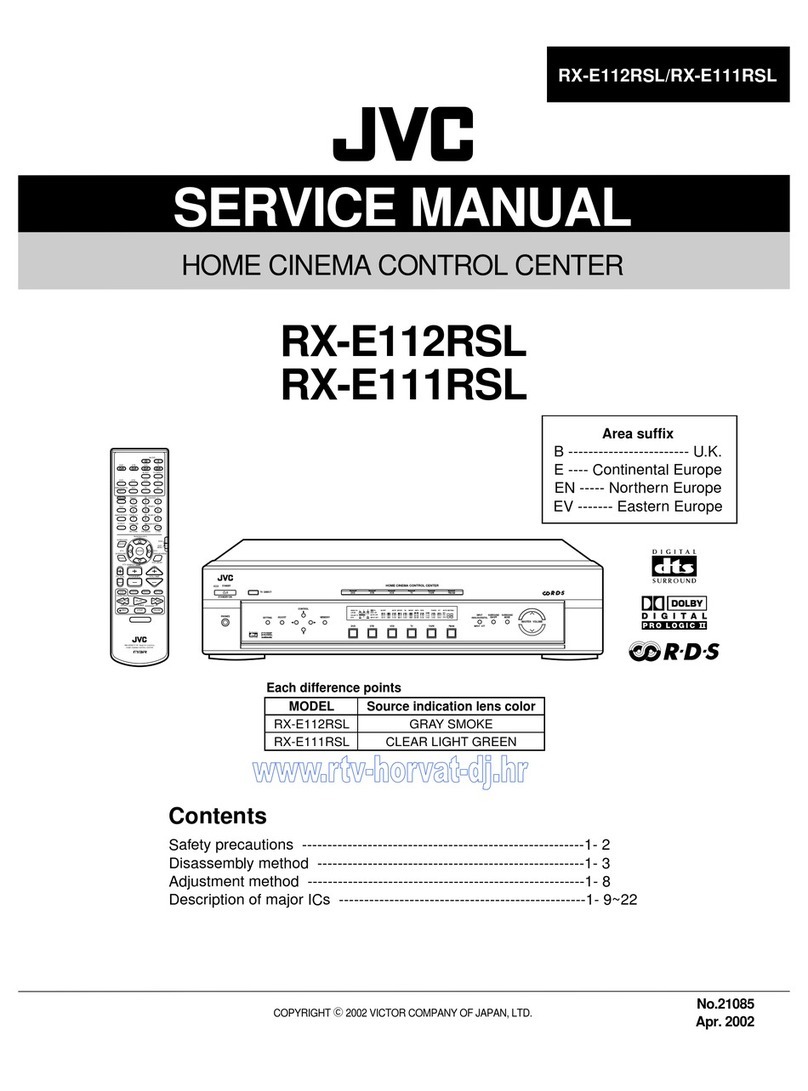
SERVICE MANUAL
SYSTEM CONTROLLER
No.20934
Apr. 2001
COPYRIGHT 2001 VICTOR COMPANY OF JAPAN, LTD.
RM-RE9000
RM-RE9000
Area Suffix
EContinental Europe
Contents
Safety Precautions
Adjustment method
Description of major ICs
1-2
1-3
1-6~8
dB
PHASE DISPLAYSLEEP
dB
SPEAKER
1-180û
212
PRESENCE
EXT
PROCESSOR
SOURCE GAIN
PRESET
AMP GAIN
PRESET
LINE 1 LINE 2 LINE 3
LINE 5LINE 4 LINE 6
MUTING ATT
MASTER VOLUME
EACH
ALL
1
2
345
6
7
8
RM-RE9000
1-2
1. This design of this product contains special hardware and many circuits and components specially for safety
purposes. For continued protection, no changes should be made to the original design unless authorized in
writing by the manufacturer. Replacement parts must be identical to those used in the original circuits. Services
should be performed by qualified personnel only.
2. Alterations of the design or circuitry of the product should not be made. Any design alterations of the product
should not be made. Any design alterations or additions will void the manufacturer`s warranty and will further
relieve the manufacture of responsibility for personal injury or property damage resulting therefrom.
3. Many electrical and mechanical parts in the products have special safety-related characteristics. These
characteristics are often not evident from visual inspection nor can the protection afforded by them necessarily
be obtained by using replacement components rated for higher voltage, wattage, etc. Replacement parts which
have these special safety characteristics are identified in the Parts List of Service Manual. Electrical
components having such features are identified by shading on the schematics and by ( ) on the Parts List in
the Service Manual. The use of a substitute replacement which does not have the same safety characteristics
as the recommended replacement parts shown in the Parts List of Service Manual may create shock, fire, or
other hazards.
4. The leads in the products are routed and dressed with ties, clamps, tubings, barriers and the like to be
separated from live parts, high temperature parts, moving parts and/or sharp edges for the prevention of
electric shock and fire hazard. When service is required, the original lead routing and dress should be
observed, and it should be confirmed that they have been returned to normal, after re-assembling.
5. Leakage currnet check (Electrical shock hazard testing)
After re-assembling the product, always perform an isolation check on the exposed metal parts of the product
(antenna terminals, knobs, metal cabinet, screw heads, headphone jack, control shafts, etc.) to be sure the
product is safe to operate without danger of electrical shock.
Do not use a line isolation transformer during this check.
Plug the AC line cord directly into the AC outlet. Using a "Leakage Current Tester", measure the leakage
current from each exposed metal parts of the cabinet, particularly any exposed metal part having a return
path to the chassis, to a known good earth ground. Any leakage current must not exceed 0.5mA AC (r.m.s.).
Alternate check method
Plug the AC line cord directly into the AC outlet. Use an AC voltmeter having, 1,000 ohms per volt or more
sensitivity in the following manner. Connect a 1,500 10W resistor paralleled by a 0.15 F AC-type capacitor
between an exposed metal part and a known good earth ground.
Measure the AC voltage across the resistor with the AC
voltmeter.
Move the resistor connection to eachexposed metal part,
particularly any exposed metal part having a return path to
the chassis, and meausre the AC voltage across the resistor.
Now, reverse the plug in the AC outlet and repeat each
measurement. voltage measured Any must not exceed 0.75 V
AC (r.m.s.). This corresponds to 0.5 mA AC (r.m.s.).
1. This equipment has been designed and manufactured to meet international safety standards.
2. It is the legal responsibility of the repairer to ensure that these safety standards are maintained.
3. Repairs must be made in accordance with the relevant safety standards.
4. It is essential that safety critical components are replaced by approved parts.
5. If mains voltage selector is provided, check setting for local voltage.
Good earth ground
Place this
probe on
each exposed
metal part.
AC VOLTMETER
(Having 1000
ohms/volts,
or more sensitivity)
1500 10W
0.15 F AC TYPE
!
Burrs formed during molding may
be left over on some parts of the
chassis. Therefore, pay attention to
such burrs in the case of
preforming repair of this system.
In regard with component parts appearing on the silk-screen printed side (parts side) of the PWB diagrams, the
parts that are printed over with black such as the resistor ( ), diode ( ) and ICP ( ) or identified by the " "
mark nearby are critical for safety.
When replacing them, be sure to use the parts of the same type and rating as specified by the manufacturer.
(Except the JC version)
http://getMANUAL.com

RM-RE9000
1-3
Remove the four screws Aon the front with a
hexagon wrench.
Place the reverse side of the set upward.
After taking off the cushions from the four places,
remove the four screws Bat the inside of the rear
cover.
Remove the screw B' at the inside of the battery
cover.
Remove the rear cover and the front panel
assembly. (Because they should have been tightly
engaged, remove them with due care.)
Remove the battery holder board assembly from the
rear cover by pulling it up.
1.
2.
3.
4.
5.
6.
Disassembly method
Removing the rear cover (See Fig.1 to 3)
Fig.1
Fig.2
Fig.3
A
A
B
B
B
Front panel assembly
Battery holder board
assembly
B' B
Rear cover
RM-RE9000
1-4
Remove the rear cover.
Remove the two screws Cattaching the remote
controller transmission board assembly.
Remove the connector CN201 connecting the main
board assembly to the remote controller transmission
board assembly.
1.
2.
3.
Removing the remote controller
transmission board assembly (See Fig.4)
Remove the rear cover.
Remove the remote controller transmission board
assembly.
After taking off the screws D& Eattaching the
volume knob and the rotary switch, remove their
knobs.
After taking off the nut Fattaching the volume board
assembly with a box-type driver, remove the volume
board assembly.
After taking off the nut G attaching the rotary switch
board assembly with a box-type driver, remove the
rotary switch board assembly.
Remove the fourteen screws Hattaching the main
board assembly.
Remove the connector CN103 connecting the main
board assembly to the volume board assembly, and
the connector CN301 connecting the main board
assembly to the rotary switch board assembly,
respectively.
1.
2.
3.
4.
5.
6.
7.
Removing the main board assembly
(See Fig.5 to 7)
Fig.4
Fig.5
Fig.6
C
Main board assembly
EVolume knob
Rotary
switch knob
CN103
F
D
Remote controller
transmission board
assembly
G
CN201
Fig.7
Rotary switch board assembly
C
Rotary switch knob
Volume knob
Main board assembly
H
CN301
H
Volume board assembly
RM-RE9000
1-5
Remove the rear cover.
Remove the remote controller transmission board
assembly.
Remove the main board assembly.
Remove the two screws I attaching the modular jack
board assembly.
Remove the connector CN501 connecting the main
board assembly to the connector terminal board
assembly.
1.
2.
3.
4.
5.
Removing the modular jack board
assembly (See Fig.8)
Remove the rear cover.
Remove the remote controller transmission board
assembly.
Remove the main board assembly.
Remove the modular jack board assembly.
Remove the seven screws Jattaching the switch
board.
Remove the board by lifting it.
1.
2.
3.
4.
5.
6.
Removing the switch board (See Fig.9)
Removing the top panel (See Fig.10)
Remove the rear cover.
Remove the remote controller transmission board
assembly.
Remove the main board assembly.
Remove the modular jack board assembly.
Remove the board.
Remove the two screws K attaching the lens and the
top panel.
1.
2.
3.
4.
5.
6.
Reminder when the top panel is
reassembled
When the top panel is reassembled, use the screws
with the specified size (M3x8mm) without fail
(Screws marked K).
Using longer screws may damage the top panel and
cause the top panel unstable.
1.
Fig.8
Fig.9
Fig.10
I
Modular jack board
assembly
J
Switch board
CN501
J
Top panel
Lens
I
J
J
KK
JJJ
RM-RE9000
1-6
MN101CP117(IC101) : System controller
1.Pin layout
1
11 12 22 23
33
3444
2.Pin function
Pin
No.
Pin
No. FunctionFunction
Symbol Symbol
I/O I/O
Rotary output 1
7segment circuit clock 1
7segment circuit latch output 1
LED circuit clock 2
LED circuit latch output 2
LED circuit reset 2
LED circuit data output 2
7segment circuit latch reset 1
Output data 1
Wake
GND
Rotary output 2
Rotary output 3
Rotary input 1
Rotary input 2
Rotary input 3
GND
GND
Volume input 1
Volume input 2
AD input
2.0V~5.0V Supply
clock output
clock input
Serial output data
Blight adjustment
Serial clock
0.0V
Key input 8
Key input 2
Key input
Key input 3
Key output 1
Key output 2
Key output 5
Key output 3
Key output 4
Reset
Key input 5
Key input 6
Key input 7
Key input 1
Remocon output
1
2
3
4
5
6
7
8
9
10
11
12
13
14
15
16
17
18
19
20
21
22
23
24
25
26
27
28
29
30
31
32
33
34
35
36
37
38
39
40
41
42
43
44 KY12
KY11
KY10
KY9
MMOD
RST
KY8
KY7
SIN2
RST2
LATCH2
CK2
KY6
KY5
KY4
KY3
KY2
WAKE
SIN1
RST1
LATCH1
CK1
KY13
ROT1
ROT2
ROT3
ROT4
ROT5
ROT6
N.C
VOL1
VOL2
AD
N.C
VDD
OSC2
OSC1
VSS
NC
SDATO
BRI
SCLK
KY1
RMOUT
~
~
~
~
I
O
O
O
I
I
I
I
I
I
I
I
O
I
O
O
O
O
O
O
O
O
O
I
I
I
I
O
O
O
O
O
O
O
O
I
I
O
I
I
I
Description of major ICs
RM-RE9000
1-7
1
2
3
4
5
6
7
89
10
1A
1B
1CLR
1Q
2Q
1Cx
2Rx/Cx
Vcc
1Rx/Cx
(TOP VIEW)
TC74VHC123AF-X(IC112) :Shift register for relay control
11
12
13
14
15
16
GND
1Cx
1Q
2Q
2CLR
2B
2A
2. Block diagram
3. Timing diagram
-
+
-
+
D
B
B
t
rr
t
rr
LH
Vref Vref
C2
F/F
R
R
X
/C
X
RX/CX
C
X
Q
N
Q
P
V
CC
V
CC
Q
CK Q
A
A
CLR
CLR
Q
Q
Q
Q
VIH
VOL
VOH
VOH
V
refH
V
refL
GND
VOL
VIH
VIH
VIL
VIL
VIL
VCC
t
w OUT
t
w OUT
t
w OUT+
1. Pin layout
RM-RE9000
1-8
1
2
3
4
5
6
78
9
10
11
12
13
14
1A
1B
1Y
2A
2B
2Y
GND
Vcc
4B
4A
4Y
3B
3A
3Y
(TOP VIEW)
X : Don't Care
TC74VHC08F-X (IC112) :Data line buffer
ABY
LLL
LHL
HLL
HHH
1. Pin. layout 2. True table
RM-RE9000
1-9
< MEMO >
RM-RE9000
2-1
1
2
3
4
5
ABC D
Key1~6
Key7~13
IC101
Micro controller
LED driver
Data line buffer
Modular
jack
LED driver
LED driver
DC-DC converter
Power
supply
IC104
IC105
IC103
SDA TO
SCL IC
LED
LED
LED
GND
VOL 2
RMOUT
ROT1 to ROT6
Battery
holder
IC112
LATCH1
SIN1
RST1
CK1
LATCH2
SIN2
RST2
CK2
PRESENCE2
PRESENCE1
SPEAKER2
SPEAKER1
MUTING
AT T
EXT
LINE1~6
123
Rotary switch
Volume
Transmission part
IC106
to
IC110
Block diagram