6
microphone to you.
How to use
3.1 Switch on/of the headset
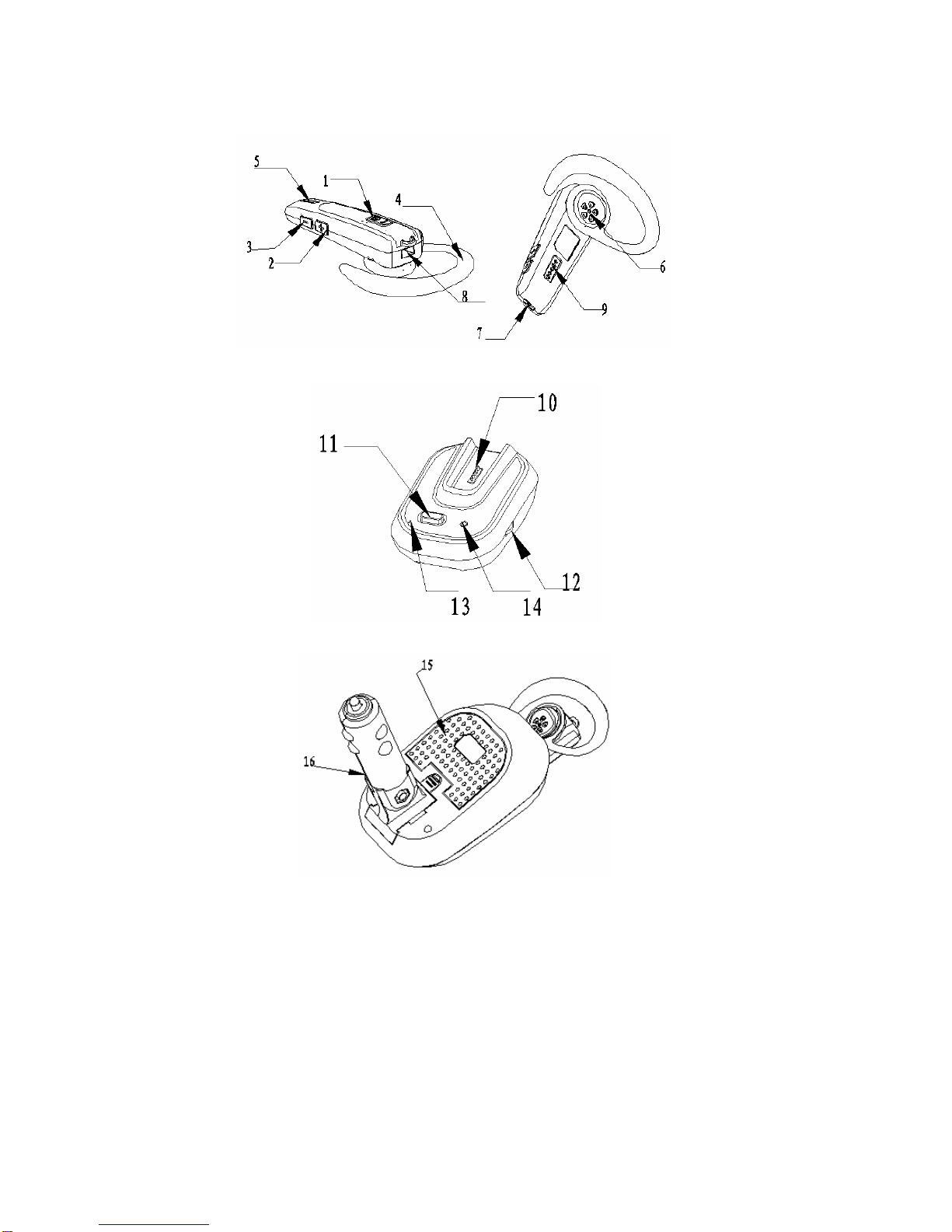
Switch on: Press and hold the Power Key for 5 seconds. The indicator light will blink
once between red and blue once in turn, then you will hear the tune “ Do-Re-Mi”. At that
time, release your hand and the headset enters into standby mode.
Switch off: Switch off: Press and hold the Power Key over 3 seconds. You will hear
the tune “Di”, then continue to hold the key for 2seconds, then the headset will sound a
tune “Mi-Re-Do” and be switched off.
3.2 Pair the headset with Bluetooth device
A. Pair the headset with Bluetooth mobile phone
§The headset must pair with Bluetooth mobile phone before connecting with
Bluetooth mobile phone. Please keep BH400 and phone in the range of 5 meters when
pairing.
§Under standby mode, press and hold the volume key for 5 seconds. The blue
indicator light will blink and sound a tune then two tune after 2seconds. Then the headset
will enter into pairing mode.
§Run the program of mobile phone to search Bluetooth device. (For further
information, please refer to your mobile phone manual user). After searched, the phone
will display surrounding Bluetooth devices.
§Select “BH5300” in the Bluetooth device list and confirm according to the indication.
Then enter the password “1234” and pair it with Bluetooth device successfully.
B. Pair with other Bluetooth device
The headset only can connect with the latest pairing device automatically. If you want
to use the headset with other Bluetooth devices, you should pair and connect it with the
Bluetooth device again.
3.3 Making call with the headset
After successfully connecting with Bluetooth mobile phone, you can make calling with the
headset as following table,
Profile Status of mobile Status of headset Headset operation
Voice dial
Standby mode
Standby mode
Press and hold power key
3seconds until a short
tune
Redial
Standby mode
Standby mode
Press power key once