GPIB IEEE488 MANUAL
1.0 GPIB IEEE488 INTERFACE CARD GENERAL DESCRIPTION
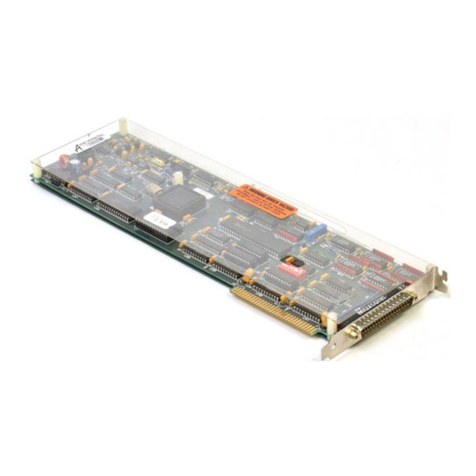
MetraByte's IE-488 General Interface (GPIB) I/O expansion board
for the IBM-PC computer is designed to plug directly into one I/O
slot inside the IBM-PC.The IE-488 has a built in 12 KbyteROM
interpreter which handles all the required initialization and
protocol functions required to use the IEEE488 Interface. No disk
files with driver routines are needed and the interpreter allows
all commands to be programmed in conventional high level IEEE488
command syntax e.g. REMOTE, ENTER etc. The IE-488 complies with
the IEEE November 1978 standard. The Interpreter is a relocatable
16 Kbyte block of code which may be entered via a BASIC CALL
statement or via DOS interrupt commands using assembly language
programming. All commands are string coded for ease of use. The
GPIB will handle up to 14 other talker/listener devices. The
controller maybe the IBM or any other of the 14 devices, any one
of which control may also be transferred to or from. The IE488
interpreter includes a group of subroutines which may be used to
to condition the data before data transfer when using assembly
language programs. The IE488 interpreter is capable of
implementing all twelve of the interface messages which are as
follows:-
1. The Data Message ---------------- The actual data information
sent from the talker device
to one or more listening
devices on the GPIB.
2. The Trigger Message ------------- This messaoe causes the
listener device(s) to
perform a device dependent
action when addressed.
3. TheClear Message ---------------
4. The Remote Message --------------
5. The Local Message ---------------
6. The Local Lockout Message -------
This message causes the
addressed device or all the
devices on the GBIB to
return to their predefined
state.
Causes the addressed device
or devices to switch from
front panel to remote prog-
ram control.
Causes the Remote Message
to be cleared from the
addressed device(s).
Prevents an operator from
manually returning to local
via front panel controls.
Page 3