manuals.online logo
Brands
  1. Home
  2. •
  3. Brands
  4. •
  5. Kenwood
  6. •
  7. Radio
  8. •
  9. Kenwood NX-5000 series Parts list manual

Kenwood NX-5000 series Parts list manual

Other manuals for NX-5000 series

6

This manual suits for next models

6

Other Kenwood Radio manuals

Kenwood TK-7180(H) User manual

Kenwood

Kenwood TK-7180(H) User manual

Kenwood TH-55AT/E User manual

Kenwood

Kenwood TH-55AT/E User manual

Kenwood KCA-XM100V User manual

Kenwood

Kenwood KCA-XM100V User manual

Kenwood TK-5400 Series User manual

Kenwood

Kenwood TK-5400 Series User manual

Kenwood TM-702A User manual

Kenwood

Kenwood TM-702A User manual

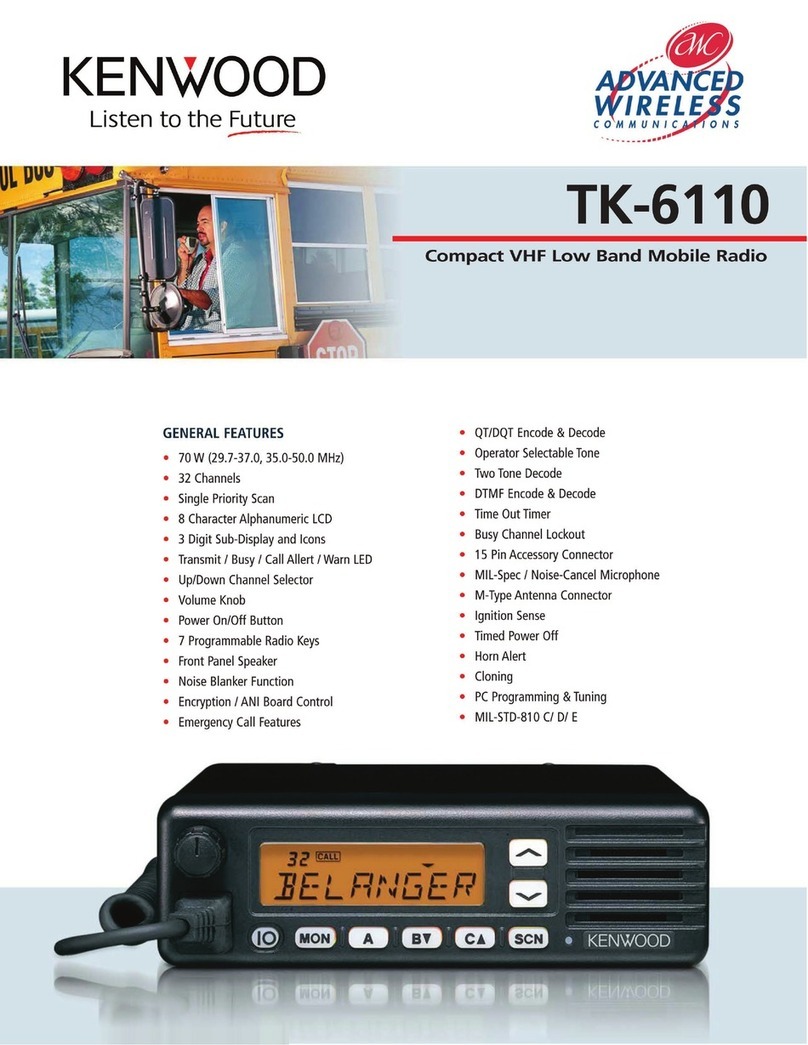
Kenwood TK-6110 User manual

Kenwood

Kenwood TK-6110 User manual

Kenwood TK-5710(H) User manual

Kenwood

Kenwood TK-5710(H) User manual

Kenwood ProTalk TK-3710 User manual

Kenwood

Kenwood ProTalk TK-3710 User manual

Kenwood VFO-230 User manual

Kenwood

Kenwood VFO-230 User manual

Kenwood TKR-750 Owner's manual

Kenwood

Kenwood TKR-750 Owner's manual

Kenwood TK-7360 User manual

Kenwood

Kenwood TK-7360 User manual

Kenwood TK-2180 Owner's manual

Kenwood

Kenwood TK-2180 Owner's manual

Kenwood NEXEDGE NX-720 Installation guide

Kenwood

Kenwood NEXEDGE NX-720 Installation guide

Kenwood TK-7180 User manual

Kenwood

Kenwood TK-7180 User manual

Kenwood TK-7100 User manual

Kenwood

Kenwood TK-7100 User manual

Kenwood CR-ST50DAB User manual

Kenwood

Kenwood CR-ST50DAB User manual

Kenwood TK-880 series Installation manual

Kenwood

Kenwood TK-880 series Installation manual

Kenwood TM-731A User manual

Kenwood

Kenwood TM-731A User manual

Kenwood FleetSync TK-690 User manual

Kenwood

Kenwood FleetSync TK-690 User manual

Kenwood TS-850S Operating and safety instructions

Kenwood

Kenwood TS-850S Operating and safety instructions

Kenwood KT-595 User manual

Kenwood

Kenwood KT-595 User manual

Kenwood CR-M30DAB User manual

Kenwood

Kenwood CR-M30DAB User manual

Kenwood TH-D72A User manual

Kenwood

Kenwood TH-D72A User manual

Kenwood TH-D72A User manual

Kenwood

Kenwood TH-D72A User manual

Popular Radio manuals by other brands

Grundig G6 AVIATOR owner's manual

Grundig

Grundig G6 AVIATOR owner's manual

Makita DMR114 instruction manual

Makita

Makita DMR114 instruction manual

PURE Move R3 manual

PURE

PURE Move R3 manual

Motorola CP040 Detailed service manual

Motorola

Motorola CP040 Detailed service manual

Bosch GPB18V-5C Operating/safety instructions

Bosch

Bosch GPB18V-5C Operating/safety instructions

Ocean Digital WR-230 user manual

Ocean Digital

Ocean Digital WR-230 user manual

Realistic TRC-457 owner's manual

Realistic

Realistic TRC-457 owner's manual

Uniden AX 144 owner's manual

Uniden

Uniden AX 144 owner's manual

SIGNIFY EA2173 instruction manual

SIGNIFY

SIGNIFY EA2173 instruction manual

auna multimedia 10026443 user manual

auna multimedia

auna multimedia 10026443 user manual

GME TX680 instruction manual

GME

GME TX680 instruction manual

Motorola MTM5 00 Series Basic service manual

Motorola

Motorola MTM5 00 Series Basic service manual

Tivoli Audio ONE+ owner's manual

Tivoli Audio

Tivoli Audio ONE+ owner's manual

Sirius Satellite Radio SDVK1 installation guide

Sirius Satellite Radio

Sirius Satellite Radio SDVK1 installation guide

Sirius XM RAdio EDGE user guide

Sirius XM RAdio

Sirius XM RAdio EDGE user guide

Trevi XF 100 user guide

Trevi

Trevi XF 100 user guide

EisSound KBSound iSelect user manual

EisSound

EisSound KBSound iSelect user manual

Kirisun DM588-02 user manual

Kirisun

Kirisun DM588-02 user manual

manuals.online logo
manuals.online logoBrands
  • About & Mission
  • Contact us
  • Privacy Policy
  • Terms and Conditions

Copyright 2025 Manuals.Online. All Rights Reserved.

.
NX-5000 series
DMR Function Reference (DMR FUNC)
Version: 2.20
Last Updated: May 31, 2017
Language: English
Type: K, F
© 2017
About This Manual v
How to Read the In-depth Manual vi
About Notations vi
About the Notation of the Supported Models
vii
About Examples of the Transceiver Display
vii
Abbreviations Used in This Document viii
About Copyright ix
Software Copyrights ix
Firmware Copyrights ix
About Trademarks and Patent Rights ix
About the Programming Software x
About KPG-D1N x
About the Notation of “Configuration
Using KPG-D1/ D1N” x
About the Zone-channel Format x
About System Type xi
About Multi RF Deck/ Multi Control Head xi
About Options to Use the Functions Described in
This Document xi
About the Built-in GPS Receiver Unit xii
How to Search for Information xii
Revision History xiv
CONTENTS BY PURPOSE xvi
1 DMR CONVENTIONAL SYSTEM 1
1.1 Initiating Voice Communications (Basic
Transmission and Reception) 2
About Own ID 2
About Communication Security (Encryption)
2
Receiving 2
Auto Reset Timer 3
Selective Call Alert LED 3
Optional Signaling LED 4
Participating in an On-going Voice Call
Midway Through the Call (Late Entry) 4
Searching Whether the Transceiver
Receives a Call (Scan) 4
Transmitting 4
Restricting the Continuous Transmission
Duration (Time-out Timer) 5
Avoiding Interference with Other
Communications (Busy Channel Lockout
(DMR)) 7
Using a Channel Being Used by Other
Parties (BCL Override) 8
Communicating Without Using a Repeater
(Talk Around/ DMR Direct Mode)
9
Communicating via a Repeater
(Repeater Mode) 11
About the Slot Numbers (Slot Selection) 11
1.2 Using the Signaling 12
Sharing the Same Channel (Frequency)
by Several Groups (Color Code) 12
1.3 Waiting for Both Digital Signals and Analog
Signals (Mixed Mode) 13
1.4 Using DMR ID to Initiate a Selective Call 15
Available Calls 15
Transition for Each Mode 15
1.5 Making an Individual Call 17
Initiating an Individual Call 17
Receiving an Individual Call 20
Individual ID List 22
Displaying the ID of the Communicating
Caller on the LCD (Caller ID Display) 23
Restricting IDs for Which the Transceiver Can
Initiate a Call (Individual ID Encode Block)
23
Sending the Received Unit ID from the
Communication Port (Unit ID Serial Output)
24
1.6
Initiating an Individual Call After Ensuring That the
Target Party Is Available for Communications
(Individual Call Acknowledge Request)
25
Initiating an Individual Call (Individual Call
Acknowledge Request)
26
Receiving an Individual Call (Individual Call
Acknowledge Request)
28
Notifying the User with a Tone That a Call
Request Has Been Initiated (Call Request Tone)
29
Notifying the User with a Tone That a Call
Request Is in Progress (Call Processing Tone)
29
1.7 Making a Group Call 30
Initiating a Group Call 30
Receiving a Group Call 31
Group ID List 33
Display When the Transceiver Receives a
Group Call (Unit ID Display on Group Call)
33
Group ID Scan (DMR) 34
Preventing the Functions Working with
Group Call Reception from Activating
(Call Alert Inhibit (Group Calls Only)) 35
Avoiding Receiving a Group Call during
an Incoming Individual Call (Ignore
Group Call during Individual Call) 35
1.8 Making an Informative Group Call
(Broadcast Group Call) 36
Initiating a Broadcast Call 36
Receiving a Broadcast Group Call 37
1.9 Common Functions for Data
Communications 38
Number of Retries 38
Transmit Busy Wait Time 38
Maximum ACK Wait Time 38
Preamble Length 39
CONTENTS
 
CONTENTS
DMR FUNC (K, F)/Ver 2.20 i
CONTENTS INDEX
CONTENTS

1.10 Sending and Receiving a Status Message
(Status Call) 39
Sending a Status Message 40
Receiving a Status Message 43
About the Behavior When a Message
Requesting the Status Transmission Is
Received 44
Status List 45
Status Message Stack 45
Status Message on Data Zone-Channel 46
Status Message on Data System-Personality
46
Sending the Received Status Message
from the Communication Port (Status
Message Serial Output) 47
Power-on Status Message 47
Power-off Status Message 47
Base ID 48
Emergency Status Response 48
AUX Input Status Message (Mobile Only) 49
AUX Output Status Message (Mobile Only)
49
Storing the Selected or Sent Status
(Status Hold) 50
1.11 Sending and Receiving a Short Message
(Short Data Call) 50
DMR Message Communication
Configuration (DMR Message Type) 51
Sending a Short Message 51
Receiving a Short Message 54
Short Message Stack 55
Short Message on Data Zone-Channel 55
Short Message on Data System-Personality
56
Sending the Received Short Message
from the Communication Port (Short
Message Serial Output) 56
1.12 Causing Transceivers Other than the
Transceiver of the Specified ID to
Participate in a Conversation (Open Voice
Channel Mode) 57
1.13 Calling All Transceivers Having the Same
Color Code (Unaddressed Call) 59
1.14 Terminating Voice Communications by a
Transceiver Other Than the Transmitting
Transceiver (Call Interruption) 60
Sending a Call Interruption Request
Message 61
Receiving a Call Interruption Request
Message 64
1.15 Sending GPS Data 65
Transmission Method of GPS Data 65
The ID of the Target Transceiver (GPS
Base ID) 66
Sending GPS Data Automatically at
Certain Intervals (GPS Report Mode) 66
Sending GPS Data According to the
Request from the Base Station (GPS
Report Mode) 67
Sending GPS Data Manually by Using a
Key (Send the GPS Data) 67
Sending GPS Data Based On Travel
Distance (GPS Distance Change) 67
Selecting the Transmission Method of
GPS Data (GPS Report Channel) 68
1.16 GPS Functions 69
Number of Times 69
GPS Report Interval Time 69
GPS Time Mark 70
GPS Message Type 70
GPS Report on Data Zone-Channel 71
GPS Report on Data System-Personality 71
GPS Report Back to Requested ID 72
GPS Data Storage 72
1.17 Receiving GPS Data 73
Map Header 73
GPS Position Display 74
1.18 Remote Operation by Radio
Communication (Remote Control) 74
Sending a Remote Control Message in
Remote Control Mode 75
Disabling the Transceiver Capability by
Remote Control (Stun/ Kill) 78
Monitoring the Situation Around Another
Transceiver by Remote Control (Remote
Monitor) 79
Checking Whether Another Transceiver
Is in Operation (Radio Check) 80
 
CONTENTS

DMR FUNC (K, F)/Ver 2.20 ii
CONTENTS INDEX

1.19
Migrating Automatically to the Site Providing
Better Radio Environment (Site Roaming)
81
Site Roaming Behaviors
82
Behavior in Asynchronous State
85
Moving to Other Sites that Allow
Synchronization with the Repeater (Manual
Site Hunt)
87
Site Roaming LED
89
Site Roaming Link Delay Time
90
Dropout Delay Time (Site Roaming)
90
Dwell Time
90
Quick Site Roaming Level
91
Standard Site Roaming Level
91
Site Roaming Resume Level
91
Off-hook Site Roaming
92
2 COMMUNICATIONS IN AN
EMERGENCY 93
2.1
Placing the Transceiver in Emergency Mode
93
Interrupt Emergency CALL
95
Emergency Alarm
95
2.2 Configuration Related to Transmission and
Reception in Emergency Mode 97
2.3 Zone-channel Functioning in Emergency
Mode 98
Emergency Channel Type 98
Emergency Zone-Channel 99
2.4 Automatically Transmitting and Receiving
in Emergency Mode 99
Emergency Cycle 99
Duration of Locator Tone 1 99
Duration of Locator Tone 2 100
Transmit Duration 101
Receive Duration 101
Emergency Microphone Sense 101
Background Transmission 102
2.5
Indication and Sound in Emergency Mode
102
Locator Tone
102
Emergency Display
102
Emergency Text
103
Emergency Mode Type
103
Emergency LED
104
Surveillance Mode
104
2.6 ID Sent When Emergency Mode is
Activated 105
Emergency ID 105
Emergency DMR ID Type 106
Emergency DMR ID 106
2.7 Other Functions in Emergency Mode 106
Emergency Channel Lock 106
Suspended Power-off 107
2.8 Placing the Transceiver in Emergency
Mode Using the Lone Worker Function 108
Enabling the Transceiver in Lone Worker
Mode/Disabling Lone Worker Mode 108
Functions in Lone Worker Mode 110
2.9 Placing the Transceiver in Emergency
Mode by Using the Activity Detection
Function 112
Man-down Detection 113
Stationary Detection 114
Motion Detection 114
Using Motion Detection and Stationary
Detection Simultaneously (Man-down with
Stationary)
115
2.10 Transceiver Behavior When the
Transceiver Receives an Emergency
Status 115
3 COMMUNICATION SECURITY 116
3.1
Toggling the Encryption during Transmission
between Enabled and Disabled
118
3.2 Configuring the Encryption Key Data Used
for Communications 119
3.3 Transceiver Behavior upon Receipt of
Encrypted Communication Data 121
Behavior when Data Received Cannot be
Properly Decrypted 122
About the Behavior of the Encryption
Icon 123
3.4 Secure Cryptographic Module (SCM) (for
AES/ DES Only) 123
Applicable SCMs 124
Key Loader 124
3.5 Built-in DES 125
3.6 Enhanced Encryption 126
3.7 Protection Function of Encryption Key (Key
Retention) 126
3.8 Deleting the Encryption Key (Key Delete) 128
3.9 Deleting All Encryption Keys (Zeroize) 129
About the SCM Communication Error
Display 132
3.10 Multi-key List 132
3.11 Transmit Clear Alert Tone 133
3.12 Scrambler/Encryption Status Memory 133
 
CONTENTS

DMR FUNC (K, F)/Ver 2.20 iii
CONTENTS INDEX

4 SCAN 134
4.1 Starting the Scan 134
4.2 Scanning in One Zone (Single Scan) 135
Conditions to Activate the Scan (Single
Scan) 136
Conditions to Resume the Scan (Single
Scan) 136
Transceiver Behavior in the Case that the
Scan Cannot Be Resumed (Single Scan) 136
4.3 Scan by Registering Multiple Target
Channels for Scan in the List (List Scan) 137
Conditions to Activate the Scan (List
Scan) 138
Conditions to Resume the Scan (List
Scan) 138
Transceiver Behavior in the Case that the
Scan Cannot Be Resumed (List Scan) 139
Scan List 139
Changing the Scan List (Scan Program) 140
4.4 Scanning All Target Zones for Scanning
(Multi-Zone Scan) 142
Conditions to Activate the Scan (Multi-
Zone Scan) 143
Conditions to Resume the Scan (Multi-
Zone Scan) 143
Transceiver Behavior in the Case that the
Scan Cannot Be Resumed (Multi-Zone
Scan)
143
4.5 Scanning the Specific Channel
Preferentially (Priority Scan) 144
Changing the Priority Channel 146
Lookback 148
Priority 1 Temporary Delete/Add, Priority
2 Temporary Delete/Add 149
Scan Normal Channel 149
4.6 Transceiver Behavior during the Scan 150
Transceiver Behavior When a Zone-
channel Is Changed during the Scan 150
Reception during the Scan 150
4.7 Scan Function 151
Adding or Deleting a Channel to/from the
Target Channels for Scan (Scan Delete/Add)
151
Adding or Deleting a Zone to or from the
Target Zones for Scanning (Zone Delete/Add)
152
Revert Channel 153
Dropout Delay Time 154
Dwell Time 154
Channel Recall 154
Priority-channel Stop Tone 155
Auto Scan 155
Selected Channel Scan 156
Power-on Scan 156
Starting Scanning by Linking with the
Microphone (Off-hook Scan) 157
Scan Stop Tone 157
Preamble Length 157
5 DATA COMMUNICATION
FUNCTIONS 158
5.1 Prioritizing Data Communications Using an
External Device (Data Override) 158
5.2 Restricting the Warning Display during
Data Communications (Silent Report) 159
6 KEY OPERATIONS FOR EACH
MODE 160
7 BEEP LIST 166
 
CONTENTS
DMR FUNC (K, F)/Ver 2.20 iv
CONTENTS INDEX
About This Manual
This manual describes the functions of the NX-5200/ NX-5300/ NX-5400/ NX-5700/ NX-5800/ NX-5900 transceiver operated
in the DMR system.
This document is created for the product having the following design specifications.
Item Specifications How to Verify
Market Code K, F Printed or labeled on the packaging and the model name plate on the
transceiver.
Firmware Version of
the Transceiver 2.20.00
Can be viewed in the Transceiver Information dialog box of KPG-D1/ KPG-
D1N. Or, firmware version of the transceiver can be viewed by the following
ways:
Portable transceiver:
Turning the transceiver on while pressing and holding the Side 3 key causes
the firmware version to appear on the display.
Mobile transceiver:
Turning the transceiver on while pressing and holding the [+] key causes the
firmware version to appear on the display.
Common to Portable and Mobile:
Turning the transceiver on while pressing and holding the Menu ([Q]) key
causes the transceiver to display Radio Mode Selection. Then, if “Transceiver
Info” is selected and the Menu ([Q]) key is pressed, the transceiver enters
Transceiver Information Mode, and then the firmware version can be viewed.
Version of KPG-D1/
KPG-D1N V 2.20 Can be viewed in the About KPG-D1 dialog box or About KPG-D1N dialog
box of KPG-D1/ KPG-D1N.
K, F: Designed for the North American markets.
Also, to use the functions of the DMR system described in this manual, the following Radio Feature Licenses are required:
Function Name Radio Feature License Name
DMR Conventional KWD-5300CV
Remote Control KWD-5007RC
 
About This Manual
DMR FUNC (K, F)/Ver 2.20 v
CONTENTS INDEX

How to Read the In-depth Manual
The In-depth Manual has the following sections.
Common Function Reference (Common FUNC)
Describes the functions common to the transceivers.
Analog Function Reference (Analog FUNC)
Describes the analog functions of the transceiver.
P25 Function Reference (P25 FUNC)
Describes the P25 functions of the transceiver.
NXDN Function Reference (NXDN FUNC)
Describes the NXDN functions of the transceiver.
DMR Function Reference (DMR FUNC)
Describes the DMR functions of the transceiver.
5-tone Function Reference (5-tone FUNC)
Describes the 5-tone functions of the transceiver.
About Notations
The following notations are used in this manual.
[ ]
The characters in [ ] indicate the name of the operating portion of each device and the key of the PC.
“ ” (Double Quotation Mark)
The characters in “ ” indicate the name of functions, buttons, and menus shown on the FPU.
Bold Letters
The characters in bold letters indicate the names of the FPU functions, panes, sections, dialog boxes, tabs, edit boxes,
dropdown lists, and checkboxes.
[ ] + [ ]
This notation is used for describing functions activated by pressing 2 keys on the PC keyboard at the same time. For example,
the notation to enter a capitalized A on the PC is [Shift] + [a] for pressing the [a] key while pressing the [Shift] key.
PF (Programmable Function) Key
This function is used for describing the key that is assigned with any function. When the Reset function is assigned to the
[A] key, the [A] key is described as “the Reset key”.
Notations for FPU names
KPG-D1 and KPG-D1N are referred to collectively as “KPG-D1/ D1N” in this document.
 
How to Read the In-depth Manual
DMR FUNC (K, F)/Ver 2.20 vi
CONTENTS INDEX

About the Notation of the Supported Models
This manual describes the supported models according to the following rules:
Model Notation
NX-5200
Portable
VHF
NX-5300 UHF
NX-5400 700 MHz/ 800 MHz
NX-5700
Mobile
VHF
NX-5800 UHF
NX-5900 700 MHz/ 800 MHz
About Examples of the Transceiver Display
This manual describes mainly by using the display examples of Portable display if the functions are common to the
transceivers. The display examples of Mobile display are also described as needed. Also, the display examples of KCH-19
(Basic Panel) display are mainly used as the display examples for Mobile. The display examples of KCH-20R (Featured
Panel) are also used as needed.
 
About Notations
DMR FUNC (K, F)/Ver 2.20 vii
CONTENTS INDEX

Abbreviations Used in This Document
The following abbreviations are used in this in-depth manual. Refer to the abbreviation table below.
Abbreviation Full Spelling or Meaning
ACK Acknowledgment
AMBE+2 Advanced Multi-Band Excitation
ARC4 Alleged RC4
AUX Auxiliary
BCL Busy Channel Lockout
CC Color Code
CH Channel
COM port Communications port
DQT Digital Quiet Talk
DTC Data Transmission Control
DTMF Dual Tone Multi-Frequency
ESN Electronic Serial Number
FCC Federal Communications Commission
FPU Field Programming Unit
GPS Global Positioning System
GTC Go To Channel
ID Identification
Mic Microphone
PF Programmable Function
PTT Push-to-Talk
QT Quiet Talk
RSSI Received Signal Strength Indication
RX Receive
TOT Time-out Timer
TX Transmit
UID Unit ID
UTC Universal Time Coordinated
VOX Voice-operated Transmission
 
Abbreviations Used in This Document
DMR FUNC (K, F)/Ver 2.20 viii
CONTENTS INDEX
About Copyright
Software Copyrights
All copyrights and other intellectual property rights for this technical document and relevant in-depth manuals as well as the
software described in this technical document, relevant in-depth manuals, and help texts and manuals attached to the
software are owned by JVC KENWOOD Corporation.
A right to use the software described in this technical document and relevant in-depth manuals is granted to a licensee by
JVC KENWOOD Corporation; however, the title to and ownership of the software shall be owned by JVC KENWOOD
Corporation. Refer to the help texts attached to this software for details.
JVC KENWOOD Corporation does not warrant that the quality and performance of the software described in this technical
document and relevant in-depth manuals conform to the applicability of any use, and JVC KENWOOD Corporation shall be
free from liability for any defects, damage or loss, or from any warranty for anything other than what is expressly described
in this technical document and relevant in-depth manuals.
Any distribution, resale, lease, waiver, assignment, reproduction or disclosure on a website of all technical manuals written
and made by JVC KENWOOD Corporation including but not limited to in-depth manuals, supplements, and help texts
attached to the software and marked as “Confidential” shall strictly be prohibited.
Firmware Copyrights
The title to and ownership of copyrights for firmware which is described in this technical document, relevant in-depth
manuals, and help texts are reserved for JVC KENWOOD Corporation, and the firmware shall be embedded in KENWOOD
product memories.
Any modifying, reverse engineering, copying, reproducing or disclosing on an Internet website of the firmware is strictly
prohibited without prior written consent of JVC KENWOOD Corporation.
Furthermore, any reselling, assigning or transferring of the firmware is also strictly prohibited without embedding the firmware
in KENWOOD product memories.
Firmware is equipped with the AMBE+2™ voice encoding technology under license from Digital Voice Systems.
About Trademarks and Patent Rights
Adobe and Adobe Acrobat are either trademarks of Adobe Systems Incorporated, or registered trademarks of Adobe
Systems Incorporated in the United States and/or other countries.
IBM® is a trademark or a registered trademark of International Business Machines Corporation.
Microsoft and Windows are either registered trademarks or trademarks of Microsoft Corporation in the United States
and/or other countries.
All other product names referenced herein are trademarks or registered trademarks of their respective manufacturers.
 
About Copyright
DMR FUNC (K, F)/Ver 2.20 ix
CONTENTS INDEX