manuals.online logo
Brands
  1. Home
  2. •
  3. Brands
  4. •
  5. KEPCO
  6. •
  7. Power Supply
  8. •
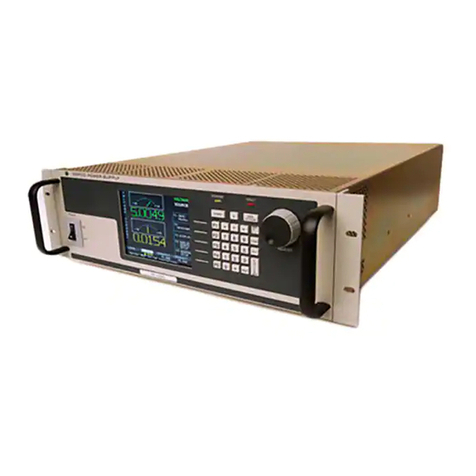
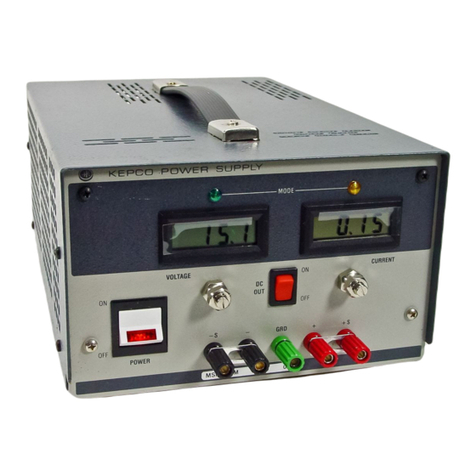
  9. KEPCO BOP 10-100MEL User manual

KEPCO BOP 10-100MEL User manual

This manual suits for next models

8

Other KEPCO Power Supply manuals

KEPCO RAX 3.3-35K User manual

KEPCO

KEPCO RAX 3.3-35K User manual

KEPCO BOP-MG/ME 1KW User manual

KEPCO

KEPCO BOP-MG/ME 1KW User manual

KEPCO BOP-MG User manual

KEPCO

KEPCO BOP-MG User manual

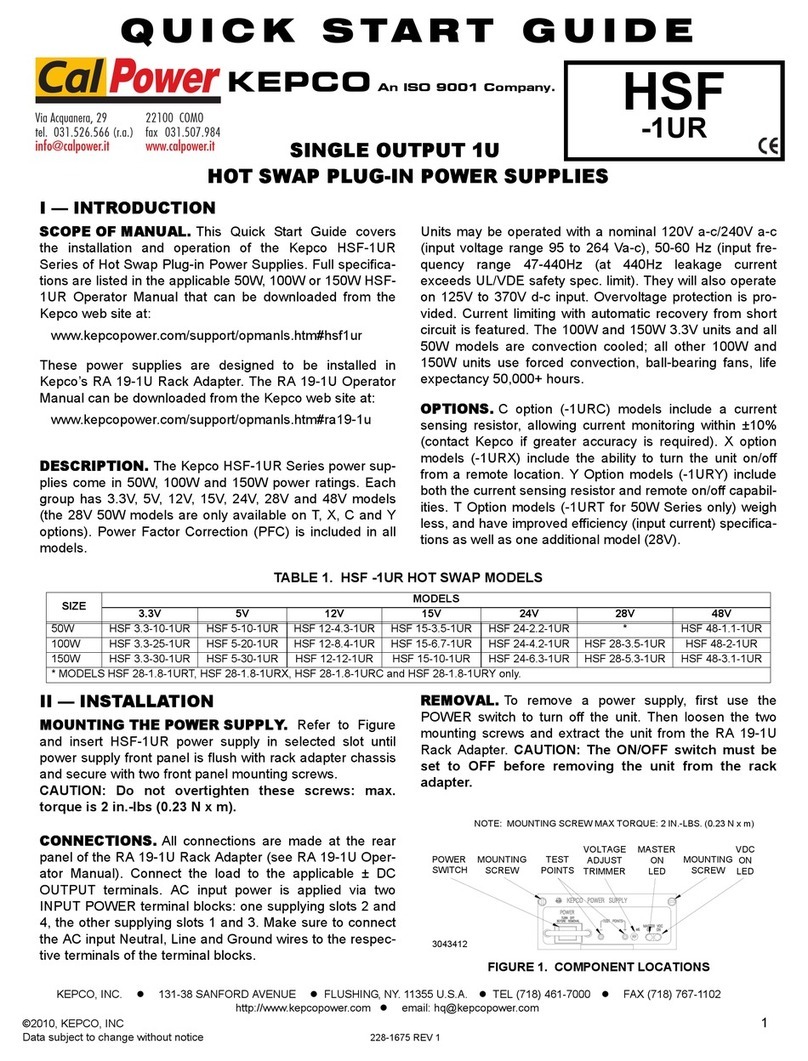
KEPCO HSF-1UR Series User manual

KEPCO

KEPCO HSF-1UR Series User manual

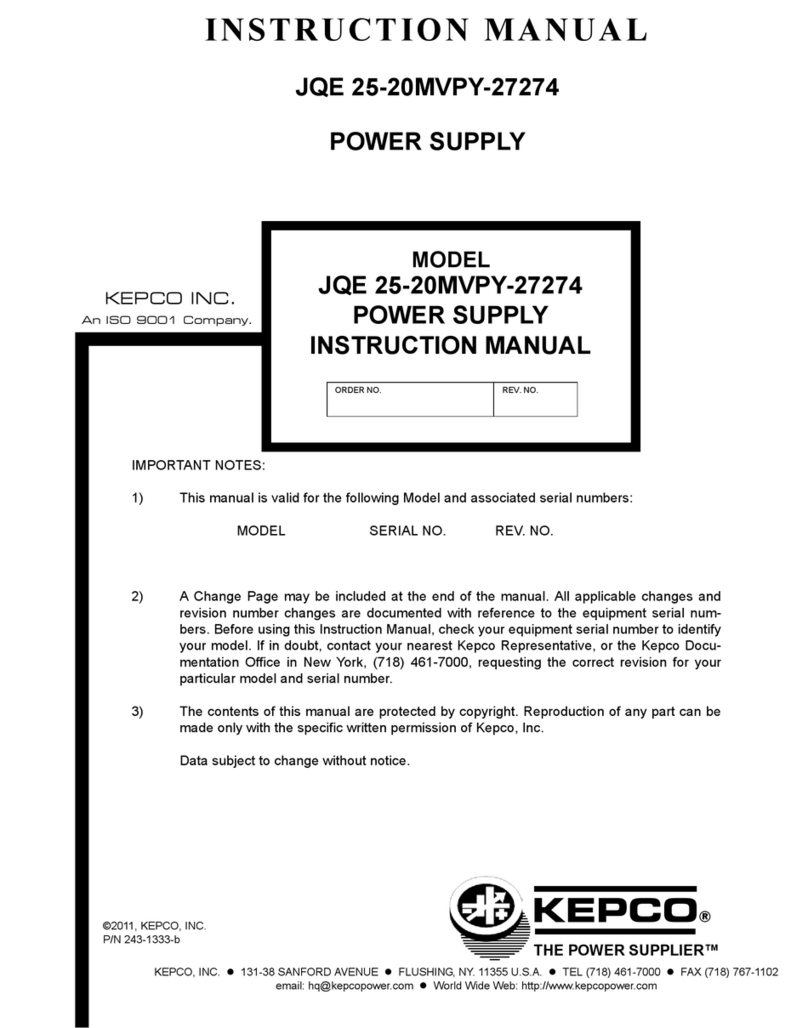
KEPCO JQE 25-20MVPY-27274 User manual

KEPCO

KEPCO JQE 25-20MVPY-27274 User manual

KEPCO KLP 10-150-(2) User manual

KEPCO

KEPCO KLP 10-150-(2) User manual

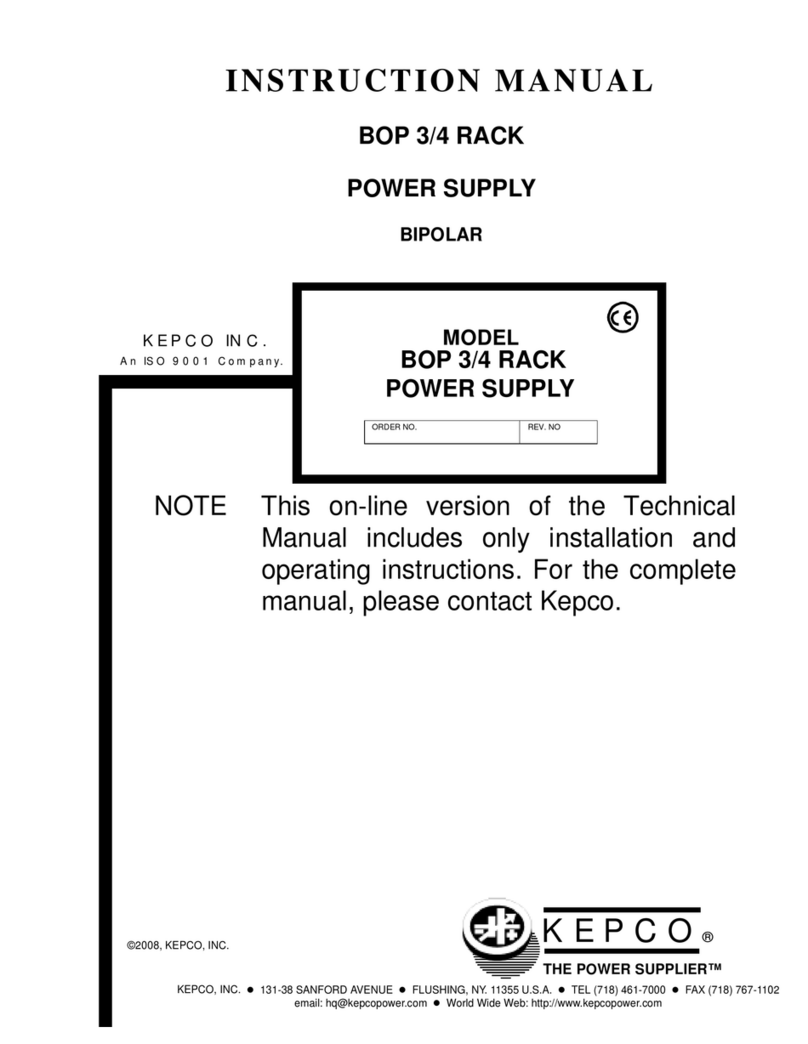
KEPCO BOP 3/4 RACK User manual

KEPCO

KEPCO BOP 3/4 RACK User manual

KEPCO BOP 500M User manual

KEPCO

KEPCO BOP 500M User manual

KEPCO BOP 1000W User manual

KEPCO

KEPCO BOP 1000W User manual

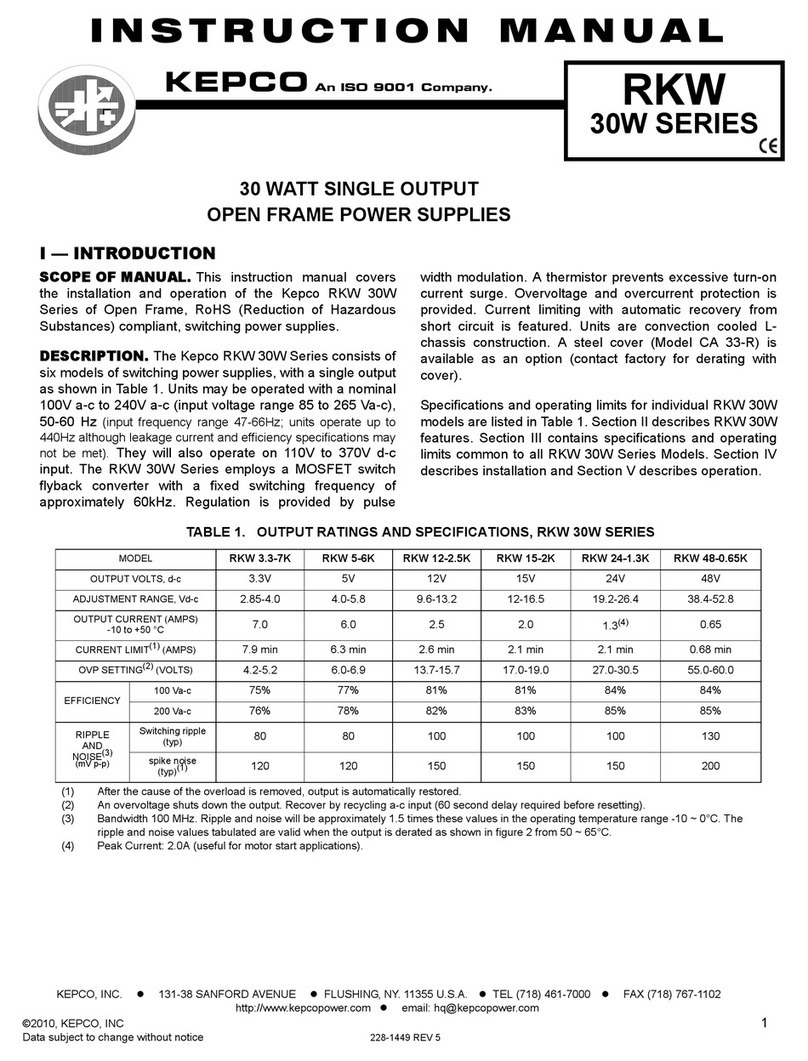
KEPCO RKW 3.3-7K User manual

KEPCO

KEPCO RKW 3.3-7K User manual

KEPCO MSK 20-5M User manual

KEPCO

KEPCO MSK 20-5M User manual

KEPCO HSF-PFC Series User manual

KEPCO

KEPCO HSF-PFC Series User manual

KEPCO ATE 1/4 RACK User manual

KEPCO

KEPCO ATE 1/4 RACK User manual

KEPCO BOP 1KW-MG Series User manual

KEPCO

KEPCO BOP 1KW-MG Series User manual

KEPCO BOP 2KW-MG Series User manual

KEPCO

KEPCO BOP 2KW-MG Series User manual

KEPCO ABC-DM Series User manual

KEPCO

KEPCO ABC-DM Series User manual

KEPCO HSF 3.3-20PFC User manual

KEPCO

KEPCO HSF 3.3-20PFC User manual

KEPCO BOP 1KW-MG Series User manual

KEPCO

KEPCO BOP 1KW-MG Series User manual

KEPCO HSF 5-20-1U User manual

KEPCO

KEPCO HSF 5-20-1U User manual

KEPCO HSF 24-50A User manual

KEPCO

KEPCO HSF 24-50A User manual

KEPCO BOP-MG 1KW User manual

KEPCO

KEPCO BOP-MG 1KW User manual

KEPCO MAT FULL RACK 6V User manual

KEPCO

KEPCO MAT FULL RACK 6V User manual

KEPCO CC Series User manual

KEPCO

KEPCO CC Series User manual

KEPCO BOP 10-100GL User manual

KEPCO

KEPCO BOP 10-100GL User manual

Popular Power Supply manuals by other brands

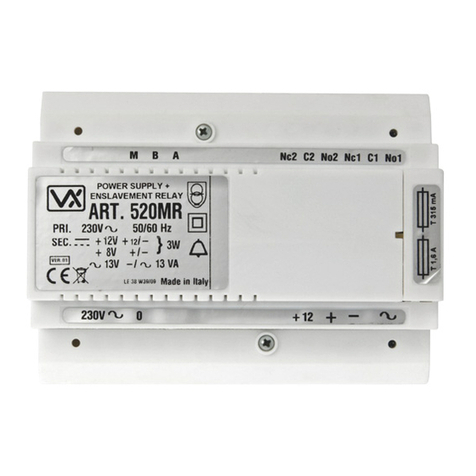
Videx 520MR Installation instruction

Videx

Videx 520MR Installation instruction

Poppstar 1008821 Instructions for use

Poppstar

Poppstar 1008821 Instructions for use

TDK-Lambda LZS-A1000-3 Installation, operation and maintenance manual

TDK-Lambda

TDK-Lambda LZS-A1000-3 Installation, operation and maintenance manual

TDK-Lambda 500A instruction manual

TDK-Lambda

TDK-Lambda 500A instruction manual

Calira EVS 17/07-DS/IU operating instructions

Calira

Calira EVS 17/07-DS/IU operating instructions

Monacor PS-12CCD instruction manual

Monacor

Monacor PS-12CCD instruction manual

VOLTIMA MagicBox 15 Installation and operating instructions

VOLTIMA

VOLTIMA MagicBox 15 Installation and operating instructions

Miller Auto Deltaweld 452 owner's manual

Miller

Miller Auto Deltaweld 452 owner's manual

BCP PUOUBK How to install

BCP

BCP PUOUBK How to install

HC 2210 manual

HC

HC 2210 manual

Agilent Technologies 6032A Service manual

Agilent Technologies

Agilent Technologies 6032A Service manual

Radial Engineering SB-48UB user guide

Radial Engineering

Radial Engineering SB-48UB user guide

Puls CT5.241 installation manual

Puls

Puls CT5.241 installation manual

OCZ ZX1250W Technical specifications

OCZ

OCZ ZX1250W Technical specifications

iseg ECH 238 manual

iseg

iseg ECH 238 manual

Agilent Technologies 6631B Service manual

Agilent Technologies

Agilent Technologies 6631B Service manual

Power XXL A Series instruction manual

Power

Power XXL A Series instruction manual

HP 6200B Operating and service manual

HP

HP 6200B Operating and service manual

manuals.online logo
manuals.online logoBrands
  • About & Mission
  • Contact us
  • Privacy Policy
  • Terms and Conditions

Copyright 2025 Manuals.Online. All Rights Reserved.

KEPCO®
THE POWER SUPPLIER™
MODEL
OPERATOR’S MANUAL
ORDER NO.
KEPCO, INC. 131-38 SANFORD AVENUE FLUSHING, NY. 11355 U.S.A. TEL (718) 461-7000 FAX (718) 767-1102
email: hq@kepcopower.com World Wide Web: www.kepcopower.com
KEPCO INC.
An ISO 9001 Company.
BOP-1KW
(MEL, MGL)
HIGH POWER BIPOLAR POWER SUPPLY
BOP-1KW (MEL, MGL)
POWER SUPPLY
©2021, KEPCO, INC
P/N 243-1422
IMPORTANT NOTES:
1) This manual is valid for the following Firmware Versions:
FIRMWARE VERSION NOTE.
2) A Change Page may be included at the end of the manual. All applicable changes and
revision number changes are documented with reference to the equipment serial num-
bers. Before using this Instruction Manual, check your equipment firmware version num-
ber to identify your model. If in doubt, contact your nearest Kepco Representative, or the
Kepco Documentation Office in New York, (718) 461-7000, requesting the correct revision
for your particular model and firmware version number.
3) The contents of this manual are protected by copyright. Reproduction of any part can be
made only with the specific written permission of Kepco, Inc.
Data subject to change without notice.
7.0 and higher
228-1529 COND/CONFORM 042722 A
Conditions of Conformance
When this product is used in applications governed by the requirements of the EEC, the following restric-
tions and conditions apply:
1. For European applications, requiring compliance to the Low Voltage Directive, 73/23/EEC, this power
supply is considered a component product, designed for “built in“ applications. Because it is incom-
plete in construction, the end product enclosure must provide for compliance to any remaining electri-
cal safety requirements and act as a fire enclosure. (EN61010-1 Cl. 6, Cl. 7, Cl.8, Cl. 9 and EN61010-
1 annex F)
2. This power supply is designed for stationary installation, with mains power applied via a detachable
power supply cord or via direct wiring to the source power terminal block.
3. This power supply is considered a Class 1 (earthed) product, and as such depends upon proper con-
nection to protective earth for safety from electric shock. (EN61010-1 Cl. 6.5.4)
4. This power supply is intended for use as part of equipment meant for test, measurement and labora-
tory use, and is designed to operate from single phase, three wire power systems. This equipment
must be installed within a suitably wired equipment rack, utilizing a three wire (grounded) mains con-
nection. See wiring section of this manual for complete electrical wiring instructions. (EN61010-1 Cl.
6.5.4 and Cl.6.10.1)
5. This power supply has secondary output circuits that are considered hazardous, and which exceed
100V d-c, able to deliver current greater than 10A d-c.
6. The output wiring terminals of this power supply have not been evaluated for field wiring and, there-
fore, must be properly configured by the end product manufacturer prior to use.
7. This power supply employs a supplementary circuit protector in the form of a circuit breaker mounted
on the front panel. This circuit breaker protects the power supply itself from damage in the event of a
fault condition. For complete circuit protection of the end product, as well as the building wiring, it is
required that a primary circuit protection device be fitted to the branch circuit wiring. (EN61010-1 Cl.
9.6.2)
8. Hazardous voltages are present within this power supply during normal operation. All operator adjust-
ments to the product are made via externally accessible switches, controls and signal lines as speci-
fied within the product operating instructions. There are no user or operator serviceable parts within
the product enclosure. Refer all servicing to qualified and trained Kepco service technicians.
B042722
SAFETY INSTRUCTIONS
1. Installation, Operation and Service Precautions
This product is designed for use in accordance with EN 61010-1 and UL 3101 for Installation Category 2,
Pollution Degree 2. Hazardous voltages are present within this product during normal operation. The prod-
uct should never be operated with the cover removed unless equivalent protection of the operator from
accidental contact with hazardous internal voltages is provided:
2. Grounding
This product is a Class 1 device which utilizes protective earthing to ensure operator safety.
3. Electric Shock Hazards
This product outputs hazardous voltage and energy levels as a function of normal operation. Operators
must be trained in its use and exercise caution as well as common sense during use to prevent accidental
shock.
There are no operator serviceable parts or adjustments within the product enclosure.
Refer all servicing to trained service technician.
Source power must be removed from the product prior to performing any servicing.
This product is factory-wired for the nominal a-c mains voltage indicated on the rat-
ing nameplate located adjacent to the source power connection on the product's rear
panel. To reconfigure the product input for other nominal mains voltages as listed
herein, the product must be modified by a trained service technician.
The PROTECTIVE EARTHING CONDUCTOR TERMINAL must be properly con-
nected prior to application of source power to the product (see instructions on instal-
lation herein) in order to ensure safety from electric shock.
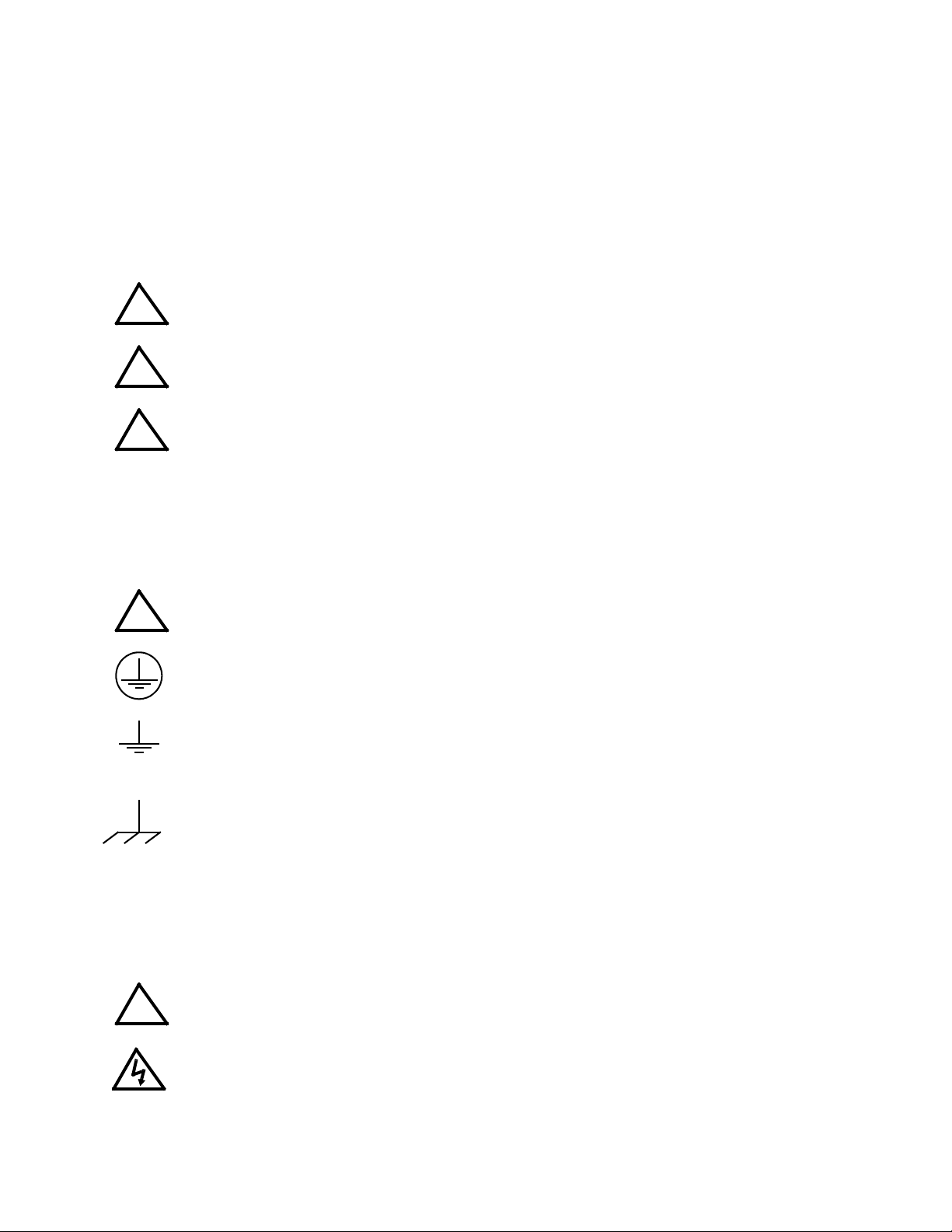
PROTECTIVE EARTHING CONDUCTOR TERMINAL - This symbol indicates the
point on the product to which the protective earthing conductor must be attached.
EARTH (GROUND) TERMINAL - This symbol is used to indicate a point which is
connected to the PROTECTIVE EARTHING TERMINAL. The component installer/
assembler must ensure that this point is connected to the PROTECTIVE EARTH-
ING TERMINAL.
CHASSIS TERMINAL -This symbol indicates frame (chassis) connection, which is
supplied as a point of convenience for performance purposes (see instructions on
grounding herein). This is not to be confused with the protective earthing point, and
may not be used in place of it.
This symbol appears adjacent to any external terminals at which hazardous voltage
levels as high as 500V d-c may exist in the course of normal or single fault condi-
tions.
This symbol appears adjacent to any external terminals at which hazardous voltage
levels in excess of 500V d-c may exist in the course of normal or single fault condi-
tions.
!
!
!
!
!
OP-SAFETY 042722 C
OPERATOR
SAFETY INSTRUCTIONS
Read these safety instructions, as well as the applicable installation and operating instructions contained in
this manual before using the power supply.
Do not touch the output terminals. The output is dangerous. Electric shock can cause injury or death.
Do not remove the cover or disassemble the unit. There are no operator serviceable components or
adjustments inside the unit. High voltage components inside the unit can cause serious injury even with
input power disconnected.
Service must be referred to authorized personnel. Using the power supply in a manner not specified by
Kepco. Inc. may impair the protection provided by the power supply. Observe all safety precautions noted
throughout this manual. The following table lists symbols used on the power supply or in this manual where
applicable.
The liquid in the LCD is hazardous: do not lick or swallow. Wash skin and clothes immediately and thor-
oughly upon exposure.
CAUTION
If this power supply is used in OEM equipment, the OEM equipment manufacturer is responsible for
attaching appropriate warning labels on the OEM equipment.
Operating the power supply outside the specified limits for input voltage, temperature, or other environ-
mental conditions noted in this manual can damage the power supply and void the warranty.
DO NOT: wipe the front panel with hard materials, nor apply excessive force to the surface. DO NOT
expose to extended periods of bright sunshine or UV light.
Safety Messages
The BOP protection circuitry is designed to protect the load against unregulated high voltages and protect
the BOP from extensive damage in the event of a component failure. Refer to Table 1-2 for more informa-
tion regarding the protection circuits.
SAFETY SYMBOLS
SYMBOL Meaning
WARNING: RISK OF ELECTRIC SHOCK.
INDICATES THE POSSIBILITY OF BODILY INJURY OR DEATH.
CAUTION: REFER TO REFERENCED PROCEDURE.
INDICATES THE POSSIBILITY OF EQUIPMENT DAMAGE.
WARNING
!
DBOP 1KW OPR 4/27/22
LIST OF
WARNINGS AND CAUTIONS
PAGE WARNING/CAUTION
2-15 WARNING: This feature requires disassembly and modification of the unit and imple-
mentation is permitted only by authorized service personnel.
3-23 WARNING: For inductive loads, and especially superconducting magnet type loads,
the inherent offset of the BOP in the OFF state may generate significant
current in the circuit. Two properly rated external switches must be in-
stalled for safety: one in series between the power supply and the mag-
net, and the other in parallel with the magnet. Once the BOP front panel
display reads 0V, 0A, close the parallel switch, then open the series
switch before removing or installing connections between BOP and load.
To restore normal operation, first close the series switch, then open the
parallel switch.
3-23 WARNING: For both inductive loads and constant-current-type active electronic
loads when theBOP output is set to OFF, a pathis provided for absorbing
either the energy accumulated in the reactance of the load during the ON
state, or energy delivered by an electronic load. This prevents damage to
the load and power supply as well as providing safety for the user. How-
ever, In addition to the built-in safety features, constant-current-type ac-
tive electronic loads must be adjusted to zero and the BOP front panel
LCD must read 0V, minimum current, before handling the power supply-
to-load connections.
3-24 WARNING: Accessing the BOP after the output is disabled in BATTERY mode is haz-
ardous because (1) high current arcing is possible and (2) either the ex-
ternal battery voltage, or the voltage (±Voltage Protection max) on the
BOP output terminals may be dangerous. Therefore, for battery and con-
stant-voltage-type active electronic loads it is recommended that two
properly rated external switches be installed for safety: one in series with
the battery, and one across the BOP output. After the unit is set to OFF,
first open the switch in series with the battery, then close the switch
across the BOP output to ensure safety before handling BOP connec-
tions. When connecting the battery, the switch across the output should
be opened after the connections are complete and then the switch in se-
ries with the battery should be closed. If the constant-voltage-type active
electronic load is adjusted to zero before handling the power supply-to-
load connections, only the switch across the BOP output is required.
3-40 WARNING: Be sure that output power is OFF (Standby indicator lit) while connecting
monitoring device. Be sure that connections are secure and that termi-
nals are not inadvertently shorted.
4-8 WARNING: The sense resistor will be dissipating full rated current of the BOP. If it is
hot to the touch, the sense resistorvalue, power rating and/or cooling are
incorrect; refer to PAR. 4.3 and Table 4-2.
4-14 WARNING The sense resistor will be dissipating full rated current of the BOP. If it is
hot to the touch, the sense resistorvalue, power rating and/or cooling are
incorrect; refer to PAR. 4.4 and Table 4-2.
LIST OF
WARNINGS AND CAUTIONS
BOP 1KW OPR 4/27/22 E
PAGE WARNING/CAUTION
2-7 CAUTION: it is recommended that source power of external equipment connected to
the Analog Port be applied through an isolating transformer To avoid
ground loops or possible damage to the BOP due to incorrect equipment
a-c wiring (e.g., defeating of ground connection).
2-9 CAUTION: The rack must provide support at the rear (within 6 inches of the rearpan-
el). Optional slides can also be used (see PAR. 2.4.2).
2-9 CAUTION: When working with active loads, the voltage or current of the active load
must not exceed the maximum voltage or current rating of the BOP. Oth-
erwise the overvoltage or overcurrent protection will shut down the pow-
er supply.
2-11 CAUTION: Never connect the both the load terminal tied to the BOP COM terminal
and the programming device common to earth-ground. This allows a
ground loop current to flow within the BOP which will compromise accu-
racy. Catastrophic damage to the BOP will result if the connection be-
tween BOP COM and the load terminal connected to earth-ground is lost.
2-13 CAUTION: Never connect the load to the sense terminals. Monitoring instruments
(e.g., DVM, etc.) are the only external equipment that may be safely con-
nected to the sense terminals.
2-13 CAUTION: Never connect the both the load terminal tied to the BOP COM terminal
and the programming device common to earth-ground. This allows a
ground loop current to flow within the BOP which will compromise accu-
racy. Catastrophic damage to the BOP will result if the connection be-
tween BOP COM and the load terminal connected to earth-ground is lost.
2-13 CAUTION: The safety features incorporated into the BOP to handle energy from Ac-
tive loads are unable to protect the power supply or the load if input pow-
er to the BOP is lost or if the BOP malfunctions. It is recommended that
the user monitor “Power OK” flag pins3 and 4 of the external Protect Port
(see Table 2-5) and implement a fast-acting means of disconnecting ca-
pacitive loads or crowbarring inductive loads to prevent damage to both
the BOP and the load in the event of input power loss.
2-16 CAUTION: To ensure correct operation, do not remove the GPIB cable from the BOP
after a Query is processed. Ensure that the last command is a non-query
such as *CLS before removing the GPIB cable. Otherwise, power to the
BOP and/or the host computer may need to be cycled OFF then ON to re-
store proper operation.
2-22 CAUTION: For both parallel and series configurations, remove links between (COM
S) and (COM OUT) terminals of all slaves to prevent damage to the unit
and maintain system accuracy. Make sure to accurately follow Figures 2-
12 through 2-15 for proper connection of the units.
2-29 CAUTION: The units are now configured as slave(s) to be controlled only by the
master. Do not use the slave keypad, RS 232 port or GPIB port to try to
control the slave(s). These ports are not disabled; commands to slave
can cause incorrect system operation. If OUTPut OFF is sent to a slave,
the master will automatically reenable the output. All responses to que-
ries will have “#n” appended to the end, where n = slave number + 4. So
for example an *IDN? query to slave 1 will have #5 appended to the end
of the response:
KEPCO,BOP 20-50 AUG 10 2016,A123456,6.43#5
FBOP 1KW OPR 4/27/22
LIST OF
WARNINGS AND CAUTIONS
PAGE WARNING/CAUTION
3-3 CAUTION: Pressing RESET will cause voltage transients to appear at the output
which may damage a connected load.
3-6 CAUTION: DO NOT repeatedly toggle the circuit breaker/switch as this may damage
the unit.
3-15 CAUTION: When the ADJUST control is rotated, the active parameter is immediately
effective if the output is enabled (on = STANDBY indicator not lit). The
voltage/current applied to the load changes as the ADJUST control is ro-
tated.
3-21 CAUTION: When working with active loads, always adjust the BOP protection limits
to be above the maximum values of voltage or current expected from the
load. For example, when the BOP is operating in voltage mode sinking
energy from a constant current type load, set the current protection limits
of the BOP above the maximum current expected from the load.
3-24 CAUTION: When working with battery mode, if the output is set to ON by *RST (see
PAR. 3.5.3.3) and the battery is charged above 0.01V, the unit will sink
105% of IOmax.
3-32 CAUTION: Before Pressing @to enter the Saved Waveform Screen from the power-
up screen, perform the following steps to avoid unexpected voltages or
currents from previous settings being briefly applied to the load when the
waveform is first executed.
3-43 CAUTION: Pressing RESET will cause voltage transients to appear at the output
which may damage a connected load. Switch is recessed to prevent inad-
vertent activation.
3-56 CAUTION: The commands listed above with (**) will generate a “-440, Missing Que-
ry” error if a query does not precede the command in the same command
string or ;*OPC? does not follow the command. Although commands not
marked with (**) will not generate an error, all commands listed above re-
quire verification to insure absolute success. Failure to follow these
rules can result in the loss of all stored constants and render the unit in-
operative.
3-63 CAUTION: To ensure correct operation, do not remove the GPIB cable from the BOP
after a Query is processed. Ensure that the last command is a non-query
such as *CLS before removing the GPIB cable. Otherwise, power to the
BOP and/or the host computer may need to be cycled OFF then ON to re-
store proper operation.
3-68 CAUTION: When the serial port has received an XOFF, the error message “-400, Que-
ry Error” will be placed in the queue to indicate the loss of transmitted in-
formation due to a received XOFF character. When XON is received, the
unit will transmit all data in it's buffer followed by the exclamation char-
acter (!). This (!) character is not part of any message from the BOP and
indicates the transmission buffer has been cleared and the BOP is idle.
4-5 CAUTION: Sending commands other than SYST:ERR? during calibration will ad-
versely affect calibration of the unit.
4-11 CAUTION: If the CALIBRATE ZERO !function is available, perform this function
first, as it affects all other output calibrations.
BOP-1K 042722 i
TABLE OF CONTENTS
SECTION PAGE
SECTION 1 - INTRODUCTION
1.1 Scope of Manual ..................................................................................................................................... 1-1
1.2 General Description................................................................................................................................. 1-1
1.2.1 LXI Compatibility (MEL Models) ........................................................................................................ 1-2
1.3 Specifications.......................................................................................................................................... 1-2
1.4 Local Control........................................................................................................................................... 1-15
1.5 Remote Control....................................................................................................................................... 1-15
1.6 Features.................................................................................................................................................. 1-18
1.6.1 Digital Calibration............................................................................................................................... 1-18
1.6.2 voltage/current Protection.................................................................................................................. 1-18
1.6.3 Waveforms......................................................................................................................................... 1-18
1.6.4 Saving and Recalling Settings........................................................................................................... 1-18
1.6.5 External Reference (Analog Control)................................................................................................. 1-18
1.6.6 External Limits................................................................................................................................... 1-19
1.6.7 User-defined Voltage/Current Maximum Values (Software Limits) ................................................... 1-19
1.6.8 Parallel and Series Configurations .................................................................................................... 1-19
1.6.9 Energy Recuperation......................................................................................................................... 1-19
1.7 Equipment Supplied................................................................................................................................ 1-19
1.8 Accessories............................................................................................................................................. 1-19
1.9 Safety...................................................................................................................................................... 1-21
SECTION 2 - INSTALLATION
2.1 Unpacking and Inspection....................................................................................................................... 2-1
2.2 Terminations and Controls ...................................................................................................................... 2-1
2.3 Preliminary Operational Check................................................................................................................ 2-8
2.4 Installation............................................................................................................................................... 2-9
2.4.1 Rack Mounting................................................................................................................................... 2-9
2.4.2 Slide Installation................................................................................................................................. 2-9
2.5 Wiring Instructions................................................................................................................................... 2-9
2.5.1 Safety Grounding............................................................................................................................... 2-9
2.5.2 Source Power Connections............................................................................................................... 2-10
2.5.3 D-C Output Grounding....................................................................................................................... 2-10
2.5.3.1 Earth-Ground Configuration......................................................................................................... 2-11
2.5.3.2 Grounding Network Configuration................................................................................................ 2-11
2.5.4 Power Supply/Load Interface............................................................................................................. 2-11
2.5.5 Load Connection - General................................................................................................................ 2-13
2.5.6 Load Connection Using Local Sensing.............................................................................................. 2-13
2.5.7 Load Connection Using Remote Sensing.......................................................................................... 2-13
2.6 Cooling .................................................................................................................................................... 2-13
2.7 Setting up the unit ................................................................................................................................... 2-14
2.7.1 Consider the Load Type .................................................................................................................... 2-14
2.7.2 Setup for Local Operation.................................................................................................................. 2-14
2.7.3 Setup for Fail Safe/Interlock PROTECTION...................................................................................... 2-15
2.7.4 Setup for Remote Operation via GPIB (MGL Models Only) .............................................................. 2-16
2.7.5 Setup for Remote Operation via RS 232C......................................................................................... 2-16
2.7.6 Setup for Remote Operation via LAN (MEL Models Only)................................................................ 2-17
2.7.6.1 Finding Kepco Power Supplies on the LAN................................................................................. 2-17
2.7.6.2 Bonjour-enabled Discovery.......................................................................................................... 2-17
2.7.6.3 LXI Discovery............................................................................................................................... 2-18
2.7.6.4 Launch Web Interface.................................................................................................................. 2-19
2.7.6.5 LAN Configuration Using Web Interface...................................................................................... 2-20
2.8 Multiple Unit Configurations .................................................................................................................... 2-21
2.8.1 Multiple Unit Connections.................................................................................................................. 2-22
2.8.2 Multiple Unit Protection...................................................................................................................... 2-27
2.8.3 Multiple Unit Source Power............................................................................................................... 2-27
2.8.4 Configuring Parallel or Series combinations...................................................................................... 2-28

ii BOP-1K 042722
TABLE OF CONTENTS
SECTION PAGE
2.8.5 Powering up Series/Parallel Combinations....................................................................................... 2-29
2.8.6 Operating Instructions for Multiple Unit Combinations...................................................................... 2-33
2.8.7 Restoring a Unit to Standalone Operation........................................................................................ 2-33
2.8.8 Changing Multiple Unit configurations .............................................................................................. 2-33
SECTION 3 - OPERATION
3.1 General................................................................................................................................................... 3-1
3.2 Power Supply Basics.............................................................................................................................. 3-1
3.2.1 Keypad Description........................................................................................................................... 3-3
3.2.2 LCD and Power-up Screen Description............................................................................................ 3-4
3.2.3 Turning the Power Supply On........................................................................................................... 3-6
3.2.4 How to Access the menus ................................................................................................................ 3-7
3.2.4.1 How to Modify a Parameter......................................................................................................... 3-8
3.2.4.2 Password Setup.......................................................................................................................... 3-9
3.2.4.3 How to Access a Password Protected Menu.............................................................................. 3-10
3.2.5 Display Settings (Operator Convenience) Menu............................................................................... 3-11
3.2.5.1 Displaying Meters or Graph (Time line) ...................................................................................... 3-12
3.2.5.2 Adjusting LCD contrast and Background .................................................................................... 3-12
3.2.5.3 Waveform Stop ........................................................................................................................... 3-12
3.2.5.4 Enabling/Disabling Audible Beeps.............................................................................................. 3-12
3.3 Local Mode Operation ............................................................................................................................ 3-14
3.3.1 Setting Local Mode........................................................................................................................... 3-14
3.3.1.1 Keypad Lockout .......................................................................................................................... 3-14
3.3.1.2 Local Password Protection at Power-up ..................................................................................... 3-14
3.3.2 Setting Voltage or Current Mode ...................................................................................................... 3-14
3.3.3 Programming Voltage or Current and Associated Protect Limits...................................................... 3-15
3.3.3.1 Selecting Bipolar/Independent Protection Limits......................................................................... 3-17
3.3.3.2 Understanding Voltage and Current Protect Limits..................................................................... 3-18
3.3.3.3 Hidden Voltage and Current Protect Limits................................................................................. 3-18
3.3.4 Changing Maximum or Minimum Software-controlled Limits............................................................ 3-18
3.3.4.1 Changing Maximum Accepted Voltage or Current (Main Channel Software Limits)................... 3-20
3.3.4.2 Changing Maximum/Minimum Protection Software-controlled Limits......................................... 3-21
3.3.4.3 External Limits............................................................................................................................. 3-22
3.3.5 Enabling/Disabling DC Output Power............................................................................................... 3-22
3.3.6 Using the Trigger Port to Customize Output On/Off Operation......................................................... 3-22
3.3.7 Determining How the Unit responds when Output is OFF (Load Type)............................................ 3-22
3.3.7.1 Battery Charging/Discharging using the BOP............................................................................. 3-24
3.3.7.1.1 Battery Operations using Voltage Mode.................................................................................3-25
3.3.7.1.2 Battery Operations using Current Mode.................................................................................3-25
3.3.8 Changing the Default Power up Settings.......................................................................................... 3-26
3.3.9 Storing/Recalling Power Supply Output Settings.............................................................................. 3-28

3.3.9.1 Understanding Abbreviations Used for Saved Settings .............................................................. 3-29
3.3.9.2 Viewing Saved Settings .............................................................................................................. 3-30
3.3.9.3 Saving Settings and Erasing or Modifying Previously Saved settings ........................................ 3-30
3.3.9.4 Copying Previously Saved settings to a New Location............................................................... 3-32
3.3.9.5 Applying Saved settings to the Output (Recall)........................................................................... 3-32
3.3.10 Waveform Generation....................................................................................................................... 3-32
3.3.10.1 Protecting the Load When Accessing Waveforms...................................................................... 3-32
3.3.10.2 Waveform Overview.................................................................................................................... 3-32
3.3.10.3 Understanding How Waveforms Are Generated......................................................................... 3-33
3.3.10.4 Waveform Specifications............................................................................................................. 3-34
3.3.10.5 Viewing Stored Waveforms......................................................................................................... 3-35
3.3.10.6 Creating a New Waveform.......................................................................................................... 3-35
3.3.10.7 Executing a Waveform................................................................................................................ 3-39
3.3.10.8 Modifying Previously Stored Waveforms .................................................................................... 3-40

3.3.10.9 Using Segments to Build a Waveform ........................................................................................ 3-41