5-in-1 Mobile Companion Overview
Introduction........................................................................................................
Need Help Setting Up?.........................................................................................
What Will this Device Do?.....................................................................................
What Won’t this Device Do?..................................................................................
Getting to Know Mobile Wireless G2.....................................................................
What’s Included..................................................................................................
Requirements.....................................................................................................
Supported File Types...........................................................................................
Installation and Features
Initial Setup.......................................................................................................
Install the App.................................................................................................
Connect to the Device.....................................................................................
Setup the App.................................................................................................
Extend Storage..................................................................................................
Homescreen...................................................................................................
File Management............................................................................................
Charge Your Smartphone...................................................................................
Battery Backup...............................................................................................
Streaming Media...............................................................................................
Videos...........................................................................................................
Photos...........................................................................................................
Music.............................................................................................................
Media Filters...................................................................................................
Read Media & Import Photos..............................................................................
Import Photos................................................................................................
Copy Files Between USB Storage and SD Cards..................................................
Connect MobileLite Wireless as Local Reader.....................................................
Wi-Fi Access Point............................................................................................
Access the Internet via Ethernet.......................................................................
Additional Features...........................................................................................
7
7
7
7
8
9
9
9
9
9
10
11
13
13
14
15
15
15
15
16
16
18
20
20
21
21
22
22
23
6
Introduction
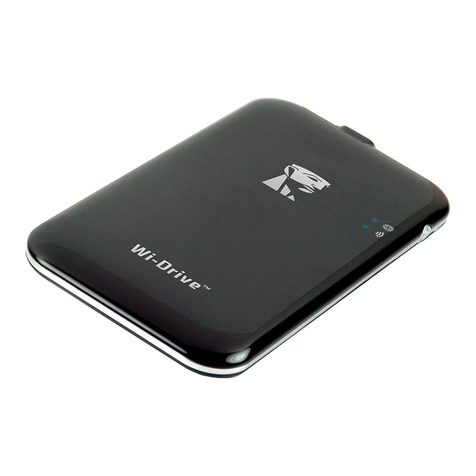
MobileLite Wireless G2 (MLWG2) is the perfect solution for expanding your on-the-go media library with devices that have no
way of adding to, or expanding, their storage capacity. With the included 4640 mAh battery you can charge a smartphone up
to 2x to help keep you mobile. MLWG2 is also a versatile media reader that allows you to wirelessly stream digital media content
(music, photos, videos, documents, etc.) from a memory card or USB Flash drive connected to the MLWG2 device to your iOS-
based iPad®, iPhone® or iPod touch® device. Serving as its own mobile wireless network, the MobileLite Wireless G2 lithium-ion
battery gives you up to thirteen hours of Wi-Fi access to your digital library (within a 30-foot range) anywhere you go.
Need Help Setting Up?
Check out our How-To videos online! To see a playlist of all our setup videos, visit kingston.com/5in1Setup
What won’t this device do?
• Application Storage
Most mobile operating systems will not allow you to
run apps from external storage.
• Tablet charger
While it will provide a charge to your tablet we feel it
is too slow of a process to recommend this function.
• Standalone Wi-Fi Hotspot
There is no Internet connection built into the device.
You will need to join the MobileLite Wireless to an
existing network in order to use the Internet.
• DRM content player
If your files have DRM (Digital Rights Management),
they will not play from the MobileLite Wireless App.
You will need to store those directly on your
mobile device.
7
What will this device do for you?
• Extend your mobile storage
Simply plug your existing USB Flash drive or SD
card to add capacity.
• Smartphone charger
Charge your phone up to 2x with a fully charged
MobileLite Wireless.
• Media Storage device
This is great for movies, photos, music, documents.
This is not great for applications, see next section.
• SD Card/USB Reader
Read USB Flash drives, USB external hard drives, SD
cards or microSD cards from your mobile device.
• Wi-Fi Access Point
Plug in an Ethernet cable from an existing network
to create your own Wi-Fi network.
MobileLite Wireless G2
5-in-1 Mobile Companion Overview
Table of Contents