2
Table of Contents
Introduction
Main Features .................................................................... 3
Part Names........................................................................ 4
Front panel .............................................................................................4
Rear panel ..............................................................................................4
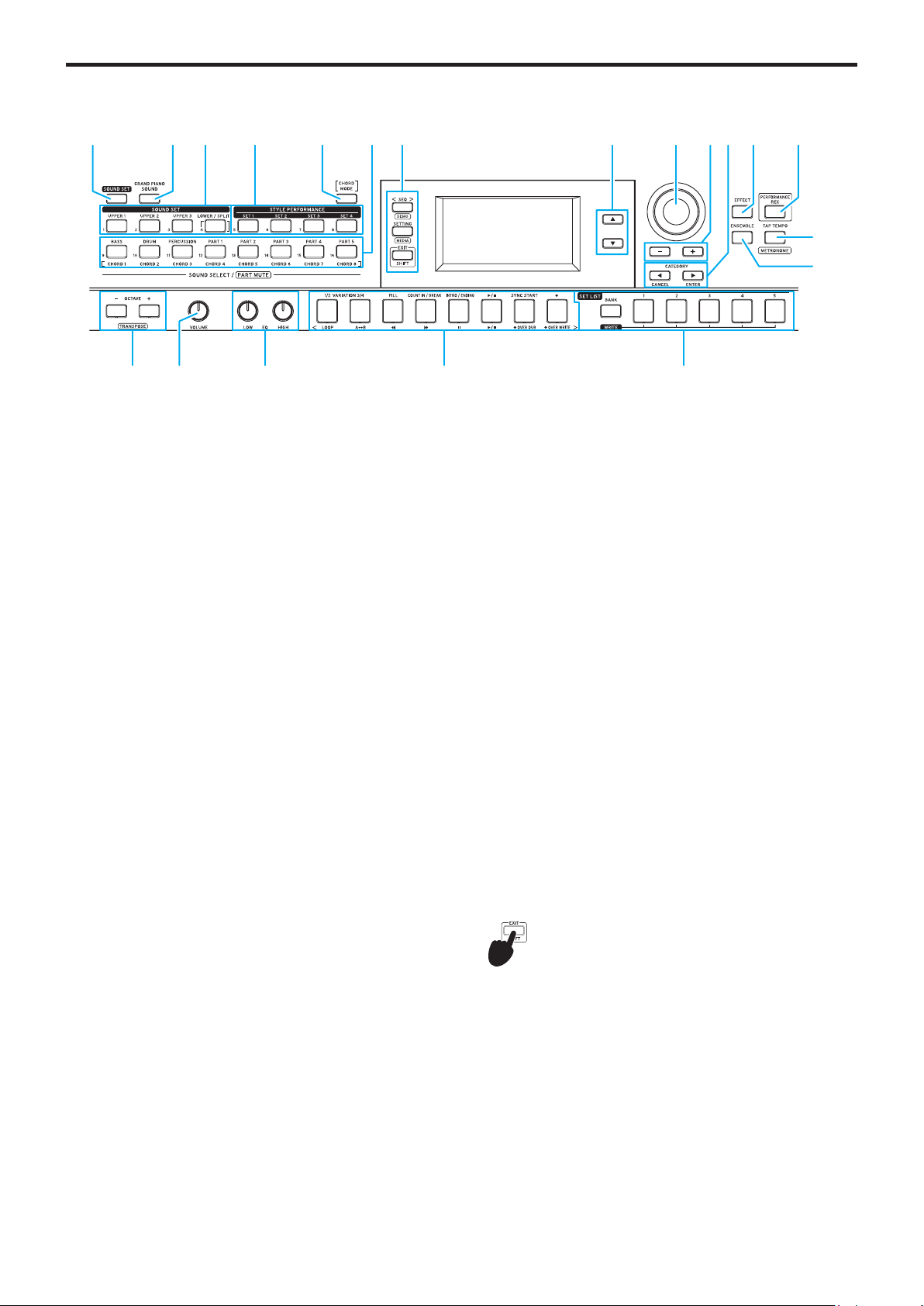
Control panel .........................................................................................5
Display.....................................................................................................6
Getting Ready to Play ...................................................... 7
Connecting the AC adapter ................................................................7
Using this instrument with batteries ................................................7
Connecting speakers............................................................................7
Using headphones ............................................................................... 8
Using a pedal switch or foot controller ........................................... 8
Using a USB flash drive ...................................................................... 8
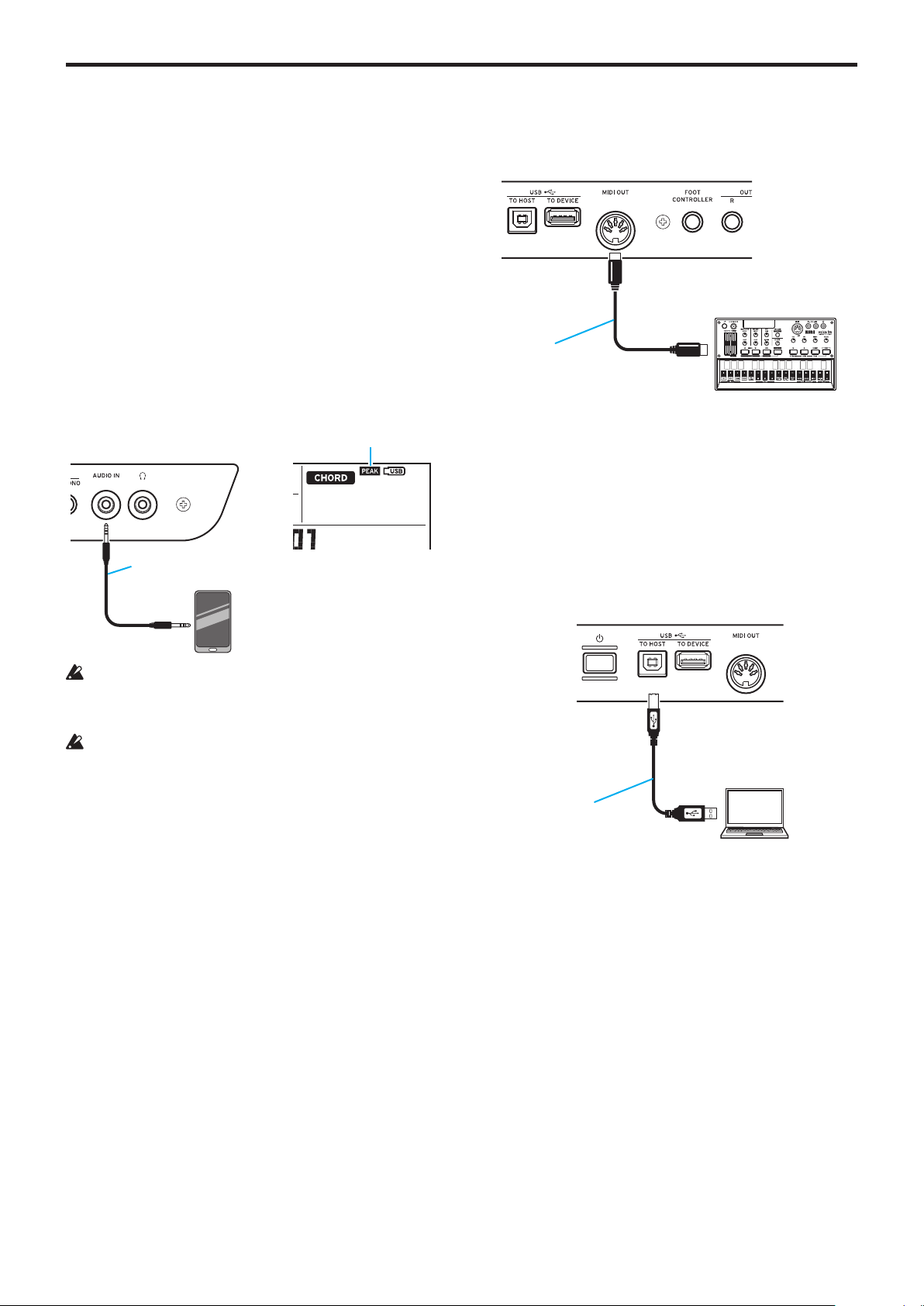
Connecting an audio player................................................................9
Using a MIDI tone generator...............................................................9
Connecting to a computer ..................................................................9
Basic operations ..............................................................10
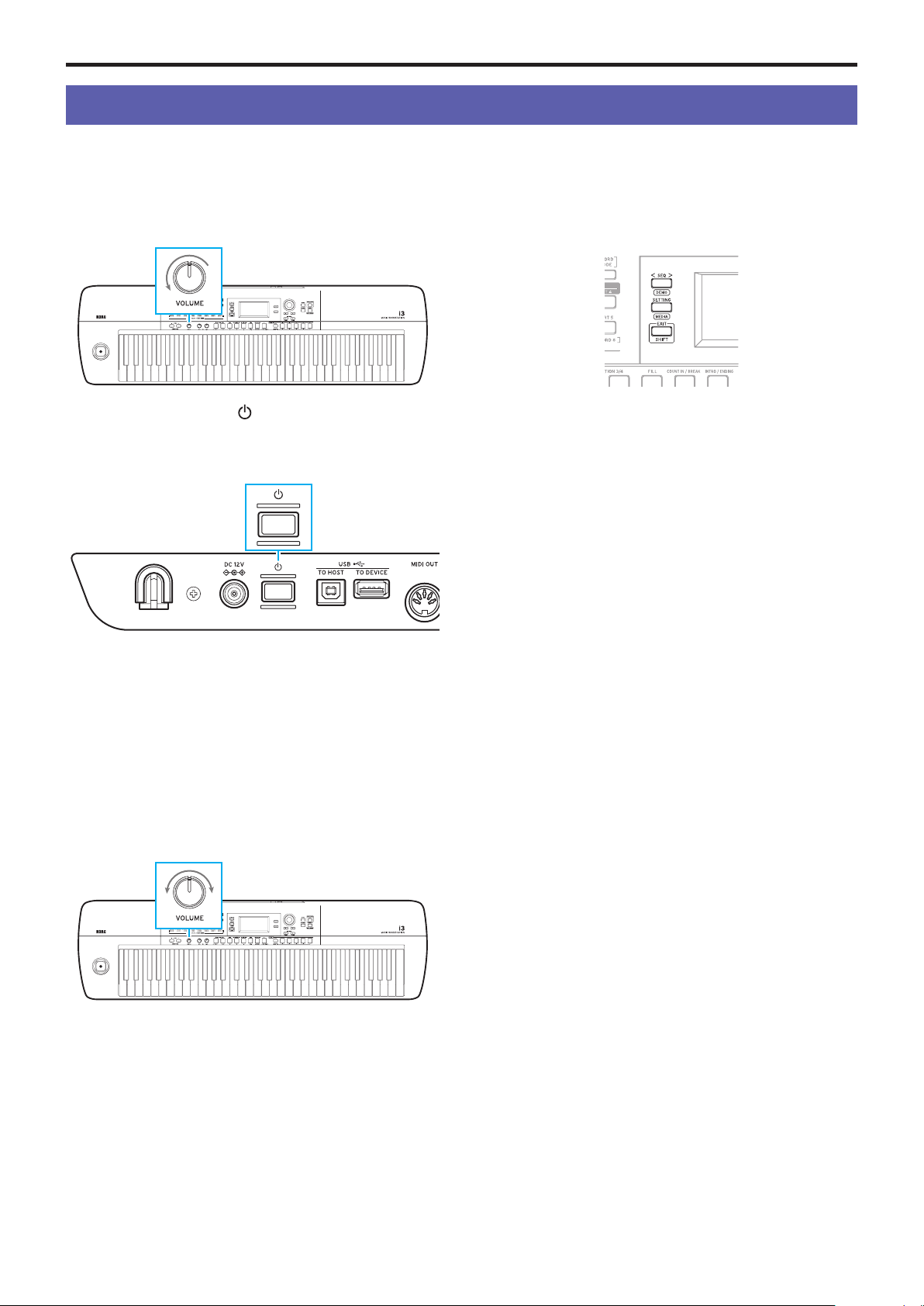
Turning the power on/off .................................................................. 10
Adjusting the volume......................................................................... 10
Modes of operation on the i3 ........................................................... 10
Selecting parameters on the display and changing values ..........11
Using the joystick .................................................................................11
Adjusting the tonal character (equalizer) ........................................11
Listening to the demo songs..............................................................11
Turning on the metronome.................................................................11
Performance Mode
Playing the Keyboard ......................................................12
Selecting sounds..................................................................................12
Selecting a sound set..........................................................................12
Changing the sound set settings ...................................13
Turning the keyboard parts on/off, and changing their volume
and sounds............................................................................................13
Changing the sounds on the left and right (split) .........................13
Changing the octave .......................................................................... 14
Changing the key (transpose) .......................................................... 14
Selecting the effect for the keyboard parts.................................. 14
Adding harmony to a melody (ensemble)...................................... 15
Using the set lists............................................................16
Recalling a set list............................................................................... 16
Saving the set list (WRITE) ............................................................... 16
Playing along with auto-accompaniment (styles)........17
Playing with a style you choose........................................................17
Changing the accompaniment pattern........................................... 18
Changing the Style Settings...........................................19
Turning the accompaniment part on/off, changing the
volume and sounds ............................................................................ 19
Selecting effects for the accompaniment parts ........................... 19
Adjusting the volume balance between the keyboard and
accompaniment parts ....................................................................... 20
Recording your performance ..........................................21
Recording as MIDI data.......................................................................21
Recording as audio data (performance recording).......................21
Sequencer Mode
Playing Back and Editing Songs....................................22
Songs (music files) that can be played back .................................22
Playing a song .....................................................................................22
Playing back using different methods ............................................23
Editing a user song.............................................................................23
Settings Mode
Making Settings on the i3..............................................25
Setting mode: basic method of use................................................ 25
Main settings ...................................................................................... 25
List of SETTING mode functions .................................................... 26
Media Mode
Using a USB Flash Drive................................................28
Media mode: basic method of use.................................................. 28
Loading user styles ........................................................................... 28
List of MEDIA mode functions......................................................... 29
Other settings
Appendix ..........................................................................30
Checking the software version........................................................ 30
Restoring the i3 to factory-set default settings........................... 30
Calibrating the expression pedal .................................................... 30
Troubleshooting ................................................................................. 30
List of chords recognized..................................................................32
List of shortcuts..................................................................................33
Specifications..................................................................34
MIDI Implementation Chart...........................................35