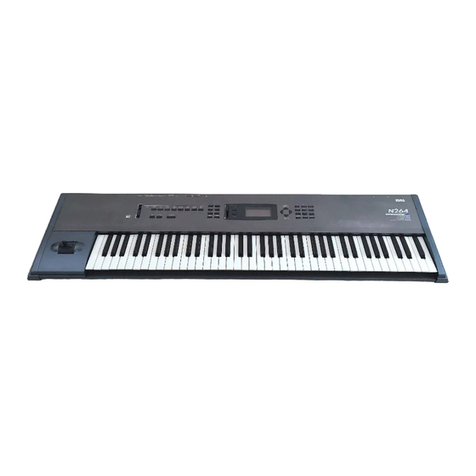
TRITON Le EasyStart
6
6. CURSOR ▼to “REC Setup”, and highlight “Mode”, and set to “Auto” ÄCURSOR ►to “Threshold” and
set to a value of “-30dB” ÄCURSOR ▼to “Pre Trigger” and set to “5ms”.
7. Press the REC/WRITE key to “arm” the sampler, and then speak into the microphone. If “ADC Overload”
flashes above the “level indicators”, lower the rear panel LEVEL control until this message no longer flashes Ä
CURSOR ►to the “Recording Level” “Fader” and adjust with the DIAL while speaking into the mic. Set this
for a “hot” signal level, but watch and adjust if the display indicates, “CLIP”.
8. Press F1 (“Sample”) ÄPress the START/STOP key and say the word, “Sampling” Äpress START/STOP
again to stop sampling, and then press F6 (“CREATE”). Note that the “keyboard” display moves to the next
key after you press “CREATE”.
9. Press the REC/WRITE key ÄPress the START/STOP key and say, “is easy” Äpress START/STOP again
to stop sampling, and then press F6 (“CREATE”).
10. Press the REC/WRITE key ÄPress the START/STOP key and say, “with” Äpress START/STOP again to
stop sampling, and then press F6 (“CREATE”).
11. Press the REC/WRITE key ÄPress the START/STOP key and say, “TRITON Le” Äpress START/STOP
again to stop sampling, and then press F6 (“CREATE”).
12. That’s it! Now play the keyboard: play each note (half-step) from C2 to D#2, and you’ll hear the sampled
words, “Sampling is easy with TRITON Le”.
...Continue by sampling through one of TRITON Le’s 89 Insert Effects:
13. Press F3 (“In/Pref”) ÄCURSOR to Input 1’s “BUS:” and select “IFX” ÄPress the MENU key, and then press
F7 to select “IFX” ÄPress F8 to “Open” this page.
14. CURSOR to “OFF” and set to “ON” ÄCURSOR to highlight the “00 No Effect” edit cell ÄUse the numeric
keypad, to enter 5> 2, then press the ENTER key (“52: Reverb Hall”) ÄSpeak into the microphone to hear
the effect being applied ÄPress F4 (“IFX”) to view and edit the effect parameters.
15. Press the MENU key ÄPress F1 (“Rec”) ÄPress F8 to “Open” this page ÄPress F1 (“Sample”).
16. Press F6 (“CREATE”) to make a new index in the multisamples ÄPress F2 (“Rec”) ÄPress the REC/WRITE
key to “arm” the sampler ÄSpeak into the mic and adjust the recording level as needed (see step 7 above) Ä
Press the START/STOP key, speak to sample ÄPress START/STOP again to stop sampling. The new
sample will playback on key E2 – the next available index.
More great features of OS V 1.5!
Time Slice Samples to Pattern/RPPR: This makes it easier to use multiple samples that were originally at different
tempos.
Load PCG (RAM) and samples: This intelligently loads only the sample-related Programs and Drumkits from a PCG
file (and their samples) and allows you to append them to any Bank, facilitating the merging of multiple sample files.
This is a big benefit when using the new CD sample libraries! (TNCD001 TRITON Sampler Starter
Pak,TNCD002 Global Village, TNCD003 TRITON Drum Hits & Ambience, TRCD Trinity Drum Loops for
TRITON, and more!)
Additional Footswitch and pedal assignments: This allows hands-free control of more controller functions than
ever before.
Append Load SNG Files: It is easy to merge any number of Songs for a given performance.
Improved behavior with external sequencers: Any parameter change can be recorded to an external sequencer.
In addition, the internal sequencer can ignore realtime commands that would reset the sequencer to an initialized
state.
Individual Output for Metronome Click when Sampling: Now there can be a tempo reference, not only a count-
off, for sampling.
File Compatibility: Sound and song files may be shared between ALL the Korg workstation instruments.