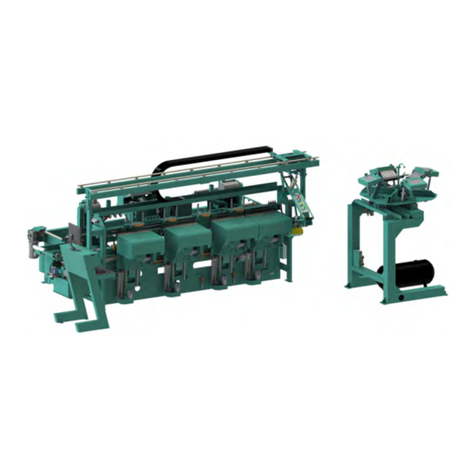
Commander III
Table of Contents
About the Commander III Process........................................... 2-2
Summary of Machining a Door ................................................ 2-3
Start the Process ..................................................................................2-3
Load Door Job from KvalCAM..............................................................2-3
Load Door.............................................................................................2-4
Set-Up Front Section and Machine the Door........................................2-5
Powering Operations for the Commander III ........................... 2-6
How to Power Up the Commander III...................................................2-6
Home the Commander III .................................................................... 2-7
How to Power Down the Commander III ..............................................2-7
Emergency Shutdown and Recovery ...................................................2-8
About Machine Status Feedback............................................. 2-9
Summary of the KvalCAM Interface ........................................ 2-10
Libraries and Machine Line Screens ..................................................2-10
Screen Tabs........................................................................................2-10
About the Main Control Screen................................................ 2-11
Machine Controls Section........................................................ 2-12
About the Main Control Section..........................................................2-13
About Sequence Control Section........................................................2-14
About Width Adjust .............................................................................2-14
About Carriage Control.......................................................................2-15
About Ball Catch.................................................................................2-16
About Speed Control ..........................................................................2-16
Machine Feedback and Machine Controls .............................. 2-17
About the Top Feedback Bar ..............................................................2-18
About Hinge Tasks Control .................................................................2-18
Hinge Block Descriptions....................................................................2-19
About the Background Colors.............................................................2-19
Shelf Pin Configure and Jamb Stop Section.......................................2-20
Hinge Section Enable or Disable........................................................2-20
Jamb Stop................................................................................................................ 2-21
Jamb Stop Spacers ............................................................................2-21
About the Manual Servo Control Screen ................................. 2-23
Manual Servo Control.........................................................................2-24
Lock Head Movement.........................................................................2-24
Outfeed Stop.......................................................................................2-25
Hinge Carriage....................................................................................2-25
Hinge Head Movement.......................................................................2-26
About the Tool Config Tabs...................................................... 2-27
Unlock the Tool Slot Configuration......................................................2-28