manuals.online logo
Brands
  1. Home
  2. •
  3. Brands
  4. •
  5. La Crosse Technology
  6. •
  7. Accessories
  8. •
  9. La Crosse Technology Alerts TX60U-IT User manual

La Crosse Technology Alerts TX60U-IT User manual

Other La Crosse Technology Accessories manuals

La Crosse Technology TX9U User manual

La Crosse Technology

La Crosse Technology TX9U User manual

La Crosse Technology TX15U User manual

La Crosse Technology

La Crosse Technology TX15U User manual

La Crosse Technology TX141TH-BCHv3 User manual

La Crosse Technology

La Crosse Technology TX141TH-BCHv3 User manual

La Crosse Technology LTV-THP1-T1 User manual

La Crosse Technology

La Crosse Technology LTV-THP1-T1 User manual

La Crosse Technology CA79097 User manual

La Crosse Technology

La Crosse Technology CA79097 User manual

La Crosse Technology TX8U User manual

La Crosse Technology

La Crosse Technology TX8U User manual

La Crosse Technology TX8U User manual

La Crosse Technology

La Crosse Technology TX8U User manual

La Crosse Technology TX10U User manual

La Crosse Technology

La Crosse Technology TX10U User manual

La Crosse Technology TX13U User manual

La Crosse Technology

La Crosse Technology TX13U User manual

La Crosse Technology La Crosse Alerts TX60U-IT User manual

La Crosse Technology

La Crosse Technology La Crosse Alerts TX60U-IT User manual

La Crosse Technology TX14RBL User manual

La Crosse Technology

La Crosse Technology TX14RBL User manual

La Crosse Technology TX23U User manual

La Crosse Technology

La Crosse Technology TX23U User manual

La Crosse Technology D012.104.E1 User manual

La Crosse Technology

La Crosse Technology D012.104.E1 User manual

La Crosse Technology TX146 User manual

La Crosse Technology

La Crosse Technology TX146 User manual

La Crosse Technology TX6 User manual

La Crosse Technology

La Crosse Technology TX6 User manual

La Crosse Technology LTV-R3 User manual

La Crosse Technology

La Crosse Technology LTV-R3 User manual

La Crosse Technology LTV-POOLv2 User manual

La Crosse Technology

La Crosse Technology LTV-POOLv2 User manual

La Crosse Technology TX-23U User manual

La Crosse Technology

La Crosse Technology TX-23U User manual

La Crosse Technology TX24U User manual

La Crosse Technology

La Crosse Technology TX24U User manual

La Crosse Technology WCLTV-WSDR1 User manual

La Crosse Technology

La Crosse Technology WCLTV-WSDR1 User manual

La Crosse Technology LTV-R2 User manual

La Crosse Technology

La Crosse Technology LTV-R2 User manual

La Crosse Technology CA82738-1 User manual

La Crosse Technology

La Crosse Technology CA82738-1 User manual

La Crosse Technology TX141-B4 User manual

La Crosse Technology

La Crosse Technology TX141-B4 User manual

La Crosse Technology TX145R User manual

La Crosse Technology

La Crosse Technology TX145R User manual

Popular Accessories manuals by other brands

Hillco 2810 Operator's manual

Hillco

Hillco 2810 Operator's manual

Siemens QSA2700D Basic documentation

Siemens

Siemens QSA2700D Basic documentation

Contours ZY024 manual

Contours

Contours ZY024 manual

Saivod VS621 manual

Saivod

Saivod VS621 manual

SCE ENVIRO-THERM SCE-TE170B24VSS user manual

SCE

SCE ENVIRO-THERM SCE-TE170B24VSS user manual

Z-Wave HSD-200Z user manual

Z-Wave

Z-Wave HSD-200Z user manual

turck FMX-IM-2UPLI63FX quick start guide

turck

turck FMX-IM-2UPLI63FX quick start guide

Decagon Devices 10HS manual

Decagon Devices

Decagon Devices 10HS manual

UPPAbaby Cup Holder user manual

UPPAbaby

UPPAbaby Cup Holder user manual

Elko SmartSensor Leakage Wireless manual

Elko

Elko SmartSensor Leakage Wireless manual

Grizzly H8371 instructions

Grizzly

Grizzly H8371 instructions

Panasonic HG-T Series user manual

Panasonic

Panasonic HG-T Series user manual

IFM Electronic Efector 250 Series Brief instructions

IFM Electronic

IFM Electronic Efector 250 Series Brief instructions

Virtuox VirtuCLEAN 2.0 user manual

Virtuox

Virtuox VirtuCLEAN 2.0 user manual

DigiDesign 888/24 I/O installation guide

DigiDesign

DigiDesign 888/24 I/O installation guide

PROZIS QUAY user manual

PROZIS

PROZIS QUAY user manual

patagonia PSI Vest user manual

patagonia

patagonia PSI Vest user manual

SFC Energy EFOY GO! manual

SFC Energy

SFC Energy EFOY GO! manual

manuals.online logo
manuals.online logoBrands
  • About & Mission
  • Contact us
  • Privacy Policy
  • Terms and Conditions

Copyright 2025 Manuals.Online. All Rights Reserved.

La Crosse Alerts™
TX60U-IT Hot Tub Kit
D111.103.150.E1.BP.HT
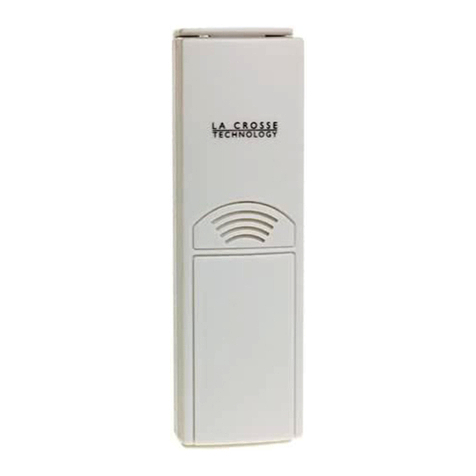
TX60U-IT temperature and humidity sensor measures:
(A) TX60U-IT Ambient air temperature and humidity (Channel 1) sensor
(B) Probe temperature (Channel 2): **Use the optional 6 Ft. detachable
threaded wet temperature probe to measure water, soil, air, etc.
(C, D, E) Hardware clamps, tee adapter and threaded stainless steel probe:
Install the tee adapter with threaded probe to existing pipes to measure water
temperature on Channel 2 traveling through pipes*.
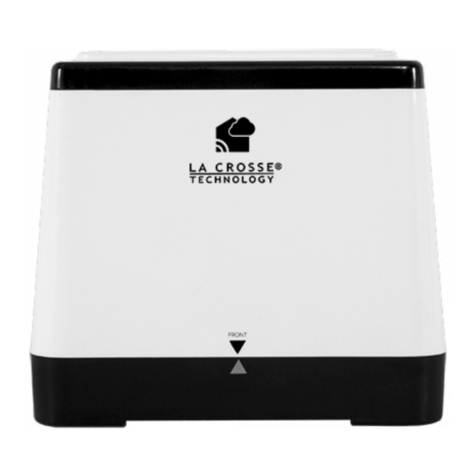
The sensor sends the temperature and humidity measurements to a La Crosse
Alerts™ Internet Gateway ( included) with a wireless range of over 200 Ft.
(60.96 m). The Gateway uses your high-speed Internet connection to upload
the temperature and humidity measurements to your included
www.lacrossealerts.com account. Once set up, you can login to your account
and view your temperature and humidity sensor(s) with an Internet-connected
mobile device, tablet or computer with a web browser.
MONITORING OPTIONS
Note: The sensor case is weather resistant, not water proof. The sensor case
cannot get wet, and may be affected by high humidity conditions. **The optional
Wet probe is designed to measure wet environments like a pool or aquarium.
Humidity monitoring*:
oPianos and other musical instruments
oGreenhouses
oReptile terrariums
oCigar storage/humidors
oAllergies (dust mites & mold)
oLaundry rooms and basements at
rental properties or vacation homes
Storage conditions (temperature and humidity)*:
oR.V. storage
oWarehouses
oLong-term storage
Temperature monitoring using optional detachable Wet probe*:
oPools, spas hot tubs
oAquariums, terrariums and other pet care
oBird baths
oHome beer brewing
Temperature monitoring using optional detachable Dry probe*:
oRefrigerators, freezers, laundry rooms and
basements at rental properties or vacation homes
oFood service
oComputers/ server rooms
oSoil temperature using probe:
oFarms
oGardens
oGreenhouses
* Disclaimers: La Crosse Technology, LTD. (“La Crosse”) provides various alert
and monitoring services to aid users. (1) Service providers may charge users
for alert services. Standard messaging and data rates apply and will be billed to
the customer’s wireless account. Customers may be unable to receive text
messaging or data service in some areas due to unavailability of service. (2) La
Crosse shall not be liable for accuracy, usefulness or availability of data
transmitted via the service. Users are solely responsible for damages to
persons or property by service use. (3) La Crosse shall not be liable for any
damages or warranty issues that may incur from altering property (plumbing) to
accommodate the temperature monitoring hardware. Users are solely
responsible for damages to persons or property by use of the hardware
installation kit.
PACKAGE CONTENTS
1. TX60U-IT Wireless temperature and humidity sensor
2. Mounting hardware
3. Instruction manual
4. Activation key card (IMPORTANT for set up. Do not throw away)
5. Internet Gateway, AC adapter and LAN cable
6. 6 ft. Temperature Probe wire with threaded stainless steel probe
7. Hardware clamps (2)
8. Tee Adapter
ADDITIONAL EQUIPMENT (NOT INCLUDED)
Two fresh AAA, IEC LR03, 1.5V Alkaline batteries
Browser with high speed Internet
Network router - Note: If your router has no available LAN ports, use a
network switch to add ports to your network.
Aluminum tape
OPTIONAL CHANNEL 2 PROBE (Wet Probe or Dry Probe)
If the optional probe for the temperature and humidity sensor is unplugged, the
LCD on the temperature and humidity sensor will display "nC" for the
CHANNEL 2 reading. **A wet or dry probe can be plugged into the sensor at
any time without resetting the units.
ACTIVATION
See the Activation Card in the package for setup instructions and the Activation
Key. The Activation Key is necessary to activate your sensor and Gateway.
Please keep your Activation Card for reference.
Create an account and activate devices using a computer or tablet:
www.lacrossealerts.com
If you have lost your Activation Card with the
Activation Key, please contact customer support for
assistance:
Support:
www.lacrossetechnology.com/support/alerts
Phone: (608) 785-7920
1 YEAR OF ENHANCED SERVICE WITH ALERTS AND 4 YEARS OF BASIC
SERVICE ARE INCLUDED WITH YOUR ACTIVATION KEY
Once the Gateway and sensor is activated on your www.lacrossealerts.com
account, you can monitor your sensors online and set up custom e-mail and
text message alerts*.
MEASUREMENT LOG DOWNLOAD
Once the sensor is activated and building a measurement log, you can
download the data as a comma separated values (CSV) file. You must use an
application such as Microsoft Excel® or Google Docs® that supports comma
separated values (CSV) formatted files to view the table data.
IMPORTANT SETUP & OPERATION NOTES
The sensor should be placed in a dry, shaded area. Please avoid a
location with direct sun, as that will cause incorrect readings.
Fog and mist will not harm the sensor but direct rain must be avoided.
Note: Exposing the sensor case to extreme humidity may temporarily
disrupt data. The sensor case reads humidity, but should not be
submerged in water. **Attach a 6 ft. wet probe to measure water
temperature.
The sensor has a wireless range of 200 feet (60.96 m). Keep in mind that
the 200 ft. range equates to open air with no obstructions, and that radio
waves DO NOT curve around objects. Actual transmission range will vary
depending on what is in the path of the signal. Each obstruction (roof,
walls, floors, ceilings, thick trees, etc.) will effectively cut signal range in
half.
Metal siding, stucco, and some types of glass can reduce signal range by
as much as ¾ or more, compared to the ½ reduction typical of most
obstructions. It is possible to receive a signal through these materials,
however maximum range will be reduced due to their tendency to absorb
or reflect a much larger portion of the sensor’s signal.
The sensor measures and updates the temperature and humidity on the
LCD every 6 seconds. Note: The new measurement is reported to your
account at intervals that you select using your online account.
(B)
(A)
**External detachable threaded stainless steel wet probe
(Additional Wet and Dry probes are also sold separately)
This socket is ONLY
for the external probe.
DO NOT insert
power plug into it.
LCD
Button
(E) Threaded wet
stainless steel probe
With 6 foot probe wire

(D) Tee adapter
(C) Hardware clamps
BATTERY REPLACEMENT
1. Remove the battery cover by sliding the cover down.
2. Observing the correct polarity install 2 AAA batteries. The batteries will
fit tightly (to avoid start-up problems make sure they do not spring free).
3. Do not mix old and new batteries.
4. Do not mix alkaline, lithium, standard or rechargeable batteries.
5. Replace the battery cover by sliding upwards.
Be sure battery cover is on securely.
LOW BATTERY INDICATOR
When batteries are low, the low battery indicator shows up on the LCD. You will
receive an e-mail or mobile text message alert when the battery power of the
sensor is low. Change the batteries immediately.
Note: The LED turns ON briefly after changing batteries. The LED turns OFF
when not needed to save battery power. The previously stored information in
the sensor will not be affected or cancelled while you change the batteries.
MOUNTING
THE TEE ADAPTER WITH HARDWARE: Install tee adapter with clamps and
attach 6 Ft. threaded stainless steel probe to measure water temperature in a
hose.
STEP BY STEP INSTRUCTIONS:
Gather the tools and supplies you will need (not included):
Teflon Tape
Wrench or pliers
Flat tipped screwdriver
Tool to cut a hose
Assemble the fine thread probe into the Tee adapter:
1- Apply Teflon tape to the nylon reducing bushing that fits
into the tee adapter.
2- Begin two threads from the end and apply three wraps of
Teflon tape to the nylon reducing bushing.
3- Insert nylon reducing bushing into the tee adapter and
tighten just until seated.
4- Apply Teflon tape to the fine thread probe (start two threads
from the end).
5- Insert fine thread probe into the nylon reducing bushing
installed in the tee adapter.
6- The tee adapter is assembled with probe for installation.
*CAUTION!* Do not alter or change your property until you have
considered all options for installation. Assess your specific hot
tub/spa construction to determine if additional plumbing supplies
(not included) would be needed to install the probe within a hose.
Note: The probe sensor can be used as a stand-alone product. Simply insert
the probe wire into the water of your hot tub and secure the transmitter in an

area that is protected from water. The transmitter case is water resistant but not
waterproof.
Select a location where the transmitter may be installed.
Protected from water and rain as the transmitter is water resistant not water
proof.
Within range of the wireless gateway (see “IMPORTANT SETUP & OPERATION
NOTES”).
If mounting within the control area of the hot tub, mount the transmitter far
from the electrical motor that drives the pumps which create electrical noise
that may interfere with transmission of the temperature signal.
IMPORTANT! : TEST the transmitter in the selected mounting location for 1
hour before alterations are made to your property.
Check signal reception to the wireless gateway.
Select what temperature you wish to monitor:
Actual water temperature
Heater water temperature
Cabinet temperature
*Double-check the hose where you wish to install the probe.
The tee adapter must be installed in a ¾inch hose only.
¾ inch hose is commonly used on the circulatory pump or the jets. Consult
the hot tub/spa owner’s manual as needed.
*Caution!* some hoses may have static water pressure from the tube being
filled. Be prepared to drain the hose if necessary for installation.
*INSTALLATION:
*CAUTION!* the following steps include making alterations to
your hot tub/spa. La Crosse Technology is not responsible for
alterations made by the homeowner to their property.
1- *”Cut the chosen ¾ inch hose.”
2- *”Slide one hardware clamp (C) on each end of the cut hose.”
3- *”Insert the tee adapter (D) into each end of the hose.”
4- *”Tighten the hardware clamps.”
5- *”Mount the transmitter in the tested location.”
6- *”Enjoy!”
THE TX60U-IT TEMPERATURE & HUMIDITY SENSOR
The sensor can be mounted onto a wall with the use of screws
MOUNTING WITH SCREWS
1. Remove the mounting bracket from the sensor.
2. Place the mounting bracket over the desired location.
3. Mark mounting surface with a pencil through the 2 holes of the bracket.
4. Screw mounting bracket onto surface and tighten screws to bracket.
5. Insert the sensor into the bracket.
TABLE STANDING AND OTHER MOUNTING OPTIONS
With the mounting bracket installed at the bottom or on the top of
the sensor, the user can place it on any flat surface.
Note: Before permanently fixing the sensor mounting bracket, place
all units in the desired locations to check that the outdoor
temperature & humidity readings are receivable. In event that the
signal is not received, relocate the sensor or move them slightly as
this may help the signal reception.
MAINTENANCE AND CARE
Avoid extreme temperatures, vibration, and shock to prevent damage.
Clean displays and units with a soft, damp cloth. Do not use solvents or
scouring agents; they may mark the displays and casings.
Do not submerge the sensor case in water.
Avoid kinking the temperature probe cable.
Immediately remove all low powered batteries to avoid leakage and damage.
Opening the casings invalidates the warranty. Do not try to repair the unit.
Contact La Crosse Technology® for repairs.
SPECIFICATIONS
Device sensor:
Temperature range:
-40°F to 140°F with 0.2°F resolution
“OFL” displayed if outside this range.
Humidity measuring range:
3% to 99%
Transmission range:
200 feet (60.96 m) in open space
**Optional probe sensor:
Temperature range:
-40°F to 140°F with 0.2°F resolution
“OFL” displayed if outside this range, and
displayed “nC” if probe is not connected.
Power Supply:
Temperature transmitter :
2 x AAA, IEC LR03, 1.5V
Battery life cycle:
Approximately 24 months
Recommended battery type:
Alkaline
Dimensions (H x W x D):
5.23" x 0.76" x 1.44"
(E) Threaded
stainless
steel probe
(D) Tee adapter
(C) Hardware clamps
(D1) Nylon
reducing bushing
WARRANTY INFORMATION
La Crosse Technology, Ltd provides a 1-year limited warranty on this product
against manufacturing defects in materials and workmanship.
This limited warranty begins on the original date of purchase, is valid only on
products purchased and used in North America and only to the original
purchaser of this product. To receive warranty service, the purchaser must
contact La Crosse Technology, Ltd for problem determination and service
procedures. Warranty service can only be performed by a La Crosse
Technology, Ltd authorized service center. The original dated bill of sale must
be presented upon request as proof of purchase to La Crosse Technology, Ltd
or La Crosse Technology, Ltd’s authorized service center.
La Crosse Technology, Ltd will repair or replace this product, at our option and
at no charge as stipulated herein, with new or reconditioned parts or products if
found to be defective during the limited warranty period specified above. All
replaced parts and products become the property of La Crosse Technology, Ltd
and must be returned to La Crosse Technology, Ltd. Replacement parts and
products assume the remaining original warranty, or ninety (90) days,
whichever is longer. La Crosse Technology, Ltd will pay all expenses for labor
and materials for all repairs covered by this warranty. If necessary repairs are
not covered by this warranty, or if a product is examined which is not in need or
repair, you will be charged for the repairs or examination. The owner must pay
any shipping charges incurred in getting your La Crosse Technology, Ltd
product to a La Crosse Technology, Ltd authorized service center. La Crosse
Technology, Ltd will pay ground return shipping charges to the owner of the
product to a USA address only.
Your La Crosse Technology, Ltd warranty covers all defects in material and
workmanship with the following specified exceptions: (1) damage caused by
accident, unreasonable use or neglect (including the lack of reasonable and
necessary maintenance); (2) damage occurring during shipment (claims must
be presented to the carrier); (3) damage to, or deterioration of, any accessory or
decorative surface; (4) damage resulting from failure to follow instructions
contained in your owner’s manual; (5) damage resulting from the performance
of repairs or alterations by someone other than an authorized La Crosse
Technology, Ltd authorized service center; (6) units used for other than home
use (7) applications and uses that this product was not intended or (8) the
products inability to receive a signal due to any source of interference.. This
warranty covers only actual defects within the product itself, and does not cover
the cost of installation or removal from a fixed installation, normal set-up or
adjustments, claims based on misrepresentation by the seller or performance
variations resulting from installation-related circumstances.
LA CROSSE TECHNOLOGY, LTD WILL NOT ASSUME LIABILITY FOR
INCIDENTAL, CONSEQUENTIAL, PUNITIVE, OR OTHER SIMILAR
DAMAGES ASSOCIATED WITH THE OPERATION OR MALFUNCTION OF
THIS PRODUCT. THIS PRODUCT IS NOT TO BE USED FOR MEDICAL
PURPOSES OR FOR PUBLIC INFORMATION. THIS PRODUCT IS NOT A
TOY. KEEP OUT OF CHILDREN’S REACH.
This warranty gives you specific legal rights. You may also have other rights
specific to your State. Some States do not allow the exclusion of consequential
or incidental damages therefore the above exclusion of limitation may not apply
to you.
For warranty work, technical support, or information, please contact:
La Crosse Technology, Ltd
2817 Losey Blvd. S.
La Crosse, WI 54601
Create an account and activate devices using a computer or tablet:
www.lacrossealerts.com
If you have lost your Activation Card with the
Activation Key, please contact customer support for
assistance:
Support:
www.lacrossetechnology.com/support/alerts
Phone: (608) 785-7920
For online product information: www.lacrossetechnology.com/alerts
FCC DISCLAIMER
This device complies with part 15 of the FCC rules. Operation is subject to the
following two conditions:
(1) This device may not cause harmful interference.
(2) This device must accept any interference received, including
interference that may cause undesired operation.
All rights reserved. This handbook must not be reproduced in any form, even in
excerpts, or duplicated or processed using electronic, mechanical or chemical
procedures without written permission of the publisher.
This handbook may contain mistakes and printing errors. The information in
this handbook is regularly checked and corrections made in the next issue.
We accept no liability for technical mistakes or printing errors, or their
consequences. All trademarks and patents are acknowledged.
LT04192012