
Letsfit E22 User manual

Thank you for purchasing our products. This manual addresses
the safety guidelines, warranty, and operating instructions. Please
review this manual thoroughly before operating your device.
All pictures in this manual are for illustration purpose only. Actual
product may vary due to product firmware upgrade and app upgrade.
E22
Smart Watch
User Manual
8000
234 25

What’s in the Box ....................................................................... 1
Setting up Your Watch ............................................................1
1. Disassembling / Assembling Your Watch ..........................1
2. Charging Your Watch ..............................................................2
Wearing Your Watch................................................................. 3
Pair Your Watch .......................................................................... 4
1. Install Letsfit App on your smartphone ............................... 4
2. Account Registration and Login ..........................................4
3. Pair the Watch with Your Phone ........................................... 5
App Interfaces.............................................................................. 7
Getting to Know Your Watch................................................8
Basic Operations ..........................................................................8
Watch Interfaces .......................................................................... 9
Customize the Home Screen ....................................................10
Function Introduction.............................................................10
1. Tracking Daily Activity Data ..................................................12
2. Monitoring Heart Rate............................................................12
3. Measuring Blood Oxygen Level............................................12
4. Tracking Sports .......................................................................13
5. Bluetooth Phone Call..............................................................15
6. Setting Alarms .........................................................................16
7. Message Notification .............................................................16
8. Setting Reminder ....................................................................17
9. Controlling Phone Music .......................................................17
Basic Specifications................................................................
17
FAQs.................................................................................................
18
Warranty.........................................................................................
20
Important Safety Instructions
............................................ 20
Table of Contents

- 1 -
What’s in the Box
Setting up Your Watch
1Assembling Your Watch
Push the bands in following the direction of the arrow.
Charging cableSmart watch with bands Quick start guide
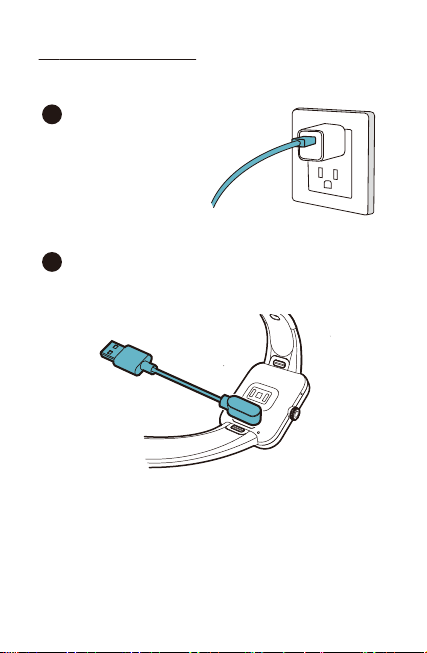
2Charging Your Watch
Please fully charge your watch before initial use.
- 2 -
Insert the USB plug of the
charging cable into a USB
charger.
1
Attach the other end to the charging contacts on the
back of the watch. Make sure the pins on the charging
cable lock securely with the port. The connection is
secure when the battery icon with percent charged
appears on the screen.
2

All-day Wear and Exercise
Wearing Your Watch
- 3 -
For all-day wear when you’re not exercising, wear the device
on your wrist horizontally, a finger’s width below your wrist
bone and lying flat, the same way you would put on a watch.
For optimized heart rate tracking, keep these tips in mind:
1. Experiment with wearing the watch higher on your wrist
during exercise. Because the blood flow in your arm increases
the farther up you go, moving the watch up a couple of inches
can improve the heart rate signal. Also, many exercises such
as bike riding or weight lifting require you to bend your wrist
frequently, which is more likely to interfere with the heart rate
signal if the watch is lower on your wrist.
2. Do not wear your watch too tight. A tight band restricts blood
flow, potentially affecting the heart rate signal. This being
said, the watch should also be slightly tighter (snug but not
constricting) during exercise than during all-day wear.
- 4 -
Pair Your Watch
1
Install Letsfit App on your smartphone
2
Account Registration and Login
Please register an account with a valid phone number. After
registration, and then tap "Verified" to log in.
Note: The App is only compatible with smartphones, not
tablets or PCs.
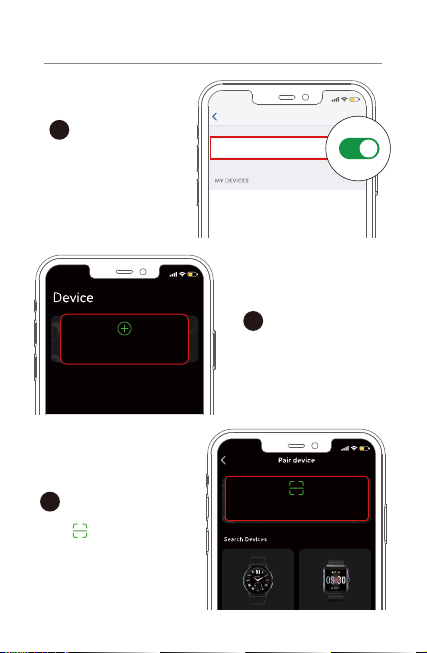
You can download Letsfit App from Apple Store /
Google Play or scan the QR codes below to
download.
iOS12.0 & above Android 6.0 &above
Letsfit
- 5 -
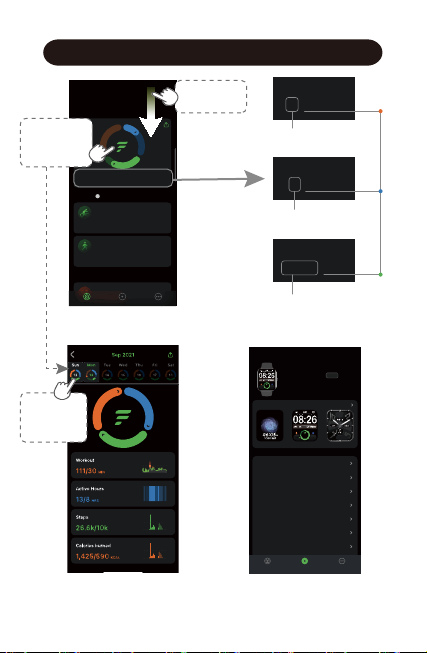
Turn on the Bluetooth
of your phone.
1
Open the Letsfit App. Go
to the "Device" page and
tap "Pair device".
2
Settings
Bluetooth
Bluetooth
15:05
15:05
Pair device
15:05
Scan QR Code
3
Tap " " and scan the QR
code on the watch to pair.
3
Pair the Watch with Your Phone

- 6 -
Notes:
●Once the watch is connected to your app, the watch will
automatically search and reconnect itself if the connection is
lost or when Bluetooth is restarted after manual
disconnection.
●If the watch is unbound from the app, the information on the
watch will be reset and the watch will be restarted. Please do
not unbind the connection unless there is an issue that will
require a reset.
●The watch can only pair with one smartphone at a time. When
pairing, please ensure the watch and your smartphone is
within 0.5 meters distance.
OR tap "E22"to search
the device for pairing.
4Tap on your watch to
confirm the connection.
15:05
Search Devices
E22
8000
234 25
App Interfaces
- 7 -
Device
After the watch is connected to your
phone, you can customize watch
face / call / message / alarm /
sedentary alert , etc.
60%
Noti ficat ion Alert s Off
Off
Do Not Dist urb
Nigh t Mode
Bright ness
Alarm
Sedentar y Alert
Weather Forecas t
Photos Info
Watch Fa ces
Analog
8000
234 25
E22 0021
MAC:00:45:15:30:01:21
Batter y 97% | Connected
DeviceAll devices
Summary Device More
V1.9
8000
234 25
Workout
1/30 MIN
Active Hours
4/12 HRS
Steps
7,736/10k
Activity
Summary
TrainingMore
Summary Device More
Edit
Mon, Nov 22
Heart
HeartRate
i
Outdoor Cycle
00:38:243.01
1.92MPH
MI
00:16:04 25‘04“
0.64/MIMI
Outdoor Walk
Mon, Today 2:46 PM
Mon, Today 2:28 PM
Today’s data
Summary
Select a
date to view
the data.
Swipe down
to sync data.
Workout
1/30 MIN
Active Hours
4/12 HRS
Daily Workout Minutes
Daily Active Hours
Daily
Target
Value
Daily Steps
Steps
7,736/10k
Tap to view
today’s
activity data.

- 8 -
Getting to Know Your Watch
•Function Button
● Wake the screen
● Return to the home screen
● Go to the Function List
● Pause / resume the sport
● Power on / off the watch
Press
Hold
•Touch Screen
● Swipe to go to different interfaces
●Tap to enter the function
● Swipe the screen to the right to
return to the previous interface
8000
234 25
8000
234 25
● Customize the Home Screen
Hold
Table of contents
Other Letsfit Watch manuals
Letsfit
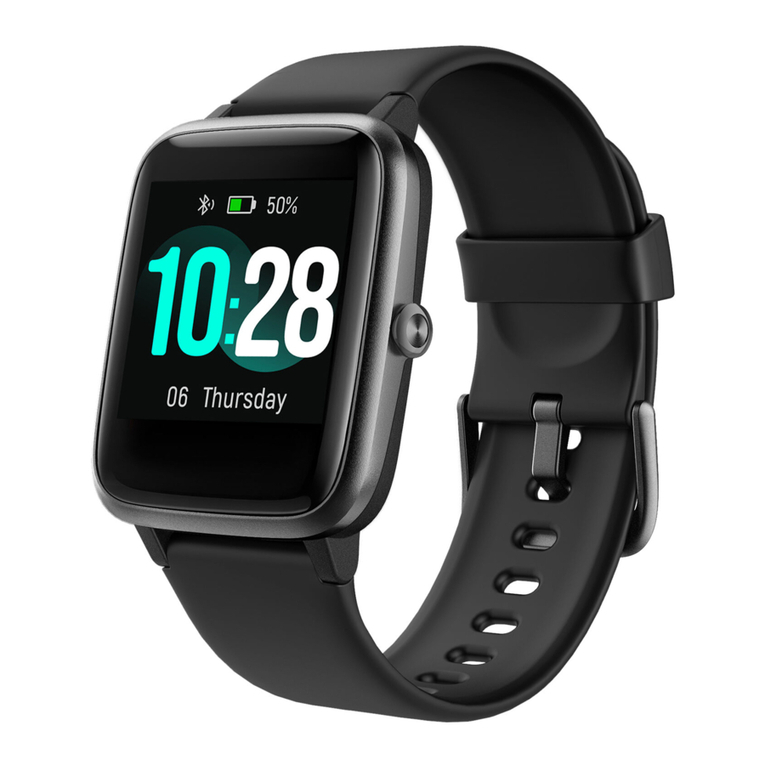
Letsfit ID205L User manual
Letsfit
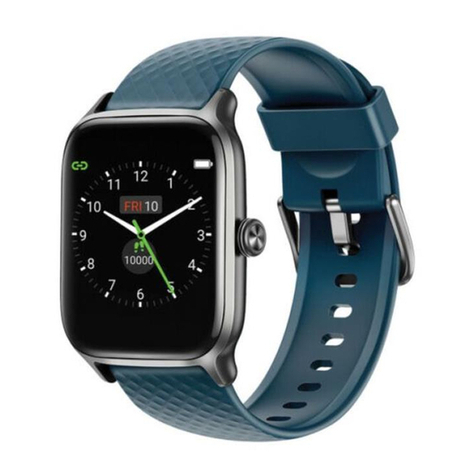
Letsfit EW1 User manual
Letsfit
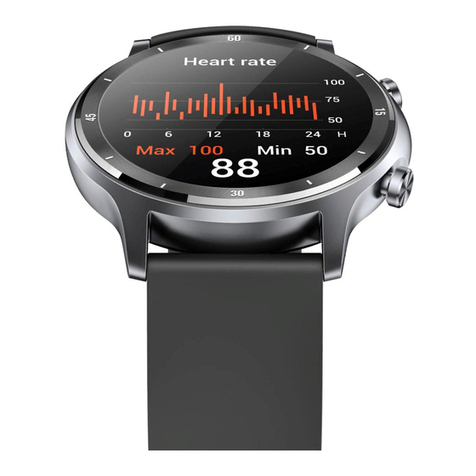
Letsfit EW4 User manual

Letsfit
Letsfit ID205L User manual

Letsfit
Letsfit IW1 User manual
Letsfit
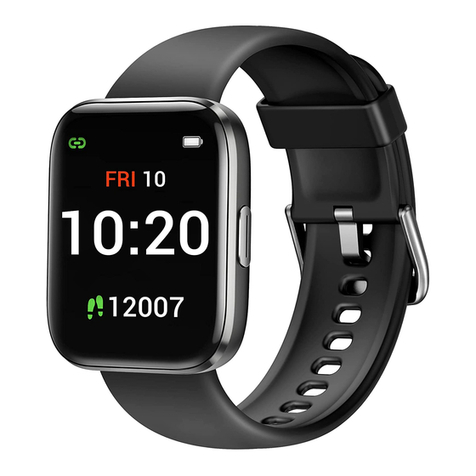
Letsfit IW1 User manual
Letsfit
Letsfit IW2 User manual

Letsfit
Letsfit IW1 User manual
Letsfit
Letsfit IW1 User manual
Letsfit
Letsfit ID215G User manual

















