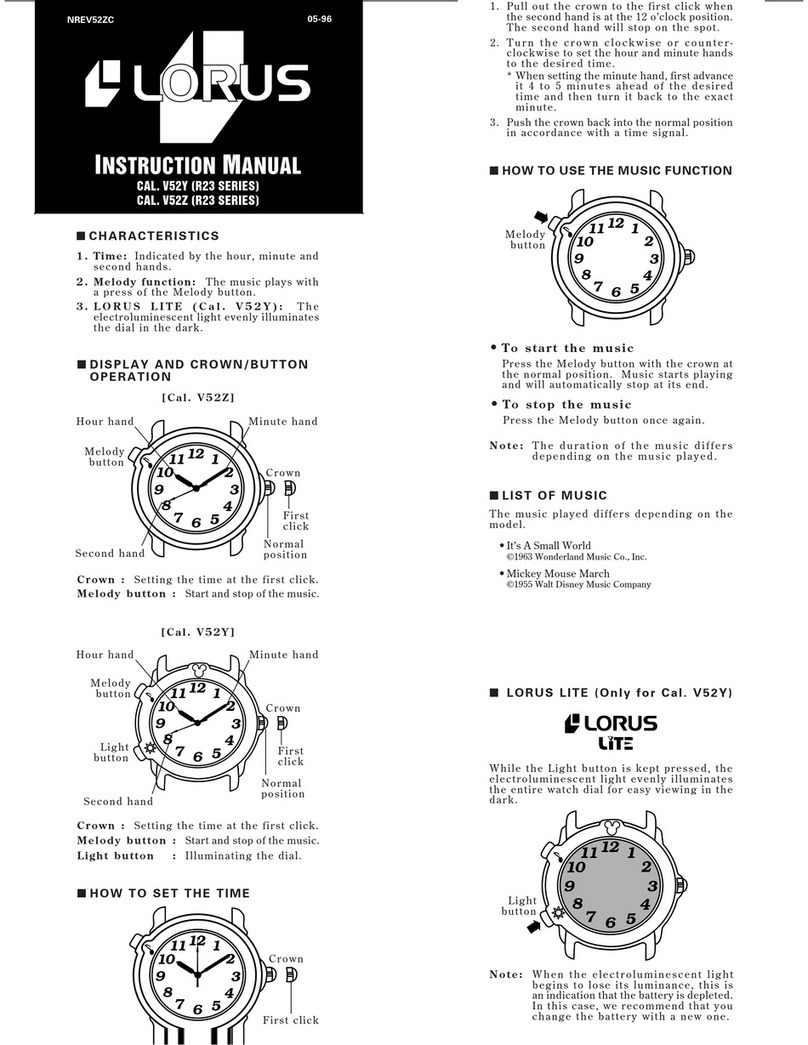
5.
After all the adjustments are completed, press
button “A” to return to the ALARM mode.
Notes:
1. When the time function is displayed in the
24-hour indication, the alarm is also displayed
in the 24-hour indication.
2. When setting the hour digits in the 12-
hour indication, check that AM/PM is properly
set. In the 24-hour indication, there is no
indication.
3. If the watch is left untouched in the alarm
setting display with the digits flashing, it
will automatically return to the ALARM
mode in 2 to 3 minutes.
Engagement/disengagement of the alarm
& turning on/off of the hourly time signal
•
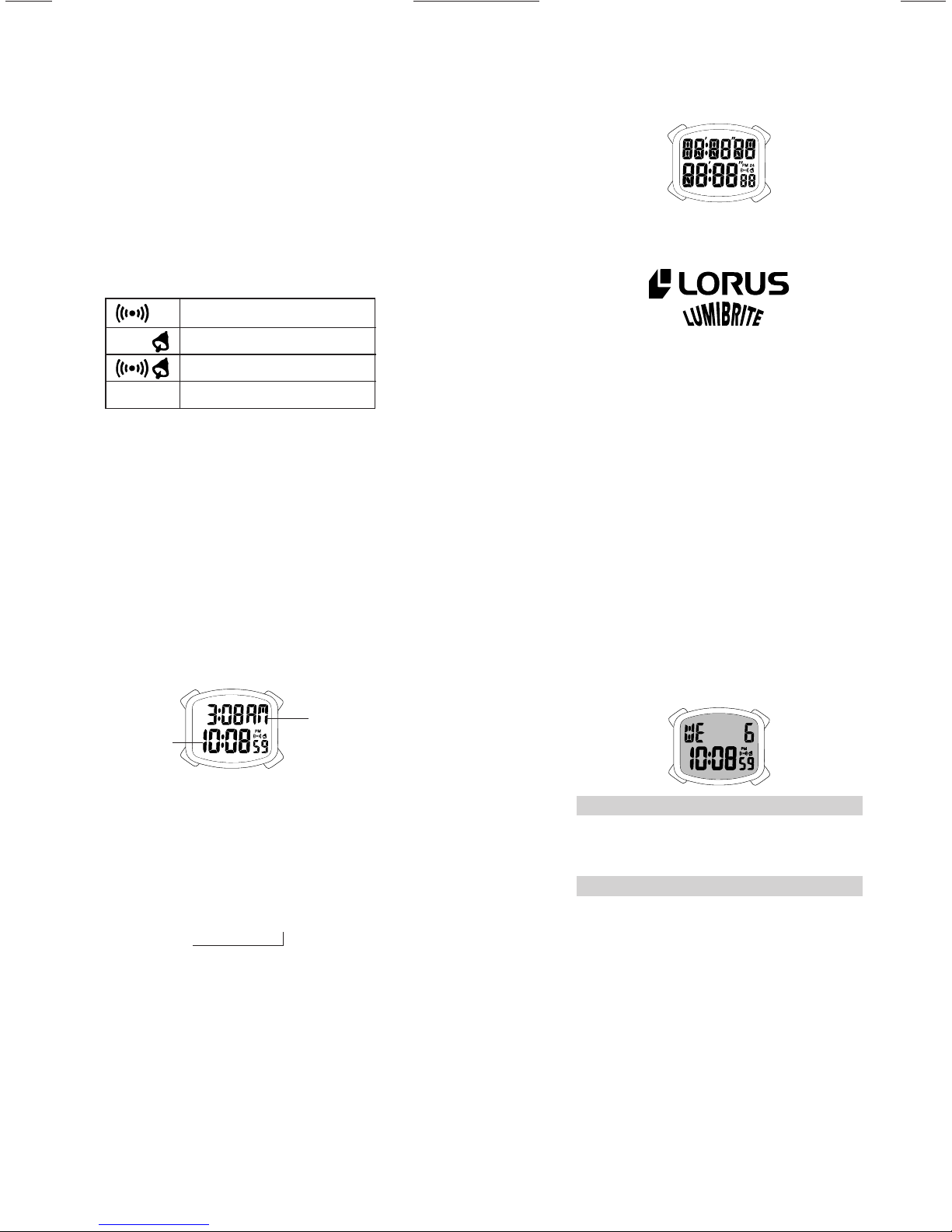
With each press of button “C” in the ALARM
mode, the alarm and hourly time signal are
engaged and disengaged in the following order.
Alarm engaged
Hourly time signal engaged
Both engaged
Neither engaged
•At the designated time, the alarm rings for
20 seconds and stop. To stop it manually,
press any of the buttons.
• The alarm can be tested by keeping button
“C” pressed in the ALARM mode.
Checking the set alarm time
•Press and hold button “D” in the TIME/
CALENDAR mode. While the button is
kept pressed, the alarm time that has been
set is displayed.
Note:
When the alarm is disengaged, the set alarm
time will not be displayed.
■DUAL TIME MODE
•The time of a different time zone can be
displayed.
C
D
B
A
Main time
Dual time
1. Press button “A” to show the DUAL TIME
mode. “dUAL” is displayed first, and then
the DUAL TIME mode appears.
2. Press button “A” for 2 to 3 seconds to
show the dual time setting display. The
hour digits (and “AM”/“PM” mark if the
time is set in the 12-hour indication) start
flashing.
3. Press button “C” to select the digits to be
adjusted (flashing).
Minutes
→
Hour
↑
4. Press button “D” to set the flashing digits.
One digit is advanced with each press of
the button. Digits move quickly by keeping
button “D” pressed.
5. After all the adjustments are completed,
press button “A” to return to the DUAL
TIME mode.
Notes:
1. When the time function is displayed in the
24-hour indication, the dual time is also
displayed in the 24-hour indication.
2. When setting the hour digits in the 12-
hour indication, check that AM/PM is properly
set. In the 24-hour indication, there is no
indication.
3. If the watch is left untouched in the dual
time setting display with the digits flashing,
it will automatically return to the DUAL
TIME mode in 2 to 3 minutes.
■NOTE ON UNUSUAL DISPLAY
While in the time/calendar setting display
with the digits flashing, the display as shown
below will appear if both buttons “C” and “D”
are pressed successively in a short time. This
is not a malfunction. Press button “A”, “C” or
“D” to return to the TIME/CALENDAR mode,
and then set the time/calendar again.
C
DA
■LUMIBRITE WATCH
(dial, hands, buttons, case, bezel, strap, etc.)
✩If your watch is a LORUS LUMIBRITE watch,
it has following features.
LORUS LUMIBRITE watches absorb and store
light energy from natural and artificial light
sources and emit light in the dark. They are
made of environmentally friendly material,
and therefore, are harmless to human beings
and the environment.
• With a full charge, LORUS LUMIBRITE
watches glow in the dark hours longer than
conventional luminous watches of this type.
If exposed to a light of more than 500 lux
(i.e., the brightness of a typical office) for
approximately 10 minutes, or direct sunlight
for 2 minutes, they will glow for hours.
• Since LORUS LUMIBRITE watches emit
the light they store, the brightness will
decrease gradually over time. The length
of time they will glow may also differ slightly
depending on such factors as the brightness
of and distance from the light source used
to charge the watch.
■ILLUMINATING LIGHT
B
Cal. Y717
Press button “B” in any mode. The light
illuminates the display for 4 seconds for
easy viewing in the dark.
Cal. Y737
Press button “B” in any mode. The
electroluminescent light evenly illuminates
the display for 4 seconds for easy viewing in
the dark.
Notes:
1. The watch works with one battery. When
the light begins to lose its luminance,
this is an indication that the battery is
depleted. We recommend that you change
the battery before the watch itself stops.
2. If the light is used continuously for a
long time, the battery life may be less
than the specified period.
■ViViDiGi
ViViDiGi is a new type of liquid crystal panel
that makes possible various colors and high
contrast.
• Excellent light reflection and transmission
make the display bright and clear.
• Various color options are available.