manuals.online logo
Brands
  1. Home
  2. •
  3. Brands
  4. •
  5. Louvolite
  6. •
  7. Engine
  8. •
  9. Louvolite R1710 Installation manual

Louvolite R1710 Installation manual

This manual suits for next models

1

Other Louvolite Engine manuals

Louvolite R1705-RH User manual

Louvolite

Louvolite R1705-RH User manual

Louvolite R1912 User manual

Louvolite

Louvolite R1912 User manual

Louvolite R1912 User manual

Louvolite

Louvolite R1912 User manual

Louvolite R1905 User manual

Louvolite

Louvolite R1905 User manual

Louvolite AM24B-06/34-ES-I-EB Operating instructions

Louvolite

Louvolite AM24B-06/34-ES-I-EB Operating instructions

Louvolite Vertical Blind User manual

Louvolite

Louvolite Vertical Blind User manual

Louvolite R1725 Installation manual

Louvolite

Louvolite R1725 Installation manual

Popular Engine manuals by other brands

Nakanishi EM-3030T Operation manual

Nakanishi

Nakanishi EM-3030T Operation manual

Siemens COMBIMASTER CM12 operating instructions

Siemens

Siemens COMBIMASTER CM12 operating instructions

Bosch Rexroth Hagglunds CA Series Installation and maintenance manual

Bosch

Bosch Rexroth Hagglunds CA Series Installation and maintenance manual

Hyundai H170VC manual

Hyundai

Hyundai H170VC manual

Graco 273199 repair parts

Graco

Graco 273199 repair parts

MOTO GUZZI BREVA V1100 Workshop manual

MOTO GUZZI

MOTO GUZZI BREVA V1100 Workshop manual

Dualsky Track & Field Z5 instruction manual

Dualsky

Dualsky Track & Field Z5 instruction manual

Rotax 125 senior MAX evo installation manual

Rotax

Rotax 125 senior MAX evo installation manual

Kohler K361 Service manual

Kohler

Kohler K361 Service manual

MTD OHV Series user guide

MTD

MTD OHV Series user guide

Mercury D4.2L D-Tronic manual

Mercury

Mercury D4.2L D-Tronic manual

Perkins 1206E-E66TA Operation and maintenance manual

Perkins

Perkins 1206E-E66TA Operation and maintenance manual

Skov DA 174 Technical user guide

Skov

Skov DA 174 Technical user guide

Rotax 915 i A SERIES Maintenance manual

Rotax

Rotax 915 i A SERIES Maintenance manual

AL-KO PRO 350 Instructions for use

AL-KO

AL-KO PRO 350 Instructions for use

MTU 12 V 4000 Lx4 operating instructions

MTU

MTU 12 V 4000 Lx4 operating instructions

Nanni N3.30 Workshop manual

Nanni

Nanni N3.30 Workshop manual

Nanni N5.160 CR2 Operator's manual

Nanni

Nanni N5.160 CR2 Operator's manual

manuals.online logo
manuals.online logoBrands
  • About & Mission
  • Contact us
  • Privacy Policy
  • Terms and Conditions

Copyright 2025 Manuals.Online. All Rights Reserved.

For information on how to programme R1710 Motor with the R1722 or R1723 Remote please see the instructions provided in the box
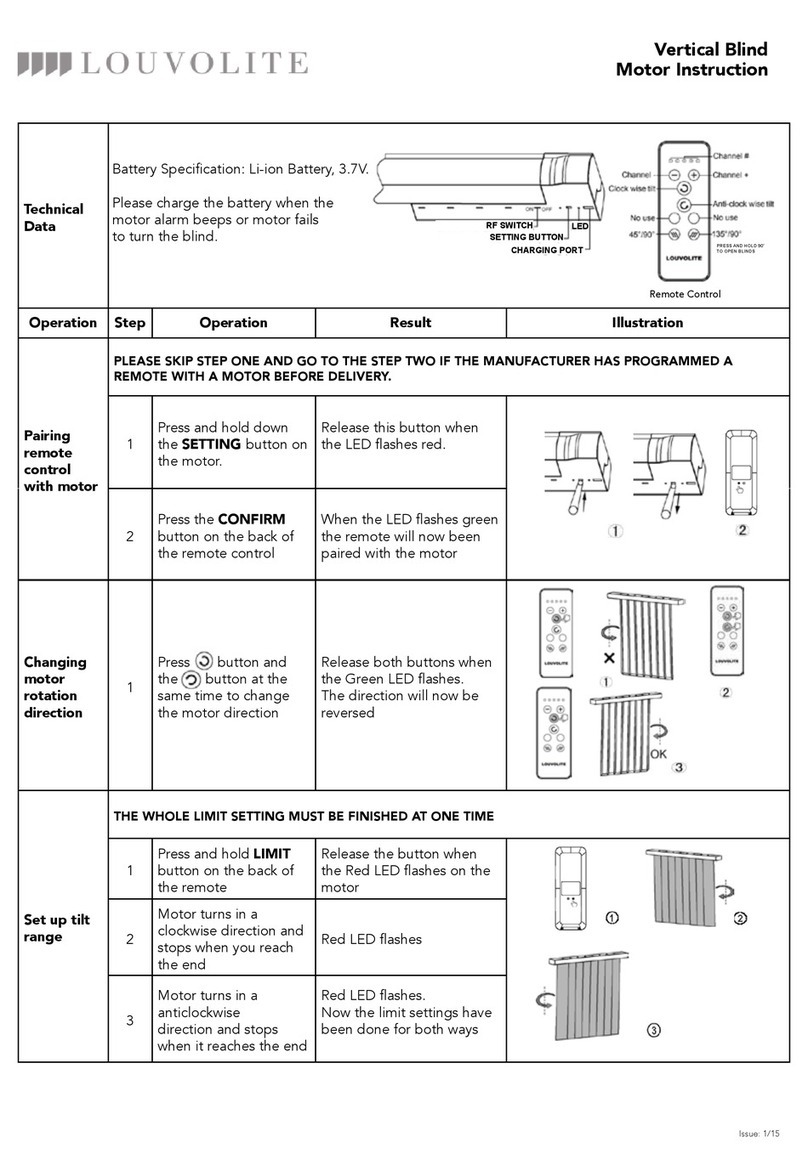
BATTERY SPECIFICATION: Li-ion battery, 2000mAH, 7.4V.
MOTOR TORQUE/SPEED: 1.1Nm/25rpm
A. Remove grease protector ring by opening the split ring and sliding
off the motor body
B. Fit crown by opening the split ring and slide along the motor body
until it meets the motor head.
C. Fit the drive using the cir-clip to secure in position.
D. Attached motor plate with the screws supplied in either left hand
or right hand orientation as required.
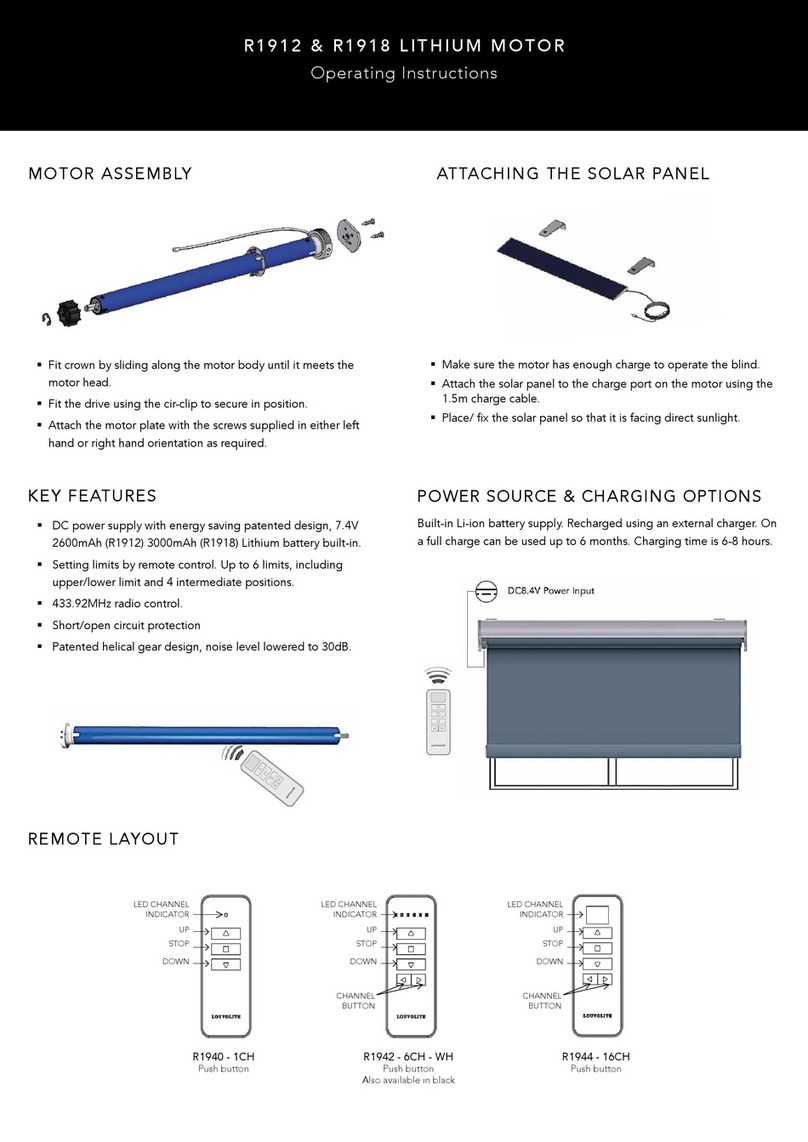
ATTACHING THE SOLAR PANEL
•
Make sure the motor has enough charge to operate the blind.
• Attach the solar panel to the charge port on the motor using the
1.5m charge cable.
•
Place/ x the solar panel so that it is facing direct sunlight.
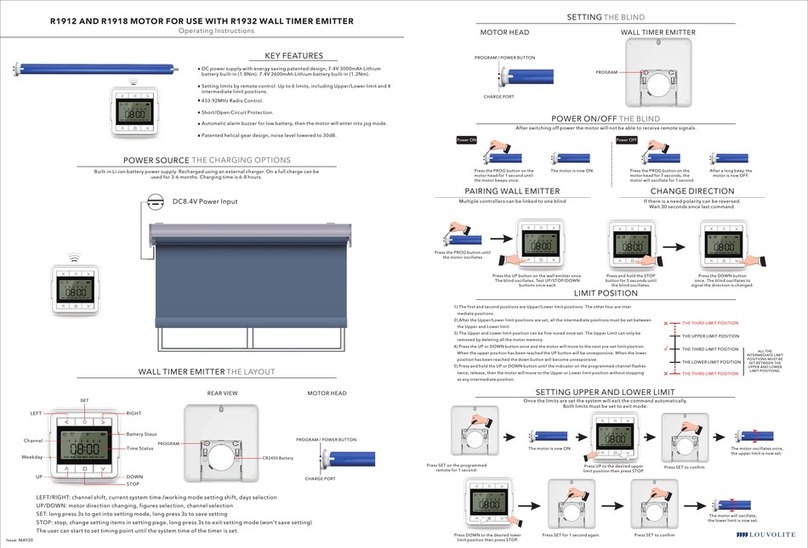
SETTING UP THE MOTOR
• The side of the motor mount with the SETTING button should face you.
• The motor antenna should be as straight as possible; otherwise the receiving distance will be reduced.
• Charging - The motor works with Li-ion battery, please charge when the motor stops working or falters please charge the motor by charger
Charging time with the charger is 5 to 6 hours. Please do not leave the motor on permanent charge as this will reduce battery performance.
NOTE: On receiving the motor we recommend fully charging.
Setting button (Red)
Charge port
Antenna
SET-UP AND OPERATION WITH R1720 REMOTE CONTROL
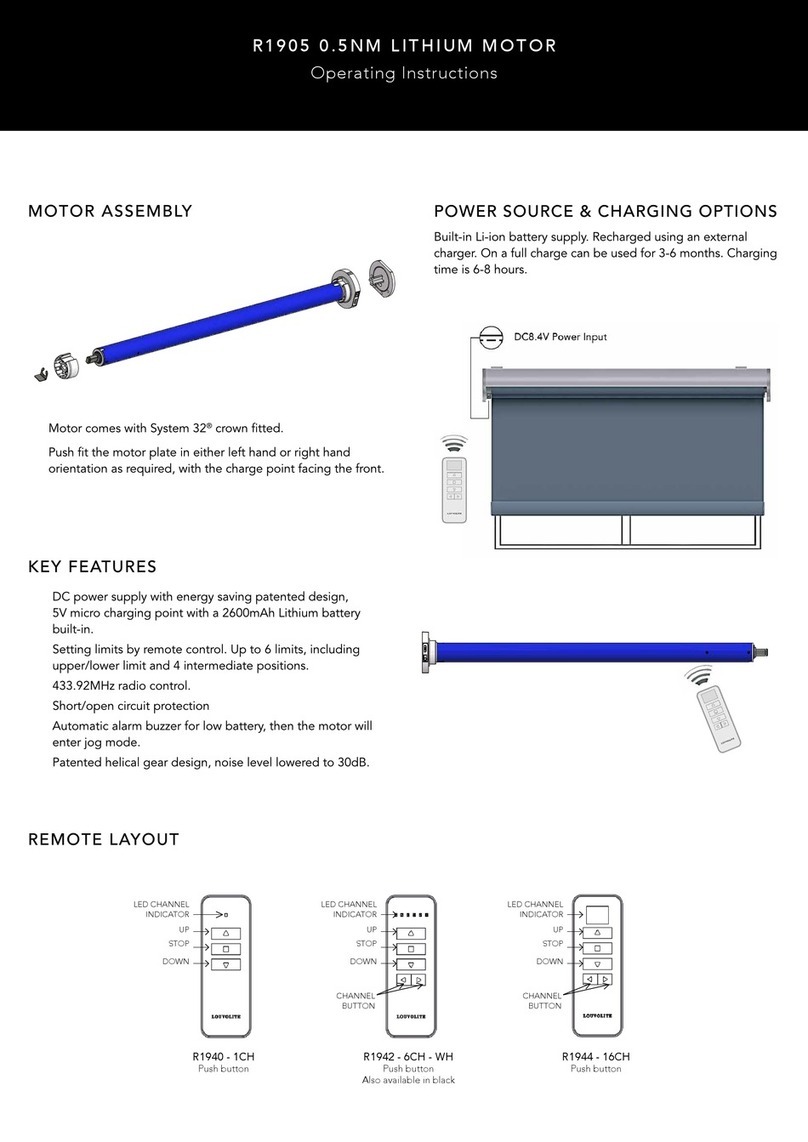
MOTOR ASSEMBLY
R1710 MOTOR
programming instructions
Remote Transmitter
CHANNEL#
UP
STOP
DOWN LIMIT
CHANNEL- CONFIRM
CHANNEL+
SET-UP AND OPERATION WITH R1720 REMOTE CONTROL
MOTOR ASSEMBLY
R1710 MOTOR
SET-UP LOWER LIMIT
1. Press and hold the LIMIT button on the remote until the motor jogs 4 times
and then release the button.
2.
Press DOWN button on the remote to move the blind down and press
STOP when desired lower limit is reached.
3.
To set the lower limit more accurately press DOWN and the motor
will run
down in steps.
4.
Press CONFIRM button on the remote and the motor will jog 2
times, the
lower limit is set.
CHANGE MOTOR DIRECTION
1. Press UP button on the remote, if the blind goes up then
the motor direction is okay.
2.
To change the motor direction hold down the LIMIT button
and then press STOP button on the remote transmitter,
the motor will jog to indicate the direction has been changed.
PAIRING AN ADDITIONAL REMOTE WITH THE MOTOR
1.
Hold down the SETTING button on the motor until it jogs 2
times and then release the button.
2.
Press the CONFIRM button within 10 seconds. The motor will jog 2
times and the remote is now paired with the motor.
PAIRING THE REMOTE WITH THE MOTOR
1.
Select the channel for the blind using the CHANNEL +/- button.
2.
Hold down the SETTING button on the motor until it jogs 2 times
and then release the button.
3. Press the CONFIRM button within 10 seconds. The motor will jog 2
times and the remote is now paired with the motor.
Setting button (Red) Setting button (Red)Primary Secondary
1 12 2
1 2 1 2 3 4
SET-UP MID-POINT LIMIT
8. Press UP or DOWN button on the remote to move the blind and press STOP when desired mid-point limit is reached.
9. Press and hold the LIMIT button rst then whilst holding LIMIT press UP button on the remote until the motor jogs.
Mid-point is now set.
10.Press STOP to move the blind to Mid-point position.
DELETE ORIGINAL HANDSET ON MOTOR
1. Press and hold SETTING button on the motor mount and the motor
will jog (2-3 times in one motion) and then release the button.
FAQ: If the motor does not work:
• Please charge the motor battery rst.
• If the motor does not stop at the required point, then the stops must be reset.
DELETE MID-POINT LIMIT
11.
Press UP or DOWN button on the remote to send blind to
upper or lower limit.
12. Press and hold LIMIT button rst then whilst holding LIMIT
press UP on the remote until the motor jogs. Mid-point is
now deleted.
Setting button (Red)
1
SET-UP UPPER LIMIT
5. Press UP button on the remote to move the blind up and press
STOP when desired upper limit is reached.
6. Press UP button and the motor will run steps to set the upper
limit accurately.
7.
Press CONFIRM button on the remote and the motor will jog 2
times, the upper limit is set.
PLEASE NOTE: The group channel will be recorded on the motor automatically when the single channel has been programmed on the motor.
Cycle through the channels until all the lights are lit to access the group channel on the remote.
5 6 7
8 9 10
11 12
R1710 SAFETY INSTRUCTIONS
WARNING: Important safety instructions. Follow all instructions, since incorrect installation can lead to severe injury. Please save these
Instructions.
Before installing the drive, remove any unnecessary cords and remove any equipment not needed for powered operation.
Install the actuating member of a manual release at a height less than 1.8m.
1. Instructions for use are provided with the appliance so that the appliance can be used safely.
2. Appliance must only be used to drive blinds.
3. Only use supplied driven parts for use with this motor appliance.
4. Motor appliance to be supplied from a separate power supply unit (AC/DC Charger), the appliance is only to be used with the power
supply unit provided.
5. Motor appliance must only be supplied by a SELV source.
6. Keep the product number and data plate in safe place.
7. This appliance is not intended for use by persons (including children) with reduced physical, sensory or mental capabilities, or lack
of experience and knowledge, unless they have been given supervision or instruction concerning use of the appliance by a person
responsible for their safety.
8. Children should be supervised to ensure that they do not play with the appliance.
9. Do not allow children to play with xed controls. Keep remote controls away from children.
10. Frequently examine the installation for imbalance and signs of wear or damage to cables and springs. Do not use if repair or adjustment
is necessary.
11. Do not store the motor with strong acid, alkaline, dirty or eroding materials.
12. Do not use the motor in a humid or damp environment.
13. Do not start the motor frequently or overload it as it might reduce the life of the motor.
14. Do not turn the regulating knob or the driving sleeve at non-operation state.
15. Do not operate the blind during maintenance (such as window cleaning) is being carried out in the vicinity etc.
R1710 SAFETY INSTRUCTIONS
Oct 2017