manuals.online logo
Brands
  1. Home
  2. •
  3. Brands
  4. •
  5. Louvolite
  6. •
  7. Engine
  8. •
  9. Louvolite Vertical Blind User manual

Louvolite Vertical Blind User manual

Other Louvolite Engine manuals

Louvolite R1725 Installation manual

Louvolite

Louvolite R1725 Installation manual

Louvolite R1705-RH User manual

Louvolite

Louvolite R1705-RH User manual

Louvolite R1905 User manual

Louvolite

Louvolite R1905 User manual

Louvolite R1912 User manual

Louvolite

Louvolite R1912 User manual

Louvolite R1912 User manual

Louvolite

Louvolite R1912 User manual

Louvolite R1710 Installation manual

Louvolite

Louvolite R1710 Installation manual

Louvolite AM24B-06/34-ES-I-EB Operating instructions

Louvolite

Louvolite AM24B-06/34-ES-I-EB Operating instructions

Popular Engine manuals by other brands

Nakanishi EM-3030T Operation manual

Nakanishi

Nakanishi EM-3030T Operation manual

Siemens COMBIMASTER CM12 operating instructions

Siemens

Siemens COMBIMASTER CM12 operating instructions

Bosch Rexroth Hagglunds CA Series Installation and maintenance manual

Bosch

Bosch Rexroth Hagglunds CA Series Installation and maintenance manual

Hyundai H170VC manual

Hyundai

Hyundai H170VC manual

Graco 273199 repair parts

Graco

Graco 273199 repair parts

MOTO GUZZI BREVA V1100 Workshop manual

MOTO GUZZI

MOTO GUZZI BREVA V1100 Workshop manual

Dualsky Track & Field Z5 instruction manual

Dualsky

Dualsky Track & Field Z5 instruction manual

Rotax 125 senior MAX evo installation manual

Rotax

Rotax 125 senior MAX evo installation manual

Kohler K361 Service manual

Kohler

Kohler K361 Service manual

MTD OHV Series user guide

MTD

MTD OHV Series user guide

Mercury D4.2L D-Tronic manual

Mercury

Mercury D4.2L D-Tronic manual

Perkins 1206E-E66TA Operation and maintenance manual

Perkins

Perkins 1206E-E66TA Operation and maintenance manual

Skov DA 174 Technical user guide

Skov

Skov DA 174 Technical user guide

Rotax 915 i A SERIES Maintenance manual

Rotax

Rotax 915 i A SERIES Maintenance manual

AL-KO PRO 350 Instructions for use

AL-KO

AL-KO PRO 350 Instructions for use

MTU 12 V 4000 Lx4 operating instructions

MTU

MTU 12 V 4000 Lx4 operating instructions

Nanni N3.30 Workshop manual

Nanni

Nanni N3.30 Workshop manual

Nanni N5.160 CR2 Operator's manual

Nanni

Nanni N5.160 CR2 Operator's manual

manuals.online logo
manuals.online logoBrands
  • About & Mission
  • Contact us
  • Privacy Policy
  • Terms and Conditions

Copyright 2025 Manuals.Online. All Rights Reserved.

Technical
Data
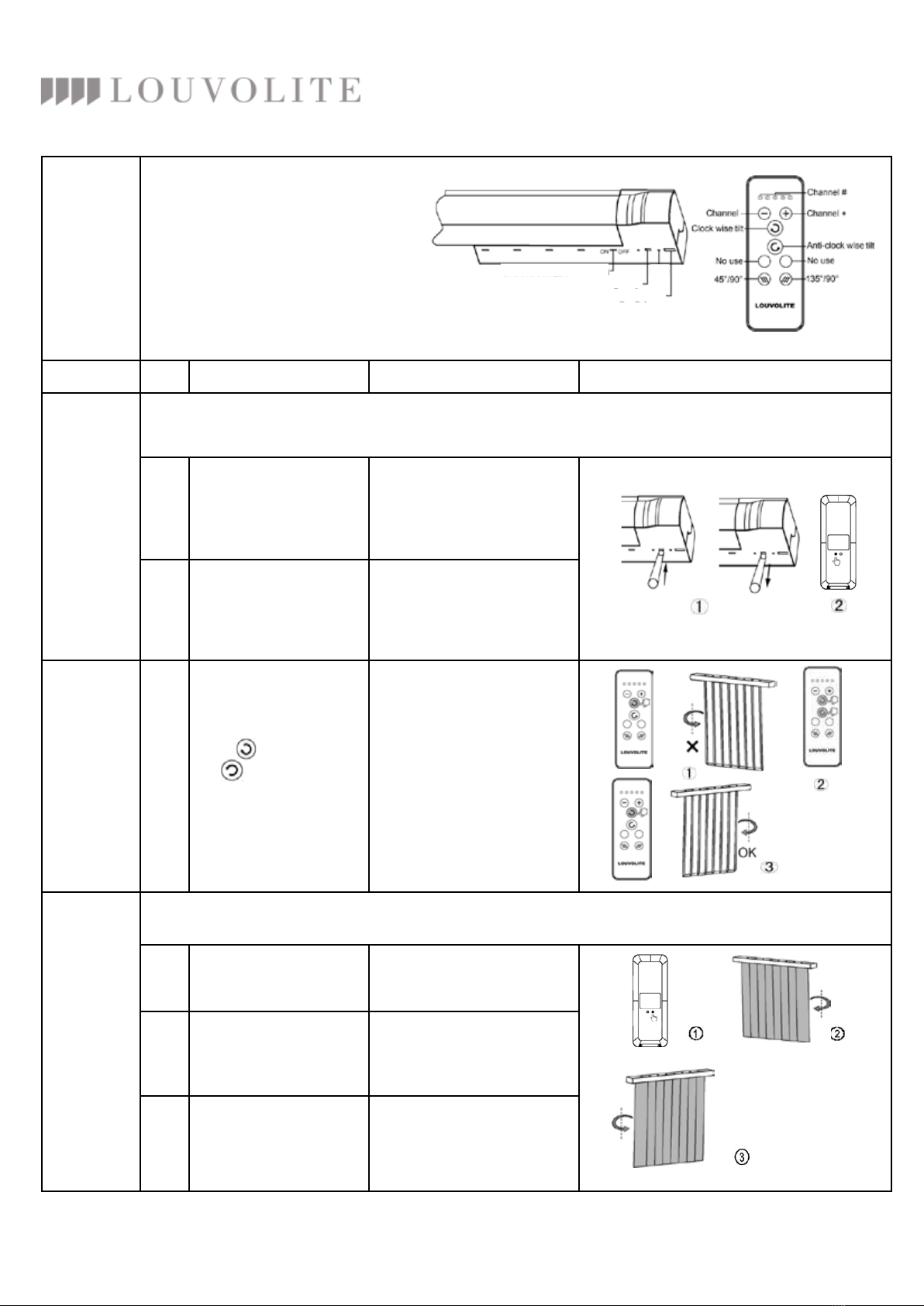
Operation Step Operation Result Illustration
Pairing
remote
control
with motor
PLEASE SKIP STEP ONE AND GO TO THE STEP TWO IF THE MANUFACTURER HAS PROGRAMMED A
REMOTE WITH A MOTOR BEFORE DELIVERY.
1
Press and hold down
the SETTING button on
the motor.
Release this button when
the LED ashes red.
2
Press the CONFIRM
button on the back of
the remote control
When the LED ashes green
the remote will now been
paired with the motor
Changing
motor
rotation
direction
1
Press button and
the button at the
same time to change
the motor direction
Release both buttons when
the Green LED ashes.
The direction will now be
reversed
Set up tilt
range
THE WHOLE LIMIT SETTING MUST BE FINISHED AT ONE TIME
1
Press and hold LIMIT
button on the back of
the remote
Release the button when
the Red LED ashes on the
motor
2
Motor turns in a
clockwise direction and
stops when you reach
the end
Red LED ashes
3
Motor turns in a
anticlockwise
direction and stops
when it reaches the end
Red LED ashes.
Now the limit settings have
been done for both ways
Issue: 1/15
Vertical Blind
Motor Instruction
RF SWITCH
SETTING BUTTON
CHARGING PORT
LED
PRESS AND HOLD 90O
TO OPEN BLINDS
Battery Specication: Li-ion Battery, 3.7V.
Please charge the battery when the
motor alarm beeps or motor fails
to turn the blind.
Remote Control

Operation Step Operation Result Illustration
Program
a second
remote with
an already
programmed
remote
1
Press and hold the
LIMIT button on the
rst programmed
remote A then press
the CONFIRM button
Release both buttons
when the Red LED
ashes
2
Now press the
CONFIRM button on
remote B
Green LED ashes,
now all programmed
remotes have been
detected
Delete all
remotes 1
Press SETTING
button on the motor
3 times
Green LED ashes,
now all programmed
remotes have been
deleted
Delete one
remote from
the motor
2
Press CONFIRM
button 2 times on the
back of the remote
Green LED ashes,
now the remote has
been deleted from
the motor
Charging
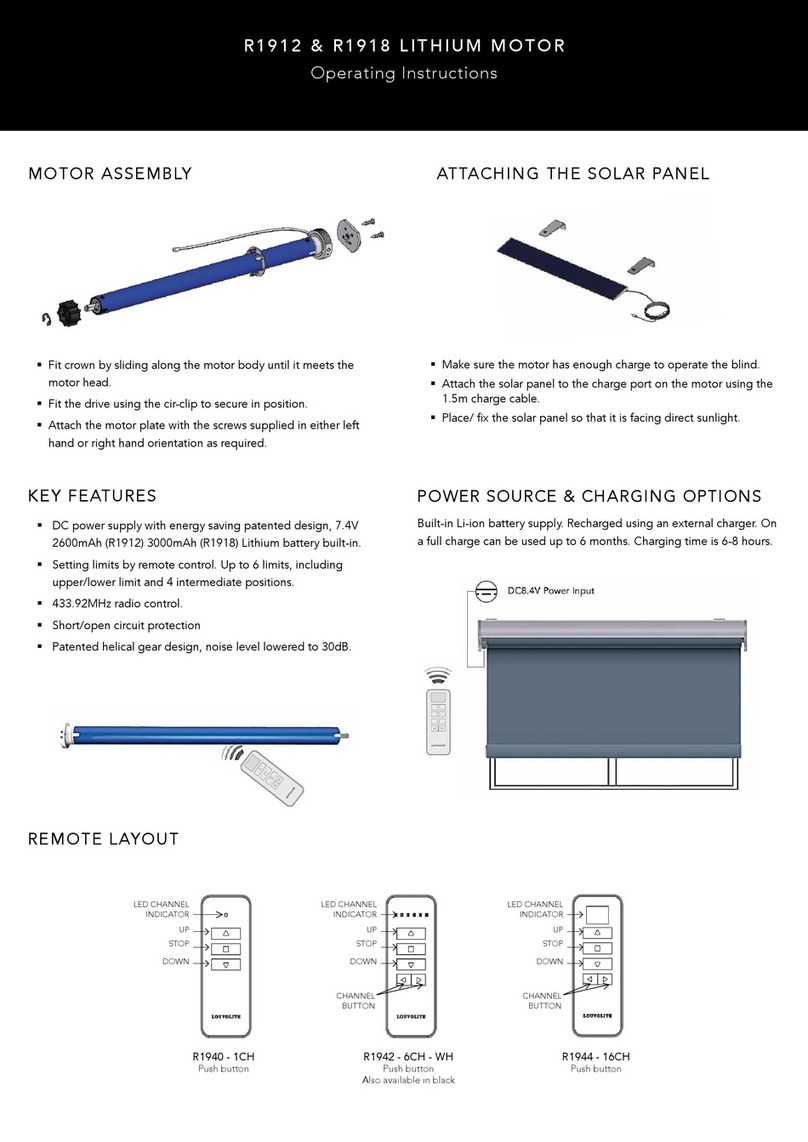
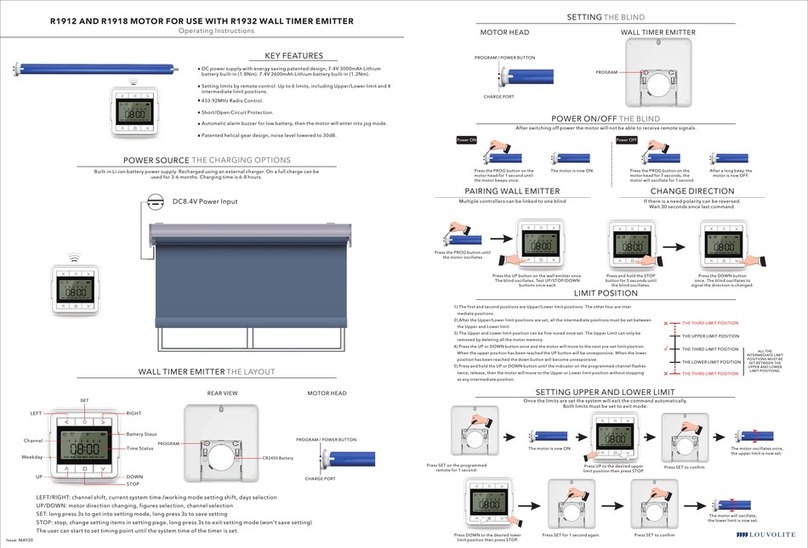
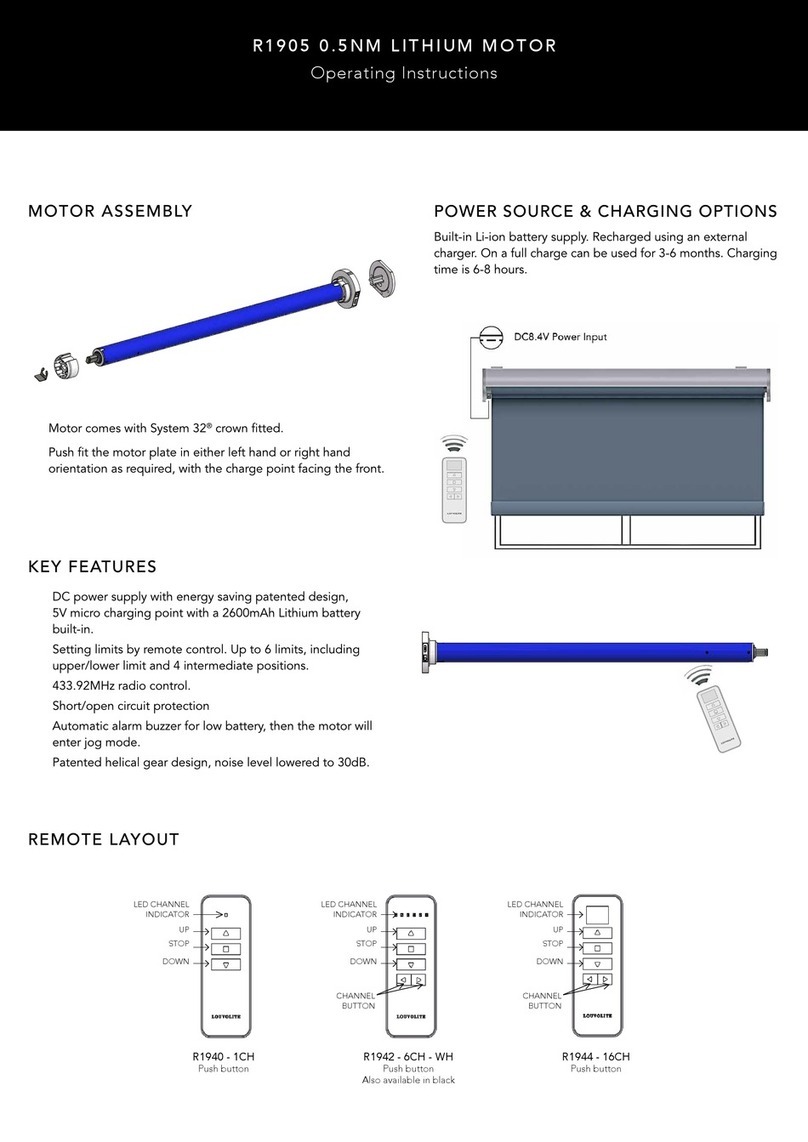
The motor works with Li-ion battery, please charge it when the motor alarms or work are faltering.
Please charge the motor using a professional charger DC5V.
Charging time: Charge for 6 hours or when the indicator turns Green.
Please remove the charger once it’s full.
FAQ
If nothing works then please check the following:
- Make sure you change the motor battery rst.
- If the motor continues to turn continuously, the user hasn’t setup the limit successfully. You will need
to re-set the limit.