SIM
Card
Installation
A
SIM
ca'd
canta!rw
)'Oii'
phoneoombw
md
other
n~
data.
Your
d9'flce hasdual
SIM
slots
that
both
s"'poits
3G(WCDMA)
SIM
cards.
To
lnstal
1he
SIM
Card
1.
Mate
sLA
the
dellrce
II
tumed
oft
and
1he
tent
facingdown.Hokl
the
ftml'(and
L11G
the
no1dl
otthe
bottomcam8fto
loGllill'I
the
ct:Net.
u..mot.tlolw!U'Ia hold.
tHn
·~a.ch
as
yc.1
ffngemon
ot
acredit
coord
tocoor.Ml'(runalongthe
Mall
to
loosen. then
Ill
the
ClOV9f
untl
ltdetochesccm~.
2.
Ren-..thebattelyllltlllll.Locale
theSIMca'dllotand
Ned
the
ptopet
SIM
ICCl'd
Into
th•"'°"*
slot.
""'"'°'*
Tnfcmlollon
on
SIM
c:ord
trwtolloUon.che<:k
out 1h9 lncl.lded
SIM
CCl'd
& M!QI)
SD
C<rrd
lnstalatton
G<Jlde.
3.
lo
llm
on/ofta
SIM
ca'd
go
to
Settl11QS
>SIM
monagement. then
slkle
the
SIM
ca'dsldeis.
lotunor1/ofTa
SIM
card' sdataconnection,
ao
toSettings>
SIM
mcriaa-nt.
clc:tonthe •DotoccnnecUon•
opl!on.
md
selKlo
SIM
Qm:i
tnat
has
3G
~.
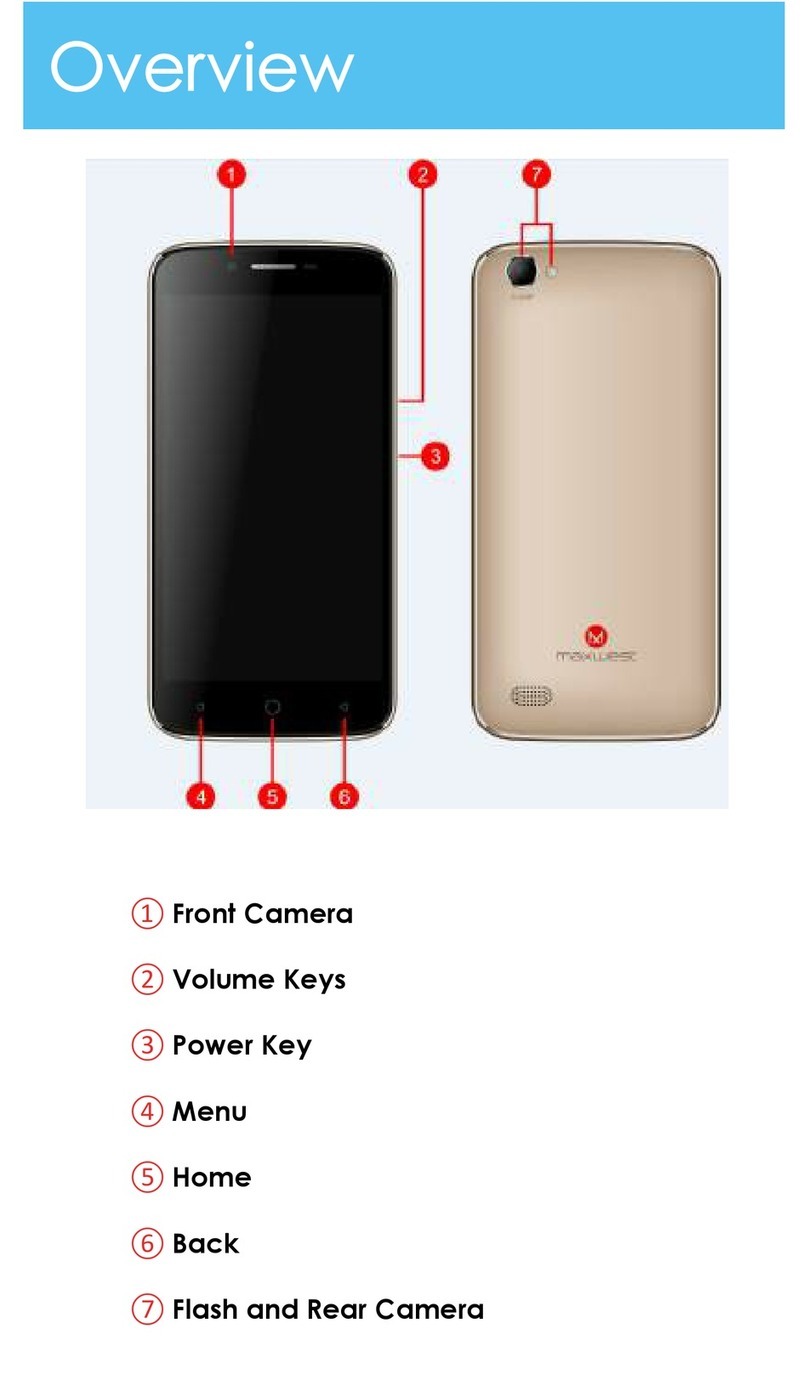
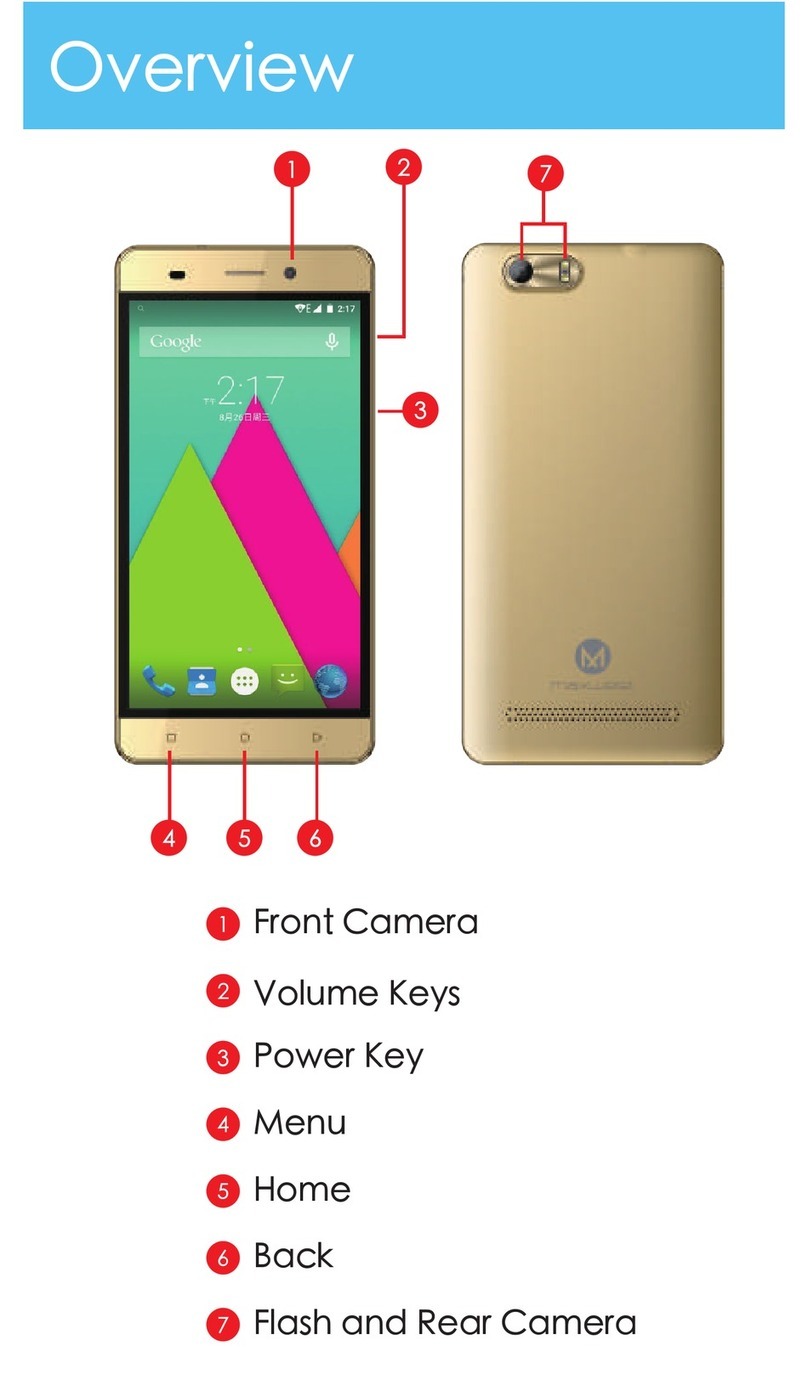
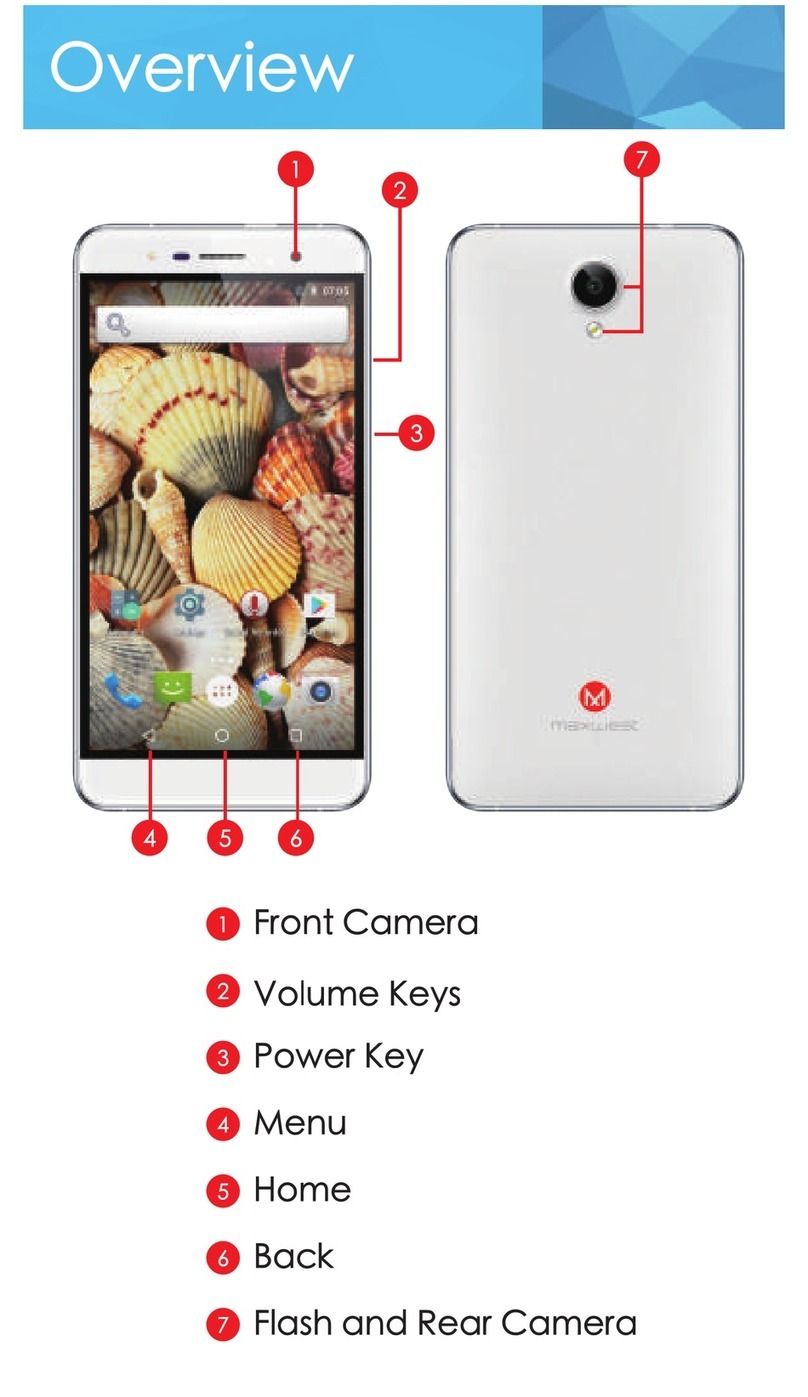
Keys/Touch
Points
PowerlCey:To-on/offlt.pnmandhok:l~tevtaratew
-ds
en
top
of
y<n
phone.
Wilen
1111
ON.
press
th•
1>0Wo9f
my
onceto
oc:~te
or
deodlvale
thescreen.
Home
key[ ):
Touc:h
the
key
to
reti.m
to
the
name
sawen.
In
Ide
screen. toueh and held the key
to
Wlw
recemty
oooessed
features.
OptloM
key[
): h
st<lldb'f
mode, touch the
my
to
9Gt
wallpaper,
mc.ioge
opps, access
to
$'111em
settings. Tcuch
1t
lo
vr-
menu
options.
Bock
key
(
t:>
):
Toudlto
go
bod:
to
thepreviousmenu.
Search
key
1
0..
):
Instandby
mode,
lap
to
open
-.ch
poge.
In
m<llY
opplloatlons.
1t
octtvotesa 980reh
bOK
to~
wlthln
the
oppllcatlon.