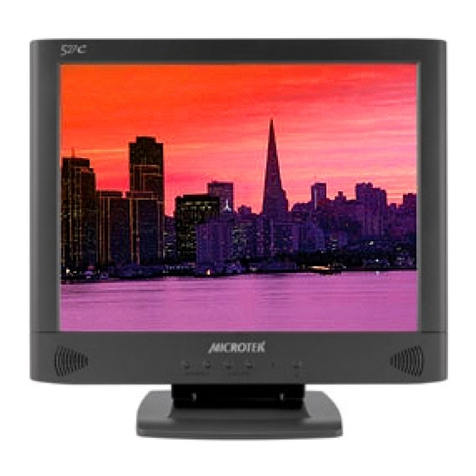
Microtek 710S User manual

710S 17” LCD MONITOR
USER’S MANUAL

ii
Table of Contents
FCC Compliance Statement .................................................................... ii
Introduction ..............................................................................................1
Factory-preset Modes .............................................................................2
Specifications .......................................................................................... 3
Installing the Monitor ...............................................................................5
Control Functions .....................................................................................7
ppendix ............................................................................................... 14
Signal connector pin assignment ......................................................... 16

iii
FCC Compl ance Statement
This device complies with part 15 of the FCC Rules. Operation is subject to the
following two conditions:
1. This device may not cause harmful interference, and
2. This device must accept any interference received, including interference
that may cause undesired operation.
FCC Warn ng
This equipment has been tested and found to comply with the limits for a Class B
digital device, pursuant to Part 15 of the FCC Rules. These limits are designed to
provide reasonable protection against harmful interference in a residential
installation.
This equipment generates, uses and can radiate radio frequency energy and, if not
installed and used in accordance with the instructions, may cause harmful
interference to radio communications.
However, there is no guarantee that interference will not occur in a particular
installation. If this equipment does cause harmful interference to radio or television
reception, which can be determined by turning the equipment off and on, the user is
encouraged to try to correct the interference by one or more of the following
measures:
• Reorient or relocate the receiving antenna.
• Increase the separation between the equipment and the receiver.
• Connect the equipment into an outlet different from that to which the
receiver is connected.
• Consult the dealer or an experienced radio/TV technician for help.
Caut on:
To comply with the limits for an FCC Class B computing device, always use the
shielded signal cord supplied with this unit.
The Federal Communications Commission warns that changes or modifications of
the unit not expressly approved by the party responsible for compliance could void
the user’s authority to operate the equipment.
CE mark for Class B ITE (Following European standard EN55022/1998; EN61000-3-2/
1995; EN61000-3-3/1995, EN55024/1998, EN60950/1992+ 1+ 2+ 3+ 4+ 11)

iv
Rad o Frequency Interference Statement
Warn ng:
This is a Class B product. In a domestic environment, this product may cause radio
interference in which case the user may be required to take adequate measures.
Canad an Doc Not ce
For Class B Comput ng Dev ces
This digital apparatus does not exceed the Class B limits for radio noise emissions
from digital apparatus as set out in the Radio Interference Regulation of the
Canadian Department of Communications.
“Le présent appareil numérique n’èmet pas de bruits radioélectriques dépassant les
limites applicables aux appareils numériques de la class B prescrites dans le
Règlement sur le brouillage radioélectrique édicté par le ministère des
Communications du Canada”

v
8. Use the monitor only with the supplied adapter. In case of loss, contact the
retailer or service center.
9. If you lose the power cord, you must purchase a power cord of the same
type and configuration.
• Japan GVCTF type, 3 wires or with ground-wire; T-mark approval is
required.
• U.S. GVW-1; 18 WG X 3C; SVT with national approval as UL and/or CS
approval/number(s)
• Europe GVDE/ÖVE and/or KEM approval; H05VV-F, 3G, 0.75mm2, or
equivalent.
The power cord should bear the name of the manufacturer and state the
type of cord that it is.
Important Safety Instruct ons
Please read the following instructions carefully. This manual should be retained for
future use.
1. To clean the LCD monitor screen, make sure the monitor is in the power off
mode. Unplug the monitor from its power source before cleaning it. Do not
spray liquid cleaners directly onto the unit. Stand away from the LCD
monitor and spray cleaning solution onto a rag. Without applying excessive
pressure, clean the screen with the slightly dampened rag.
2. Do not place your LCD monitor near a window. Exposing the monitor to
rain, water, moisture or sunlight can severely damage it.
3. Do not place anything on top of the monitor-to-PC signal cord. Make sure
the cord is placed in an area where it will not be stepped on.
4. Do not apply pressure to the LCD screen. Excessive pressure may cause
permanent damage to the display.
5. Do not remove the cover or attempt to service this unit by yourself,as you
may void the warranty. Servicing of any nature should be performed only
by an authorized technician.
6. Safe storage of the LCD monitor is in the range of -4°F to 140°F (–20°C to
+60°C). Storing your LCD monitor outside this range could result in
permanent damage.
7. If any of the following occurs, immediately unplug your monitor and call an
authorized technician.
• The power or monitor-to-PC signal cord is frayed or damaged.
• Liquid has been spilled onto the monitor, or it has been exposed to rain.
• The monitor has been dropped or the case has been damaged.

1
Introduction
Before installing your monitor
Read this manual carefully.
PAY ATTENTION to all Warning and Caution messages.
DO NOT use computer components not recommended by the
manufacturer.
Do not attempt to service the monitor yourself. If a problem occurs,
contact the manufacturer’s authorized service center.
About your monitor
This monitor is a microprocessor-controlled color monitor that uses a TFT
LCD panel. The monitor conforms to EPA Energy Star and VESA DPMS
(Display Power Management Signaling) power management standards.
RGB Mode
This monitor is equipped with a microprocessor that identifies your
computer’s video mode and allows you to adjust the setting.

2
Factory-preset Modes
Table 1 shows standard video mode setting that has been pre-adjusted at
the factory for accurate video display. These settings are stored in the
monitor’smemory.
Table 1. Factory-preset Modes
Mode
NEC
VGA
SVGA
XGA
SXGA
Macintosh
Resolution
640 x 400
640 x 350
720 x 400
640 x 480
640 x 480
640 x 480
800 x 600
800 x 600
800 x 600
800 x 600
1024 x 768
1024 x 768
1024 x 768
1280 x 1024
1280 x 1024
640 x 480
832 x 624
1024 x 768
1024 x 768
H-Freq. ( Hz)
24.83
31.47
31.47
31.47
37.86
37.5
35.16
37.88
48.08
46.87
48.36
56.47
60
63.98
80
35
49.7
48.78
60.241
V-Freq (Hz)
56.4
70
70
60
72
75
56.3
60.3
72.2
75
60
70
75
60
75
66.7
74.55
60
74.927

3
Specifications
OverallDimensions(HxW xD): 16.5x16.4x6.5in.
(419 x 417x166mm)
Gross / Net Weight 14.4/ 12 lbs
EffectiveDisplay area (H/V): 13.3x10.6in.
(337.92 x 270.34mm)
Wall Mount 100x100mm(VESAstandard)
Display colors: 16millioncolors
Scan Frequencies:
Horizontal 31.47Kto80KHz
Vertical 60Hzto75Hz
NumberofPixels: 1280x1024pixels
Pixelpitch: 0.264mm
Picture Tube: 17" TFTLCD panel
Power: Input 110~240 VAC (auto-sensing)
Frequency:48-62Hz
Consumption 45Wattsmaximum(on)
1 Watt (Power saving off mode)
Video Connector 15-pin Mini D-sub (Standard)
Audio connector 1 (stereo input)
Speaker: 2
RGBSignals:
Video AnalogRGB0.7Vp-p/75W
Sync Separate
Display Data Channel:
Compatibility VESADDC1/2B

4
Operations
User Controls On/Off Power Button
Auto-adjustment, Brightness,
Menu/Enter and & button
On Screen Display, Contrast,
Brightness Adjustment,
H-position, V-position,
Color temperature,
Auto Adjustment
Control Type: DigitalOSD (On-Screen-Display)
Compatibility: IBM and compatibles, Apple
Macintosh, NEC
EnvironmentalLimits:
Operating Temp. 32°to104°F (0° to40°C)
Storage Temp. -4°to140°F(-20° to60°C)
OperatingHumidity 10 to 85% without Condensation
Storage Humidity 10 to 95% without Condensation
Agency Approval
EMI FCC,CE
Energy Saving EPA energy star, VESADPMS
Safety UL/CUL,CB,TUV,BSMI

5
Installing the Monitor
This monitor is equipped with an auto sensing power supply for voltage
rangingfrom 110~240VAC,60/50Hz. Confirm thelinevoltage designation
on the rear panel of the monitor.
To install the monitor, follow these steps:
1. Before you connect the cables, make sure that the monitor and the
system unit power switches are OFF.
2. Plug one end of the 15-pin signal cable to the monitor and the other
end to the video signal connector at the rear of the system. Tighten
the two screws on the cable connector on both ends. Otherwise, the
screen will be abnormal and the LED light will flash yellow (and not
the normal green color).
3. Connect the power to the monitor through the AC/DC adapter.
4. Connect the power cord on the AC outlet as shown below.
12 3
Other Microtek Monitor manuals
Microtek
Microtek C783 User manual
Microtek
Microtek C893 User manual
Microtek
Microtek C586P User manual
Microtek
Microtek 722S User manual
Microtek
Microtek 525M User manual
Microtek
Microtek C588 User manual
Microtek
Microtek 715C User manual
Microtek
Microtek 515C User manual
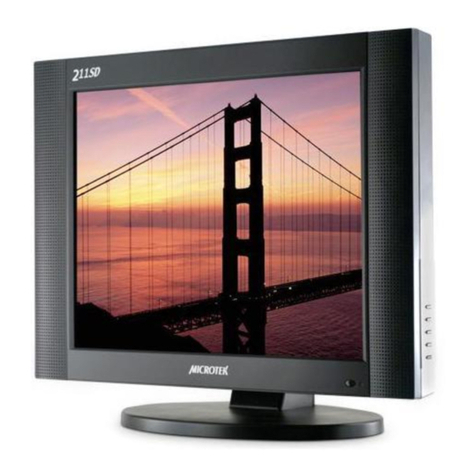
Microtek
Microtek 211SD User manual
Microtek
Microtek 201SD User manual
Microtek
Microtek JTX V9s User manual
Microtek
Microtek 729S User manual
Microtek
Microtek 815C User manual
Microtek
Microtek JTX V7s User manual
Microtek
Microtek 512M User manual
Microtek
Microtek C788 User manual
Microtek
Microtek JTX V5 User manual
Microtek
Microtek 997M User manual
Microtek
Microtek 515M User manual
Microtek
Microtek 714M User manual