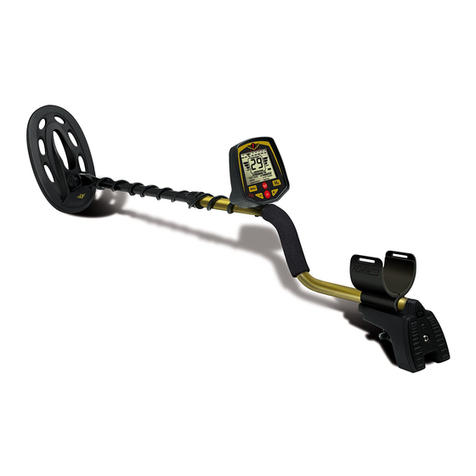
THE MINELAB ‘GP extreme’
10
ASSEMBLY
2
www.minelab.com
COMPLETE ASSEMBLY INSTRUCTIONS
Securing and connecting the coil cable
NOTE Always ensure that the control box is turned off
completely before connecting or disconnecting the coil.
STEP 1 Wind the coil cable around the shaftandplugthecoil
connector into thecoilsocket on thecontrolbox.Check that
thecableiswoundfirmlyaroundtheshaftwithoutstrain,
leave enoughslack atthe bottom of thecable near the coilto
allowfor adjusting the angle ofthe coil withoutplacing strain
on the coilcable.
STEP 2 Fasten the cable into positionusing theVelcro straps
provided (20).
Fitting and connecting the battery pack
Figure 2.6
STEP 1 Fitthebattery(17)intothebackpackpouch(18).
STEP 2 Connecttheheadphones(16)and the powercable(19)to
theappropriatesocketsinthecapofthebattery.
STEP 3 Put on the back pack (18).
If the coil cable is able to move
around, especially near the coil, it
will be ‘seen’ by the detector and
cause random noises which may be
confusing.
HINT
Use only the 6v DC battery supplied
CAUTION
Attaching the lower fibreglass shaft
Figure 2.2
STEP 1 Slidethelowerfibreglassshaft(4)intotheintermediateshaft(7).
STEP 2 Adjust shaftlengthand coilangleforacomfortableposition.
Minelab recommends that the shaft lengthbe setto give a
comfortablesweeplengthofapproximately2meters. The
lowerfibreglass shaft can beset into position bylocatingthe
spring clip into the holes provided in theintermediate shaft
and handtightening the locking nut at the endof the
intermediateshaft.
THE MINELAB ‘GP extreme’
11
ASSEMBLY
2
COMPLETE ASSEMBLY INSTRUCTIONS
STEP 4 Ensure that the power switch onthecontrol box is switched
offandplugtheconnectoronthepowercable(19)intothe
batteryconnectorplugonthecontrolbox.Thiscable
connectsthebatteryandheadphonestothedetector.
Adjust for your own comfort
STEP 1 Adjust the bungy cord (21) from the knuckle (22) on the shaft
to correctlength to take some of theweightwhen
prospecting.
STEP 2 Adjustthe handstraponthehandle(9)foryourowncomfort.
Figure 2.6 The ‘GP extreme’ battery assembly
P0503-A