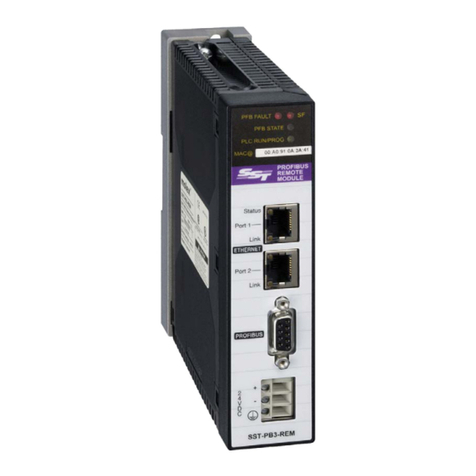
User Reference Guide SST-PB3S-CLX-RLL
iv Contents
©2014 Molex Inc. Industrial Products Business Unit, Integrated Products Division
Document Edition: 1.0, Document #: 715-0109, Template Edition: 1.1, Template #: QMS-06-045
Use, duplication or disclosure of this document or any of the information contained herein is subject to the restrictions on page ii of this document.
Installing the SST-PB3S-CLX-RLL Slave................................................................... 21
4.1 Installing the Slave Module..............................................................................................22
4.1.1 Installation Procedure.....................................................................................................22
4.1.2 Removal Procedure........................................................................................................22
4.2 PROFIBUS Wiring...........................................................................................................23
4.2.1 Selecting the Proper Line Type......................................................................................24
4.2.2 PROFIBUS Connector...................................................................................................25
4.3 PROFIBUS LED and Display States................................................................................26
4.4 LED and Display Combinations.......................................................................................27
4.5.1 Display Tables................................................................................................................28
System Diagnostics.................................................................................................... 29
5.1 PB3S Status Register........................................................................................................30
5.2 Slave Firmware Version...................................................................................................30
5.3 Diagnostic Counters .........................................................................................................31
Slave Functionality...................................................................................................... 33
6.1 Slave I/O interface............................................................................................................34
6.1.2 Interface Image for Add-On-Profile..................................................................................34
6.1.3 Interface Image for Generic Profile ...............................................................................35
6.2 Register Definitions and Layout.......................................................................................37
6.2.1 DP Slave Status Table Entries........................................................................................37
6.3 I/O Table Additions/Modifications ..................................................................................39
6.4 Config Table Additions....................................................................................................39
6.5 Slave Configuration and Programming............................................................................41
6.5.1 Configuring the CLX Slave in RSLogix 5000 using Generic Profile............................42
6.5.2 Configuring the CLX Slave in RSLogix 5000 using Add-on-Profile (AOP)................45
Technical Specifications ............................................................................................ 49
A.1 Technical Specifications...................................................................................................50
Regulatory Compliance .............................................................................................. 51
B.1 CE Compliance.................................................................................................................52
B.2 Rep. of Korea Compliance ...............................................................................................53
Warranty and Support................................................................................................. 55
C.1 Warranty...........................................................................................................................56
C.2 Reference Documents.......................................................................................................56
C.3 Technical Support.............................................................................................................57
C.4 Getting Help .....................................................................................................................57