manuals.online logo
Brands
  1. Home
  2. •
  3. Brands
  4. •
  5. Motorola
  6. •
  7. MP3 Player
  8. •
  9. Motorola i870 User manual

Motorola i870 User manual

1
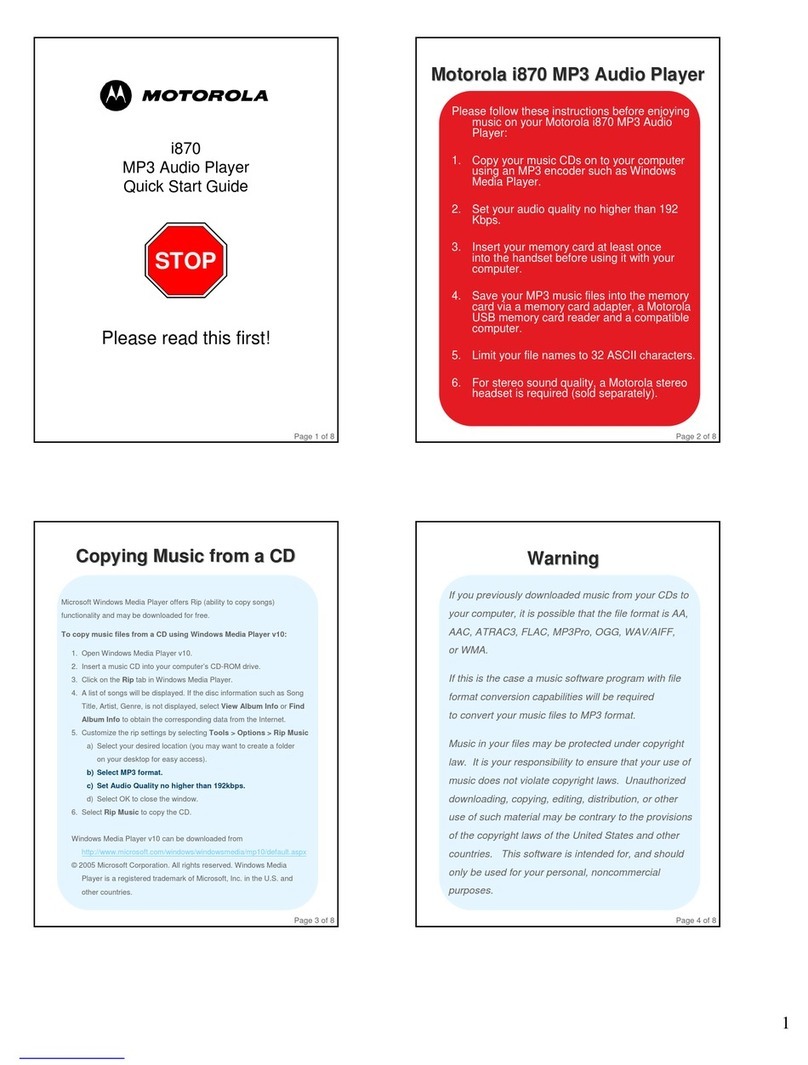
i870
MP3 Audio Player
Quick Start Guide
STOP
Please read this first!
Page 1 of 8
Motorola i870 MP3 Audio Player
Please follow these instructions before enjoying
music on your Motorola i870 MP3 Audio
Player:
1. Copy your music CDs on to your computer
using an MP3 encoder such as Windows
Media Player.
2. Set your audio quality no higher than 192
Kbps.
3. Insert your memory card at least once
into the handset before using it with your
computer.
4. Save your MP3 music files into the memory
card via a memory card adapter, a Motorola
USB memory card reader and a compatible
computer.
5. Limit your file names to 32 ASCII characters.
6. For stereo sound quality, a Motorola stereo
headset is required (sold separately).
Page 2 of 8
Copying Music from a CD
Page 3 of 8
Microsoft Windows Media Player offers Rip (ability to copy songs)
functionality and may be downloaded for free.
To copy music files from a CD using Windows Media Player v10:
1. Open Windows Media Player v10.
2. Insert a music CD into your computer’s CD-ROM drive.
3. Click on the Rip tab in Windows Media Player.
4. A list of songs will be displayed. If the disc information such as Song
Title, Artist, Genre, is not displayed, select View Album Info or Find
Album Info to obtain the corresponding data from the Internet.
5. Customize the rip settings by selecting Tools > Options > Rip Music
a) Select your desired location (you may want to create a folder
on your desktop for easy access).
b) Select MP3 format.
c) Set Audio Quality no higher than 192kbps.
d) Select OK to close the window.
6. Select Rip Music to copy the CD.
Windows Media Player v10 can be downloaded from
http://www.microsoft.com/windows/windowsmedia/mp10/default.aspx
© 2005 Microsoft Corporation. All rights reserved. Windows Media
Player is a registered trademark of Microsoft, Inc. in the U.S. and
other countries.
Warning
Warning
If you previously downloaded music from your CDs to
your computer, it is possible that the file format is AA,
AAC, ATRAC3, FLAC, MP3Pro, OGG, WAV/AIFF,
or WMA.
If this is the case a music software program with file
format conversion capabilities will be required
to convert your music files to MP3 format.
Music in your files may be protected under copyright
law. It is your responsibility to ensure that your use of
music does not violate copyright laws. Unauthorized
downloading, copying, editing, distribution, or other
use of such material may be contrary to the provisions
of the copyright laws of the United States and other
countries. This software is intended for, and should
only be used for your personal, noncommercial
purposes.
Page 4 of 8
2
To ensure the files on your memory card are compatible
with your Motorola i870 handset, please follow the
instructions described below.
1) Insert your memory card at least once into the handset
before using it with your computer. The first time you
insert the memory card into your handset, three folders
are created.
AUDIO: To save MP3 audio files.
IMAGE: To save pictures.
VIDEOS: To save videos.
2) Music files must be loaded to the memory card via a
memory card adapter, a Motorola USB memory card
reader and a computer.
a) Connect the Motorola USB memory card reader
to an available USB port on your computer.
b) Insert the memory card into the memory card
adaptor, then insert the memory card adaptor into
the USB memory card reader, currently connected
to your computer.
Saving MP3 music files
Page 5 of 8
c) Double click on the “My Computer” shortcut
(usually located on the Desktop) and search for
the removable storage device.
d) Double click on the removable storage device icon
to gain access to the memory card’s contents.
e) Open the folder where the music was stored on
your computer to access the MP3 songs.
f) Drag and drop the MP3 files you wish to access on
the handset into the “Audio” folder on the memory
card. File names must be limited to 32 ASCII
Characters.
IMPORTANT: If the file name is longer than 32
characters, including the file format (.MP3),
the song will not be visible on the player and
therefore can not be played. This can be
corrected by renaming the file and replacing
it on the card.
3) Once complete, close the memory card’s window and
wait until the green light on the memory card reader
stops flashing to safely remove your memory card from
the adapter.
Saving MP3 music files
Saving MP3 music files (Cont.)
(Cont.)
Page 6 of 8
The memory card should not be removed
from the handset before selecting
the “Remove Card” option on the
“Settings” menu.
IMPORTANT: Removing the card before
selecting the “Remove Card” option
could result in loss of data.
To remove the memory card safely from
your handset follow these steps:
1) From the main menu select Settings.
2) Select Advanced
3) Select Memory Card
4) Select Remove Card
If you select the “Remove Card” option but
do not remove the memory card, you will
not be able to use the memory card until
you remove and insert it again.
Memory Card Removal
Memory Card Removal
Page 7 of 8
Motorola Stereo Headset
Enjoy stereo MP3 music from your
Motorola i870 handset with a superior
stereo audio headset.
The Motorola stereo headset below
features state of the art ergonomic
design for maximum comfort and utility.
It also supports Push-To-Talk button,
One-Touch PTT and extended PTT
functionality.
Motorola Stereo Headset NNTN5774A
See your nearest phone retailer
Page 8 of 8
MOTOROLA and the Stylized M Logo are registered in the US Patent & Trademark
Office. All other product or service names are the property of their respective
owners. © Motorola, Inc. 2005.

Other manuals for i870

6

Other Motorola MP3 Player manuals

Motorola m500 User manual

Motorola

Motorola m500 User manual

Motorola i870 User manual

Motorola

Motorola i870 User manual

Motorola m25 User manual

Motorola

Motorola m25 User manual

Motorola m25 User manual

Motorola

Motorola m25 User manual

Motorola m250 User manual

Motorola

Motorola m250 User manual

Motorola MOTOROKR Z6m User manual

Motorola

Motorola MOTOROKR Z6m User manual

Motorola S705 - Soundpilot Operating instructions

Motorola

Motorola S705 - Soundpilot Operating instructions

Motorola m25 User manual

Motorola

Motorola m25 User manual

Popular MP3 Player manuals by other brands

RCA TH101 user manual

RCA

RCA TH101 user manual

Philips RUSH SA230 Specifications

Philips

Philips RUSH SA230 Specifications

TrekStor i.Beat motion 2GB quick start guide

TrekStor

TrekStor i.Beat motion 2GB quick start guide

Philips GoGear SA1VBE04KC manual

Philips

Philips GoGear SA1VBE04KC manual

Creative ZEN STYLE 300 quick start guide

Creative

Creative ZEN STYLE 300 quick start guide

Sony Walkman NWZ-B135FPNK Specifications

Sony

Sony Walkman NWZ-B135FPNK Specifications

Curtis MP530 user manual

Curtis

Curtis MP530 user manual

Mpio FL 500 user guide

Mpio

Mpio FL 500 user guide

AUNE S1 user manual

AUNE

AUNE S1 user manual

Sony NW-E103 - Network Walkman Service manual

Sony

Sony NW-E103 - Network Walkman Service manual

Philips Nike Psa256max Specifications

Philips

Philips Nike Psa256max Specifications

Genius DJ SPORT manual

Genius

Genius DJ SPORT manual

Grundig MPaxx MP 150 Service manual

Grundig

Grundig MPaxx MP 150 Service manual

Digital Blue Disney Mix Stick 1GB Getting started guide

Digital Blue

Digital Blue Disney Mix Stick 1GB Getting started guide

Neuros MP3 DiGITAL AUDIO COMPUTER user guide

Neuros

Neuros MP3 DiGITAL AUDIO COMPUTER user guide

AIPTEK MP3-S1 user manual

AIPTEK

AIPTEK MP3-S1 user manual

Mercury IXA333i user guide

Mercury

Mercury IXA333i user guide

Philips GoGear SA3225 Specifications

Philips

Philips GoGear SA3225 Specifications

manuals.online logo
manuals.online logoBrands
  • About & Mission
  • Contact us
  • Privacy Policy
  • Terms and Conditions

Copyright 2025 Manuals.Online. All Rights Reserved.