WP015(v1.0)2017-05-05
Note:
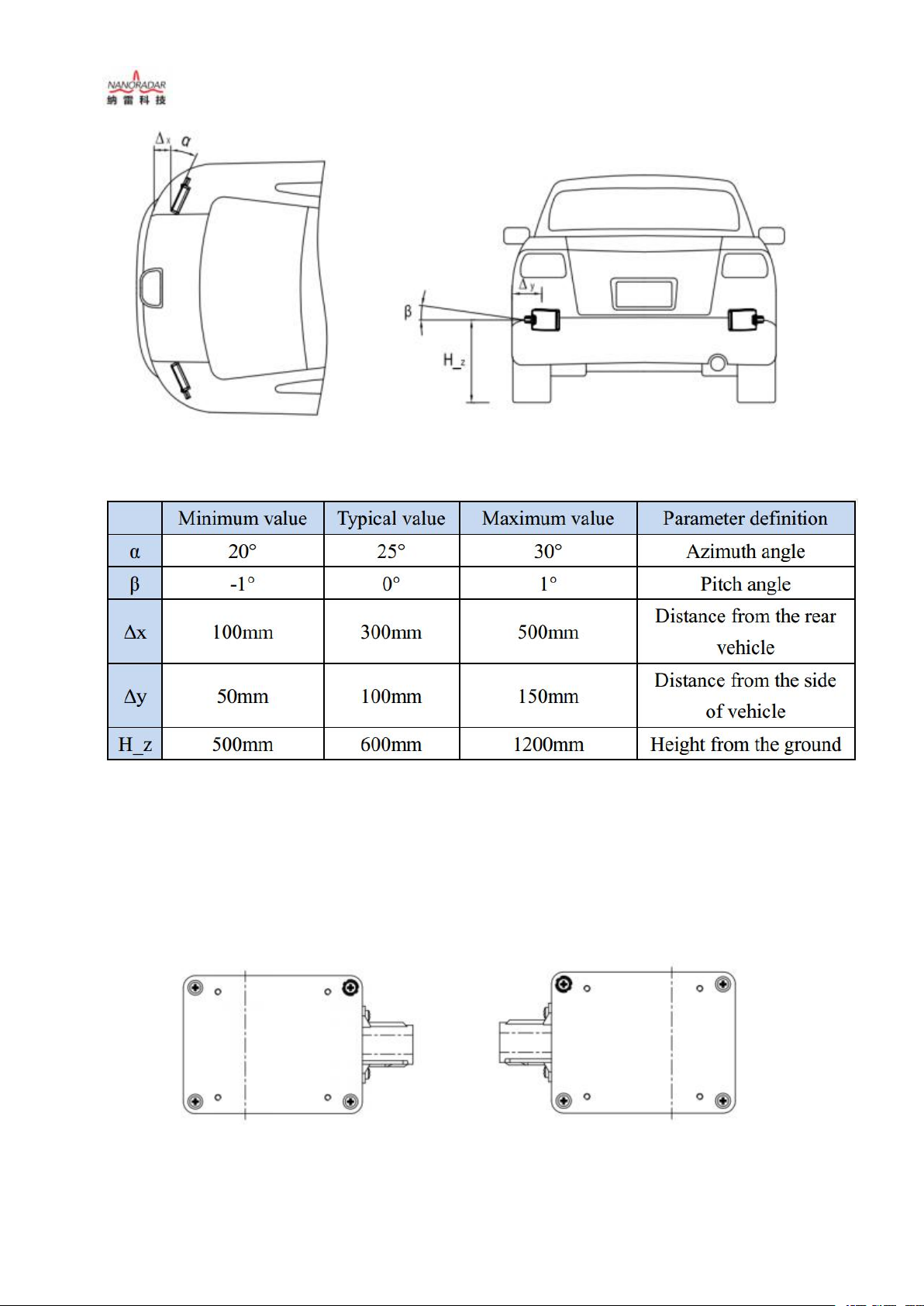
CAR28T uses Cartesian Coordinates. When installed, the antenna face (convex face) of
CAR28T is facing the target direction, and the CAN port is facing the right direction (+) as
shown in the left figure (recommended mounting direction), while CAN port is facing the left
direction (-) as shown in the right figure.
As shown in the left figure, the dotted line indicates the origin of the target angle, and the
distance from the dotted line to the left border is 26 mm. The target angle of CAR28T test is the
azimuth distance from the radial distance (linear distance). The speed is positive when the target
is near the radar sensor, and the speed is negative when the target is far from the sensor.
4.3 Test and use
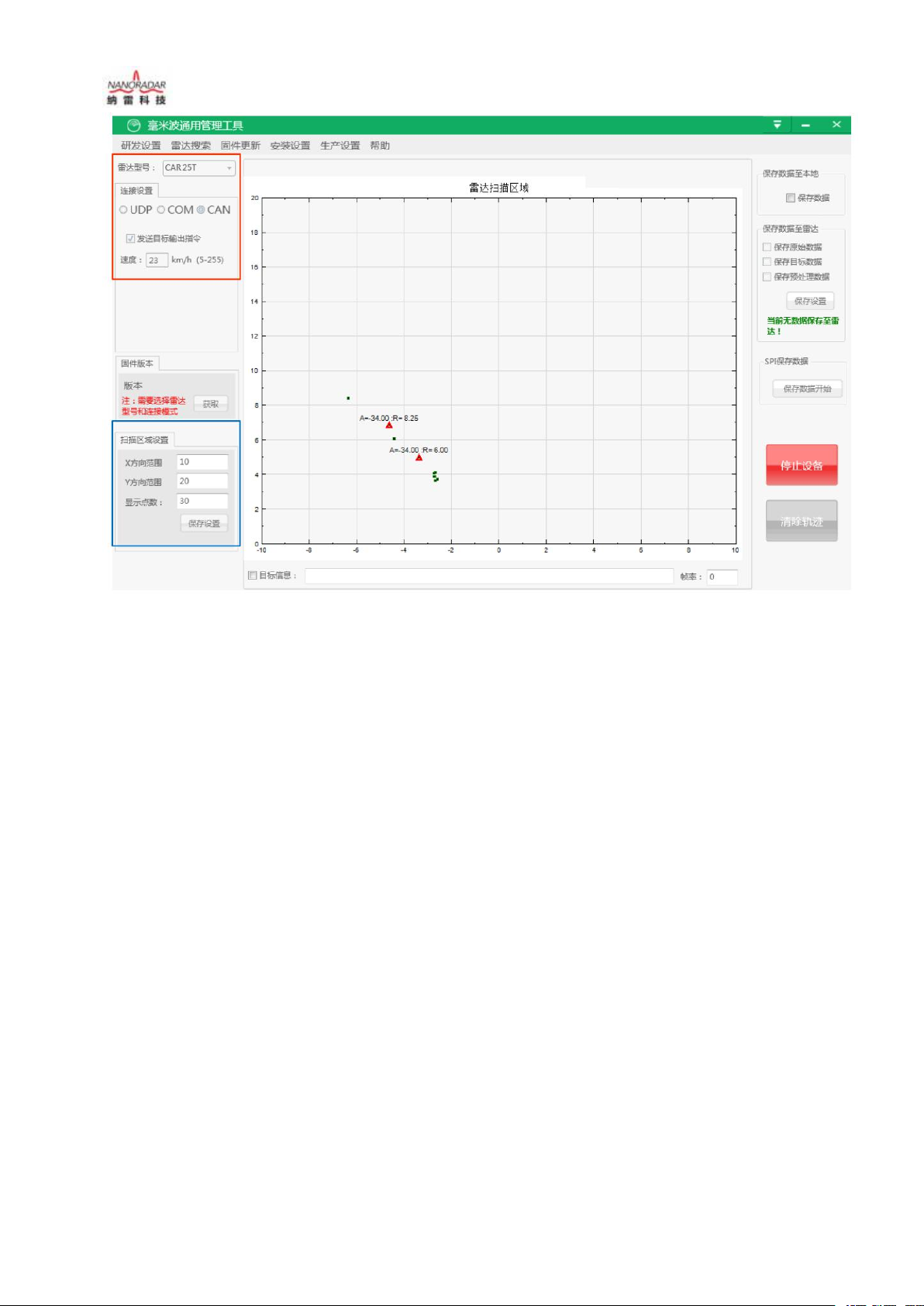
CAR28T sensor data can be acquired and parsed by the "MMW Radar general Management
Tool" testing software, which is used to visually display the observation results. The tool is
helpful in the use of CAR28T sensor.
First of all, the "millimeter-wave radar general management tool" (PC test software), user
manual, Micro USB drive shall be provided by Nanoradar. According to the user manual, install
and configure the PC test software.
Note:
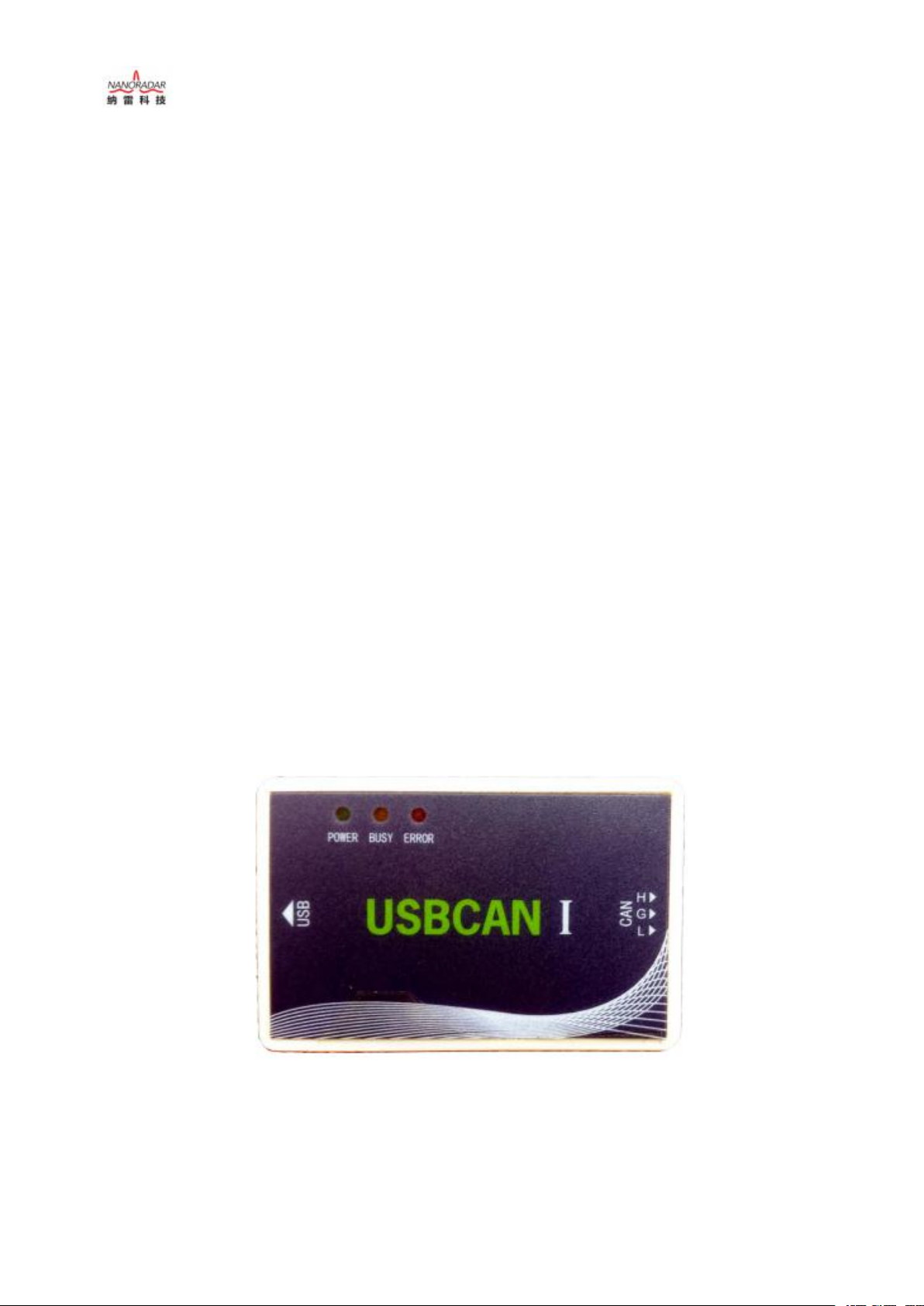
"MMW Radar General Management Tool" utilizes the USB2CAN adapter shown in Figure 8
to communicate with the CAR28T. Other types of USB2CAN adapters are not supported at this
time. The shipping list does not include USB2CAN adapters by default. Customers can get to
Nanoradar's customer service to obtain CAN adapter link address to buy it. Or Nanoradar can
also help customers purchase it.
Fig7. CAN box for test
Test procedures are as follows:
1) Test tools and software are as the following table: