manuals.online logo
Brands
  1. Home
  2. •
  3. Brands
  4. •
  5. Nauticam
  6. •
  7. Camera Accessories
  8. •
  9. Nauticam 86221 User manual

Nauticam 86221 User manual

This manual suits for next models

1

Other Nauticam Camera Accessories manuals
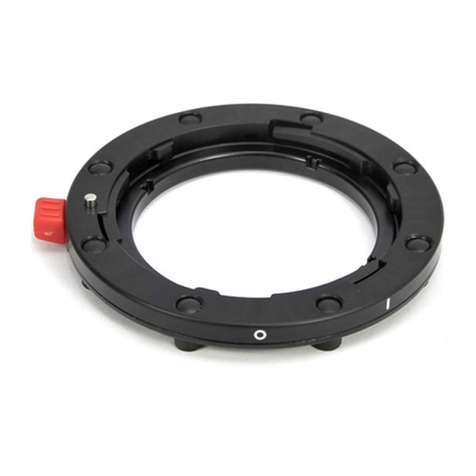
Nauticam 36167 User manual

Nauticam

Nauticam 36167 User manual
Nauticam NA-LX100 User manual

Nauticam

Nauticam NA-LX100 User manual

Nauticam NA-a1 User manual

Nauticam

Nauticam NA-a1 User manual

Nauticam CR2470-Z User manual

Nauticam

Nauticam CR2470-Z User manual

Nauticam C2870f3.5II-F User manual

Nauticam

Nauticam C2870f3.5II-F User manual

Nauticam 26306 User manual

Nauticam

Nauticam 26306 User manual

Nauticam NA-NEX6 User manual

Nauticam

Nauticam NA-NEX6 User manual

Nauticam 32211 User manual

Nauticam

Nauticam 32211 User manual

Nauticam 21150 User manual

Nauticam

Nauticam 21150 User manual

Nauticam NA-GH4 User manual

Nauticam

Nauticam NA-GH4 User manual

Nauticam 17229 User manual

Nauticam

Nauticam 17229 User manual

Nauticam M67 User manual

Nauticam

Nauticam M67 User manual

Nauticam 19598 User manual

Nauticam

Nauticam 19598 User manual

Nauticam 19569 User manual

Nauticam

Nauticam 19569 User manual

Nauticam 26320 User manual

Nauticam

Nauticam 26320 User manual

Nauticam NA-S1H User manual

Nauticam

Nauticam NA-S1H User manual

Nauticam 28137 User manual

Nauticam

Nauticam 28137 User manual

Nauticam NA-ZVE1 User manual

Nauticam

Nauticam NA-ZVE1 User manual

Nauticam O1250-Z User manual

Nauticam

Nauticam O1250-Z User manual

Nauticam 87513 User manual

Nauticam

Nauticam 87513 User manual

Nauticam NZ2875-Z Zoom Gear User manual

Nauticam

Nauticam NZ2875-Z Zoom Gear User manual

Nauticam NA-GX1 User manual

Nauticam

Nauticam NA-GX1 User manual

Nauticam NA-D7000V User manual

Nauticam

Nauticam NA-D7000V User manual

Nauticam 87501 User manual

Nauticam

Nauticam 87501 User manual

Popular Camera Accessories manuals by other brands

CamRanger CamRanger user manual

CamRanger

CamRanger CamRanger user manual

Custom Brackets HDV CAGE KIT Instructions for use

Custom Brackets

Custom Brackets HDV CAGE KIT Instructions for use

Aegis ABL052010P user manual

Aegis

Aegis ABL052010P user manual

Saft SRA Series Installation and operating instructions

Saft

Saft SRA Series Installation and operating instructions

Kodak TIB5200 technical information

Kodak

Kodak TIB5200 technical information

Videotec HEG instruction manual

Videotec

Videotec HEG instruction manual

Ikelite 6171.11 manual

Ikelite

Ikelite 6171.11 manual

Pentax Auto Bellows Slide Copier K user manual

Pentax

Pentax Auto Bellows Slide Copier K user manual

Nikon UT-1 user manual

Nikon

Nikon UT-1 user manual

dji RONIN 4D quick start guide

dji

dji RONIN 4D quick start guide

SLIK ABLE 300DX user manual

SLIK

SLIK ABLE 300DX user manual

Rebelcell 36V70 user manual

Rebelcell

Rebelcell 36V70 user manual

Trojan GC2 48V quick start guide

Trojan

Trojan GC2 48V quick start guide

Calumet 7100 Series CK7114 operating instructions

Calumet

Calumet 7100 Series CK7114 operating instructions

Ropox 4Single Series User manual and installation instructions

Ropox

Ropox 4Single Series User manual and installation instructions

Cambo Wide DS Digital Series Main operating instructions

Cambo

Cambo Wide DS Digital Series Main operating instructions

Samsung SHG-120 Specification sheet

Samsung

Samsung SHG-120 Specification sheet

Ryobi BPL-1820 Owner's operating manual

Ryobi

Ryobi BPL-1820 Owner's operating manual

manuals.online logo
manuals.online logoBrands
  • About & Mission
  • Contact us
  • Privacy Policy
  • Terms and Conditions

Copyright 2025 Manuals.Online. All Rights Reserved.

Current as of 2018-10-23
Instruction Manual for
M67 Flip Holder/Double Flip Holder for
MWL-1
PN# 86221, #86222
FOREWORD
Thank you for your purchase of a NAUTICAM product.
At NAUTICAM, we pride ourselves in the ability to recognize the
requirements of professional as well as amateur underwater
photographers and fulfill them through the innovative designs of our
products. We strive to achieve a high level of user-friendliness by
allowing stress-free installation and easy operation of all important
functions of the camera.
Please read this manual carefully before using the product, this will
maximize its performance as well as its lifetime.
WARRANTY
All NAUTICAM Products are warranted against any material and
manufacturing defects for two years from the date of purchase for
consumer use. This warranty only applies to products purchased from
authorized NAUTICAM dealers and does not extend beyond the original
retail purchaser.
To return your product for service, please contact your regional
authorized service center(s). Please note that this warranty only applies
when the product is purchased in the territory where the service center
is located.
NAUTICAM does not hold responsibility for damage, of any nature, to
any equipment used with and/or placed within our products.
NAUTICAM accepts no liability for any loss of captured images or the
inability to capture images even if it is due to the malfunctioning of our
products.
Unauthorized modifications and/or repairs of our products will
automatically
Press the lever and flip the holder to the side then remove the
locking ring from the flip holder.
Align the two positioning screws on the back of the holder with
the slots on the front of the port.
The position of the flip holder can be changed by relocating the
two screws in the threaded holes around holder.
Fasten the holder by screwing the locking ring into the thread
on the front of the port.
---Continue on next page---
INSTALL TO THE PORT
Press
Current as of 2018-10-23
---Continue from front page---
CHANGING THE MOUNTING RING
A M67 mounting ring is supplied for directly mounting MWL-1
on the flip holder.
Follow below instruction to exchange the Bayonet Mounting
Ring of MWL-1 to M67 Mounting Ring in order to be securely
Remove the 7x screws from the back of the lens.
Remove the bayonet mounting ring of MWL-1. Note that there
are 4x small black cylindrical positioning pins. All 4 pins should
be remain in the back of the lens
Locate the 4 small sockets of the M67 mounting ring. Align with
the positioning pins on the MWL-1 and place it on top.
Secure the mounting ring by tightening the 7x screws
Fastening the MWL-1 tightly on M67 flip holder or double flip
holder. Please refer to MWL-1 to adjusting the lens hood
position
Remark: All Nauticam product manual will be changed to e-manual in end of
2018. Please download corresponding product manuals on Nauticam.com
website, or contact us for e-manuals.