Version 08.02.2023 HW CAM(V31),(V22) RL2-MBN45
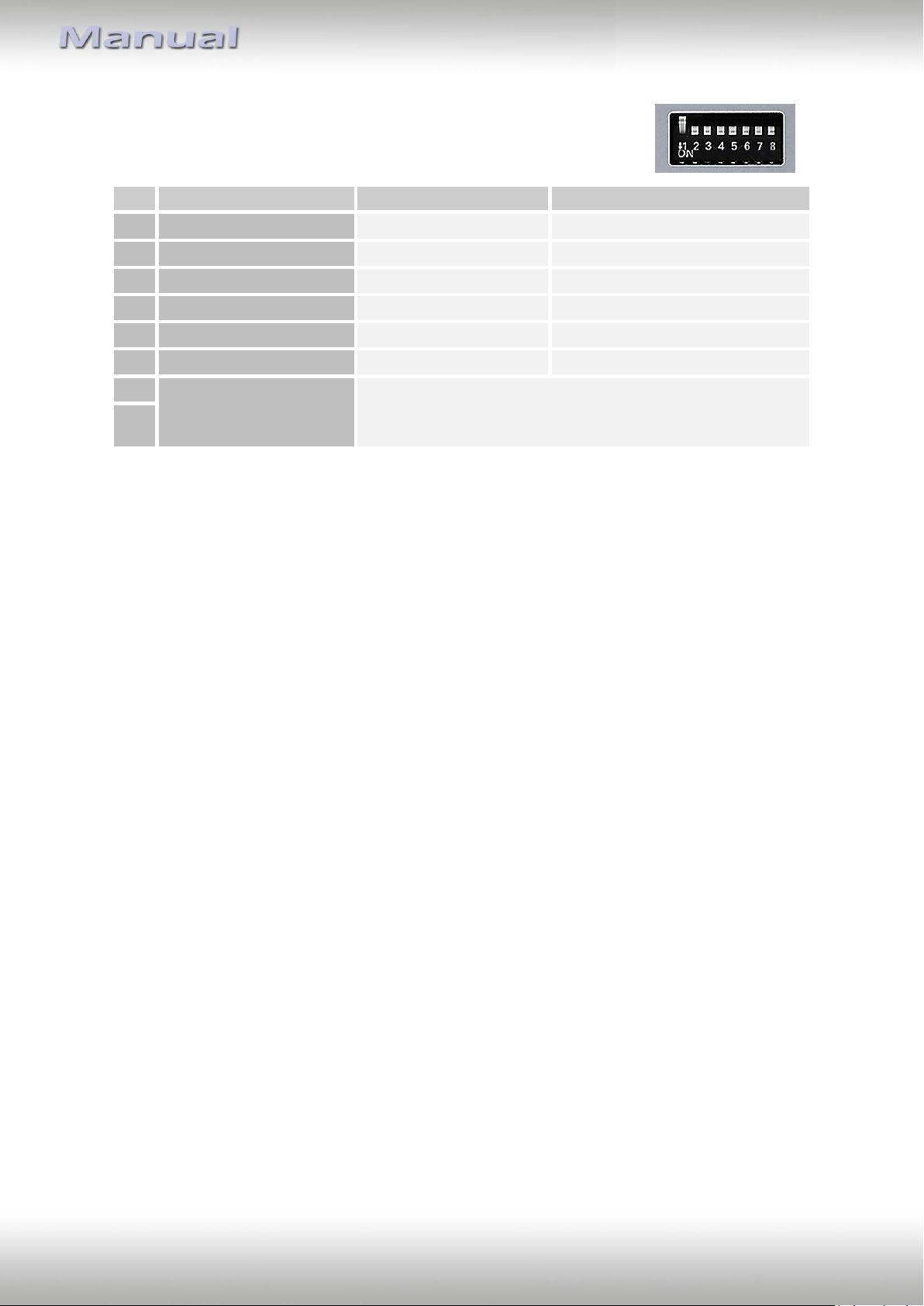
1.4. Dip-switch settings
Some settings must be selected by the dip-switches on the
video interface. Dip position down is ON and position up is OFF.
See following chapters for detailed information.
1.4.1.1. Enabling the interface’s video inputs (dip 2-3)
Only the enabled video inputs can be accessed when switching through the interface’s video
sources. It is recommended to enable only the required inputs for the disabled will be
skipped when switching through the video interfaces inputs.
1.4.1.2. Rear-view camera setting (dip 5)
If set to OFF, the interface switches to factory LVDS picture while the reverse gear is engaged
to display factory rear-view camera or factory optical park system picture.
If set to ON, the interface witches to its rear-view camera input CAM while the reverse gear
is engaged.
1.4.1.3. Monitor selection (dip 7-8)
Dips 7 and 8 customize the monitor-specific video settings which sometimes even vary
within head units of the same version, caused by different monitor specifications. It is
necessary to try all possible combinations while a working video source is connected to the
chosen input of the interface (both OFF, both ON, 7 OFF and 8 ON, 7 ON and 8 OFF). One of
the 4 combinations will show the best picture size and quality (some may give
no picture/black picture). It is possible to first hot plug through the dip combinations. If
there is no change of picture visible after trying all 4 options, retry and disconnect the 6pin
plug of the video intzerface between every change of the dip setting.
After each Dip-switch-change a power-reset of the Video Interface has to be performed!
Monitor specific
adjustments
Try all 4 possible combinations of Dips 7 and 8 to receive
the best picture (in quality, size and in case of black
picture)