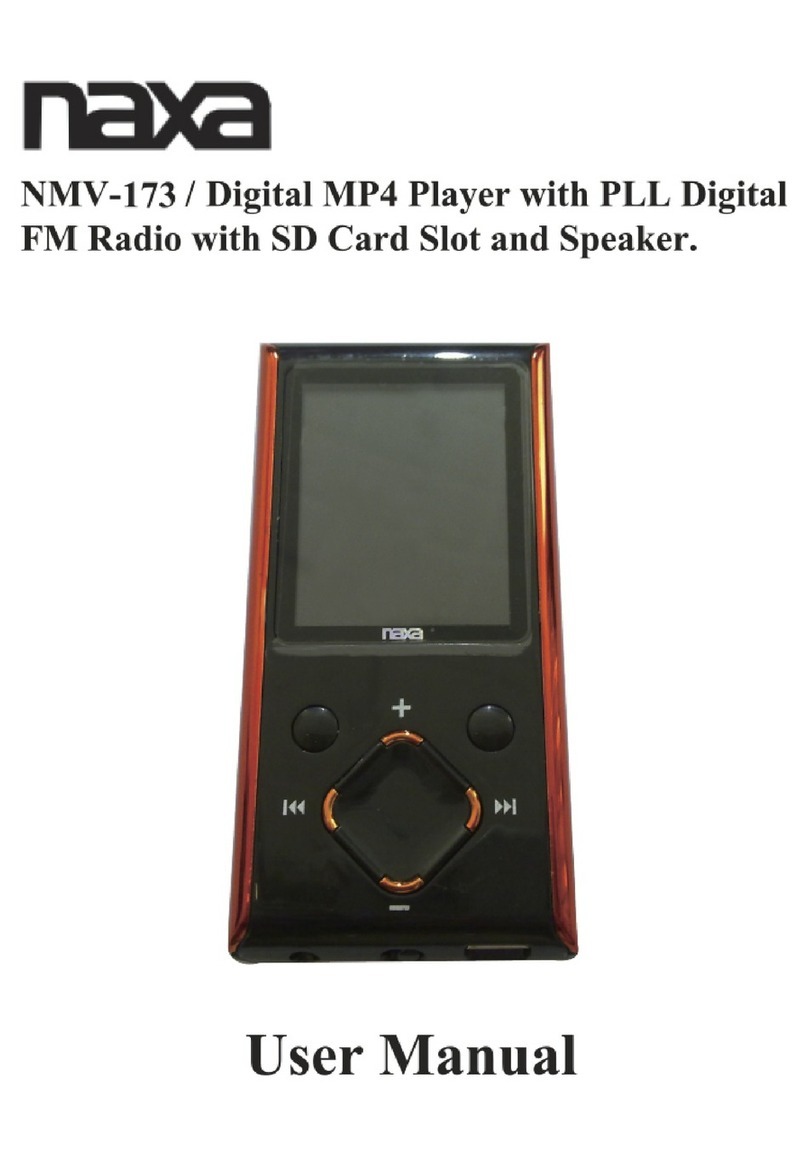
Naxa NMV-149 User manual

Page 1
User Manual
NMV-144/149 is a new generation media player, supporting MP1, MP2, MP3, WMA, or WAV files. Its perfect
tone in high reliability with refined exterior design brings you an ultra performance.
Overview
●Refined exterior design
Unique design fits for hand.
●Multi file format support!
This player recognize MP1, MP2, MP3, WMA and video in AMV format.
●Firmware upgrade available
You can download upgrade software from website enhancing player’s function.
●FM stereo radio
Powerful automatic or manual tuning capability, save up to 40 channels (20 channels in each system).
●e-Documents
You can download text files into the player and read it any time as you like.
●Driver free USB memory
Manage your files in USB memory without specified software, no need drivers in WIN2000 or furthers.
●’Secret Space’
You can separate part of the memory encrypting and hiding in using programs provided, where data
cannot be seen or written by others.
●Recorder / Repeat
Voice can be recorded and saved in WAV format. Phase/Contrast repeat available.
●Equalizer
Normal, Rock, Pop, Classic, Soft, Jazz, Bass
●Backlight colors
This player provides 7 backlight colors.
●Play modes
Normal, Single Repeat, Play Catalog, Repeat Catalog, Repeat All, Shuffle, Lyric.
●Timing turning off
The player provides Sleep and battery saving mode, more convenience for you!
●Complete dynamical menu
Visualized dynamical menus with text instructions make you easy control.
Declarations
Welcome to choose our produce, please read this manual carefully.
Functions and performance may change without prior notice.
If any difference between produce and this manual, please visit our website

Page 2
Contents
•Overview………………………………………………………………………………………………………1
•Declarations…………………………………………………………………………………………………… 1
•Know your player……………………………………………………………………………………………4
Exterior and Keys…………………………………………………………………………………………… 4
Display…………………………………………………………………………………………………………4
Battery Level…………………………………………………………………………………………………5
Basic Functions……………………………………………………………………………………………………5
Access to Menus……………………………………………………………………………………………5
Scrolling………………………………………………………………………………………………………5
List of Menus ……………………………………………………………………………………………… 5
Volume Adjust ……………………………………………………………………………………………… 7
Switch On/Off ……………………………………………………………………………………………… 7
Play & Pause ……………………………………………………………………………………………… 7
Start/Stop Recording ……………………………………………………………………………………… 7
Keys Processing ………………………………………………………………………………………………… 7
Keys function definition …………………………………………………………………………………… 7
Keys processing definition ……………………………………………………………………………… 8
Play music ………………………………………………………………………………………………………… 8
Simple Actions ……………………………………………………………………………………………… 8
Equalizer mode ………………………………………………………………………………………………8
Synchronous Lyric Display ……………………………………………………………………………… 9
Voice Recording ………………………………………………………………………………………………… 9
Recording on ‘Record Mode’ ……………………………………………………………………………… 9
Select Record Type………………………………………………………………………………………… 10
Play recorded files ………………………………………………………………………………………… 11
Using FM radio ………………………………………………………………………………………………… 11
Settings…………………………………………………………………………………………………………… 12
Entry settings ……………………………………………………………………………………………… 12
Options introduction ……………………………………………………………………………………… 12
List of menu ………………………………………………………………………………………………… 13
Play Videos ………………………………………………………………………………………………… 15
Reading Documents……………………………………………………………………………………………… 15
•Browsing Pictures…………………………………………………………………………………………… 16
•Using USB Disk……………………………………………………………………………………………… 16
•Other Settings ………………………………………………………………………………………………16
Choose other fold…………………………………………………………………………………………… 16
Delete Files ………………………………………………………………………………………………… 16
Play Mode …………………………………………………………………………………………………… 17
Tempo rate…………………………………………………………………………………………………… 18

Page 3
Repeat Mode………………………………………………………………………………………………… 18
A-B Repeat…………………………………………………………………………………………………… 18
Karaoke Mode ……………………………………………………………………………………………… 18
Contrast Function…………………………………………………………………………………………… 19
Repeat Times ……………………………………………………………………………………………… 19
Repeat Interval……………………………………………………………………………………………… 19
New Function Recommends …………………………………………………………………………………… 19
Secret Space Function……………………………………………………………………………………… 19
Troubleshooting ………………………………………………………………………………………………… 21
Technical Specifications ………………………………………………………………………………………… 21
Page 4
Know your player
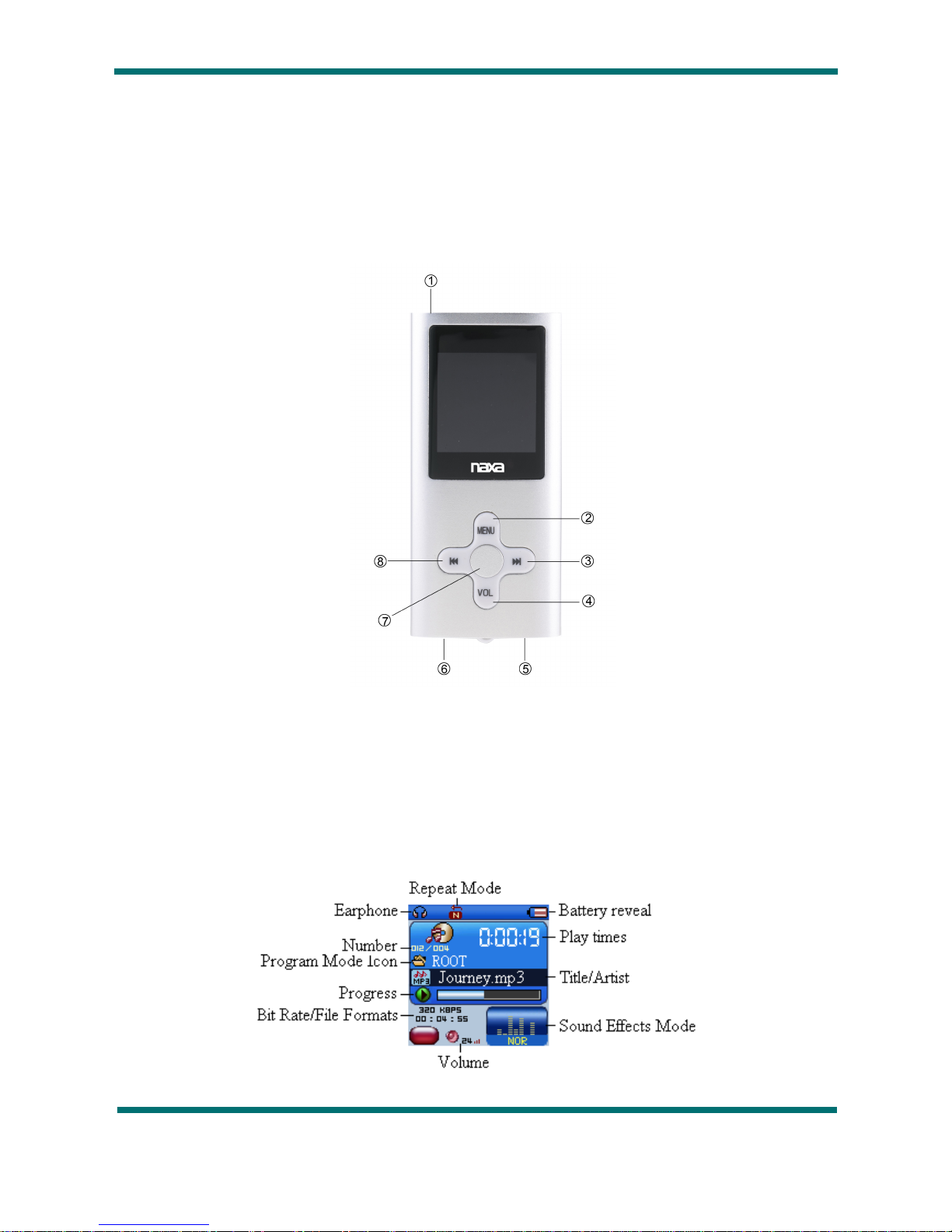
Exterior and Key
①Power ON/OFF ⑥USB Port
②MENU ⑦PLAY
③NEXT ⑧LAST
④VOL
⑤EARPHONE HOLE
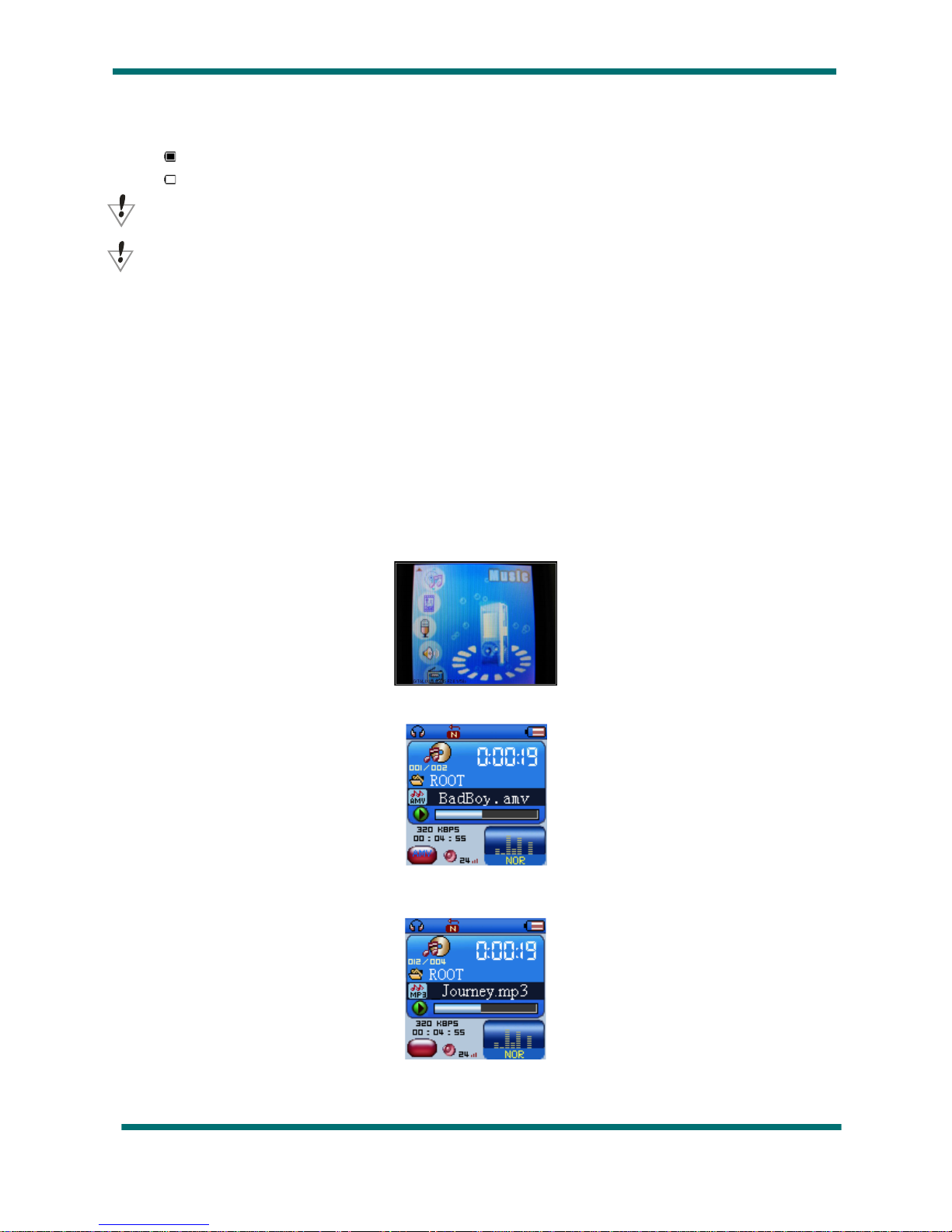
•Display
Page 5
Battery Level
The player shows capacity in 9 levels
Battery is full on 3.7V. As time goes on, capacity indication will reduce.
Indicator shows blank when battery almost ran out. You should charge your battery at that time.
Please switch on the player before charge. This player cannot be charged in case of power off/
Please switch off power when not using the player.
Basic Functions
•Access to Menus
Press Mode to access menus.
•Scrolling
○Scroll music, menus
○Fast Forward / Reverse when playing music.
•List of Menus
To access different menu functions from main menu.
Main menu: (Hold Mode to access)
Video play:
Music Mode:
Recorder Mode:

Page 6
Play Mode:
FM Mode:
Browsing pictures:
Settings:
E-Documents:

Page 7
USB Mode (Connect to PC):
•Volume Adjust
Press VOL+ to increase volume, press VOL-to decrease.
•Switch on/off
Press and hold Play to switch on when the player is off.
Press and hold Play to switch off when the player is on.
•Play & Pause; exit from submenu
On music mode, Press Play to play music.
When playing music, press Play to pause; press and hold to stop playing.
•Start / Stop recording
On recording mode, press Play to stop.
Keys Processing
●Keys Functions Definition
1.Play: Power On/Off, Play, Pause, Stop
2.MODE: Entry main menu or exit from current menu.
3.REC: Entry voice record interface.
4.A-B: Access Repeat Mode interface..
5.VOL+: Volume increase
6.VOL-: Volume decrease.
7.Next: Next, FF, Volume increase
8.Last: Previous, Rev, Volume decrease
9.USB: USB outlet
10.Earphone:Standard earphone outlet
11.ON/OFF: Power switch

Page 8
•Key Processing Definition
Keys processing includes 4 actions: Press, Press and Hold, Push, Hold. If not mentioned, all actions are
Press.
Press: Press a key and valid immediately;
Press and Hold: Press a key and hold it at least 1.2s this action valid only once.
Push: Push a key, and valid when released.
Hold: events occur in such frequency then the key is holding such as Fast Forward and Reverse.
Play music
•Simple actions
1. Put earphone plug into earphone outlet;
2. Press and hold Play to switch the player on, then entry Music Mode and press Play to play music.
3. Select a music: Last: Previous music;
Next: Next music.
4.For AMV files, video play will apply.
Equalizer Mode
1. When playing music
2. Press Mode to entry play submenu;
3. Push Next choosing Equalizer Mode;
4. Press Mode to entry ‘Equalizer Mode’ submenu.
Select an equalizer:
5. Detail of each equalizer (EQ):
Natural
Rock
Pop
Classical
Page 9
Soft
Jazz
DBB
6. Push Next to select an EQ and press Mode to confirm.
•Synchronize Lyric Display
The player supports lyric files with *.LRC suffix, and displays synchronously.
How to use lyric files?
Please make sure the lyric has the same name to the music
For example:
Music file: Journey.mp3
Lyric file: Journey.lrc
How to know if lyric available?
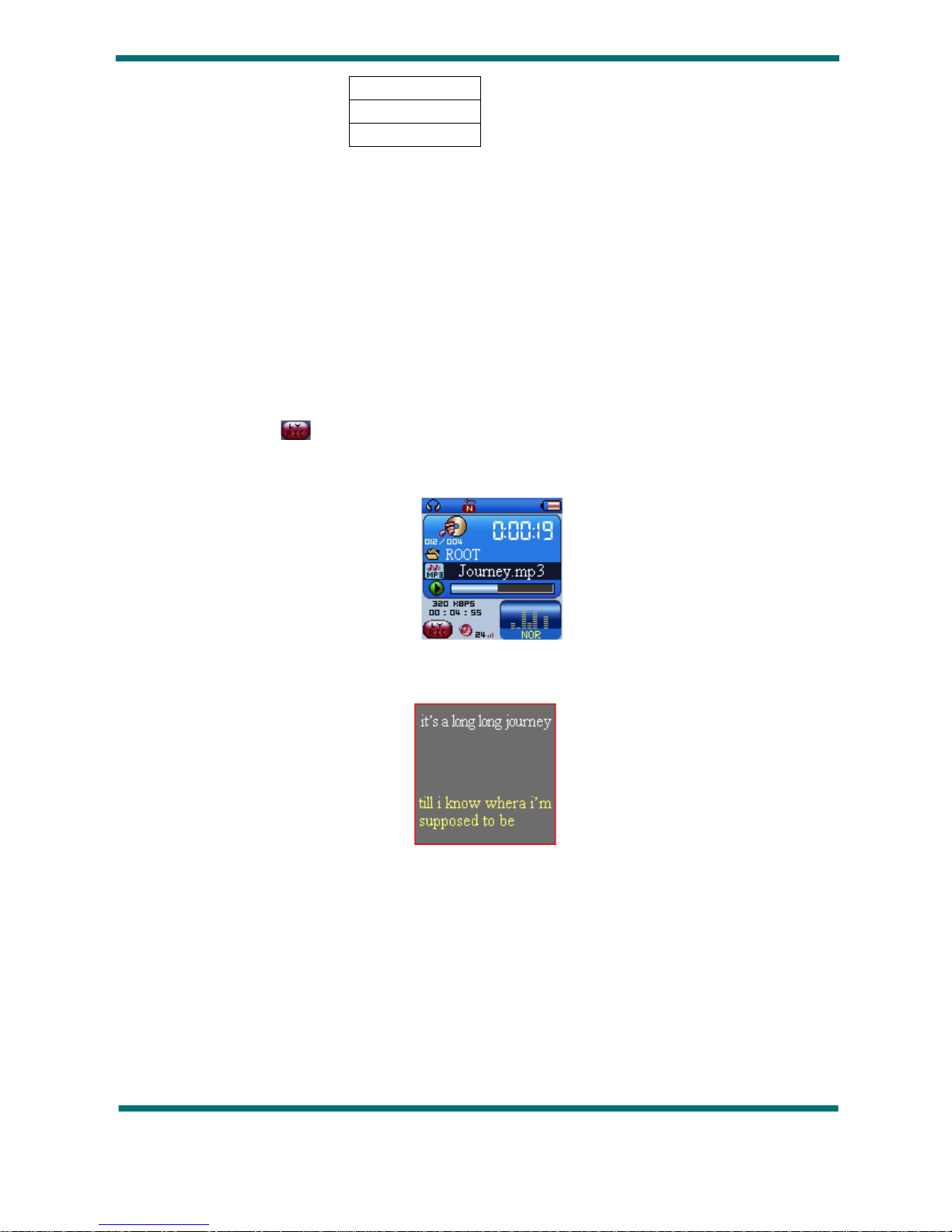
If lyric matched, a red icon will be displayed on the left down corner of screen,
1. When marched lyric available:
2. Press and hold Mode to entry lyric interface;
3. Lyric displays
4. Press Mode return to music mode.
Voice Recording
Please make sure the battery has enough capacity before making record.
Each fold can save up to 99 voice recording files.
•Recording on “Record mode”
1. .Entry main menu:
Table of contents
Other Naxa MP3 Player manuals