7
2. Open the Nedis SmartLife app on your phone.
3. Create an account with your mobile phone number or your e-mail address
and tap Continue.
4. Enter the received verication code.
5. Create a password and tap Done.
6. Tap Add Home to create a SmartLife Home.
7. Set your location, choose the rooms you want to connect with and tap Done.
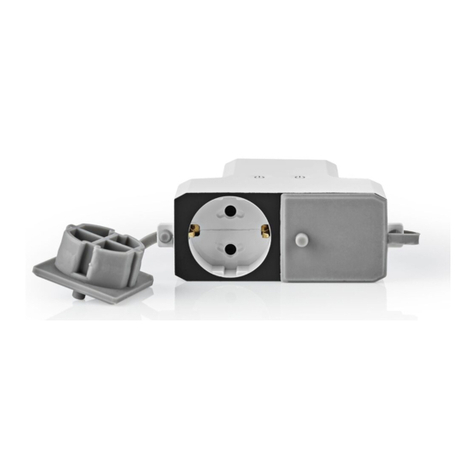
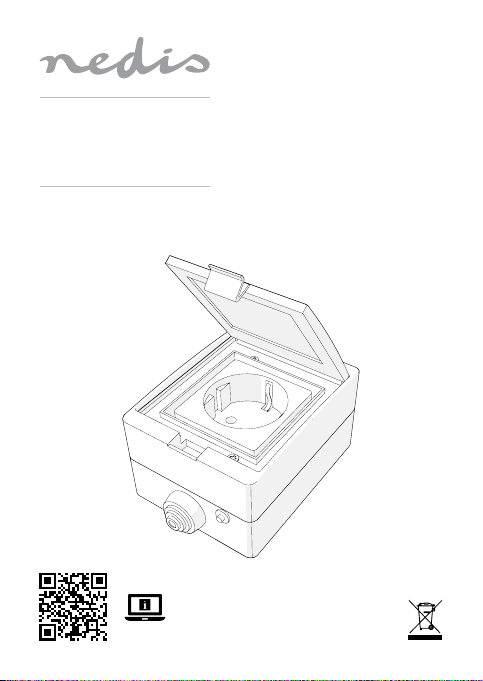
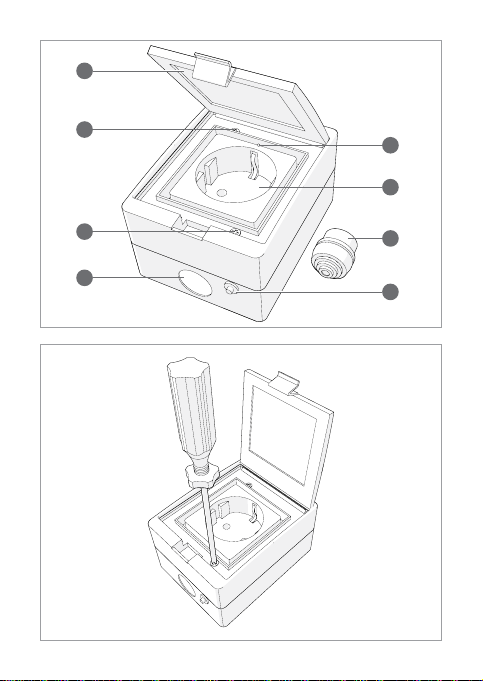
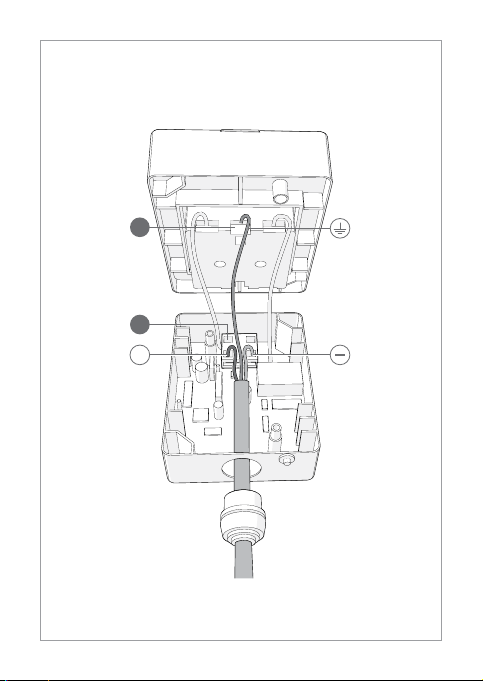
Installation of the product (image B + C)
1. Open the cover (A1).
2. Unscrew the casing screws (A2).
3. Take the two halves of the casing apart.
4Make sure the power cable is not connected to an electricity supply before
connecting it to the product.
4. Cut away rings from the sealing cap (A6) until the hole matches the
diameter of the power cable.
5. Slide A6over the power cable.
4The maximum diameter of A6is 21 mm.
6. Insert the power cable into the cable hole (A3).
7. Push A6into A3
8. Use a small screwdriver or pin to open the holes of C2.
9. Connect the positive and negative wires of the power cable to C2
10. Use a small screwdriver or pin to open the holes of C1.
11. Connect the ground wire of the power cable to C1.
12. If desired, attach the lower half of the casing to a wall.
13. Reassemble the product.
14. Connect the power cable to an electricity supply.
4The installation can be tested by repeatedly pressing A7. If the power cable
has been successfully connected, the product will switch on and o and
make a clicking noise.
Add the product to the SmartLife app
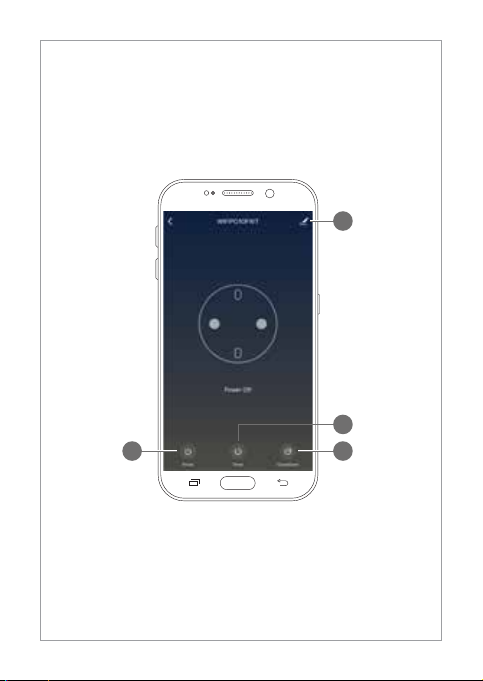
1. In the Nedis SmartLife app, tap + in the top right corner.
2. Under Add Manually, select Smart Plug.
3. Check if the indicator LED is blinking rapidly. If so, tap to conrm.
4. If A4does not blink rapidly, press and hold A7for 5 seconds and check
again.