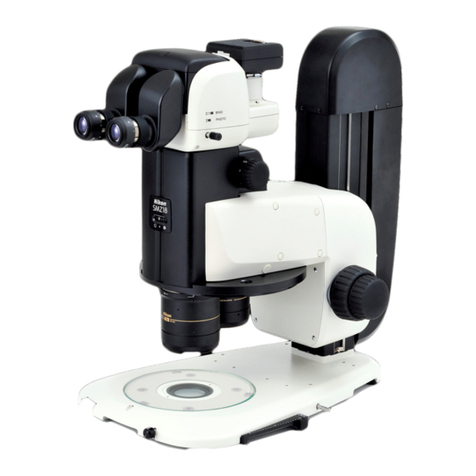
Nikon SMZ745T User manual

Stereoscopic Zoom Microscope
SMZ745T
Instructions
M518E 09.7.NF.1


1
Thank you for purchasing a Nikon product.
This instruction manual is written for users of Nikon Stereoscopic Zoom
Microscope SMZ745T.
To ensure correct usage, read this manual carefully before operating the
product.
•No part of this manual may be reproduced or transmitted in any form
without prior written permission from Nikon.
•The contents of this manual are subject to change without notice.
•Although every effort has been made to ensure the accuracy of this
manual, errors or inconsistencies may remain. If you note any points
that are unclear or incorrect, please contact your nearest Nikon
representative.
•Some of the equipment described in this manual may not be included in
the set you have purchased.
•If you intend to use any other equipment with this product, read the
manual for that equipment too.
•If the equipment is used in a manner not specified by the manufacturer,
the protection provided by the equipment may be impaired.
Introduction

2
WARNING
CAUTION
Warning/Caution Symbols Used in this Manual
Although this product is designed and manufactured to be
completely safe during use, incorrect usage or failure to follow the
safety instructions provided may cause personal injury or property
damage. To ensure correct usage, read this manual carefully before
using the product. Do not discard this manual and keep it handy for
easy reference.
Safety instructions in this manual are marked with the following
symbols to highlight their importance. For your safety, always
follow the instructions marked with these symbols.
Symbol Description
Disregarding instructions marked with this
symbol may lead to serious injury or death.
Disregarding instructions marked with this
symbol may lead to injury or property
damage.
Safety Precautions
To ensure correct and safe operation, read this manual before using the product.

3
WARNING
1. Intended use of this product
This product is intended only for microscopy. Do not use it for any
other purposes.
2. Do not disassemble.
Disassembling this product may result in electric shock or
malfunction. Do not disassemble any part that is not indicated in
this manual. If you experience problems with the product, please
contact your nearest Nikon representative.
3. Read the instructions thoroughly.
To ensure safety, thoroughly read this manual and the manuals for
other equipment to be used with this product. In particular, be sure
to follow the warnings and cautions at the beginning of the manuals.
4. Check the input voltage
When using an illuminator, check that the input voltage displayed
on the power supply of the illuminator matches the operating
voltage. Please contact your nearest Nikon representative if the
displayed voltage does not match the operating voltage. Use of an
improperly matched illuminator may result in damage to the
equipment.
5. Cautions on the power cord
The power supply is necessary for using the halogen illuminators,
which are accessories. Follow the cautions below for the power
cord.
•To prevent electric shock, turn off the power switch on the power
supply before connecting or disconnecting the power cord.
•For the power supply TN-PSE30W A (for regions with 230 V
power only), the power code is specified. Be sure to use the
specified power cord for the power supply. Use of other power
cords may result in malfunction, overheat, or fire.
(Refer to Power Supply TN-PSE30W A (for regions with 230
V power only) on p.22.)

4
6. Cautions on heat from the light source
The lamp and the lamphouse become extremely hot when the lamp
is turned on. Follow the cautions below to prevent burns and fire.
•To avoid burns, do not touch the lamp and the lamphouse while
the lamp is on or for approximately thirty minutes after it has
been turned off.
•To avoid the risk of fire, do not place fabric, paper, or highly
flammable volatile materials (i.e. gasoline, petroleum benzine,
paint thinner, and alcohol) near the lamphouse while the lamp is
on or for about thirty minutes after it has been turned off.
7. Cautions on lamp replacement
•When replacing the lamp, wait approximately thirty minutes
after turning off the lamp, and make sure that the lamp and the
lamphouse have cooled sufficiently.
•To prevent electric shock and product damage, turn off the power
switch on the power supply before replacing the lamp.
1. Check the light source
When using an illuminator, be sure to use the specified rating only.
Use of other rating may result in damage to the equipment. Refer to
the instructions for the lamp rating.
2. Cautions on assembling the product
•Take care to avoid pinching your fingers and hands.
•Scratches and dirt (i.e. fingerprints) on the lenses will degrade
the image quality. When assembling the product, be careful not
to scratch or directly touch the lenses.
WARNING
CAUTION

5
Safety Precautions
Notes on Handling the Product
1. Handle with care.
This stereoscopic microscope is a precision optical instrument.
Handle the product with care and avoid physical shocks. Physical
shocks during transportation and operation as well as forcible
operations may result in damage to the product.
2. Installation location
Note the following conditions when installing the product.
•Install the product in a location with a temperature of 0 to +40ºC
and a relative humidity of 85% or less (no condensation).
If installed in a hot or humid location, mold may form on the
lenses or condensation may occur inside, resulting in poor
performance or damage to the product.
•Do not use the product in a location subject to direct sunlight.
•Install the product in a location with little vibration.
•Install the product in a location with little dust and dirt.
3. Cleaning the lenses
Do not allow dust, fingerprints, or any other dirt to get on the lenses.
Dirt on the lenses will degrade the image quality. If a lense becomes
dirty, clean them as described below.
•Use an air blower to blow dust away. Remove any dust by brushing
off with a soft brush or by wiping gently with a gauze, if necessary.
•Only when there are fingerprints or grease on the lense, wipe
gently with a soft, clean cotton cloth, lens tissue, or gauze
dampened with a small amount of absolute alcohol (ethyl or
methyl). Do not use the same part of the cloth more than once.
•Absolute alcohol is highly flammable. Handle with care. Do not
use near an open flame.
•When using absolute alcohol, follow the instructions provided by
the manufacturer.

6
4. Cleaning painted or plastic parts
Use of silicon cloth is recommended for cleaning painted parts,
plastic parts and printed parts. If such a part becomes excessively
dirty, wipe it gently with a gauze dampened in a mild detergent
solution. Do not use organic solvents (such as alcohol, ether, or paint
thinner). As this may result in deformation of the part or removal of
lettering.
5. Storage
•Store the product in a dry location where mold is unlikely to grow.
•Do not store the product in a location subject to direct sunlight or
high temperature and humidity.
•Put a dust-proof cover over the product to protect it from dust.
6. Regular inspections (Paid service)
Regular inspections are recommended in order to maintain the peak
performance. Please consult your nearest Nikon representative for
details about regular inspections.
Safety Precautions

7
Contents
Introduction ................................................................................... 1
Safety Precautions ........................................................................ 2
Warning/Caution Symbols Used in this Manual ..................................2
WARNING ...............................................................................3
CAUTION ................................................................................4
Notes on Handling the Product ............................................................5
INomenclature .......................................................................... 8
II Microscopy Procedures ........................................................ 10
1. Place the sample. ................................................................... 10
2. Focus on the sample. ............................................................. 10
3. Adjust the interpupillary distance. ......................................... 10
4. Adjust the diopter. .................................................................11
5. Change the zooming magnification. ......................................11
6. Change the optical path. ........................................................ 12
7. Image cannot be focused even with the zooming body
at the highest position. ...........................................................12
III Assembly ............................................................................... 13
Antistatic Feature ............................................................................... 15
IV Using Accessories ................................................................ 16
1Reticles ........................................................................................16
2Halogen Illuminators ................................................................... 17
Table 1: Total Magnification and Real Field of Binocular Tube ........23
Table 2: Total Magnification and Real Field of Vertical Tube ...........24
Table 3: Observable Sample Heights .................................................24

8
INomenclature
The illustration shows the combination of SMZ745T zooming body, C-W10X
eyepieces and C-PS plain focusing stand.
The direction of DS
camera head can be
adjusted by
loosening the fixing
screw and rotating
the C mount.
Vertical tube
C mount fixing screw
Groove for mounting
accessories
Holds the fluorescent
ring illuminator and the
fiber optic ring
illuminator etc.
Outside diameter: ø60
Screw for mounting
accessories
Holds auxiliary
objectives etc.
Inside diameter screw:
M55 × 0.75
Stage plate
The black or white side can be chosen
depending on the sample. The antistatic
ESD stage plate is also available.
C mount
Nikon DS camera
head can be
attached.
Changes the light
distribution between
the vertical tube and
the right eyepiece
tube. Refer to “6.
Change the optical
path.” on p.12.
Optical path
switching lever
C mount cap
Eyepiece
10X, 15X, 20X and 30X
eyepieces are available.
Diopter ring
Refer to “ 4. Adjust the
diopter.” on p.11.
Zooming body
Outside diameter of the part
to be mounted on the arm:
ø76
Zooming body clamp screw
Fixes the zooming body to
the arm.
Arm
Sleeve
Zooming knob
Changes the
magnification of the
sample image.
Refer to “5. Change
the zooming
magnification.” on
p.11.
Focus knob
Refer to “2. Focus on
the sample.” on p.10.
Arm fixing screw
Holds the arm. The
height of the arm can
be adjusted high or
low.
Vertical slider
Hole for clip
Holds the clip for
retaining the sample.
C-PS Focusing stand
Various stands available.
Other manuals for SMZ745T
1
Table of contents
Other Nikon Microscope manuals

Nikon
Nikon Eclipse E400 POL User manual

Nikon
Nikon Eclipse 50i POL User manual

Nikon
Nikon Eclipse TE200 User manual

Nikon
Nikon A1R User manual

Nikon
Nikon Alphaphot User manual

Nikon
Nikon SMZ1500 User manual

Nikon
Nikon TSM User manual

Nikon
Nikon SMZ800N User manual

Nikon
Nikon S-kt User manual

Nikon
Nikon E800 User manual

Nikon
Nikon Eclipse E400 POL User manual

Nikon
Nikon Eclipse E400 POL User manual

Nikon
Nikon 50i User manual

Nikon
Nikon A1+ User manual

Nikon
Nikon SMZ-10A User manual

Nikon
Nikon SMZ1500 User manual

Nikon
Nikon Eclipse 800 User manual

Nikon
Nikon A1R Series Service manual

Nikon
Nikon SMZ-2 User manual

Nikon
Nikon Eclipse L200 User manual