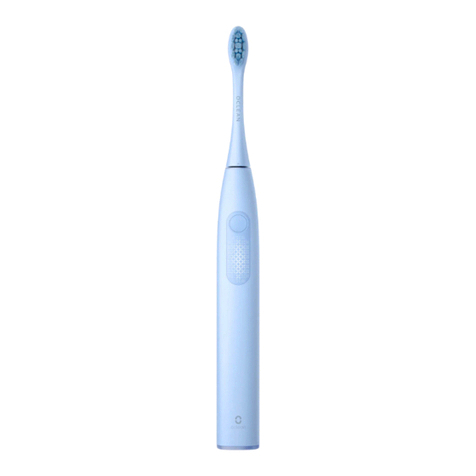
Oclean Flow User manual

Flow
User Manual • Uživatelský manuál •
Užívateľský manuál • Használati utasítás

2
English
3 –12
Čeština
13 –22
Slovenčina
23 –32
Magyar
33 –42

3
Dear customer,
Thank you for purchasing our product. Please read the following instructions carefully
before first use and keep this user manual for future reference. Pay particular attention
to the safety instructions. If you have any questions or comments about the device,
please contact the customer line.
✉www.alza.co.uk/kontakt
✆+44 (0)203 514 4411
Importer Alza.cz a.s., Jankovcova 1522/53, Holešovice, 170 00 Prague 7, www.alza.cz

4
Important Safety Notice
•When using the product for the first time, due to the high-speed swinging of
brush, if it feels simulating or numb, please do not worry, it is normal, and the
feeling will weaken and disappear gradually in around 7-14 days.
•If not using for long time (the product battery has no power due to the standby
power consumption), when charging for the toothbrush again, the charging
indicator doesn’t show, please wait for 6-10 minutes patiently, it can recover
normal charging.
•If the main part of toothbrush becomes slightly hot when charging, it is normal. If
you feel hot with your hand, please immediately stop charging and submit the
toothbrush to Oclean’s After-sales Services Centre for testing.
•The product can only use the special brush head for Oclean Sonic electric
toothbrush. Oclean will not be held liable for all the consequences caused using
other unofficial or non-licensed brush head products.
•The product is only used for cleaning teeth and must not be used for other
purposes.
•The product is only intended as a personal cleaning product. It Is not
recommended to use it by multiple persons simultaneously.
•The product is only used indoors, do not place the toothbrush under the blazing
sun for quite a long time. It shall be placed in a dry and well-ventilated place with
normal temperature.
Attention should be paid for those with the following
conditions of oral sensitivities
•Those who have recently undergone periodontal surgery or are undergoing
treatments.
•Individuals with other symptoms in the mouth including those with unstable
dentures or have persistent heavy bleeding from the gums.
•Other individuals with sensitive and fragile oral issues. This product is not
recommended for use with above group or consult a professional dentist before
use.
•This product is not suitable for people with disabilities, mental illness or lack of
relevant experience and knowledge (including children 0-12 years old). Unless
used under the supervision of their guardians.

5
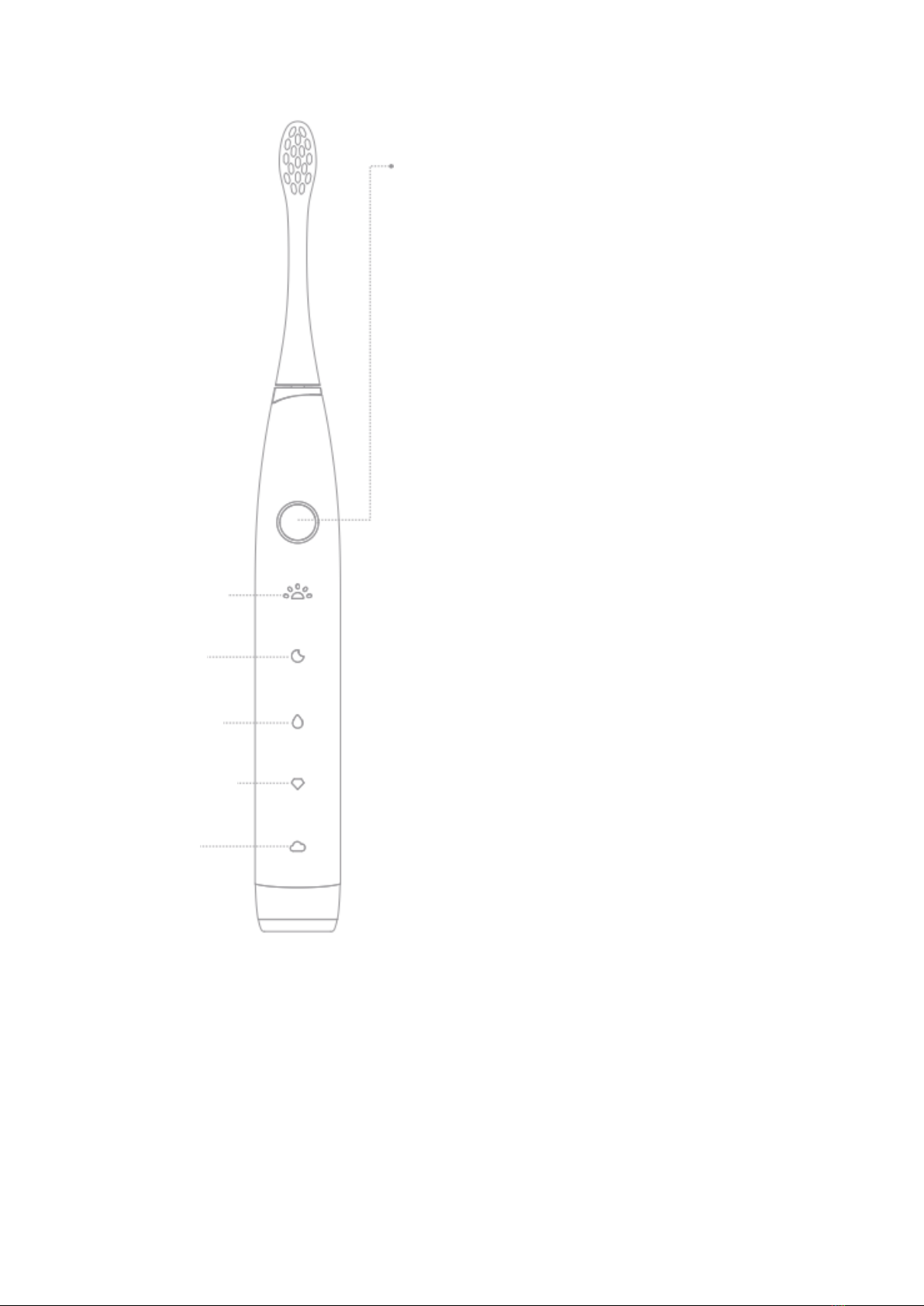
ON/OFF button control
Enables:
short press the button
Switch mode:
Within 5 seconds after the button is short
pressed, you can switch between modes by
rapidly short pressing the button when the mode
indicator is in the state of “breathing light”
Turn off:
1. You can turn this product off by short pressing
the button again after circularly short pressing
the button until this product operates in the “soft
mode”.
2. You can turn off this product by short pressing
the button again when the mode indicator is in
the “normally on” state within 5 seconds after
short pressing the button to start up the
toothbrush.
3. This product is automatically turned off after it
is in operation for 2 minutes after you short
press the button to start up it.
Low Battery reminder: When the battery level is
lower than 10% the button circular lamp is in the
state of “flickering in red” after you short press
the button to turn on the toothbrush.
Morning
mode
Night mode
Cleaning
mode
Whitening
mode
Soft mode

6
Instruction for use
Default Brushing program
Five toothbrushing modes are built in this product: Morning mode, night mode, cleaning
mode, whitening mode and soft mode.
•Morning mode: compared with “night mode”, the pressure is low. As a cleaning
and care tool, it can effectively remove dental plaque caused during the sleep.
•Night mode: deeply remove food residues and dental plaque on the teeth with
hight pressure.
•Cleaning mode: meet requirements for routine and ordinary cleaning. Compared
with “night mode”, the pressure is relatively tender.
•Whitening mode: effectively clean bite marks in those who have habits of
smoking or frequently drink coffee, tea, etc.
•Soft mode: protect the health of gingiva while fulfilling the fundamental function
or removing dental plaque in those who have oral allergy.
Type-C direct connection charging
Open the bottom cover of the electric toothbrush, connect Type-C interface into the port
at the bottom of the toothbrush, connect one end of the USB interface to the power
supply, the button circular lamp flickers in white and this indicated that the toothbrush
is being charged.
Charging process
Charging status: the button circular lamp is on in white and flickers.
Use for the first time
The user may charge the toothbrush depending on his or her need for battery life to
ensure normal use of this product.
Application process
When the battery level is lower than 10%, the button circular lamp is in the state of
“flickering in red” after you short press the button to turn on the toothbrush.

7
Precautions
Battery cannot be replaced by users themselves, it can only be replaced by personnel in
the customer centre authorized by Oclean, non-specialized personnel cannot dismantle
the product by themselves, or it will be regarded as that the user give up the warranty
automatically.
Please charge the Oclean toothbrush with 5V/1A or 5V/2A mobile phone charger.
Such mobile phone charger includes iPhone charger, tablet charger, etc. If the charging
current is lower than 1A, this may cause charging time to be extended, if you charge the
toothbrush with a mobile phone charger with a voltage of higher than 5V, this may
cause the charger circuit to be damaged.
•Do NOT dissemble, strike, extrude or throw the device into a fire.
•Do NOT use the toothbrush if its battery is bulging or has battery to a high-
temperature environment.
•Do NOT subject the battery to a high-temperature environment.
•Do NOT use the battery if it has been subjected to moisture.
Before the appliance is discarded, its battery must be removed from it. Before the
battery is removed, the appliance must be powered off. The battery shall be disposed of
safely.

8
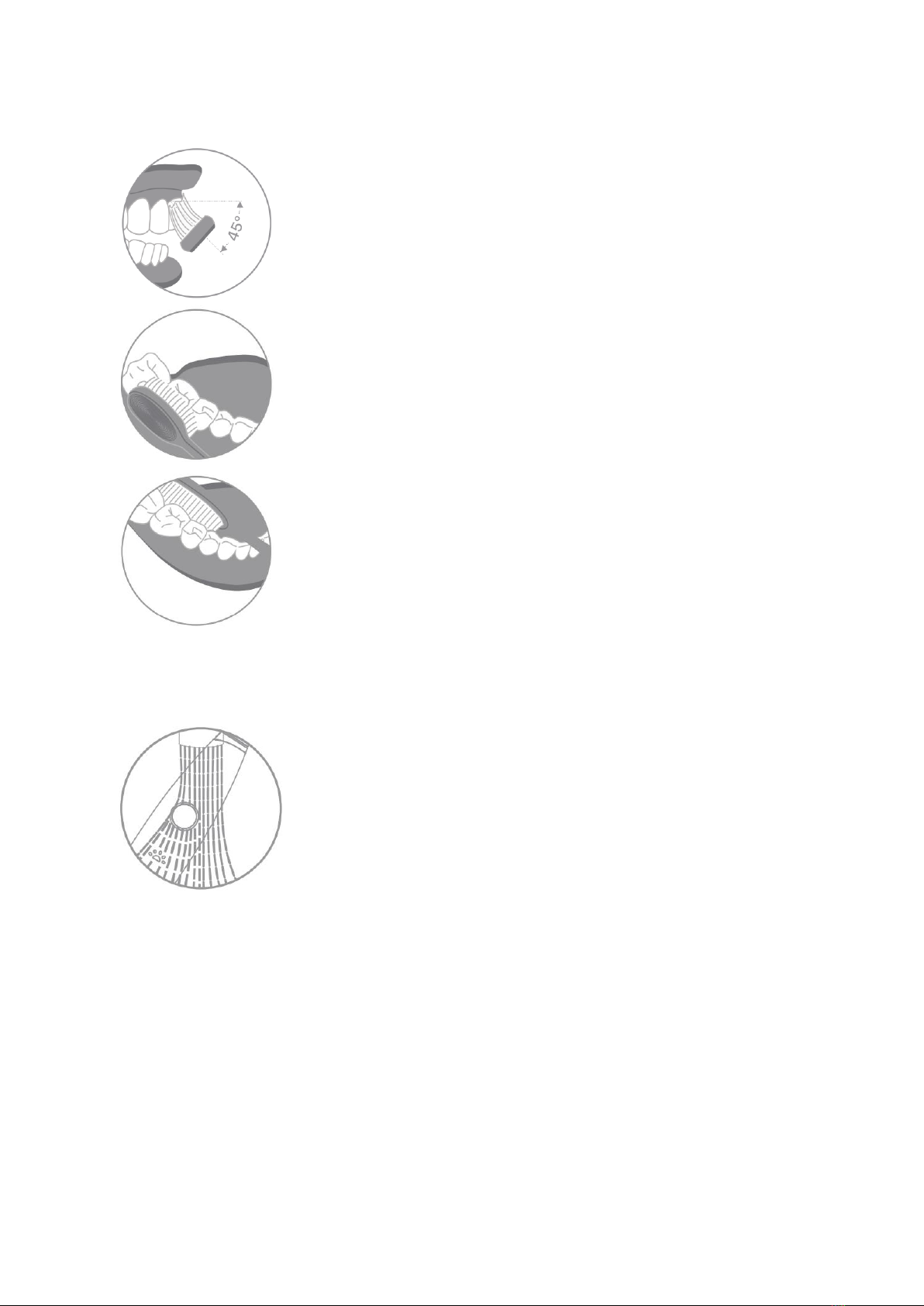
Recommended tooth brushing method
Move the toothbrush slowly at 45° between the brush and
gingiva line. The is no need to manually brush up and down
during this process.
Hold the toothbrush handle gently, move slowly in a circular
motion, and please do not apply excessive pressure.
Please gargle with clear water after brushing.
Cleaning and Maintenance
Rinse with tap water and air dry, and do not pull the bristles of
the brush head

9
Product specifications
Product Name
Oclean Sonic Electric Toothbrush
Model
F5002
IP Rating
IPX7
Power of Subject
1.85W
Changer
Type-C direct Recharge
Input
5V 1A
Service Time*
≤180 Days (*)
Battery Capacity
2500mAh (**)
Charging time
≤5 hours (***)
Implementation standard
GB 4706.1-2005 GB 4706.59-2008
* Validated by 2 brushing processes per day and 2 minutes of each process. (Morning
mode)
** The Battery capacity theoretically has a capacity tolerance of ±50mAh.
*** It is suggested to adopt the USB charger or 5 1A in the phone industry.

10
Warranty Conditions
A new product purchased in the Alza.cz sales network is guaranteed for 2 years. If you
need repair or other services during the warranty period, contact the product seller
directly, you must provide the original proof of purchase with the date of purchase.
The following are considered to be a conflict with the warranty conditions, for
which the claimed claim may not be recognized:
•Using the product for any purpose other than that for which the product is intended
or failing to follow the instructions for maintenance, operation, and service of the
product.
•Damage to the product by a natural disaster, the intervention of an unauthorized
person or mechanically through the fault of the buyer (e.g., during transport,
cleaning by inappropriate means, etc.).
•Natural wear and aging of consumables or components during use (such as
batteries, etc.).
•Exposure to adverse external influences, such as sunlight and other radiation or
electromagnetic fields, fluid intrusion, object intrusion, mains overvoltage,
electrostatic discharge voltage (including lightning), faulty supply or input voltage and
inappropriate polarity of this voltage, chemical processes such as used power
supplies, etc.
•If anyone has made modifications, modifications, alterations to the design or
adaptation to change or extend the functions of the product compared to the
purchased design or use of non-original components.
Table of contents
Languages:
Other Oclean Electric Toothbrush manuals

Oclean
Oclean X10 User manual

Oclean
Oclean Smart Sonic F1 User manual

Oclean
Oclean One User manual

Oclean
Oclean Air 2 User manual

Oclean
Oclean X-Pro User manual

Oclean
Oclean Smart Sonic F1 User manual

Oclean
Oclean Sonic Electric OcleanF1 User manual

Oclean
Oclean Pro Oclean X User manual

Oclean
Oclean Pro Elite Y2087 User manual