Oclean X10 User manual

1
X10
User Manual • Uživatelský manuál •
Užívateľský manuál • Használati utasítás

2
English
3 –12
Čeština
13 –22
Slovenčina
23 –32
Magyar
33 –42

3
Dear customer,
Thank you for purchasing our product. Please read the following instructions carefully
before first use and keep this user manual for future reference. Pay particular attention
to the safety instructions. If you have any questions or comments about the device,
please contact the customer line.
✉www.alza.co.uk/kontakt
✆+44 (0)203 514 4411
Importer Alza.cz a.s., Jankovcova 1522/53, Holešovice, 170 00 Prague 7, www.alza.cz

4
Important Safety Tips
•This product is recommended to use by person over 12 years of age.
•The product can only be used with Oclean replacement heads. Oclean bears no
responsibility for any consequences resulting from the use of non-certified third-
party brush heads.
•This product is for personal cleaning only and is not recommended for medical
purposes and multi-user use.
•This product is for indoor use only. Do not place the toothbrush under direct
sunlight for a prolonged period of time. It is recommended to be placed in the
dry well-ventilated areas with normal temperature.
•Please keep the toothbrush body dry before charging and wipe it dry with a soft
cloth. After charging, please install the bottom cover back to its original place and
ensure that it is sealed and waterproof. Oclean is not responsible for any
consequences caused by improper operation.
•It must be only supplied at safety extra low voltage corresponding to the marking
on the product.
Instructions for products containing non-user replaceable batteries shall state
the substance of the following:
•This product contains batteries that are only replaced by trained professionals.

5
Brush head
When replacing the brush
head, please pull out and
insert the replacement
brush head vertically, and
do not rotate left or right.
It is recommended by
dentists to change the
brush head every two to
three months.

6
Instruction for use
•Up and down button control
The toothbrush can be set via buttons, tap the up button to switch the mode, and
tap the down button to switch the strength level. The toothbrush can be selected
from 5 modes: intense whitening, specialized cleaning, sensitive mode, polishing,
and gum massaging. The toothbrush has 5 levels of strength to choose from.
•ON/OFF button control
Once the toothbrush turns on, tap the ON/OFF button to brush your teeth. Tap
the button during its running state will cause it to pause; then tap again within 15
seconds will resume its operation; without operation for more than 15 seconds
will turn off the display and hibernate the toothbrush. When expression is
displayed, the toothbrush will hibernate directly with a tap on the ON/OFF
button.
To reset language setting, please press the “ON” button for 8 seconds to revert to
factory settings.
•Brushing program
The toothbrush will run for 2 minutes by default “intense whitening mode”, the
toothbrush will remind the user of to change the brushing area every 30 seconds
by vibrating and will automatically stop running after 2 minutes of operation.
•Smart brushing feedback
After brushing, the screen on the electric toothbrush will display the score and
feedback on the results of the brushing, and the score is based on star scoring
system. When the brushing section is scored 3 stars, the screen of the
toothbrush will display an emoji, and ends the brushing. If the brushing section is
scored less than 3 stars (Including 2 stars, 1 star and no star), the display of the
toothbrush will then display a model of the teeth to remind the areas that need
additional brushing and will automatically generate the brushing time the
additional brushing it requires. After reminding for additional brushing, you will
need to follow the tips and taps the up or down button to turn on the re-brushing
mode. After the additional brushing is fully competed, the toothbrush will show
and expression on the display, and the brushing process will end.

7
•Charging the toothbrush
This product adopts the Type-C charging mechanism. When charging is required,
connect the charging cable to the power plug, remove the protection cover at the
bottom, and insert the Type-C plug on one end of the charging cable into the USB
port at the bottom of the toothbrush for charging. When fully charged, please
unplug the charging cable as soon as possible and install the protection cover at
the bottom. (As shown in the figure)
Leaving the fully charged toothbrush on the live charging cable for a prolonged
period of time may lead to premature depletion of the built-in battery, thus
affecting the usage experience.
Thanks for using Oclean Smart Sonic Electric Toothbrush.
Attention should be paid to those with the following
conditions of oral sensitivities
•Those who have recently undergone periodontal surgery or are undergoing Oral-
related treatments. Individuals with other symptoms in the mouth including
those with unstable dentures or have persistent heavy gum bleeding.
•Other individuals with sensitive and fragile oral issues. This product is not
recommended for use with above conditions and should proceed to consult a
professional dentist before use.
•This product is not suitable for person with disabilities, mental illness or lack
relevant experience and knowledge [including children (0-12 years old)]. Unless
under the supervision of their guardians.
•New Message Icon
A new message icon will appear on the display when there is new activity
message, software update notification or another alert information.

8
•Low Battery Alert
When the battery percentage is below 20%, an alert will pop up on the display of
your toothbrush from time to time to indicate that the battery is running low, and
you need to charge it soon. When the battery is seriously low, and the percentage
is lower than 1%, your toothbrush will be off, and the toothbrush’s motor will
vibrate to alert you to charge the battery, and the screen will not be turned on
either.
How to Charge
When charging is required, remove of the protection cover at the bottom of the
toothbrush, connect the charging cable to the power plug, and insert the Type-C
charging cable connected to the power plug into the charging port at the bottom of the
toothbrush. During normal charging, the screen on the toothbrush will display a
charging interface. Generally, and it will be fully charged in about 3 hours.
Recommended tooth brushing method
Move the toothbrush slowly at 45° between the brush and
gingiva line. There is no need to manually brush up and down
during this process.
Hold the toothbrush handle gently, move slowly in a circular
motion, and please do not apply excessive pressure.
Please rinse with water after brushing.

9
Cleaning and Maintenance
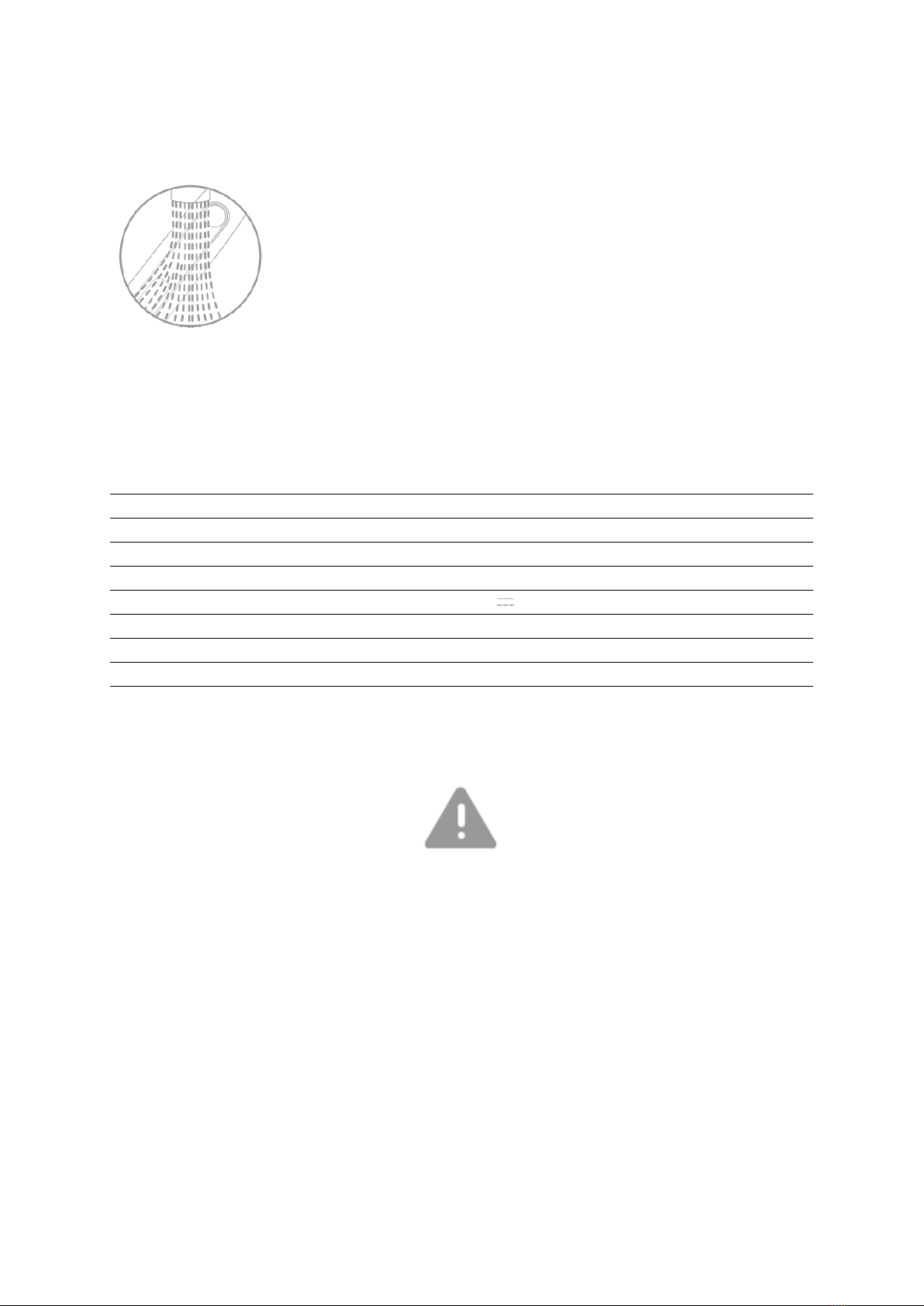
Cleaning the toothbrush body and the brush head.

Rinse under the running water, put cover on the brush head
bristles. After washing, air dry the brush head and do not pull
the bristles.
Product Specifications
Product Name
Oclean XS Smart Sonic Electric
Toothbrush
Model
R3100
IP Rating
IPX7
Input Power
2.5W
Charging
Type-C charging
Input
5V 0.5A
Battery Life*
60 days
Battery Capacity
1200mAh
Charging Time
3 hours
Implementation standard
Q/SZYD 1-2021
*Calculated under whitening mode, 2 minutes/time, 2 times/day.
•Do NOT disassemble, strike, extrude or throw the device into a fire.
•Do NOT use the toothbrush if its battery is building or has expanded.
•Do NOT place in a hight-temperature environment.
•Do NOT use the device it its battery has been subjected to immersion in water.
•Before the appliance is discarded, its battery must be removed from it.
•Before the battery is removed, the appliance must be powered off.
•The battery shall be disposed of safely.

10
Warranty Conditions
A new product purchased in the Alza.cz sales network is guaranteed for 2 years. If you
need repair or other services during the warranty period, contact the product seller
directly, you must provide the original proof of purchase with the date of purchase.
The following are considered to be a conflict with the warranty conditions, for
which the claimed claim may not be recognized:
•Using the product for any purpose other than that for which the product is intended
or failing to follow the instructions for maintenance, operation, and service of the
product.
•Damage to the product by a natural disaster, the intervention of an unauthorized
person or mechanically through the fault of the buyer (e.g., during transport,
cleaning by inappropriate means, etc.).
•Natural wear and aging of consumables or components during use (such as
batteries, etc.).
•Exposure to adverse external influences, such as sunlight and other radiation or
electromagnetic fields, fluid intrusion, object intrusion, mains overvoltage,
electrostatic discharge voltage (including lightning), faulty supply or input voltage and
inappropriate polarity of this voltage, chemical processes such as used power
supplies, etc.
•If anyone has made modifications, modifications, alterations to the design or
adaptation to change or extend the functions of the product compared to the
purchased design or use of non-original components.
Table of contents
Languages:
Other Oclean Electric Toothbrush manuals

Oclean
Oclean Smart Sonic F1 User manual

Oclean
Oclean Pro Elite Y2087 User manual

Oclean
Oclean X-Pro User manual

Oclean
Oclean Flow User manual

Oclean
Oclean One User manual

Oclean
Oclean Sonic Electric OcleanF1 User manual

Oclean
Oclean Smart Sonic F1 User manual

Oclean
Oclean Pro Oclean X User manual

Oclean
Oclean Air 2 User manual