– 5 –
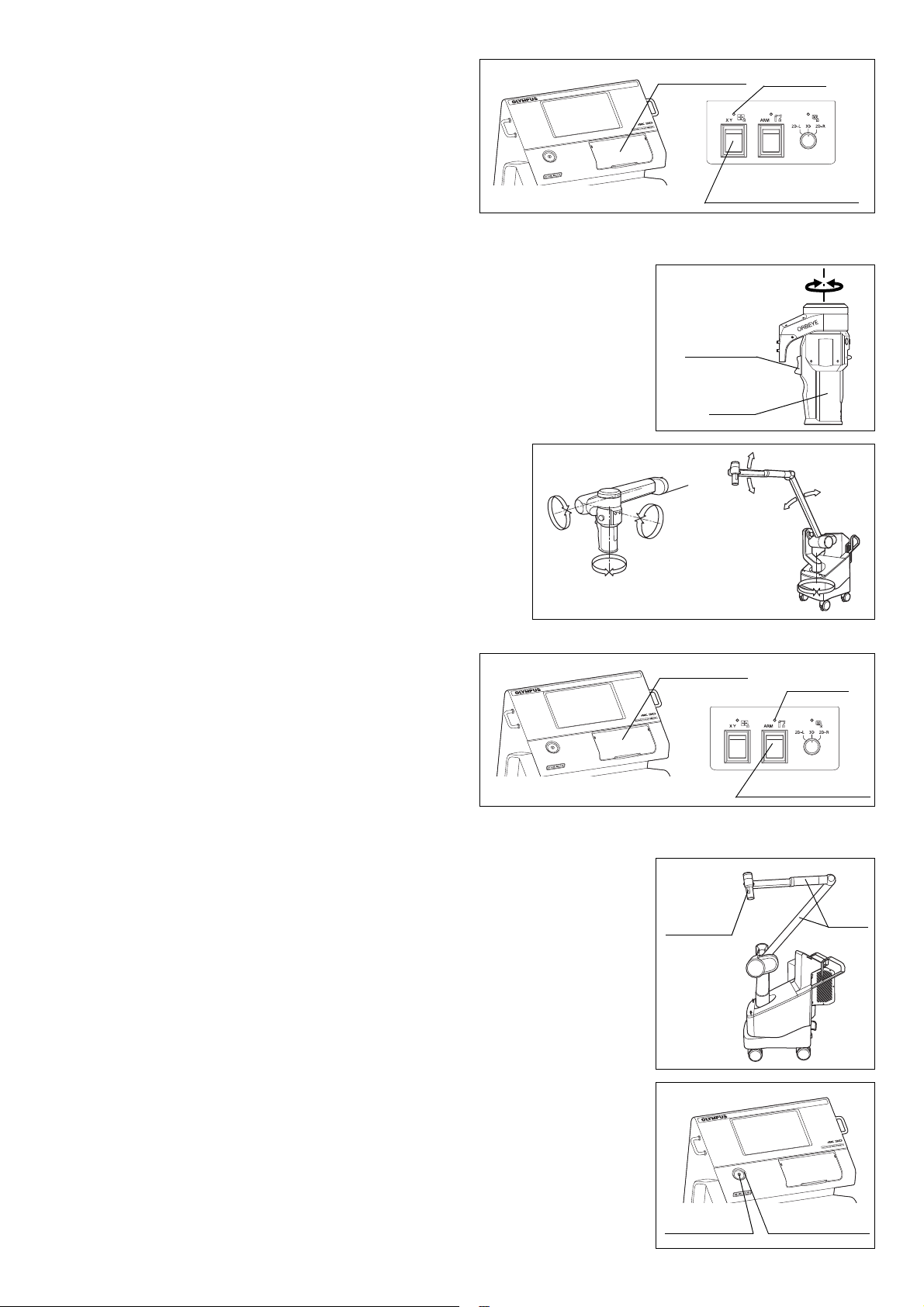
2.8 Inspection of the focus/zoom functions
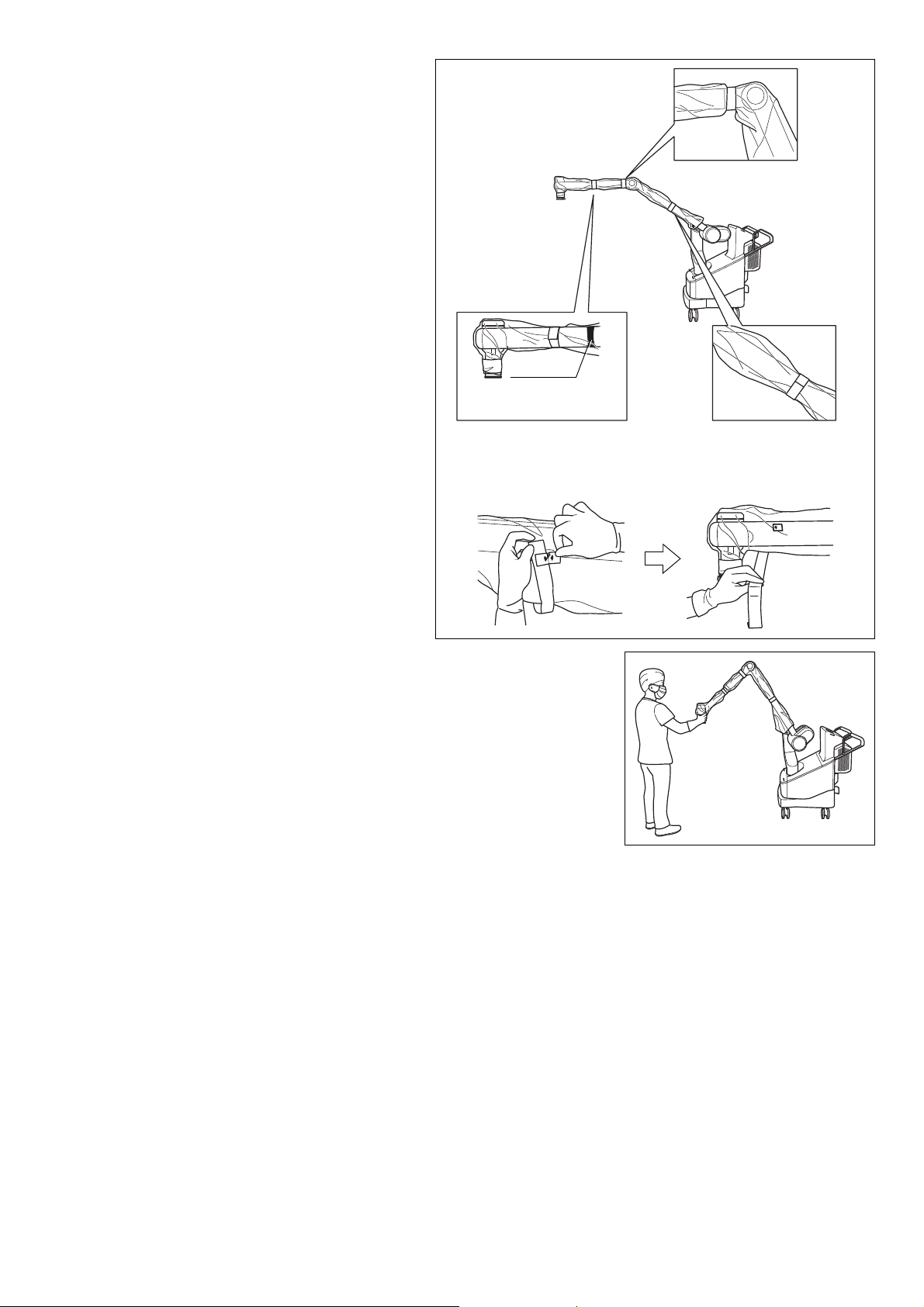
2.9 Inspection of the view field movement
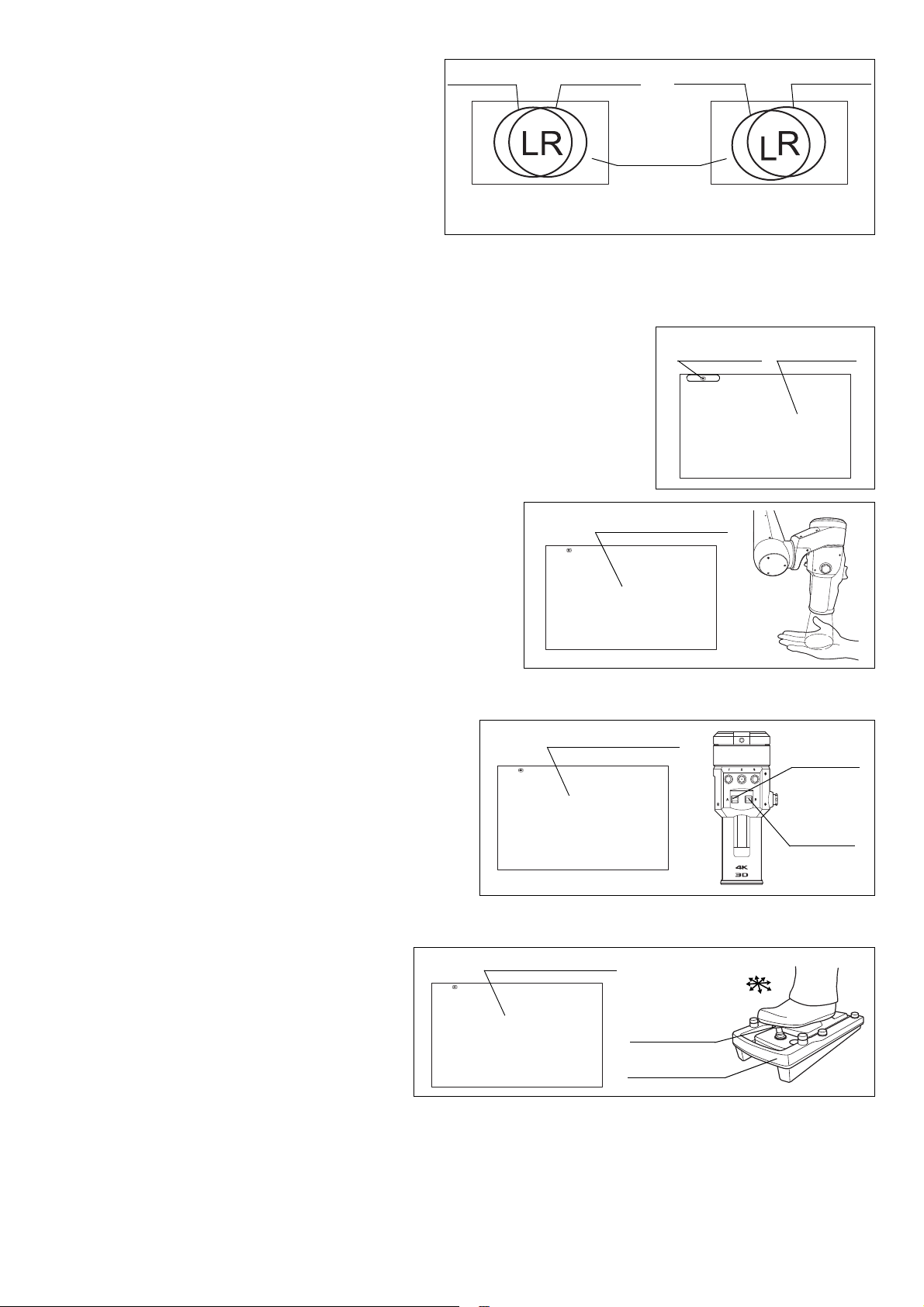
4Place an object having an easy-to judge vertical
direction view so that it is focused on the center
of the image displayed on the observation
monitor. Observe the observation monitor
images without wearing the 3D eyeglasses and
confirm that there is no positioning error in the
up-down direction between the left and right
images.
5Observe the images by wearing the 3D
eyeglasses, close the left and right eyes
alternately, and confirm that there is no difference in color or brightness between the left and right images.
6While observing the 3D images, contact the observed object with forceps or a similar tool and confirm that
there is no peculiarity in the feeling of depth.
7Confirm that the data display is displayed on the observation monitor.
8Observe your hand and confirm that the image is displayed
in normal colors without noise.
1Tilt the scope switches A and B on the microscope
section all the way upward or downward and, by
observing the observation monitor, confirm that the
focus and zoom functions are activated correctly.
2If the zoom + of the adaptive AF is set, confirm that
the auto focus is activated and focus is adjusted after
completion of the zoom + (UP) operation.
1Tilt the joystick on the foot switch all the
way. Observe the observation monitor and
confirm that the field moves to direction in
which the joystick is tilted.
2If the view field movement of the adaptive
AF is set, confirm that the auto focus is
activated after completion of the view field
movement operation.
Observation
monitor
Images without up-down
positioning error
Images with up-down
positioning error
Left image Right image Left image Right image
Data display
Observation
monitor
Scope
switch A
Scope
switch B
Observation monitor
Joystick
Foot switch
Observation monitor