manuals.online logo
Brands
  1. Home
  2. •
  3. Brands
  4. •
  5. Panasonic
  6. •
  7. Projector Accessories
  8. •
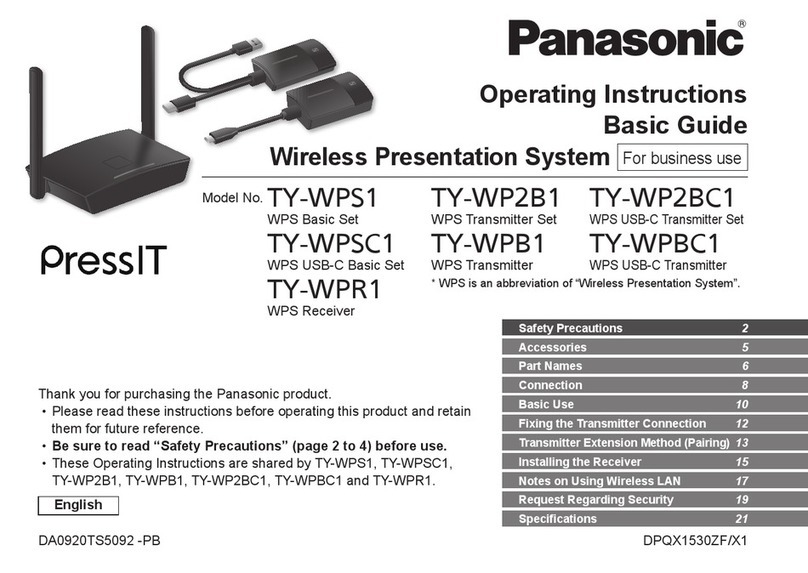
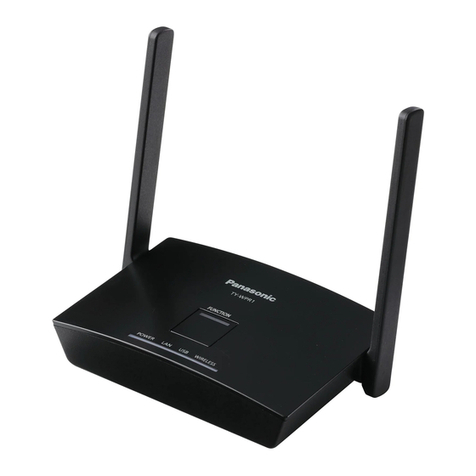
  9. Panasonic PressIT TY-WP2B1W Operating instructions

Panasonic PressIT TY-WP2B1W Operating instructions

This manual suits for next models

5

Other Panasonic Projector Accessories manuals

Panasonic ET-MD77NT User manual

Panasonic

Panasonic ET-MD77NT User manual

Panasonic ET-UW100 User manual

Panasonic

Panasonic ET-UW100 User manual

Panasonic ET-EMF320 User manual

Panasonic

Panasonic ET-EMF320 User manual

Panasonic ET-LAEF100 User manual

Panasonic

Panasonic ET-LAEF100 User manual

Panasonic PressIT TY-WP2B1 User manual

Panasonic

Panasonic PressIT TY-WP2B1 User manual

Panasonic PressIT TY-WPS1 User manual

Panasonic

Panasonic PressIT TY-WPS1 User manual

Panasonic ET-LAV200 User manual

Panasonic

Panasonic ET-LAV200 User manual

Panasonic ET-D75MRS10 User manual

Panasonic

Panasonic ET-D75MRS10 User manual

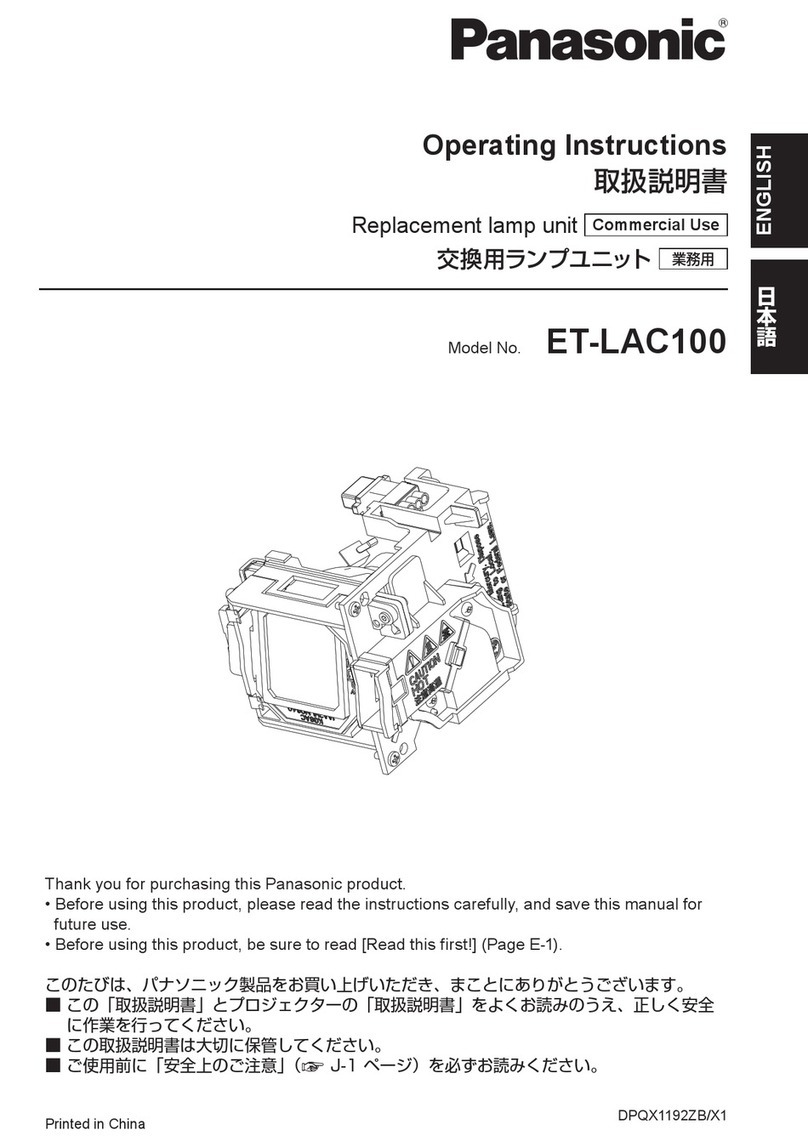
Panasonic ET-LAC100 User manual

Panasonic

Panasonic ET-LAC100 User manual

Panasonic ET-LAEF100 User manual

Panasonic

Panasonic ET-LAEF100 User manual

Panasonic ET-LAEF100C User manual

Panasonic

Panasonic ET-LAEF100C User manual

Panasonic ET-LAV200C User manual

Panasonic

Panasonic ET-LAV200C User manual

Panasonic ET-LAD310A User manual

Panasonic

Panasonic ET-LAD310A User manual

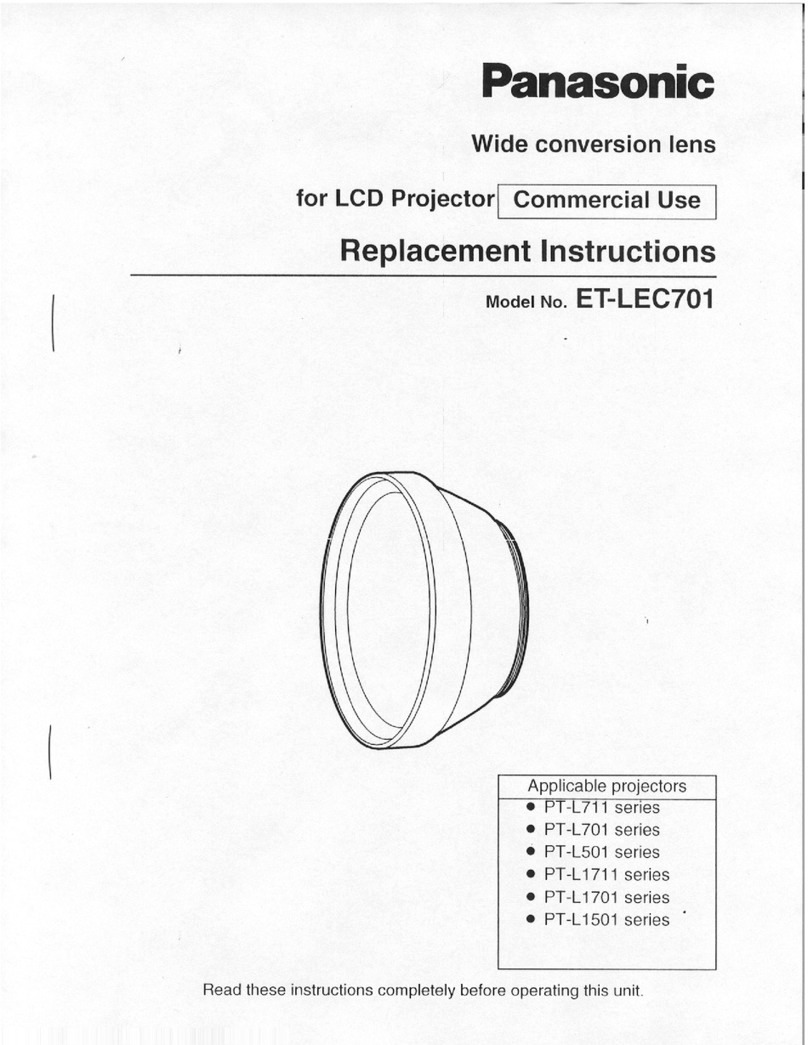
Panasonic ET-LEC701 Guide

Panasonic

Panasonic ET-LEC701 Guide

Panasonic ET-LAD510 User manual

Panasonic

Panasonic ET-LAD510 User manual

Panasonic ET-LAV100 User manual

Panasonic

Panasonic ET-LAV100 User manual

Panasonic ET-PKE300 User manual

Panasonic

Panasonic ET-PKE300 User manual

Panasonic ET-LAD60A User manual

Panasonic

Panasonic ET-LAD60A User manual

Panasonic PressIT TY-WPSC1 User manual

Panasonic

Panasonic PressIT TY-WPSC1 User manual

Panasonic ET-ELW21C User manual

Panasonic

Panasonic ET-ELW21C User manual

Panasonic ET-PFD560 User manual

Panasonic

Panasonic ET-PFD560 User manual

Panasonic ET-SFD310 User manual

Panasonic

Panasonic ET-SFD310 User manual

Panasonic ET-LAD7700 Guide

Panasonic

Panasonic ET-LAD7700 Guide

Panasonic ET-LAX100 Guide

Panasonic

Panasonic ET-LAX100 Guide

Popular Projector Accessories manuals by other brands

Optoma BX-AL133B datasheet

Optoma

Optoma BX-AL133B datasheet

PEERLESS PE 1120 Installation and assembly

PEERLESS

PEERLESS PE 1120 Installation and assembly

Osram SIRIUS HRI Series Directions for use

Osram

Osram SIRIUS HRI Series Directions for use

Presentation Switchers PS111 quick start

Presentation Switchers

Presentation Switchers PS111 quick start

Kramer VIA GO user manual

Kramer

Kramer VIA GO user manual

Yamaha PJL-112 Replacement guide

Yamaha

Yamaha PJL-112 Replacement guide

Mitsubishi Electric 236CB Features

Mitsubishi Electric

Mitsubishi Electric 236CB Features

Epson BrightLink 475Wi user guide

Epson

Epson BrightLink 475Wi user guide

Acer WP100 quick guide

Acer

Acer WP100 quick guide

Biamp Modena Hub Network administrator's guide

Biamp

Biamp Modena Hub Network administrator's guide

Panamorph DCR-S3 installation guide

Panamorph

Panamorph DCR-S3 installation guide

Exact solutions FRAME-EVO-P10 manual

Exact solutions

Exact solutions FRAME-EVO-P10 manual

i3 i3board user manual

i3

i3 i3board user manual

CHIEF VCM103S installation instructions

CHIEF

CHIEF VCM103S installation instructions

InFocus LP70+ Replacement instructions

InFocus

InFocus LP70+ Replacement instructions

Sharp AN-PH20EZ Operation manual

Sharp

Sharp AN-PH20EZ Operation manual

PDR UPM51 product manual

PDR

PDR UPM51 product manual

CHIEF HB-43E installation instructions

CHIEF

CHIEF HB-43E installation instructions

manuals.online logo
manuals.online logoBrands
  • About & Mission
  • Contact us
  • Privacy Policy
  • Terms and Conditions

Copyright 2025 Manuals.Online. All Rights Reserved.

Operating Instructions
Basic Guide
Wireless Presentation System
For business use
Model No.
TY-WPS1W
WPS Basic Set
TY-WP2B1W
WPS Transmitter Set
TY-WP2BC1W
WPS USB-C Transmitter Set
TY-WPSC1W
WPS USB-C Basic Set
TY-WPB1W
WPS Transmitter
TY-WPBC1W
WPS USB-C Transmitter
* WPS is an abbreviation of “Wireless
Presentation System”.
Thank you for purchasing the Panasonic product.
• Please read these instructions before operating this product and retain
them for future reference.
•Be sure to read “Safety Precautions ” (page 2 to 4) before use.
•
These Operating Instructions are shared by TY-WPS1W, TY-WPSC1W,
TY-WP2B1W, TY-WPB1W, TY-WP2BC1W and TY-WPBC1W.
DPQX1566ZB/X1DA0521TS1051 -PB
Accessories 5
Safety Precautions 2
Part Names 6
Fixing the Transmitter Connection 12
Connection 8
Basic Use 10
Transmitter Extension Method (Pairing)
13
Installing the Receiver 15
Notes on Using Wireless LAN 17
Request Regarding Security 19
Specifications 21
English
2 English
Safety Precautions
WARNING:
Stop using the product immediately when an
abnormality or malfunction occurs.
Remove the power plug in the case of an
abnormality.
• Smoke is emitted, or abnormal smell or sound occurs.
• Video or audio is not reproduced in some cases.
• Liquid such as water or a foreign object has entered
inside the product.
• The product is deformed or damaged.
Using the product in such states may cause a fire or
electric shock.
• Remove the power plug from the outlet and request
repair to the dealer where you purchased the product.
• It is necessary to remove the power plug to completely
turn off the power of this product.
• Do not repair the product by the customer since it is
dangerous.
• Use an outlet located at a position where the hand can
reach easily so that the power plug can be removed
quickly.
Do not insert foreign objects into the product.
Do not insert or drop metals or flammable items into the
inside the product from the vent hole, etc.
Smoke is emitted, or abnormal smell or sound occurs.
• Keep an eye on children in particular.
■About AC adaptor
Do not use an AC adaptor or AC adaptor cable other
than those supplied with this product.
Using an AC adaptor or AC adaptor cable other than
those supplied may cause an electric shock or fire due to
short circuit or heat generation.
Clean the power plug periodically to prevent dust
from accumulating.
Failure to do so may cause a fire or electric shock due
to moisture.
• Remove the power plug and wipe it with dry cloth.
Do not insert or remove the power plug with wet
hand.
Doing so may cause an electric shock.
Do not use the outlet or wiring devices exceeding
rated values or with currents other than 100 ‒ 240 V
AC.
Using them exceeding rated values by connecting too
many plugs in one outlet may cause a fire due to heat
generation.
Insert the power plug securely to the end.
Insufficient insertion may cause a fire due to an electric
shock or heat generation.
• Do not use the product with a damaged plug or loose
outlet.
3English
Do not damage the AC adaptor and power plug.
by damaging, modifying, forcibly bending, twisting,
pulling or bundling them, bringing them close to heat
appliances, placing heavy items on them, etc.
Doing so may cause a fire or electric shock due to short
circuit or disconnection.
• Request the dealer for repair of the AC adaptor or
power plug.
Use the product 15 cm or more away from a location
where a cardiac pacemaker is embedded.
Radio waves may affect the operation of the pacemaker.
Do not use the product in an airplane.
The operational safety may be impaired.
Do not use the product near an automatic door, fire
alarm or other automatic control devices.
Radio waves from this product may affect automatic
control devices, which may cause an operational error,
resulting in an accident.
Do not use the product in hospital or a location with
medical equipment.
Radio waves from this product may affect medical
equipment, which may cause an operational error,
resulting in an accident.
Do not use the product while touching it for a long
time.
Touching the hot parts of the product and AC adaptor for
a long time may cause a low-temperature burn*.
* Persons with poor bloodstream (due to vascular
impairment, poor blood circulation, diabetes or strong
compression) or poor skin sensitivity (elderly persons)
tend to get a low-temperature burn.
Do not touch the product and AC adaptor if it begins
to thunder.
Doing so may cause an electric shock.
Do not wet the product.
Doing so may cause a fire or electric shock.
Do not place the product on unstable locations.
Placing the product on a shaky table or an inclined location
may cause an injury due to falling over or dropping.
Do not remove or modify the back cover (cabinet).
Keep the screws supplied with the receiver out of
reach of infants.
The screws may be accidentally swallowed.
• In the event this occurs, consult a doctor immediately.
For installation, please ask a qualified technician or
a dealer.
If installation is not carried out and secured correctly, it
can cause falling accidents.
Do not touch the bottom surface of the transmitter
during use.
The bottom surface of the transmitter may be hot during
and after use for a while, resulting in a burn injury.
Also, do not place it on an object sensitive to heat. Doing
so may cause deformation or discoloration.

4 English
Safety Precautions Continued
CAUTION:
Do not block the vent hole of this product.
Do not push the product into a narrow and poorly
ventilated space.
Doing so may cause heat to accumulate inside, resulting
in a fire or malfunction.
Do not place a heavy item on the product.
Doing so may cause a fire or malfunction.
Do not place the product at a high-temperature
location, humid or dusty location, or location subject
to oil smoke or steam (such as a cooking table and
humidifier).
Doing so may cause a fire or electric shock.
When removing the connection cables, be sure to
hold the connector and pull it.
Pulling the cord may damage the cord, resulting in a fire
due to an electric shock or short circuit.
When transferring the product, remove the
connection cables of equipment beforehand.
Failure to do so may damage the cord or product,
resulting in a fire or electric shock.
When not using the product for a prolonged period,
remove the power plug from the outlet.
Dust may accumulate in the power plug, resulting in a
fire or electric shock.
Do not pull or hang the connection cables.
Doing so may cause the product to fall over or drop,
resulting in an injury.
• Keep an eye on children in particular.
■Maintenance
For maintenance, remove the power plug from the
outlet for safety.
Failure to do so may cause an electric shock.
5English
Accessories
Check that you have the accessories and items shown.
WPS Basic Set TY-WPS1W
WPS Receiver
(TY-WPR1W) ........1
WPS Transmitter
(TY-WPB1W) ........ 2
Transmitter case
(TY-WPC1) ........... 1
AC adaptor
(DPVF3699ZA/X1)
...1
(including 4
conversion plugs)
AC adaptor cable
(DPVF3515ZA/X1)
...1
HDMI cable
(DPVF3512ZA/X1)
...1
USB extension cable
(DPVF3513ZA/X1)
...2
Receiver mounting
bracket
(see page 15) ....... 1
WPS USB-C Basic Set TY-WPSC1W
WPS Receiver
(TY-WPR1W) ........1
WPS USB-C Transmitter
(TY-WPBC1W)
.........2
Transmitter case
(TY-WPC1) ........... 1
AC adaptor
(DPVF3699ZA/X1)
...1
(including 4
conversion plugs)
AC adaptor cable
(DPVF3515ZA/X1)
...1
HDMI cable
(DPVF3512ZA/X1)
...1
Conversion adaptor
for pairing
(DPVF3516ZA/X1)
...1
Receiver mounting
bracket
(see page 15) ....... 1
WPS Transmitter Set TY-WP2B1W
WPS Transmitter
(TY-WPB1W) ........ 2
Transmitter case
(TY-WPC1) ........... 1
USB extension cable
(DPVF3513ZA/X1)
...2
WPS Transmitter TY-WPB1W
WPS Transmitter
(TY-WPB1W) ........ 1
USB extension cable
(DPVF3513ZA/X1)
...1
WPS USB-C Transmitter Set TY-WP2BC1W
WPS USB-C
Transmitter
(TY-WPBC1W) ..... 2
Transmitter case
(TY-WPC1) ........... 1
Conversion adaptor
for pairing
(DPVF3516ZA/X1)
...1
WPS USB-C Transmitter TY-WPBC1W
WPS USB-C
Transmitter
(TY-WPBC1W) ..... 1
Conversion adaptor
for pairing
(DPVF3516ZA/X1)
...1
Attention
• Store small parts in an appropriate manner, and keep
them away from young children.
• The part numbers of accessories are subject to
change without notice.
(The actual part number may differ from the ones
shown above.)
• In case you lost accessories, please purchase them
from your dealer. (Available from the customer service)
• Dispose the packaging materials appropriately after
taking out the items.
6 English
1
3
2
4
5 6 7 8 109 11
Part Names
1Antenna
2FUNCTION button / LED
Used to save a pairing file to the USB memory.
3Indicator
Displays the power supply status, and connection
statuses of LAN and USB.
4
Screw holes for mounting bracket (page 15)
Used to attach the receiver to the mounting bracket.
▼Connectionterminals/Controls
5Security Slot
This security slot is compatible with a Noble Wedge
slot.
6Power input terminal
7Power button
Turns ON/OFF the power of the receiver.
8Reset button
Restores the product to the factory default state.
9USB terminal (Type-A)
Connects the transmitter or USB memory when
pairing devices.
10 LAN terminal (RJ45)
Connects to the network to change the settings of the
product.
11 HDMI output terminal
Connects an imaging device equipped with HDMI input.
▼Connectionterminals/Controls
■Receiver (TY-WPR1W)
7English
7
3 4
65
24
1
3
5 6
1HDMI input terminal
Connect to an imaging device equipped with HDMI
output.
2USB terminal (Type-A)
Connect to a USB power supply device.
3Main button / LED
Switches between on and off of image display.
4Sub button / LED
Switches to the multi-screen mode.
5Mode switch
It is used when pairing.
6USB terminal (Type-A)
Connects a USB memory when pairing with the
receiver.
7USB terminal (Type- C)
Connect to an imaging device with USB Type-C
output.
■Transmitter (TY-WPB1W)
■USB-C transmitterr (TY-WPBC1W)
■Transmitter case
2 transmitters and the USB extension
cable can be stored.
8 English
Connection
Before connection, carefully read the operation manual
of the device to be connected to this system.
Turn off the power of each device before connecting
cables.
Connecting the receiver
1Connect the AC adaptor and AC adaptor
cable to the receiver for power supply.
Use an AC adaptor conversion plug that fits the
shape of outlet.
<How to remove>
1
Press the button
2
Remove the plug
2
1
Note
• Do not remove the AC adaptor conversion plug
while it is connected to the outlet.
2Connect a display device such as a display
and projector to the receiver with HDMI
cable.
HDMI cable
Display or projector
AC adaptor
AC adaptor cable
Note
• For power supply to the receiver, use the supplied
AC adaptor or a USB power supply device with
5 V/2 A.
9English
3Press the power button of the receiver.
When a standby screen is displayed on the
display device, the receiver has completed
preparation.
Standby screen
Connecting the transmitter
1Connect the USB terminal and HDMI input
terminal of the transmitter to the image
output device.
• For power supply to the transmitter, 5 V/0.9 A
power supply is necessary.
HDMI input
terminal
TY-WPBC1W
USB terminal
TY-WPB1W
For the USB-C transmitter, connect the USB terminal
(Type-C) to the image output device.
2
Main LED changes from red blinking
(connecting) to white illumination (standby).
Red blinking (connecting) White illumination
(standby)
10 English
Basic Use
Single connection
This section describes how to display an image using
one transmitter.
1Press the main button of the transmitter
while the standby screen is displayed.
The image is displayed.
Standby screen Full screen display
White illumination
(standby)
Green illumination
(display)
Pressing the main button again changes the main
LED to white and returns to standby state.
(The screen returns to the standby screen as well.)
• When using multiple transmitters, the image is
switched to the image of the transmitter of which
the main button is pressed.
Multi connection
This section describes how to display images
simultaneously using multiple transmitters.
Images of up to 4 transmitters can be displayed
simultaneously.
1Press and hold the sub button of the
transmitter for 1 seconds or more during
full screen display.
The sub LED changes to green illumination, and the
multi-screen mode is enabled.
Full screen display
11
1 11 1
Sub LED
OFF
Sub LED
Green illumination
(Multi-screen mode)