
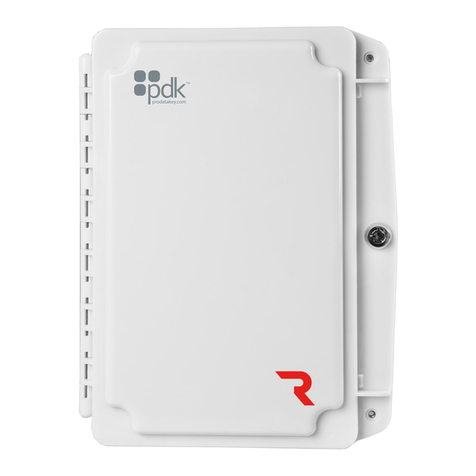
PDK Red 1 User manual

www.prodatakey.com
801.317.8802
REV 12022022
View the user manual here:
prodatakey.zendesk.com
PN:R1
Copyright © 2022 ProdataKey Inc. All rights reserved. Pdk, Pdk io, and
the Red logos are trademarks of ProdataKey Inc.
Quick Start Guide

1. Package Contents
Red One
Door Controller (1)
Diode (1)
Battery Leads (1)
Can Lock (1)
Jumpers (2)
Transformer (1)
14 VDC, 2 Amp
Enclosure Screws (2)

2. Mounting Controller
ETHERNET
ACTIVITY
BAT
POWER
HEART
LINK
RELAY
OSDP
BUS
+-
POE IN
POE OUT
+
-
0 1 L A
-
B NC NOC 12-24VDC
Mounting - Mount the enclosure securely to a wall.

3. Reader Connection
AReader - The reader is mounted at the door with a 22/5 or 22/6 wire running
to the door controller. Wire the reader to the controller as shown above. Be
sure to check the polarity and voltage prior to powering the controller.
BOSDP - Place jumper to enable OSDP (see OSDP reference guide at the end
of this guide for more info)
CPiezo - Can be connected to available relay and configured with software.
BAT
POWER
HEART
LINK
RELAY
OSDP
BUS
+-
+
-
0 1 L A
-
B NC NOC 12-24VDC
+
-
0 1 L A
-
B NC NOC 12-24VDC
AReader
ETHERNET
ACTIVITY
BAT
POWER
HEART
LINK
RELAY
OSDP
BUS
+-
+
-
0 1 L A
-
B NC NOC 12-24VDC
Red 1 Controller
OSDP
B
OSDP
Wiring
+
-
0 1 L
C

4. Input A / DPS Connection
B
A
DPS Contact
A
-
B
Double
DPS Contact
ADPS (Door Position Sensor) - The DPS is mounted on the door frame with a
22/2 wire running from the DPS to the controller. Wire the DPS to the
controller as shown above. For reporting double doors, wire the two-door
position in series and connect to the controller.
AUX Input - A software rule can be programmed to trigger events or
outputs based on input triggers.
B

5. Input B / REX Connection
BAT
BUS
+-
+
-
0 1 L A
-
B NC NOC 12-24VDC
If using a powered REX,
run to any 12VDC
output on controller.
B
REX
D
A
Maglock
BUS
+-
C
Maglock - When installing a Maglock, it is typical to install a REX (request to
exit) at the door for free egress. Run an 18/2 wire from the maglock to the
controller and REX as shown.
REX (Request to Exit) - The REX is mounted at your desired location with an
18/5 wire. Wire the REX to the controller and maglock, as shown above. If
reporting is not needed in the system, simply eliminate the green input wire.
A
B
Jumper Block - Use to designated (+) or (-) board voltage out of NO and NC.
If the jumper is off, the relay is a standard dry contact requiring an input into
C on the relay.
C
DAUX Input - A software rule can be programmed to trigger events or outputs
based on input triggers.

6. Locking Relay
D
BUS
+-
C
A
BOR
Diode - The provided diode must be installed when using a strike. Install at
the strike with the gray stripe on positive and the black on negative.
A
NC - Used for maglocks (or strikes in fail-safe configuration). Connect the
negative (-) of the maglock or strike to NC on the controller.
B
NO - Used for strikes in fail-secure configuration. Connect the negative (-) of
the strike to NO on the controller.
C
Jumper Block - Use to designate (+) or (-) board voltage out of NO and NC. If
the jumper is off, the relay is a standard dry contact requiring an input into C
on the relay.
D

7. Communication Connections
Ethernet - All Red controllers come with a built-in RJ45 connection for
network connectivity. Once connected, the Red controller is
Self-Discoverable from pdk.io using IPV6. Alternatively, you may use IPV4
or assign a static IP using pdk.io if desired.
A
Wireless (PN: RMW) and PoE (PN: RMPOE)
module kits can be purchased for optional
communication methods.
ETHERNET
ACTIVITY
BAT
POWER
HEART
LINK
RELAY
OSDP
BUS
+-
+
-
0 1 L A
-
B NC NOC 12-24VDC
A
ETHERNET
ACTIVITY
BAT
POWER
HEART
LINK
RELAY
OSDP
BUS
+-
POE IN
POE OUT
+
-
0 1 L A
-
B NC NOC 12-24VDC

8. Power Connection
DC Input - Input 12-24 VDC power using an 18/2 wire. For high voltage
applications, use the High Voltage Converter (PN: HVC).
A
Backup Battery - The enclosure will fit most 12 VDC 8 Ah batteries. Connect
the battery to the controller using the supplied battery leads.
B
Battery
12 VDC / 8 Ah
B
A

Reference Guide
Fire Input - To integrate the fire system into a controller, refer to wiring
diagrams at www.prodatakey.zendesk.com
Programming - After the controller is connected, access the configuration
software as instructed in the programming manual available at
www.prodatakey.zendesk.com
Reader Compatibility - Pdk does not require proprietary readers.
Controllers accept a Wiegand input, including biometric readers and
keypads. OSDP readers are supported by using the included jumper (see
OSDP reference guide). Contact pdk support if assistance is needed.
UL 294 Compliance - All equipment must meet appropriate UL certifications.
For UL-listed installations, all cable runs must be less than 30 meters (98.5’)
Part Number - R1
Pdk Technical Support
Phone: 801.317.8802 option #2
Email: support@prodatakey.com
Knowledge Base: prodatakey.zendesk.com
Other manuals for Red 1
1
Table of contents
Other PDK Controllers manuals
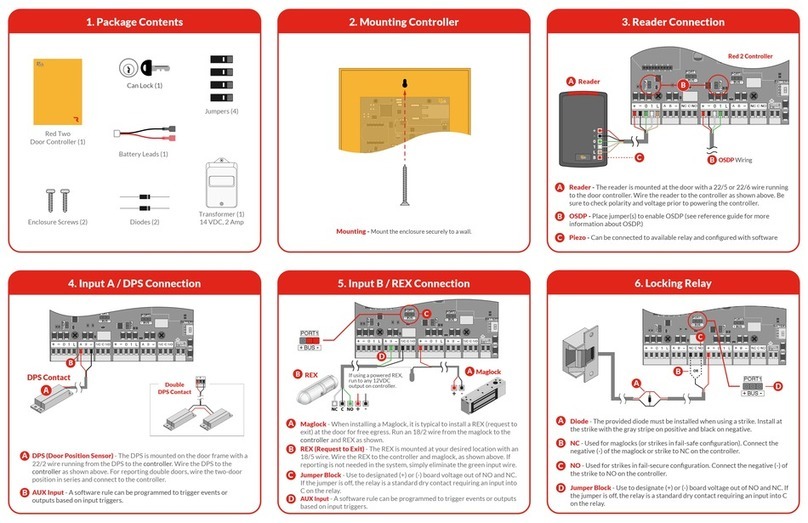
Popular Controllers manuals by other brands

Digiplex
Digiplex DGP-848 Programming guide

YASKAWA
YASKAWA SGM series user manual

Sinope
Sinope Calypso RM3500ZB installation guide

Isimet
Isimet DLA Series Style 2 Installation, Operations, Start-up and Maintenance Instructions

LSIS
LSIS sv-ip5a user manual

Rockwell Automation
Rockwell Automation 1769-L31 installation instructions










