manuals.online logo
Brands
  1. Home
  2. •
  3. Brands
  4. •
  5. Pfeiffer Vacuum
  6. •
  7. Water Pump
  8. •
  9. Pfeiffer Vacuum TMU 521 P User manual

Pfeiffer Vacuum TMU 521 P User manual

This manual suits for next models

1

Other Pfeiffer Vacuum Water Pump manuals
Pfeiffer Vacuum MVP 010-3 DC User manual

Pfeiffer Vacuum

Pfeiffer Vacuum MVP 010-3 DC User manual

Pfeiffer Vacuum HiCube Classic User manual
Pfeiffer Vacuum

Pfeiffer Vacuum HiCube Classic User manual

Pfeiffer Vacuum Hena 26 User manual

Pfeiffer Vacuum

Pfeiffer Vacuum Hena 26 User manual
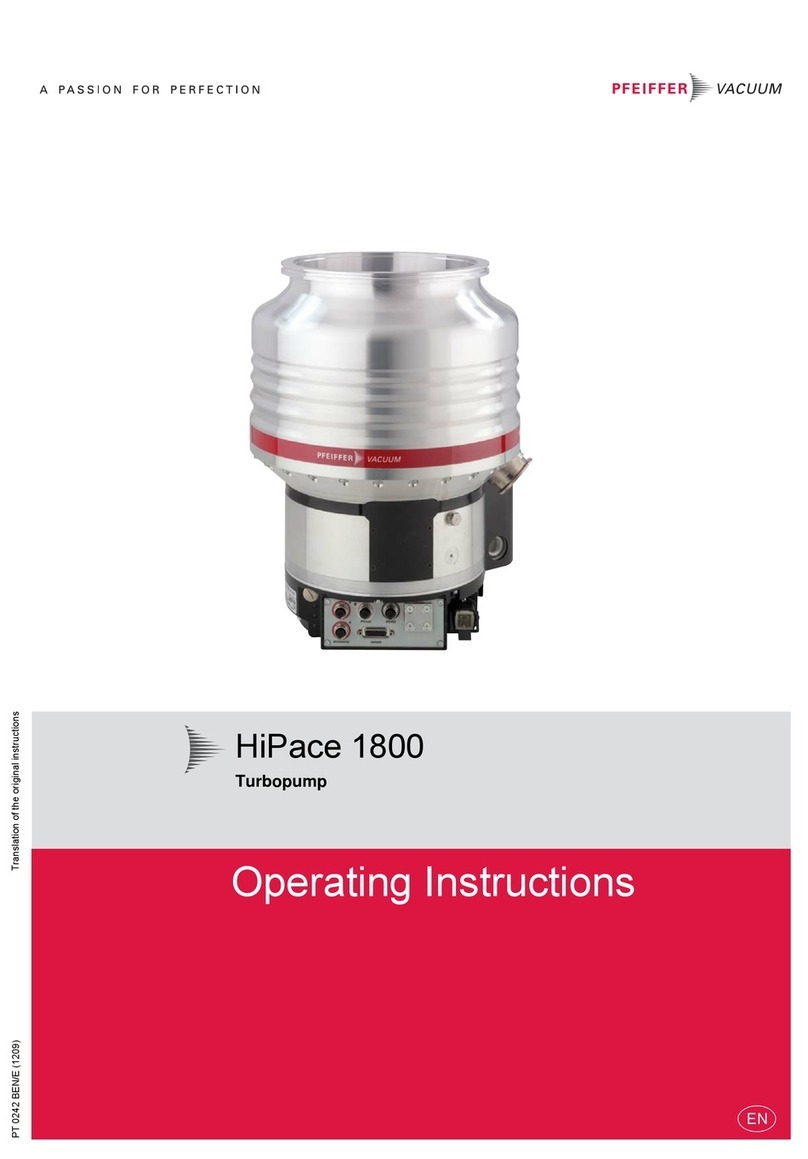
Pfeiffer Vacuum HiPace 1800 User manual
Pfeiffer Vacuum

Pfeiffer Vacuum HiPace 1800 User manual

Pfeiffer Vacuum HENA 201 R User manual

Pfeiffer Vacuum

Pfeiffer Vacuum HENA 201 R User manual

Pfeiffer Vacuum HENA 202 User manual

Pfeiffer Vacuum

Pfeiffer Vacuum HENA 202 User manual
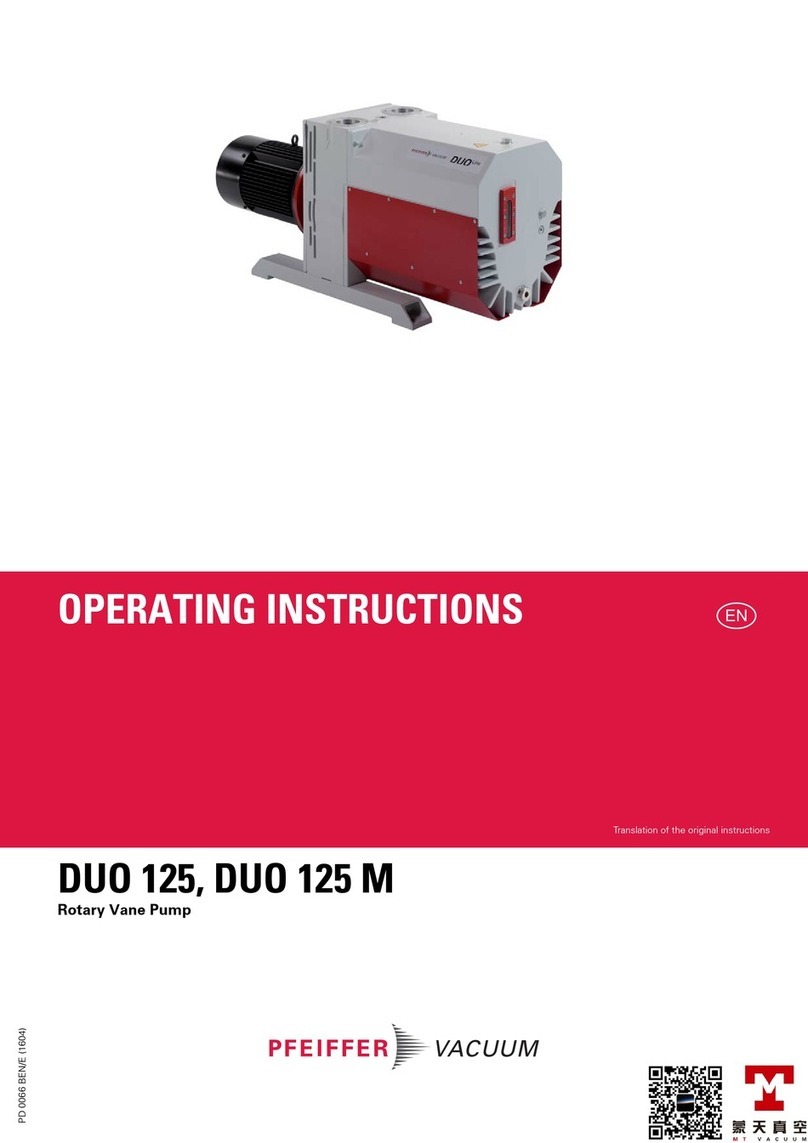
Pfeiffer Vacuum DUO 125 User manual

Pfeiffer Vacuum

Pfeiffer Vacuum DUO 125 User manual

Pfeiffer Vacuum OKTA 500 G User manual
Pfeiffer Vacuum

Pfeiffer Vacuum OKTA 500 G User manual

Pfeiffer Vacuum CompactTurbo TPD 011 N User manual

Pfeiffer Vacuum

Pfeiffer Vacuum CompactTurbo TPD 011 N User manual

Pfeiffer Vacuum OKTA 8000 G ATEX User manual
Pfeiffer Vacuum

Pfeiffer Vacuum OKTA 8000 G ATEX User manual

Pfeiffer Vacuum Hena 26 User manual

Pfeiffer Vacuum

Pfeiffer Vacuum Hena 26 User manual
Pfeiffer Vacuum HENA 61 User manual

Pfeiffer Vacuum

Pfeiffer Vacuum HENA 61 User manual
Pfeiffer Vacuum OKTA 8000 G ATEX User manual
Pfeiffer Vacuum

Pfeiffer Vacuum OKTA 8000 G ATEX User manual

Pfeiffer Vacuum HIPACE 800 H User manual
Pfeiffer Vacuum

Pfeiffer Vacuum HIPACE 800 H User manual

Pfeiffer Vacuum MVP 015-4 User manual

Pfeiffer Vacuum

Pfeiffer Vacuum MVP 015-4 User manual

Pfeiffer Vacuum Hipace 80 User manual

Pfeiffer Vacuum

Pfeiffer Vacuum Hipace 80 User manual

Pfeiffer Vacuum ACP 120G User manual

Pfeiffer Vacuum

Pfeiffer Vacuum ACP 120G User manual
Pfeiffer Vacuum HIPACE 80 MINI User manual

Pfeiffer Vacuum

Pfeiffer Vacuum HIPACE 80 MINI User manual

Pfeiffer Vacuum OKTA 4000 G User manual

Pfeiffer Vacuum

Pfeiffer Vacuum OKTA 4000 G User manual

Pfeiffer Vacuum DUO 6 M User manual

Pfeiffer Vacuum

Pfeiffer Vacuum DUO 6 M User manual
Pfeiffer Vacuum HIPACE 1800 C User manual

Pfeiffer Vacuum

Pfeiffer Vacuum HIPACE 1800 C User manual

Pfeiffer Vacuum DUO 1.6 MC User manual

Pfeiffer Vacuum

Pfeiffer Vacuum DUO 1.6 MC User manual

Pfeiffer Vacuum TPH 330 User manual

Pfeiffer Vacuum

Pfeiffer Vacuum TPH 330 User manual

Pfeiffer Vacuum HIPACE 700 P User manual

Pfeiffer Vacuum

Pfeiffer Vacuum HIPACE 700 P User manual

Popular Water Pump manuals by other brands
Watershed Innovations HYDRAPUMP SMART FLEX Instructional manual
Watershed Innovations

Watershed Innovations HYDRAPUMP SMART FLEX Instructional manual

Graco Modu-Flo AL-5M instructions

Graco

Graco Modu-Flo AL-5M instructions
Messner MultiSystem MPF 3000 operating instructions

Messner

Messner MultiSystem MPF 3000 operating instructions

Xylem Bell & Gossett WEHT0311M Installation, operation and maintenance instructions

Xylem

Xylem Bell & Gossett WEHT0311M Installation, operation and maintenance instructions

WilTec 50739 Operation manual

WilTec

WilTec 50739 Operation manual

Franklin Electric Little Giant 555702 HRK-360S instruction sheet
Franklin Electric

Franklin Electric Little Giant 555702 HRK-360S instruction sheet

Ingersoll-Rand PD02P Series Operator's manual
Ingersoll-Rand

Ingersoll-Rand PD02P Series Operator's manual

VS ZJ Series Operating	 instruction

VS

VS ZJ Series Operating instruction
Flotec FPZS50RP owner's manual

Flotec

Flotec FPZS50RP owner's manual

SKF Lincoln FlowMaster II User and maintenance instructions

SKF

SKF Lincoln FlowMaster II User and maintenance instructions

Xylem Lowara LSB Series Installation, operation and maintenance instructions

Xylem

Xylem Lowara LSB Series Installation, operation and maintenance instructions

Water Duro Pumps DCJ500 Operating & installation instructions
Water

Water Duro Pumps DCJ500 Operating & installation instructions

Action P490 Operating instructions & parts manual

Action

Action P490 Operating instructions & parts manual

Flo King Permacore Reusable Carbon Bag Disassembly. & Cleaning Instructions
Flo King

Flo King Permacore Reusable Carbon Bag Disassembly. & Cleaning Instructions

ARO ARO PD15P-X Operator's manual

ARO

ARO ARO PD15P-X Operator's manual

Pumptec 112V Series Operating instructions and parts manual
Pumptec

Pumptec 112V Series Operating instructions and parts manual

Virax 262070 user manual

Virax

Virax 262070 user manual
Neptun NPHW 5500 operating instructions

Neptun

Neptun NPHW 5500 operating instructions

manuals.online logo
manuals.online logoBrands
  • About & Mission
  • Contact us
  • Privacy Policy
  • Terms and Conditions

Copyright 2025 Manuals.Online. All Rights Reserved.

Turbomolecular Drag Pumps
With Electronic Drive Unit TC 600
PM 800 496 BE/F (0210)
TMH 521 P
TMU 521 P
Betriebsanleitung • Operating Instructions
2
Index
Page Page
1. Safety Instructions.................................. 3
1.1. For Your Orientation........................................................... 3
1.2. Pictogram Definitions........................................................ 3
2. Understanding The Pumps
TMH 521 P/TMU 521 P............................. 4
2.1. Main Features..................................................................... 4
Proper Use .......................................................................... 4
Improper Use ...................................................................... 4
2.2. Differences Between The Pump Types.......................... 5
3. Installation............................................... 5
3.1. Preparations For Installation............................................ 5
3.2. Installing The Pump,
Connecting The High Vacuum Side ................................ 5
Fitting The Splinter Shield (Accessory).......................... 6
3.3. Connecting The Fore-Vacuum Side ................................ 6
3.4. Connecting The Cooling Unit............................................ 7
3.5. Connecting The Venting Valve......................................... 7
3.6. Connecting The Casing Heating Unit.............................. 7
3.7. Connecting The Sealing Gas Valve................................. 7
3.8. Connecting The Electronic Drive Unit TC 600................ 8
3.9. Installing The power unit .................................................. 8
3.10. Connecting The Remote Control Unit ............................. 9
3.11. Connecting The Serial Interface RS 485 ...................... 10
Connection ........................................................................ 10
Connecting The RS 485 ................................................... 10
3.12. Connections Diagram...................................................... 11
4. Operations.............................................. 12
4.1. Before Switching ON....................................................... 12
4.2. Switching ON.................................................................... 12
4.3. Switching OFF And Venting............................................ 13
4.4. Gas Type Dependent Operations .................................. 13
4.5. Shutting Down For Longer Periods ............................... 13
4.6. Operations With The DCU 001/DCU 300 ....................... 14
4.7. Operations With The Remote Control Unit................... 14
Venting Release (Optional)............................................. 14
Motor, Turbopump ........................................................... 14
Pumping Station ............................................................... 14
Heating/Reset ................................................................... 14
Standby.............................................................................. 14
Rotation Speed Setting Mode Via
Input PWM ........................................................................ 14
Switching Outputs............................................................ 15
5. Monitoring Operations ......................... 15
5.1. Operations Display Via LED............................................ 15
5.2. Turbopump Temperature Management....................... 15
6. What To Do In Case Of
Breakdowns ? ........................................ 16
7. Maintenance.......................................... 17
7.1. Replacing The Lubricant Reservoir............................... 17
8. Service.................................................... 18
9. Technical Data....................................... 19
9.1. Dimensions Diagram ....................................................... 20
10. Spare Parts............................................. 21
11. Accessories ........................................... 22
Drawings....................................................... 23
Declaration of Contamination..................... 24
Manufacturer’s Declaration .......... (last page)
Please note: Current operating instructions are available via
www.pfeiffer-vacuum.de under ”Infoservice”.
3
Danger of damage to the pump or to the system.
Danger of burns from touching hot parts.
BEWARE
Attention to particularly important information
on the product, handling the product or to a
particular part of the documentation.
☞
PLEASE NOTE
Danger of injury from rotating parts.
Danger of personal injury.
☞Read and follow all instructions in this manual.
☞Inform yourself regarding:
– Hazards which can be caused by the pump;
– Hazards which can be caused by your system.
– Hazards which can be caused by the media being
pumped.
☞Avoid exposing any part of the body to vacuum.
☞Observe the safety and accident prevention regulations.
☞Regularly check that all accident prevention measures are
being complied with.
☞Do not operate the turbopump with open high vacuum
flange.
☞Do not carry out any unauthorised conversions or
alterations to the turbopump with TC 600.
☞When returning the turbopump observe the shipping
instructions.
☞Use at least 4 bracket screws to connect the high vacuum
flange (ISO-flange).
☞The turbopump must be anchored in accordance with the
installation instructions.
☞Do not disconnect the plug between the TC 600 and
accessory components during operations.
☞Disconnect the voltage supply for the TC 600 before
opening the turbopump.
☞When working on the turbopump, the high vacuum flange
should only be opened once the rotor is at rest.
☞When using sealing gas, the pressure in the hose connec-
tion should be limited to 2 bar via the overpressure valve.
☞If a heater is in use temperatures of up to 120 °C can be
present in the area of the high vacuum flange. Take care to
avoid burns !
☞During operations, temperatures of up to 65 °C can arise in
the lower part of the turbopump. Take care to avoid burns !
☞Keep leads and cables well away from hot
surfaces ( > 70 °C).
☞Operate the turbopump with TC 600 only in conjunction
with the relevant power unit (accessory).
☞The unit has been accredited protection class IP 30. When
the unit is operated in environments which require other
protection classes, the necessary measures must be
taken. Protection class IP 54 is afforded by retro-fitting a
cover plate (accessory) to the TC 600.
☞The mains connection must be subject to a safe
connection to the PE (protection class 1).
☞If the turbopump and the TC 600 are operated
independently of each other (only permissible with the
agreement of the manufacturer) the turbopump must be
connected to the PE.
☞The turbopump and the TC 600 must only be disconnected
from each other when the turbopump is completely at rest
and the TCP 600 has been disconnected from the power
supply.
☞The cause of any operating voltage leakage to earth (red
LED flashes) must be eliminated to avoid the danger of an
electric shock.
Modifications reserved.
1. Safety Instructions
1.1. For Your Orientation
On page 47 of this operating manual you will find a drawing
showing the connection options for the power unit and
accessories.
Instruction in the text
➡Working instruction: here, you have to do something.
Symbols used
The following symbols are used throughout in all illustrations.
High vacuum flange
Fore-vacuum flange
Venting connection
Air cooling
Electric connection
Sealing gas connection
Abbreviations used
DCU = Operating and display control unit
TC = Electronic drive unit, turbopump
TPS = Power unit
Position numbers
The same pump and accessory parts have the same position
numbers in all illustrations.
1.2. Pictogram Definitions
4
2.1. Main Features
Turbopumps TMH521 P/TMU 521 P with the TC 600 form an
unit. Voltage is supplied by the power unit (see ”Accessories”).
On delivery the pumps are set up for operations
without the operations and display unit DCU.
Where operations with the DCU are involved,
remote plug 8d should be disconnected
☞
PLEASE NOTE
Cooling
Water cooling or air cooling is required (”Accessories”).
Integrated protective measures against excess temperatures:
The Electronic Drive Unit TC 600 reduces
the rotor rotation speed.
Bearings
High vacuum side: wear free permanent magnetic bearing.
Fore-vacuum side: oil circulatory lubricated ball bearing
with ceramic balls.
2. Understanding The Pumps TMH 521 P/TMU 521 P
Proper use
– The Turbomolecular Pumps TMH 521 P/TMU 521 P may
only be used for the purpose of generating vacuum.
– The turbopumps may only be used to pump those media
against which they are chemically resistant. For other
media the operator is required to qualify the pumps for the
processes involved.
– If the process produces dust, the maintenance intervals
must be specified accordingly and sealing gas must be
used.
– If the pump to be operated with more then 50% of the
permissible gas load, sealing gas must be used.
– The turbopump must be connected to a backing pump in
accordance with Section 3.3.
– Only PFEIFFER power units may be used to operate the
TC 600. The use of other power units requires the express
agreement of the manufacturer and equalisation with the
valid specification.
– The pumps with TC 600 may only be operated providing the
ambient conditions in compliance with Protection Type
IP 30 are observed.
Improper use
The following is regarded, inter alia, as improper:
– The pumping of explosive or corrosive gases.
– Operating the pumps in areas where there is a danger of
explosion.
– The pumping of gases and vapours which attack the mate-
rials of the pumps.
– The pumping of corrosive gases without sealing gas.
– The pumping of condensating vapours.
– Operations involving impermissibly high levels of gas
loads.
– Operations with impermissibly high fore-vacuum pressure.
– Operations with improper gas modes.
– Operations involving too high levels of heat radiation
power (see Section 9. ”Technical Data”).
– Operating the pump in environments which require a pro-
tection class superior to IP 30.
– The use of other power units or accessories which are not
named in this manual or which have not been agreed by
the manufacturer.
– The connection to power units with earthing of a direct
voltage pole.
Improper use will cause all claims for liability and guarantees
to be forfeited.
Turbomolecular Drag Pump TMH 521 P/TMU 521 P
1 High vacuum flange
2 Fore-vacuum flange
4 Venting screw
6 Rubber foot
8 Electronic Drive Unit TC 600
8d Remote plug
1
2
6
8
4
8d
5
3. Installation
3.1. Preparations For Installation
Do not carry out any unauthorised conversions
or alterations to the turbopump.
– The maximum permissible rotor temperature of the pump is
90 °C. If the vacuum chamber or parts in the vacuum
chamber are heated must be fitted if necessary, suitable
shielding in the vacuum chamber before the turbopump
(constructional suggestions available on request).
– Only remove the blank flange from the high and fore-vacu-
um side immediately before connection.
– On Turbopumps TMH 521 P/TMU 521 P the lubricant reser-
voir is already fitted and filled.
– Where magnetic fields of > 5.0 mT are involved suitable
shielding must be provided (available on request).
– If the pump is baked out, the heating sleeve and the body
of the pump must be insulated to prevent burns from
accidental contact.
– In the event of a sudden standstill of the rotor, torques of
up to 2680 Nm can arise and these must be taken up by the
turbopump and frame. Pumps must be anchored as
follows:
– ISO flange with 4 bracket screws, or
– CF flange with the complete set of M8 screws, or
– Underside of the pump with 6 screws M8,
screws quality 8.8. (threaded holes see Section 9.1.
Dimensions Diagram).
– For operating the pump air or water cooling is necessary.
Feature TMH 521 P TMU 521 P
High vacuum flange ISO-K CF-F
High vacuum seal Viton Metal
Attainable final < 1 · 10-8 mbar < 5 · 10-10 mbar
pressure (without baking-out) (with baking-out)
2.2. Differences Between The Pump Types
3.2. Installing The Pump,
Connecting The High Vacuum Side
The utmost cleanliness must be observed when
fitting all high vacuum parts. Unclean
components prolong the pumping time.
Using the splinter shield
The use of a splinter shield in the high vacuum flange
protects the turbopump against foreign bodies coming from
the vacuum chamber but does reduce the volume flow rate of
the pump by approximately 15%.
For fitting splinter shields please refer to “Fitting the splinter
shield”
The high vacuum side can be flanged directly to the vacuum
chamber or via a bellows or a vibration compensator from
PFEIFFER (please see ”Accessories”).
Connecting via a bellows
If the high vacuum side is to be flanged via a bellows, the tur-
bopump must be secured for example via the holes on the
underside of the turbopump must be secured for example via
the holes on the underside of the pump. The fastening must
be able to withstand the torque referred to in Section 3.1.
Connecting via a PFEIFFER vibration compensator
(accessory)
The maximum permissible temperature at the
vibration compensator is 100 °C.
Where a vibration compensator is in use, a freely suspended
turbopump can be flanged onto the vacuum chamber.
Additional fastening is unnecessary.
☞
PLEASE NOTE
Abbreviations on the rating plate of the pump
Suffix ”P”: Pumps with the designation TMH/TMU 521 P
have been designed for the connection
of purge gas (see Section 3.7.).
6
The maximum loading capacity of the high vacu-
um flange is 1000 N (equivalent to 100 kg).
Assymetric loading on the high vacuum flange
must be avoided.
With horizontal pump installation and oil-sealed backing
pumps (e.g. rotary vane pumps) the fore-vacuum flange of the
turbopump must be aligned vertically downwards (maximum
deviation ±20°), otherwise the turbopump could become
dirty.
Installation position with oil-sealed backing pump
11 Vacuum chamber
No forces from the piping system must be
allowed to act on the pump where turbopumps
are anchored.
Suspend or support all pipes to the turbopump.
Directly flanging the pump
The turbopump can be flanged onto the vacuum chamber
vertically (0°) up to an angle of 90° maximum.
The fore-vacuum flange must always point
downwards.
Fitting The Splinter Shield (Accessory)
Insert the splinter shield in the high vacuum flange in such a
way that the corrugation of the strainer points outwards.
➡Bend the clamping lugs slightly outwards so that
subsequently the splinter shield is seated firmly in the high
vacuum flange (to avoid noise).
➡Insert the splinter shield in the high vacuum flange while
pressing the clamping lugs slightly inwards.
➡Press the outer ring of the splinter shield up to the limit
stop point in the high vacuum flange.
12a
12
H
Inserting the splinter shield
12 Splinter shield
12a Clamping lug
3.3. Connecting The Fore-Vacuum Side
Backing pump: Vacuum pressure ≤5 mbar
Recommendation: Oil-Free Diaphragm Pump or Rotary
Vane Vacuum Pumps from the PFEIFFER
range (note installation position,
turbopump, see Section 3.2.).
Connecting the backing pump
All connections of the fore-vacuum line: with the usual small
flange components or hose screw connections.
Be sure to conduct away the exhaust gases
from the backing pump. Do not reduce the free
cross section of the fore-vacuum flange with
following components.
The exhausted process gases and vapours can
represent a health hazard and can also be
environmentally damaging.
Comply with all gas manufacture's safety
instructions.
➡With rigid pipe connections: fit a bellows in the connecting
line to reduce vibration.
➡The electrical connection of the backing pump is made via
a relay box whose control line is connected to ”FV PUMP”
on the TC 600.
Please refer to Operating Instructions PT 800 030 BN for
details on the relay box, backing pump and its installation.
90°
11
C40-915
Permissible installation positions for the turbopump
11 Vacuum chamber
11
7
Connecting the venting valve
8 Electronic Drive Unit TC 600
42 Venting valve TVF 005
42a Control lead venting valve/TC 600
42b Plug
3.4. Connecting The Cooling Unit
The Turbopumps TMH 521 P/TMU 521 P must be water or air
cooled.
Air cooling may only be used where the ambient temperature
is < 35 °C.
Use and installation:
– For water cooling please refer to Operating Instructions
PM 800 546 BN.
– For air cooling please refer to Operating Instructions
PM 800 543 BN.
3.5. Connecting The Venting Valve
The venting valve TVF 005 provides automatic venting in the
event of a power failure and switching off.
Fitting the venting valve
➡Unscrew the venting screw from the venting connection of
the turbopump.
➡Screw in venting valve with seal (USIT ring) on hexagonal
SW 14.
Electrical connection
➡Plug control lead 42a into the connection ”VENT” of the
TC 600 (8) on the turbopump.
The venting mode of the venting valve is selected via the DCU
or Serial Interface RS 485.
The maximum pressure at the venting valve is
1.5 bar absolute.
Please refer to Operating Instructions PM 800 507 BN for
details on Venting Valve TVF 005.
3.6. Connecting The Casing Heating Unit
The attainment of final pressures is accelerated when
turbopumps and vacuum chambers are baked out.
The heating duration is dependent on the degree of dirt and
on the required final pressure level. The heating duration
should be at least 4 hours.
Where casing heating is involved the turbopump
must be water cooled.
High temperatures are generated when
turbopumps and vacuum chambers are baked
out. There is a danger of burns resulting from
touching hot parts, even after the casing heating
has been switched off.
Ideally, the heating sleeve, pump casing and
vacuum chamber should be insulated during
installation. Do not touch the heating sleeve,
pump casing and vacuum chamber during the
baking out process.
Please refer to Operating Instructions PM 800 542 BN for
details on the casing heating unit and its installation.
3.7. Connecting The Sealing Gas Valve
To protect the pump, particularly where corrosive or dust
producing processes are involved, it is necessary to use
sealing gas.
Connection is made via the sealing gas valve (please see
“Accessories”).
BEWARE
☞
PLEASE NOTE
66 66a
15
9
Connecting the sealing gas valve
9 Locking screw sealing gas connection
15 Dichtung
66 Sperrgasventil
66a Dichtung
Please refer to Operating Instructions PM 800 229 BN for
details on installing the sealing gas valve and adjusting the
sealing gas flow.
8
3.9. Installing The power unit
Voltage may only be supplied with the PFEIFFER
power units (Accessory). The use of other
power units requires the express agreement of
the manufacturer and equalization with the valid
specification (power unit specifications
available an request).
Please refer to Operating Instructions PM 800 521 P BN for
details on Power Unit TPS 300.
3.8. Connecting The Electronic Drive Unit TC 600
The turbopump and the Electronic Drive Unit
TC 600 are connected and together form a single
unit.
Connecting cable 8a has to be ordered in
wanted length separately (see ”Accessories”).
➡Unscrew screw with tooth lock 8c from the TC 600 (above
the connection X4).
➡Plug the plug X4 on connecting cable 8a into the connec-
tion X4 on the TC 600 and screw in screw 8b.
➡Secure plug X4 on the TC 600 with a screw and
tooth lock 8c.
➡Connect plug X2 on connecting cable 8a with power unit
TPS 300/DCU 300 (”Accessories”) on connection X2.
➡Using screws and toothlock 8c (two pieces, included with
the cable consigment) secure plug X2 to power unit 105.
Once operations voltage has been supplied, the
TC 600 performs a self test on the supply
voltage. The supply voltage for Turbomolecular
Pumps TMH 521 P/TMU 521 P is 72 V DC ±5% in
accordance with EN 60 742.
If the turbopump is being operated with the Operations And
Display Unit DCU 001/300, remote plug 8d should be
disconnected. Connection should be carried out in accor-
dance with Operating Instructions PM 800 477 BN.
☞
PLEASE NOTE
X4 8
8b
X4
8c
8a
8c
X2
X1
S1
X2
105
8d
Connecting the TC 600 with Power Unit TPS 300/DCU 300
X1 Mains connection
X2 Connection, power unit
X4 Connection TC 600
S1 ON/OFF switch
8 Electronic Drive Unit TC 600
8a Connecting cable, TC 600 – TPS/DCU
8b Screw
8c Screw with tooth lock (3 pieces)
8d Remote plug
105 Power Unit
9
3.10. Connecting The Remote Control Unit
Remote control options for various functions are provided with
the connection "REMOTE" on the TC 600 via the 15-pole D-Sub-
Connector. Shielded cable must be used. Shielding is on the
plug side of the TC 600 connected to the TC casing.
The inputs 2-6 are activated by connecting them to the + 24 V
on pin 1 (active high) (please see ”Connection Diagram”).
Pin occupancy and remote plug functions
(please see following table).
When connecting supply voltage, the turbopump
is started.
On delivery:
Pin 1, Pin 2, Pin 3 and Pin 4 are bridged in the
mating plug.
1
8
9
15
Pin arrangement remote plug
Pin occupancy and remote plug functions
Pin nr. Input open (low) Input closed (high) on + 24V (pin 1)
1 +24 V
2 venting blocked (see Section 3.5.) venting released (see Section 3.5.)
3 motor, turbopump off motor, turbopump on:
the turbopump is driven, current flows through the motor coils
4 pumping station off pumping station on:
the turbopump is driven, backing pump is started via the relay box
5 heating off heating on:
the heating is switched on once the rotation speed switchpoint is attained and off
when the rotation speed switchpoint is unattained
5 reset:
by supplying a pulse (T < 2s) with an amplitude of 24V a malfunction
acknowledgement can be processed
6 standby off standby on:
pump is accelerated to 66% of its nominal rotation speed
7 rotation speed setting mode off the rotation speed can be changed by feeding a PWM signal to this pin or
via Serial Interface RS 485 (see Section 4.7. ”Rotation Speed Setting Mode”)
8Output (low) Output (high)
rotation speed switchpoint not attained rotation speed switchpoint attained; output can be loaded with 24 V/50 mA
9Output (low) Output (high)
Collective malfunction message malfunction-free operations;
output can be loaded with 24 V/50 mA
10 Mass (ground) _________
11 Contact contact1) between pin 11 and pin 12 closed
Output 1: Switchpoint attained if the turbopump is above the switchpoint
12 Contact
Output 1: Switchpoint attained
13 Contact contact1) between pin 13 and pin 14 open in the event of a collective malfunction
Output 2: Collective malfunction message
14 Contact
Output 2: Collective malfunction message
15 Analog output rotation speed proportional output voltage 0 - 10 VDC =
0 - 100 % * fend/load R ≥10 kΩ
1) The following technical data is applicable for the contacts: Umax = 50 VDC
Imax = 1 A
10
3.11. Connecting The Serial Interface RS 485
An external operating component (DCU 001/DCU 300) or an
external computer can be connected via the connection
”RS 485” on the TC 600 with the use of a shielded 8 pole
modular connecting cable contained with the delivery.
All units connected to the bus must have differing serial
interface addresses (parameter 797).
The group address of the TC 600 is 960.
Only SELV may be connected to the Serial
Interface RS 485.
All switched on remote functions have priority over the serial
interface functions.
Please refer to Operating Instructions
PM 800 488 BN for detailed operating
procedures and electrical data in respect of the
Serial Interface RS 485.
Profibus DP Gateway TIC 250 is available (accessory) for
connecting an Electronic Drive Unit TC 600 to a Profibus DP.
Please refer to the respective Operating Instructions
PM 800 599 BN for detailed information on the operation of
the TIC 250.
☞
PLEASE NOTE
Designation Value
Serial interface type: RS 485
Baud rate: 9600 Baud
Data file word length: 8 bit
Parity: no parity
Start bits: 1
Stop bits: 1..2
The electrical connections in the TC 600 are optically
decoupled.
Pin Occupancy
1 not connected
2 + 24 V output (loadable with ≤210 mA)
3 not connected
4 not connected
5 RS 485: D+ (DO / RI)
6 Gnd
7 RS 485: D- (DO / RI)
8 not connected
RS 485
1 ... 8
Connecting The RS 485
Connection to a fixed bus system
➡Connect all units with D+ (pin 5 / RS 485) and D- (pin 7 /
RS 485) to the bus.
➡The bus must be closed at both ends.
The connections should be made in accordance with the
specification of the Serial Interface RS 485.
5:D+, 7:D–
RTRT
PC
Level Converter
TC TC
(View from
the plug side
of the TC 600)
It is possible to connect an RS 232 (e.g. PC) via a
level converter (please see ”Accessories”).
☞
PLEASE NOTE
The serial interface is galvanically and safely separated from
the maximum supply voltage from the TC 600.
Connection
DCU 001 without
power unit
TC 600
RS 485
DCU 300 with
power unit
or