manuals.online logo
Brands
  1. Home
  2. •
  3. Brands
  4. •
  5. Photoflex
  6. •
  7. Lighting Equipment
  8. •
  9. Photoflex Starlite Medium User manual

Photoflex Starlite Medium User manual

This manual suits for next models

1

Other Photoflex Lighting Equipment manuals

Photoflex MultiDome Series User manual

Photoflex

Photoflex MultiDome Series User manual

Photoflex StarLite QL User manual

Photoflex

Photoflex StarLite QL User manual

Photoflex FlexFlash SB–FLXFLSH400W User manual

Photoflex

Photoflex FlexFlash SB–FLXFLSH400W User manual

Photoflex OctoDome Multi User manual

Photoflex

Photoflex OctoDome Multi User manual

Photoflex LS2205 User manual

Photoflex

Photoflex LS2205 User manual

Photoflex OctoDome nxt User manual

Photoflex

Photoflex OctoDome nxt User manual

Popular Lighting Equipment manuals by other brands

Life 39.9F70020C quick start guide

Life

Life 39.9F70020C quick start guide

EuroLite LED ML-20 user manual

EuroLite

EuroLite LED ML-20 user manual

LIGMAN OD-50141 installation manual

LIGMAN

LIGMAN OD-50141 installation manual

Home Accents Holiday 1002461144 instructions

Home Accents Holiday

Home Accents Holiday 1002461144 instructions

Experia IRiS Ripple Light instruction manual

Experia

Experia IRiS Ripple Light instruction manual

Erco Gecko Mounting instructions

Erco

Erco Gecko Mounting instructions

Inter-lux ZTA.100.Surface Installation and maintenance instructions

Inter-lux

Inter-lux ZTA.100.Surface Installation and maintenance instructions

Whelen Engineering Company TN Series installation guide

Whelen Engineering Company

Whelen Engineering Company TN Series installation guide

IKEA BJÖRKSPIREA manual

IKEA

IKEA BJÖRKSPIREA manual

Toolland PM 6640 instruction manual

Toolland

Toolland PM 6640 instruction manual

GTD GTD-LP200 user manual

GTD

GTD GTD-LP200 user manual

LIVARNO home 1105-W-UK manual

LIVARNO home

LIVARNO home 1105-W-UK manual

ProLights EclPar IPMFC user manual

ProLights

ProLights EclPar IPMFC user manual

Velvet EVO Series user manual

Velvet

Velvet EVO Series user manual

IDTOLIGHT GENT installation instructions

IDTOLIGHT

IDTOLIGHT GENT installation instructions

MAYTONI S35 installation manual

MAYTONI

MAYTONI S35 installation manual

MaxLite MLFP14DP4535 user manual

MaxLite

MaxLite MLFP14DP4535 user manual

SLV Elektronik 550621 instruction manual

SLV Elektronik

SLV Elektronik 550621 instruction manual

manuals.online logo
manuals.online logoBrands
  • About & Mission
  • Contact us
  • Privacy Policy
  • Terms and Conditions

Copyright 2025 Manuals.Online. All Rights Reserved.

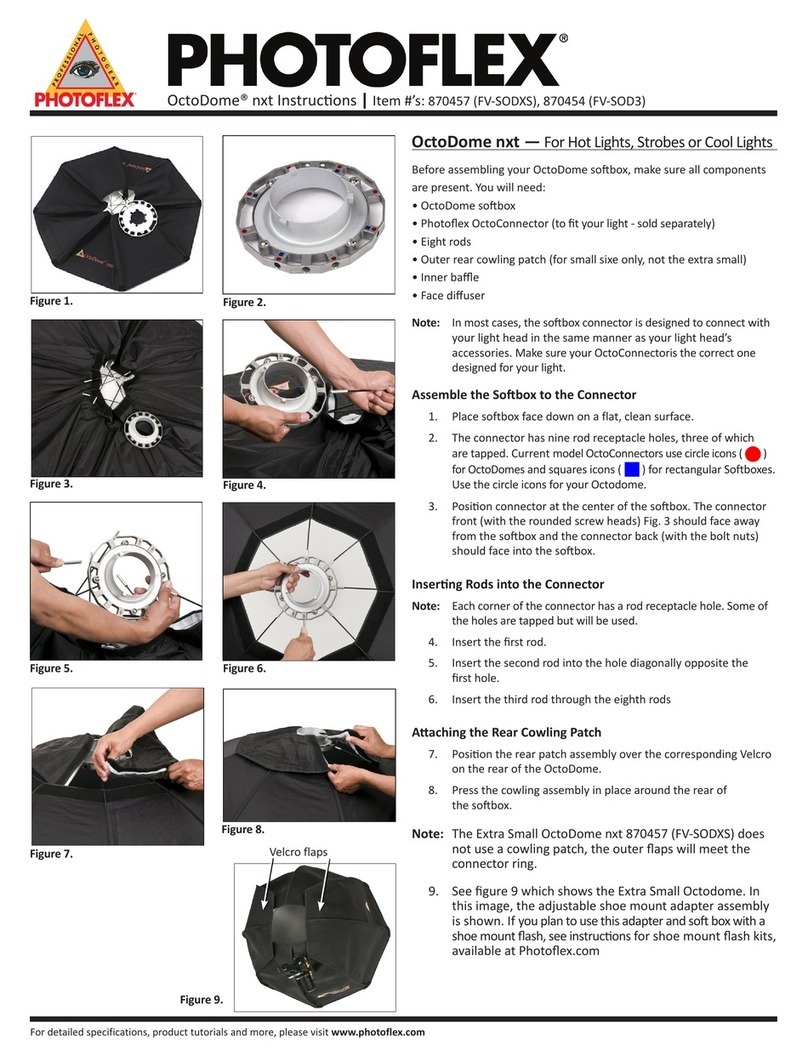
Starlite Medium/Large Digital Kits Instructions
Kits Featuring the Medium or Large SilverDome
These instructions apply to:
●Starlite Medium Digital Kit
●Starlite Large Digital Kit
●Starlite 2 Medium Digital Kit
●Starlite Medium Location Kit 1
●Starlite Medium Location Kit 2
●Large LiteRoom Kit 2
The following steps are covered in this instruction:
●Assembling the softbox
●Connecting the Starlite QL head
●Setting up the LiteStand
●Putting Starlite QL head on LiteStand
●Adding the Inner Baffle
●Installing face diffuser
Before assembling your Starlite Kit, make sure all components are present.
You will need:
●SilverDome softbox
●Face diffuser
●Inner Baffle
●Starlite Connector
●Four rods
●Starlite Head
●Starlite Lamp
●Swivel Mount
●LiteStand
file:///P|/Product%20Info/Cirrolite/Photoflex/FV-SL3648K...20Large%20Kit/Starlight%20Large%20Kit%20Instructions.htm (1 of 26)14/05/2010 23:05:45

Starlite Medium/Large Digital Kits Instructions
Figure 1
Place softbox face down on a flat, clean surface.
Figure 2
Open all four Quick Release Corners (QRC) and
pull Velcro® at each corner so that steel rods
extend freely.
file:///P|/Product%20Info/Cirrolite/Photoflex/FV-SL3648K...20Large%20Kit/Starlight%20Large%20Kit%20Instructions.htm (2 of 26)14/05/2010 23:05:45
Starlite Medium/Large Digital Kits Instructions
Figure 3
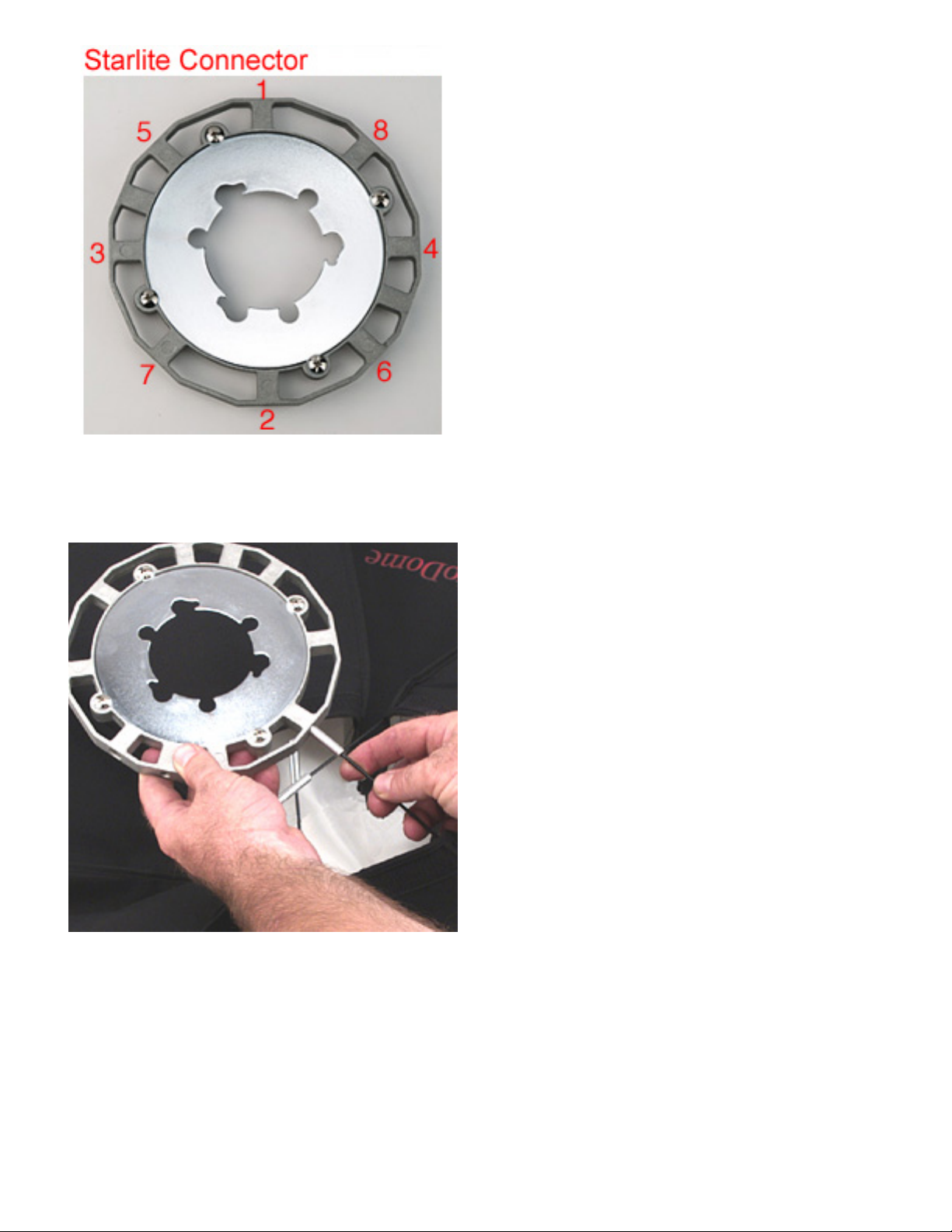
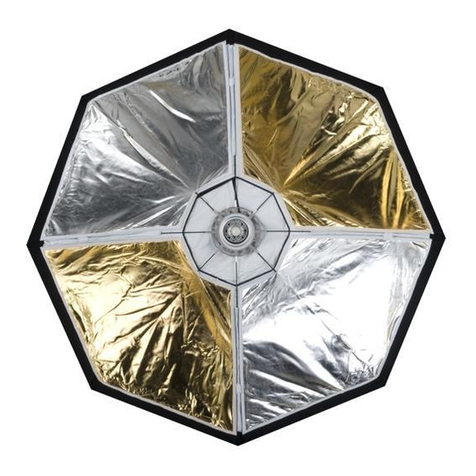
Notice that the connector has eight rod receptacle
holes. The SilverDome and other rectangular soft
boxes use only four of these receptacle holes.
The remaining four holes are for use with the
OctoDome, an eight rod soft box.
Figure 4
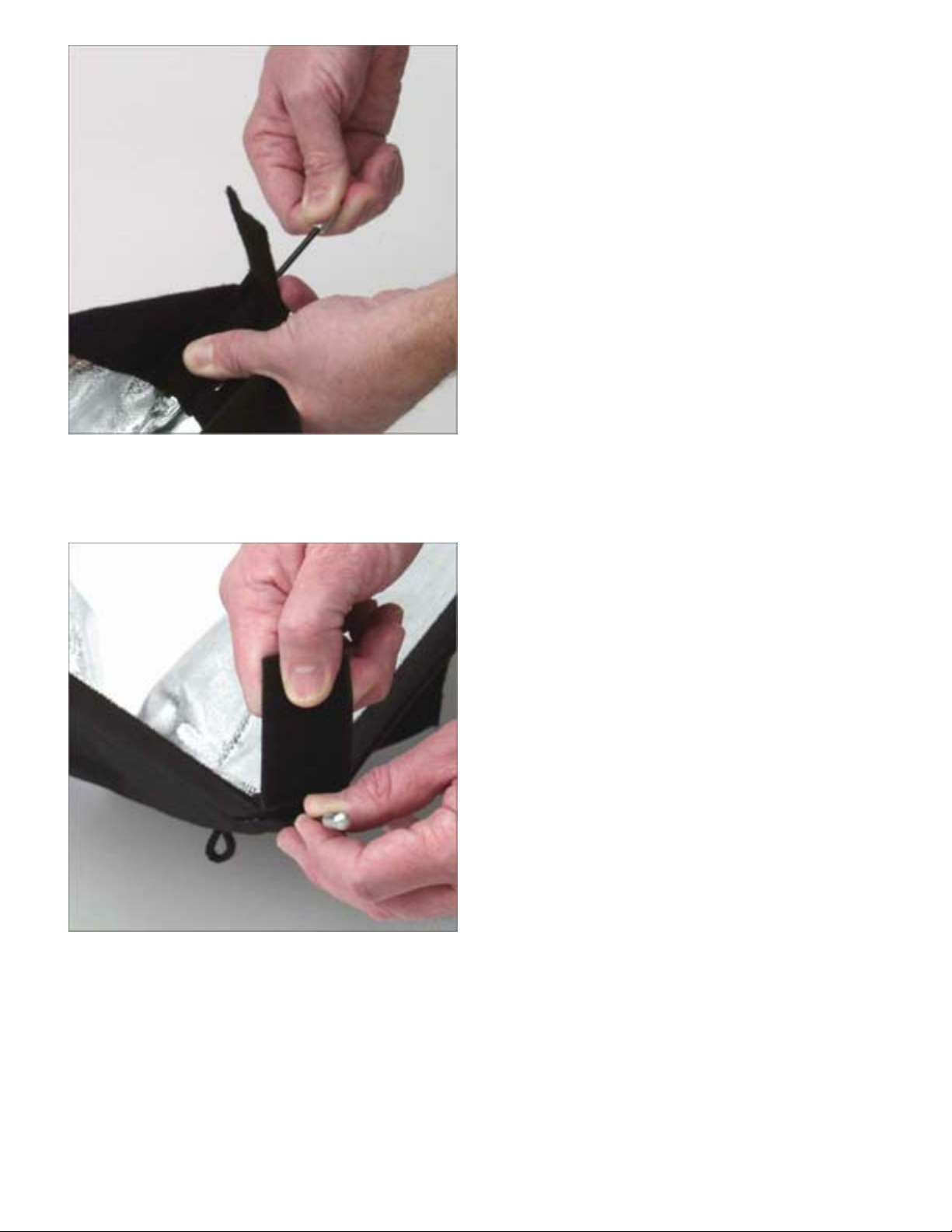
Position connector at the center of the softbox.
Insert the first rod into one of the rod receptacle
holes.
file:///P|/Product%20Info/Cirrolite/Photoflex/FV-SL3648K...20Large%20Kit/Starlight%20Large%20Kit%20Instructions.htm (3 of 26)14/05/2010 23:05:45
Starlite Medium/Large Digital Kits Instructions
Figure 5
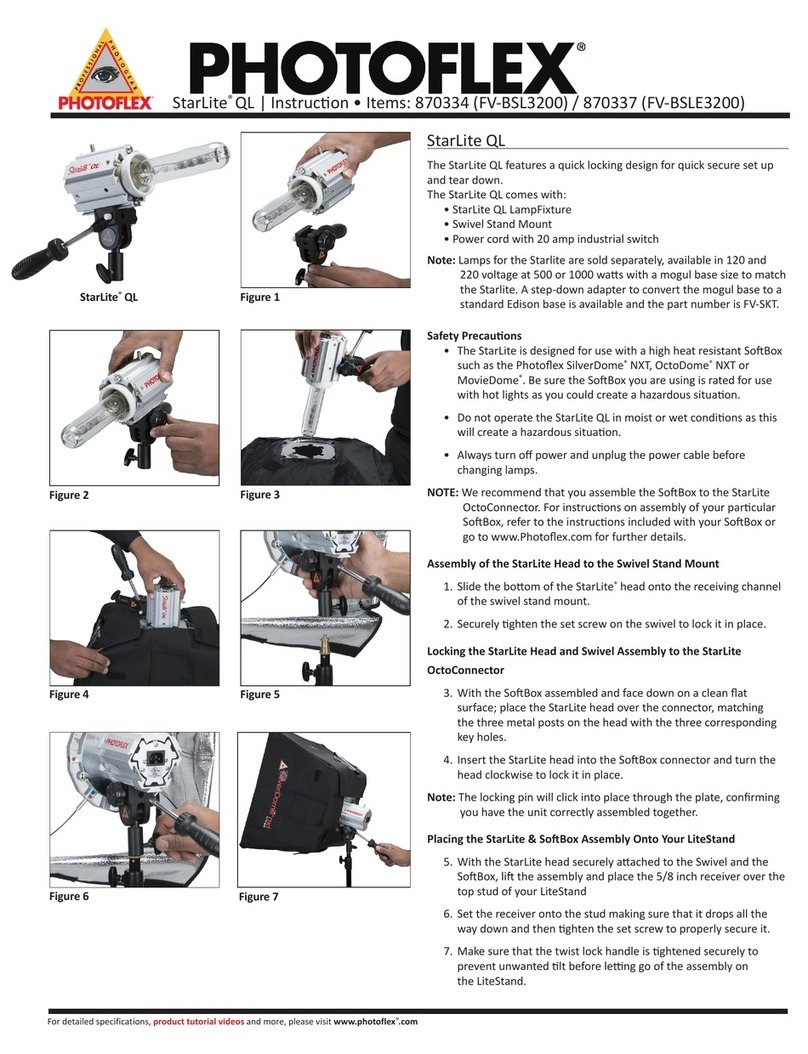
Insert the second rod into the hole diagonally
opposite the first hole.
Figure 6
Insert the third and fourth rods.
file:///P|/Product%20Info/Cirrolite/Photoflex/FV-SL3648K...20Large%20Kit/Starlight%20Large%20Kit%20Instructions.htm (4 of 26)14/05/2010 23:05:45
Starlite Medium/Large Digital Kits Instructions
Figure 7
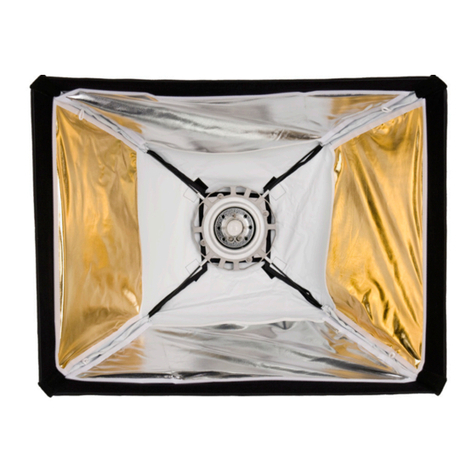
Starting with any of the four rods, flex rod to pull
softbox corner to the tip of the rod.
Figure 8
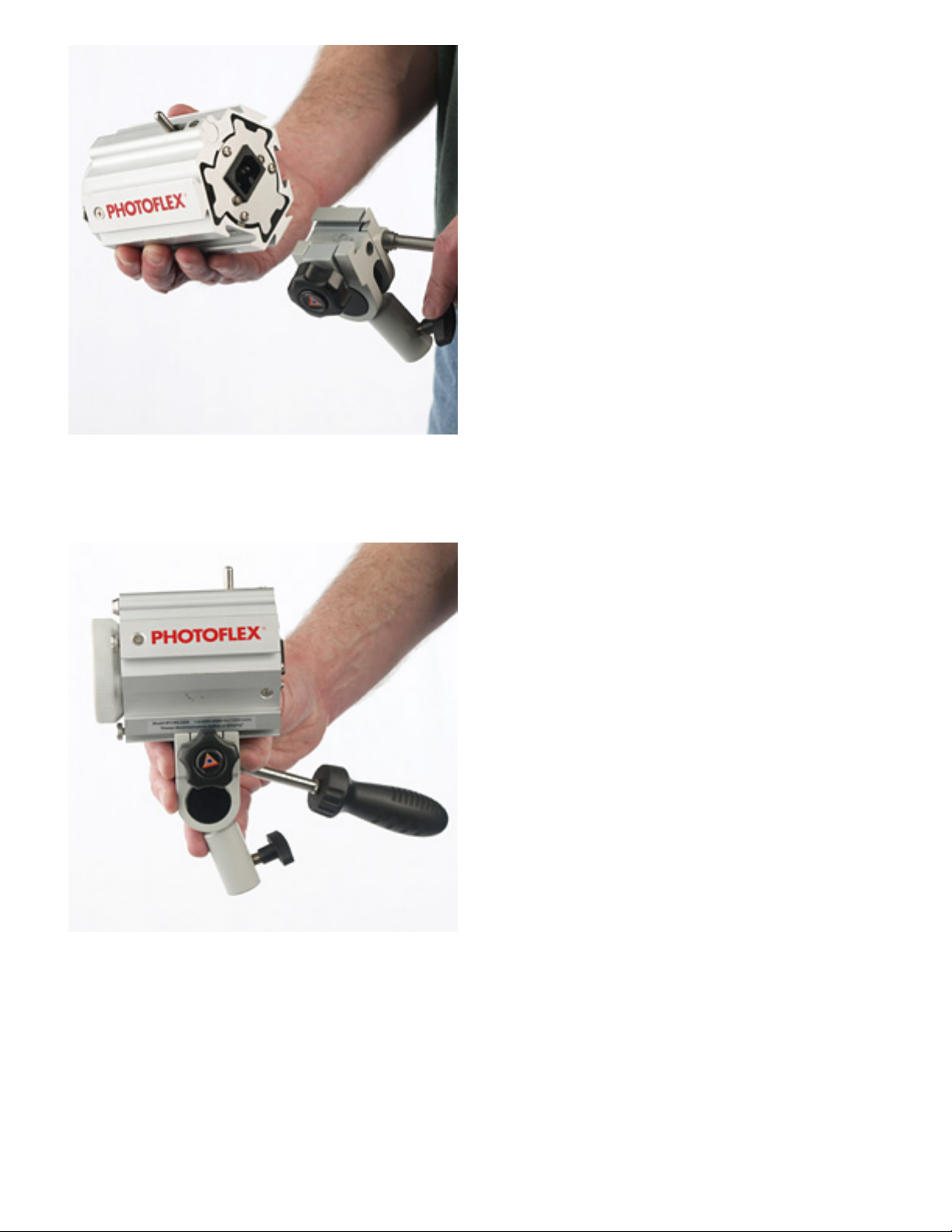
Use one hand to pull QRC flap over rod tip while
the other hand is flexing the rod.
file:///P|/Product%20Info/Cirrolite/Photoflex/FV-SL3648K...20Large%20Kit/Starlight%20Large%20Kit%20Instructions.htm (5 of 26)14/05/2010 23:05:45
Starlite Medium/Large Digital Kits Instructions
Figure 9
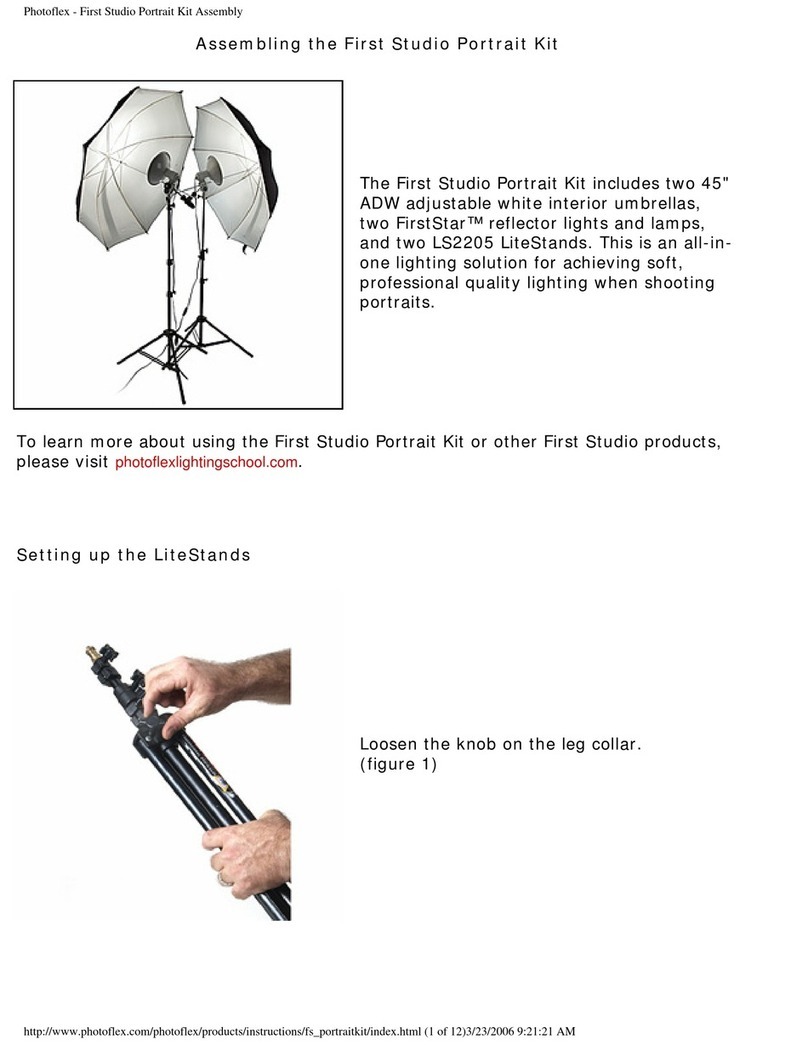
Secure flap to its Velcro® counterpart.
Figure 10
Repeat this process for the remaining corners.
file:///P|/Product%20Info/Cirrolite/Photoflex/FV-SL3648K...20Large%20Kit/Starlight%20Large%20Kit%20Instructions.htm (6 of 26)14/05/2010 23:05:45

Starlite Medium/Large Digital Kits Instructions
Figure 11
The rear flaps can be closed by pulling them
toward the connector and attaching with the
Velcro® sewn into each flap. The softbox is built
and ready to attach to your Starlite head.
Attaching the Swivel Mount to the Starlite QL Light Head
Figure 12
Starlite QL Components
file:///P|/Product%20Info/Cirrolite/Photoflex/FV-SL3648K...20Large%20Kit/Starlight%20Large%20Kit%20Instructions.htm (7 of 26)14/05/2010 23:05:45

Starlite Medium/Large Digital Kits Instructions
Figure 13
On the Starlite QL head, note the locations of the
Swivel Mount connect channel, the locking pin
and quick release lever (lock release lever), the
three metal posts, and the power cord connector.
Figure 14
The metal posts on the front of the Starlite QL
seat inside the connector's center plate cutout
notches.
The spring-driven locking pin will securely lock the
Starlilte QL head to the connector.
file:///P|/Product%20Info/Cirrolite/Photoflex/FV-SL3648K...20Large%20Kit/Starlight%20Large%20Kit%20Instructions.htm (8 of 26)14/05/2010 23:05:45

Starlite Medium/Large Digital Kits Instructions
Figure 15
On the Swivel Mount, note the locations of the
swivel pivot locking handle, the Starlite head
locking knob, and the LiteStand locking knob.
Figure 16
On the Starlite Connector, note the rotating center
plate and its cutout for mounting.
file:///P|/Product%20Info/Cirrolite/Photoflex/FV-SL3648K...20Large%20Kit/Starlight%20Large%20Kit%20Instructions.htm (9 of 26)14/05/2010 23:05:45
Starlite Medium/Large Digital Kits Instructions
Figure 17
Position Swivel Mount to rear of Starlite's Swivel
Mount channel.
Figure 18
Slide Swivel Mount into Starlite's Swivel Mount
channel. Center in position.
file:///P|/Product%20Info/Cirrolite/Photoflex/FV-SL3648...0Large%20Kit/Starlight%20Large%20Kit%20Instructions.htm (10 of 26)14/05/2010 23:05:45