manuals.online logo
Brands
  1. Home
  2. •
  3. Brands
  4. •
  5. Phottix
  6. •
  7. Camera Accessories
  8. •
  9. Phottix Indra360 TTL User manual

Phottix Indra360 TTL User manual

Other Phottix Camera Accessories manuals

Phottix Trafo User manual

Phottix

Phottix Trafo User manual

Phottix Kali600 User manual

Phottix

Phottix Kali600 User manual

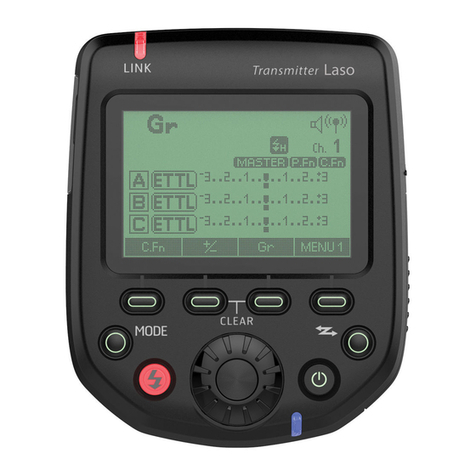
Phottix Laso User manual

Phottix

Phottix Laso User manual

Phottix TR-90 User manual

Phottix

Phottix TR-90 User manual

Phottix Nuada S VLED User manual

Phottix

Phottix Nuada S VLED User manual

Phottix Nuada S User manual

Phottix

Phottix Nuada S User manual

Phottix Atlas User manual

Phottix

Phottix Atlas User manual

Phottix Laso User manual

Phottix

Phottix Laso User manual

Phottix Ares User manual

Phottix

Phottix Ares User manual

Phottix Atlas II User manual

Phottix

Phottix Atlas II User manual

Phottix odin II TTL User manual

Phottix

Phottix odin II TTL User manual

Phottix Atlas User manual

Phottix

Phottix Atlas User manual

Phottix Odin TTL User manual

Phottix

Phottix Odin TTL User manual

Phottix odin II TTL User manual

Phottix

Phottix odin II TTL User manual

Phottix Odin User manual

Phottix

Phottix Odin User manual

Phottix Nuada R3 User manual

Phottix

Phottix Nuada R3 User manual

Phottix Strato TTL User manual

Phottix

Phottix Strato TTL User manual

Phottix Trafo Mini User manual

Phottix

Phottix Trafo Mini User manual

Phottix Juno User manual

Phottix

Phottix Juno User manual

Phottix Nuada Ring 10 User manual

Phottix

Phottix Nuada Ring 10 User manual

Phottix odin II TTL User manual

Phottix

Phottix odin II TTL User manual

Phottix Ares II User manual

Phottix

Phottix Ares II User manual

Phottix PPL-200 User manual

Phottix

Phottix PPL-200 User manual

Phottix Odin User manual

Phottix

Phottix Odin User manual

Popular Camera Accessories manuals by other brands

CamRanger CamRanger user manual

CamRanger

CamRanger CamRanger user manual

Custom Brackets HDV CAGE KIT Instructions for use

Custom Brackets

Custom Brackets HDV CAGE KIT Instructions for use

Aegis ABL052010P user manual

Aegis

Aegis ABL052010P user manual

Saft SRA Series Installation and operating instructions

Saft

Saft SRA Series Installation and operating instructions

Kodak TIB5200 technical information

Kodak

Kodak TIB5200 technical information

Videotec HEG instruction manual

Videotec

Videotec HEG instruction manual

Ikelite 6171.11 manual

Ikelite

Ikelite 6171.11 manual

Pentax Auto Bellows Slide Copier K user manual

Pentax

Pentax Auto Bellows Slide Copier K user manual

Nikon UT-1 user manual

Nikon

Nikon UT-1 user manual

dji RONIN 4D quick start guide

dji

dji RONIN 4D quick start guide

SLIK ABLE 300DX user manual

SLIK

SLIK ABLE 300DX user manual

Rebelcell 36V70 user manual

Rebelcell

Rebelcell 36V70 user manual

Trojan GC2 48V quick start guide

Trojan

Trojan GC2 48V quick start guide

Calumet 7100 Series CK7114 operating instructions

Calumet

Calumet 7100 Series CK7114 operating instructions

Ropox 4Single Series User manual and installation instructions

Ropox

Ropox 4Single Series User manual and installation instructions

Cambo Wide DS Digital Series Main operating instructions

Cambo

Cambo Wide DS Digital Series Main operating instructions

Samsung SHG-120 Specification sheet

Samsung

Samsung SHG-120 Specification sheet

Ryobi BPL-1820 Owner's operating manual

Ryobi

Ryobi BPL-1820 Owner's operating manual

manuals.online logo
manuals.online logoBrands
  • About & Mission
  • Contact us
  • Privacy Policy
  • Terms and Conditions

Copyright 2025 Manuals.Online. All Rights Reserved.

1
En INSTRUCTION MANUAL
Phottix Indra360 TTL Studio Light
INSTRUCTION MANUAL
说明书
說明書
En
CnSimp
CnTrad
2
En INSTRUCTION MANUAL
Table of Content
Parts and Functions …..........................................................…... 2
Flash Modes ……......................................................................... 8
Wireless Receiving Modes ........................................................... 9
Custom Functions ..................................................................... 12
Technical Specs …...................................................................... 13
Parts
Full View
1. Front Cover
2. Umbrella Holder
3. Quick-Release
Locking Latch
4. Handle
5. 3.5mm Sync Port
6. USB Output Port
7. External Power Port
8. Angle Adjustment
Ratchet Handle
9. Mounting Column
10. Clamp Screw
Back View
11. LCD Display
12. Function Button 1
13. Function Button 2
14. Test/Ready Button
15. Adjust/Set Knob
16. Power Switch
17. Modeling Light Switch
18. Function Button 3
19. Function Button 4
20. Optical Signal Sensor
Front View
21. Mounting Slot
22. Glass Dome
23. LED Modeling Light
24. Flash Tube
25. Reector
Note: Before using the Phottix Indra360 TTL Studio Light, please read this
instruction manual carefully.
The Phottix Indra360 TTL is a battery and AC powered portable studio light
with a built-in radio and Optical Slave function. It oers TTL, Manual and
Multi Stroboscopic modes, as well as high speed sync and second curtain sync
functions. The Phottix Indra360 TTL Studio Light is compatible with many
existing Phottix products.
Safety instructions
●
The Indra360 contains high voltage electronic parts. Do not
disassemble or attempt to repair the Indra360. Keep this product out of
the reach of children.
●
Never use this product near combustible gases, solvents or in an
environment with a high electrical charge.
●
Make sure all plugs and cables are well connected during charging
and use.
●
Disconnect the Indra360 TTL Studio light from a power source for 10
minutes before changing the ash tube. Use caution, the ash tube can
get very hot.
●
Do not touch the external power port and ensure it does not have
contact with any metal objects – this could cause electric shocks and
serious injury.
●
The external power source should not exceed the technical
specications in this manual.
●
The external power should be used in an environment with good
ventilation. Do not use this product in dusty or sandy conditions.
●
This product is not waterproof. Keep it away from rain, snow and high
humidity conditions.
●
Do not clean the product with organic solvent or alcohol-based liquid.
●
Do not put opaque objects in front of the studio ash head when
ring the studio light. The heat energy emitted by the Indra360 may
cause objects to burn, or cause damage to the studio ash tube.
●
Use your studio light safely. Do not re the Indra360 into the eyes of
people or animals at short distances this may cause damage to the eyes
and/or blindness.
●
Do not leave the studio light in a hot location (direct sunlight, in a
closed car, etc.).
●
Should you notice smoke or an unusual smell coming from this
product, immediately turn o the power switch on the studio light.
●
Turn o the power switch on the studio light when not being used for
an extended period of time.
●
Remove the front cover before operating the studio light.
Otherwise, the front cover will get deformed or cause a re due to the
high temperature of the studio light.
●
Use caution in touching the studio ash head after use. It may still be
hot and could cause burns.
●
Consult local authorities on the proper disposal or recycling of a
Phottix Indra360 TTL Studio Light.
Thank you for purchasing a
Phottix product
3
En INSTRUCTION MANUAL
External Power Port
The Indra360 TTL Studio Light can be connected to the Phottix Indra AC
Adapter or the Phottix Indra Battery Pack through the external power port.
Please note:
When connecting the external power source, only use Phottix ash power
cords designed for use with the Indra360 TTL Studio Light.
Connecting the Indra360 to the external power
source
Using the Phottix Indra360 Battery Pack
1. Insert the battery pack’s output plug into the external power port on the
Indra 360 TTL Studio Light. The high voltage indicator on battery pack will be
lit. (See picture 1, 2)
2. Turn on the battery pack.
3. Turn on the power switch on the Phottix Indra360 TTL Studio Light.
Using the Phottix Indra Battery Pack
1. Insert one end of the included ash power cord into the external power port
on the Indra360 TTL Studio Light. (See picture 1)
Note: To insert properly, please align the red dots on the cable and port.
2. Insert the other end into the output port on the Phottix Indra Battery Pack.
(See picture 3)
3. Turn on the Output Toggle Switch on the Battery Pack.
4. Turn on the power switch on the Phottix Indra360 TTL Studio Light.
Using the Phottix Indra AC Adapter
1. Insert one end of the included ash power cord into the external power port
on the Indra360 TTL Studio Light. (See picture 1)
Note: To insert properly, please align the red dots on the cable and port.
2. Insert the other end into the output port on the Phottix Indra AC Adapter.
(See picture 4)
3. Connect the AC Adapter to the mains supply.
4. Turn on the main power switch and the output power switch on the AC Adapter.
5. Turn on the power switch on the Phottix Indra360 TTL Studio Light.
Disconnecting the Indra360 from the external
power source
Disconnecting the Phottix Indra360 Battery Pack
1. Turn o the power switch on the Phottix Indra360 TTL Studio Light.
2. Turn o the battery pack.
3. Unplug the output plug of battery pack according to the picture 7.
Disconnecting the Phottix Indra Battery Pack
1. Turn o the power switch on the Indra360 TTL Studio Light.
2. Move the output toggle switch on the battery pack to the “OFF”position.
3. Unplug the ash power cord according to picture 5.
4. Unplug the other end according to picture 6.
Disconnecting the Phottix Indra AC Adapter
1. Turn o the power switch on the Indra360 TTL Studio Light.
2. Turn o the main power switch and output power switch on the AC Adapter.
Unplug the ash power cord according to picture 6.
4
En INSTRUCTION MANUAL
3. Unplug the ash power cable from the Phottix Indra Studio Light (picture 7).
Attaching and removing the Reector
To attach the reector
1. Hold the Indra360 with one hand.
2. Align the reector with the mounting slot using your other hand.
3. Insert and rotate the reector clockwise following the direction of the arrow
in the diagram until the lock engages with a click. This ensures the reector is
locked. (See picture 8)
4. If using an umbrella, make sure the umbrella pass-through hole in the
reector is aligned with the umbrella holder on the Indra studio light.
To remove the reector
1. Push the quick-release locking latch with one hand.
2. Rotate the reector anti-clockwise in the same direction as the arrow in the
diagram and remove it from the Indra360 with the other hand. (See picture 9)
Note: Please be aware to keep the reector parallel to the mount of the studio
light while removing the reector to prevent it touches the glass dome and
incur damage.
Using the Umbrella Holder
The Phottix Indra360 TTL has an umbrella holder on the top of the light,
making it easy to mount umbrellas and umbrella-style softboxes. Using the
umbrella mount is simple: Insert the umbrella shaft into the umbrella holder
on the Phottix Indra Studio Light. Turn the screw on the umbrella holder to
tighten against the umbrella shaft.
Using the Softbox Mount
The Phottix Indra360 TTL features a Bowen’s-compatible locking ring for
softboxes, and other light modifying accessories. Using the Softbox Mount is
the same as mounting and removing the Phottix Indra Reector (above).
To attach: Align the softbox speed ring with the mounting slot on the Indra360.
Insert and rotate the softbox mount clockwise following the direction of the
arrow in the diagram until the lock engages with a click. (See picture7)
To remove: Push the quick-release locking latch backwards, and rotate the
softbox mount anti-clockwise to remove it from the Indra360. (See picture 8)
Sync and USB Ports
1. A Phottix ash trigger (Phottix Odin TTL, Strato II Multi and Strato TTL) or
camera can be connected to the Indra’s 3.5mm sync port using a compatible
cable. The device will then be able to trigger the Indra360 TTL Studio Light.
2. The USB port is used for rmware upgrades. Firmware announcements and
instructions will be made available on Phottix websites.
Please note:
Only the manual mode is supported when a ash trigger is connected via the
sync port.
Transmission Channels
The Phottix Indra360 TTL Studio Light Wireless system has four channels; 1, 2,
3, and 4. The same channel needs to be set on the Indra360 TTL Studio Light
when in wireless receiving mode as on the triggering device or ashes used to
trigger the Indra.
Quick Flash Function
The Quick Flash function allows the studio light to re when it is not fully
cha-rged, i.e. the status LED is still ashing green. Quick Flash recycle times are
faster; this helps for snap photography at short distances.
Quick Flash can be used for continuous drive modes, Quick Flash for continuous
shot function can be enabled or disabled in the Menu (See the Menu section
below).
Please note:
The Quick Flash Function makes ash ring a priority. Under-exposure could
result if the subject is located too far from the camera.
Flash Exposure Bracketing – FEB
Flash Exposure Bracketing (FEB) can be used to automatically change the ash
power over a series of photos. The camera will record a series of images with
dierent exposures. FEB is useful in run-and-gun situations as well as when
shooting scenes with dierent lighting conditions to help ensure a properly
exposed photo. FEB can also be used for HDR photography.


The FEB function is supported but cannot be set on the Indra360 TTL Studio
Light. The availability of this function depends on whether the trigger or camera
is equipped with an FEB function. See your camera manual for more information
on Flash Exposure Bracketing.
5
En INSTRUCTION MANUAL
Flash Exposure Lock – FEL/FV Lock
Flash Exposure Lock (FEL, also FV Lock in Nikon camera) can be used to lock
the ash exposure before a photo is taken. This is useful when manual spot
metering is being used in a scene with dierent lighting conditions. While in TTL
mode, press the camera’s function button to use this function. See your camera
user manual for more information on FEL functions and usage.
The FEL function is supported but cannot be set on the Indra360 TTL Studio
Light. The availability of this function depends on whether the trigger or camera
is equipped with an FEL function. See you camera manual for more information
on Flash Exposure Lock.
High Speed Sync – HSS/Auto FP
High Speed Sync (HSS) mode is used to shoot at shutter speeds higher than a
camera’s set ash sync speed (typically 1/200-1/250s). This is useful when using
aperture priority mode and in limiting ambient light. HSS results may vary with
dierent camera models – refer to your camera user manual for more details.
Please note:
1. HSS function is supported by the Phottix Indra360 TTL Studio Light, but it
cannot be set on the studio light itself.
2. The camera, ash trigger and receiving mode can greatly aect HSS mode.
For best results in HSS mode please use recommended Phottix ash triggers.
Please see the “Compatibility Table” below and refer to your ash trigger and
camera user manuals for more details.
3. HSS function will not work in Manual and Multi Stroboscopic mode.
4. Use the HSS mode frequently will shorten the ash tube life.
5. Nikon’s ash protocols may limit the maximum sync speed of some Nikon
camera bodies.
Compatibility Table
Second Curtain Sync - SCS
The Phottix Indra360 TTL Second Curtain Sync function makes the studio light
re at the end of an exposure, not the beginning. This helps capture special
eects when using slow shutter speeds.
Please note:
1. SCS function is supported by the Phottix Indra360 TTL Studio Light, but it
cannot be set on the studio light itself. Instead please set the SCS function on
your camera or ash trigger. For more details, please refer to your ash trigger
and camera user manuals.
2. SCS function will not work in Multi Stroboscopic mode.
Test/Ready Button
1. Pressing the test button will trigger the studio light. This can be used for
metering in Manual mode.
2. This button also oers a Flash-ready indication function. The LED indicator on
the button will ash green when the light has the minimum recycle charge. It
will ash red when fully charged.
6
En INSTRUCTION MANUAL
Menu
7
En INSTRUCTION MANUAL
Menu Settings
Use the four function buttons below the LCD display to select the
corresponding function setting options. You can edit each setting when the
selected function is highlighted. Depending on the LCD color screen settings
this will be in either: red, white, or yellow (The LCD color screen setting and the
LCD display sensor setting will be shown in the Menu list).
1. Turn the “Adjust/Set knob” to change the setting.
2. When nished press the corresponding function button, or the “Adjust/Set
knob”to conrm and exit.
The LCD Display
Wireless receiving modes:
Odin-C,
Odin-N,
Strato II,
Opt-Slave
RX OFF
Flash modes:
TTL, M, Multi
Quick ash
: Enable
: Disable
Beep signal
ON
OFF
Menu: see more
details in Menu
function part
Flash exposure
compensation/
Flash output
Wireless receiv-
ing channel
Wireless
receiving group
Modeling light: Manual
01-09 levels, OFF
Menu Screen
8
En INSTRUCTION MANUAL
Auto-Save Functions
The Indra360 TTL will remember studio light settings. Previous settings will be
retained each time it is turned on.
Modeling Flash
1. Pressing the camera depth-of-eld preview button (if available) will re the
studio light continuously for 1 second. The modeling ash allows you to see the
lighting eects and balance on the subject. (Please see your camera manual for
more information on the DOF button and button assignment.)
2. The modeling ash is available in all modes, TTL, Manual and Multi.
Modeling Light
The Phottix Indra360 TTL is equipped with an LED modeling light. This is
helpful for both previewing lighting set-ups and assisting with focusing in
dimly lit environments.
The Modeling Light has two modes
1. Manual mode: 9 brightness levels from 01 to 09 are available.
2. OFF mode: The modeling light will be turned o.
Please note:
1. When the studio light is ring, the modeling light will not turn o
automatically.
2. Using the modeling light uses a lot of battery power.
Adjusting the brightness of the Modeling Light
The modeling light can be turned on/o via menu option in
or with the modeling light swtich .
Via Menu option
1. Press Function Button 4 until appears on the LCD display.
2. Press the corresponding function button to .
3. When the modeling light option
is selected, it will be highlighted
on the LCD display.
4. Turn the “Adjust/Set knob” to change the modeling light mode from
Manual (01-09 stop) or OFF.
5. Press the function button corresponding to or the “Adjust/Set
knob”to conrm the settings and exit the editing mode.
Via Modeling Light Switch
1. Press the modeling light switch to turn on/o the modeling light.
2. When the modeling light is turned on the modeling light icon will be
highlighted on the LCD display.
3. Turn the “Adjust/Set knob” to change the modeling light mode from
Manual (01-09 stop) or OFF.
4. Press “Adjust/Set knob”to conrm the settings and exit the editing mode.
Flash Modes
The Phottix Indra360 TTL Studio Light has three ash modes: TTL Auto, Manual
and Multi.
TTL Flash Mode
When the Phottix Indra360 TTL Studio Light is set to TTL mode, the studio light
will re at the selected ash mode and ash power, as set on a Phottix Odin or
other Phottix compatible ash trigger featuring power control.
Flash Exposure Compensation-FEC
The Phottix Indra360 TTL Studio Light can be used to adjust Flash Exposure
Compensation (FEC) from-3 to +3 in 1/3rd stops. This is useful in environments
where ne-tuning of the TTL system is needed.
Please note:
1. If both the triggering device (if TTL mode is available) and the studio light
are set to TTL modes and EV adjustment is set on both units, then the nal
exposure value will be the sum of the two Flash Exposure Compensation
Values.
2. If the triggering device is set to Manual mode (if available) and the studio
light is set to TTL mode with Flash Exposure Compensation Value, then the
Flash EV Value will be used to calculate the nal ash output.
Manual Flash Mode
In Manual mode the studio light will re at the power levels set. The Phottix
Indra360 TTL Studio Light can be adjusted from 1/128 to 1/1 in 1/3 stop incre-
ments (1/128, 1/64, 1/32, 1/16, 1/8, 1/4, 1/2, and 1/1). Flash modes and power
of the studio light cannot be adjusted and controlled on the triggering device.
Multi Stroboscopic Flash Mode
With Multi Stroboscopic mode a series of rapid ashes will be red. The ash
count, frequency and power of these ashes can be programmed on the
Phottix Indra360 TTL Studio Light. Multi mode is useful for capturing multiple
images of a moving subject in the same photo and for other special eects.
In Multi Stroboscopic mode, the studio light will be red at the programmed
manual ash power, ash counts (1-100), and frequency (1-100Hz). The ash
power can be set from 1/128 to 1/4 in 1/1 stop increments (1/128, 1/64, 1/32,
1/16, 1/8, and 1/4). Flash modes and power of the studio light cannot be
adjusted and controlled on the triggering device.
Please note:
1. Overheating and even damage to the ash tube can be resulted from
excessive use of the Multi Stroboscopic mode.
2. If overheated the ash will automatically increase charging time. If the
temperature continues to rise, the light will stop ring.
9
En INSTRUCTION MANUAL
Wireless Receiving Mode
The Phottix Indra360 TTL Studio Light is equipped with 5 wireless receiving
modes: Odin-C, Odin-N, Strato II, Opt-Slave and RX OFF. Please see below for
more details.
Supported Flash Modes
Odin-C Radio Frequency Receiving Mode
This mode allows the Indra360 TTL Studio Light to be triggered by a Phottix
Odin TTL Flash Trigger TCUs for Canon or by a Phottix Mitros+ TTL Transceiver
Flash for Canon in Odin TX mode. To work correctly they must be set to the
same channel and in the same group.
How to use:
1. Press Function Button 4 or turn the “Adjust/Set Knob”until
appears on the LCD display.
2. Press the corresponding function button to .The wireless
receving function option will be highlighted on the LCD display.
3. Turn the “Adjust/Set Knob”to change the wireless mode to Odin-C.
4. Press the “Adjust/Set Knob”to conrm the setting.
5. Press the corresponding function button to in to
adjust from TTL, Manual or Multi.
Odin-N Radio Frequency Receiving Mode
This mode allows the Indra360 TTL Studio Light to be triggered by a Phottix
Odin TTL Flash Trigger TCUs for Nikon or by a Phottix Mitros+ TTL Transceiver
Flash for Nikon in ODIN TX mode. To work correctly they must be set to the
same channel and in the same group.
How to use:
1. Press Function Button 4 or turn the “Adjust/Set Knob”until
appears on the LCD display.
2. Press the corresponding function button to . The wireless
receving function option will be highlighted on the LCD display.
3. Turn the “Adjust/Set Knob”to change the wireless mode to Odin-N.
4. Press the “Adjust/Set Knob”to conrm the setting.
5. Press the corresponding function button to in to adjust
from TTL, Manual or Multi.
Strato II Radio Frequency Receiving Mode
This mode allows the Indra360 TTL Studio Light to be triggered by the
Phottix Odin TTL Flash Trigger TCUs for Canon/Nikon, the Phottix Mitros+ TTL
Transceiver Flash for Canon/Nikon in Odin Tx mode, the Phottix Strato TTL
transmitter for Canon/Nikon or by the Phottix Strato II Multi transmitter for
Canon/Nikon. To work correctly they must be set to the same channel and in
the same group.
Please note:
HSS, SCS, and TTL are not supported in Strato II Radio Frequency Receiving
Mode.
How to use:
1. Press Function Button 4 or turn the “Adjust/Set Knob”until
appears on the LCD display.
2. Press the corresponding function button to .The wireless
receving function option will be highlighted on the LCD display.
3. Turn the “Adjust/Set Knob”to change the wireless mode to Strato II.
4. Press the “Adjust/Set Knob”to conrm the setting.
5. Press the corresponding function button to in to
adjust from Manual and Multi.
Opt-Slave Optical Pulse Receiving Mode
In this mode any other studio lights or ashes red nearby will trigger the
Indra360 TTL Studio Light.
Please note:
Pre-ashes from nearby TTL ashes will trigger the Phottix Indra if set in
Opt-Slave mode. Please take care when using this mode that nearby TTL
ashes do not trigger the Phottix Indra before you are ready.
How to use:
1. Press Function Button 4 or turn the “Adjust/Set Knob”until
appears on the LCD display.
2. Press the corresponding function button to .The wireless
receving function option will be highlighted on the LCD display.
3. Turn the “Adjust/Set Knob”to change the wireless mode to Opt-Slave.
4. Press the “Adjust/Set Knob”to conrm the setting.
RX OFF Mode
In this mode wireless receiving is turned o.
How to use:
1. Press Function Button 4 or turn the “Adjust/Set Knob”until
appears on the LCD display.
2. Press the corresponding function button to .The wireless
receving function option will be highlighted on the LCD display.
3. Turn the “Adjust/Set Knob”to change the wireless mode to RX OFF.
10
En INSTRUCTION MANUAL
4. Press the “Adjust/Set Knob”to conrm the setting.
5. Press the corresponding function button to in to adjust
from Manual and Multi.
For Odin-C/Odin-N/Strato II
Functions in Multi mode
1. Press the corresponding function button to in .Turn the
“Adjust/Set knob”to adjust the ash power from 1/4 to 1/128 - 6 stops.
2. Press the corresponding function button to in . Turn the
“Adjust/Set knob” to adjust the Modeling Light mode (OFF/01-09).
3. Press the corresponding function button to in
.Turn the
“Adjust/Set knob”to adjust the Chanel from 1-4.
4. Press the corresponding function button to in
.
Turn the
“Adjust/Set knob” to adjust the Group from A, B to C.
5. Press the corresponding function button to in
.
Turn the
“Adjust/Set knob”to adjust the LCD Color Screen Setting (Classic, Dynamic,
Elegant).
6. Press the corresponding function button to in
.
Turn the
“Adjust/Set knob” to adjust the ash count from 1-100 times (based on the
ash frequency and ash output).
7. Press the corresponding function button to in
.
Turn the
“Adjust/Set knob”to adjust the ash frequency from 1-100Hz.
8. Press the corresponding function button to in
.
Turn the
“Adjust/Set knob”to adjust the LCD Display Sensor Setting (Regular, Up-
side-down and Auto by sensor).
9. Press the corresponding function button to in
,
the
Continuous ash mode option will be highlighted on the LCD screen. Turn the
“Adjust/Set knob” to turn the Quick Continuous ash mode on/o.
10. Press the corresponding function button to in
.
Turn
the “Adjust/Set knob”to turn the sound on/o.
For Odin-C/Odin-N
Functions in TTL mode
1. Press the corresponding function button to in . Turn
the “Adjust/Set knob”to adjust the Flash Exposure Compensation Value from
-3.0EV to +3.0EV.
2. Press the corresponding function button to in . Turn the
“Adjust/Set knob”to adjust the Modeling Light mode (OFF/01-09).
3. Press the corresponding function button to in
.Turn the
“Adjust/Set knob”to adjust the Chanel from 1-4.
4. Press the corresponding function button to in
.
Turn the
“Adjust/Set knob”to adjust the Group from A, B to C.
5. Press the corresponding function button to in
.
Turn the
“Adjust/Set knob”to adjust the LCD Color Screen Setting (Classic, Dynamic,
Elegant).
6. Press the corresponding function button to in
.
Turn
the “Adjust/Set knob”to adjust the LCD Display Sensor Setting (Regular,
Upside-down and Auto by sensor).
7. Press the corresponding function button to in
.
the
continuous ash mode option will be highlighted on the LCD screen. Turn the
“Adjust/Set knob” to turn the Quick Continuous ash mode on/o.
8. Press the corresponding function button to in
.
Turn the
“Adjust/Set knob”to turn the sound on/o.
For Odin-C/Odin-N/Strato II
Functions in Manual mode
1. Press the corresponding function button to in . Turn
the “Adjust/Set knob”to adjust the ash power from 1/1 to 1/128 in 1/3rd stop
increments.
2. Press the corresponding function button to in . Turn the
“Adjust/Set knob” to adjust the Modeling Light mode (OFF/01-09).
3. Press the corresponding function button to in . Turn the
“Adjust/Set knob” to adjust the Chanel from 1-4.
4. Press the corresponding function button to in . Turn the
“Adjust/Set knob”to adjust the Group from A, B to C.
5. Press the corresponding function button to in . Turn the
“Adjust/Set knob”to adjust the LCD Color Screen Setting (Classic, Dynamic,
Elegant).
6. Press the corresponding function button to in . Turn the
“Adjust/Set knob” to adjust the LCD Display Sensor Setting (Regular, Up-
side-down and Auto by sensor).
7. Press the corresponding function button to in
. the
Continuous ash mode option will be highlighted on the LCD screen. Turn the
“Adjust/Set Knob”to turn the Quick Continuous ash mode on/o.
8. Press the corresponding function button to in
. Turn the
“Adjust/Set knob”to turn the sound on/o.
For Opt-Slave/RX OFF
Functions in Manual mode
1. Press the corresponding function button to in . Turn
the “Adjust/Set knob”to adjust the ash power from 1/1 to 1/128 in 1/3rd stop
increments.
2. Press the corresponding function button to in . Turn the
“Adjust/Set knob” to adjust the Modeling Light mode (OFF/01-09).
3. Press the corresponding function button to in . Turn the
“Adjust/Set knob”to adjust the LCD Color Screen Setting (Classic, Dynamic,
Elegant).
4. Press the corresponding function button to in .Turn
the “Adjust/Set knob”to adjust the LCD Display Sensor Setting (Regular,
Upside-down and Auto by sensor).
5. Press the corresponding function button to in
, the
Continuous ash mode option will be highlighted on the LCD screen. Turn the
“Adjust/Set knob” to turn the Quick Continuous ash mode on/o.