1. SILENT INSTALLATION (HORN WILL NOT SOUND)
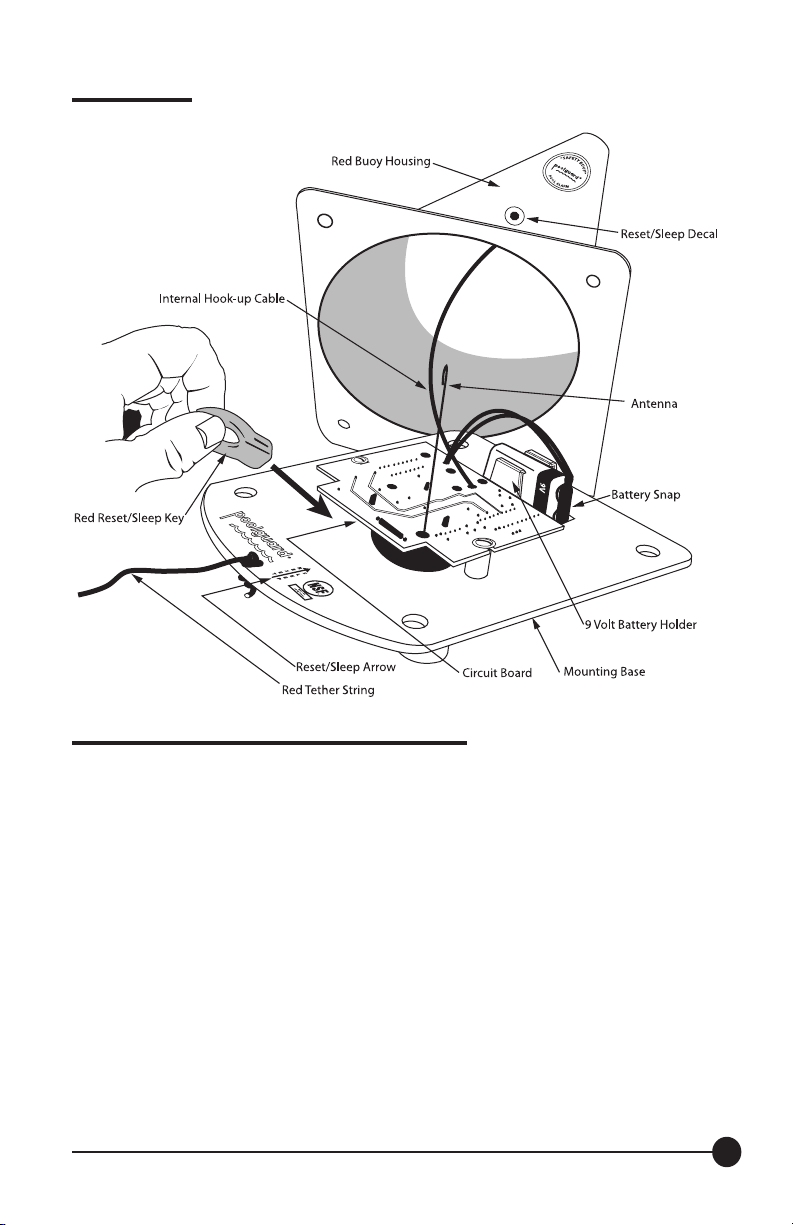
Hold the red reset/sleep key on the reset/sleep decal for 1
second until you hear the pool units horn beep. Remove the
red reset/sleep key, you now have 10 seconds to install the
pool unit into your pool without the horn sounding. AFTER
10 SECONDS THE POOL UNITS HORN WILL BEEP
INDICATING THAT POOLGUARD IS NOW MONITORING
YOUR POOL FOR AN INTRUSION. IF THE POOL UNIT
WAS NOT INSTALLED INTO YOUR POOL, IT WILL GO
TO SLEEP.*
2. SILENT REMOVAL (HORN WILL NOT SOUND)
Before removing the pool unit from your pool, place the red
reset/sleep key on the reset/sleep decal for 1 second until
you hear the pool units horn beep. Remove the red
reset/sleep key, you now have 5 seconds to remove the
pool unit from your pool without the horn sounding. AFTER
5 SECONDS THE POOL UNITS HORN WILL BEEP.
IMPORTANT: IF THE POOL UNIT WAS REMOVED FROM
YOUR POOL, THE POOL UNIT WILL GO TO SLEEP. BE
SURE TO STORE YOUR ALARM ON THE RED STORAGE
STAND. IF THE POOL UNIT WAS NOT REMOVED FROM
YOUR POOL, IT WILL CONTINUE TO MONITOR YOUR
POOL FOR AN INTRUSION.
3. POOLGUARD has designed this feature for “ONLY”
those who have the responsibility of removing the alarm
from the pool!
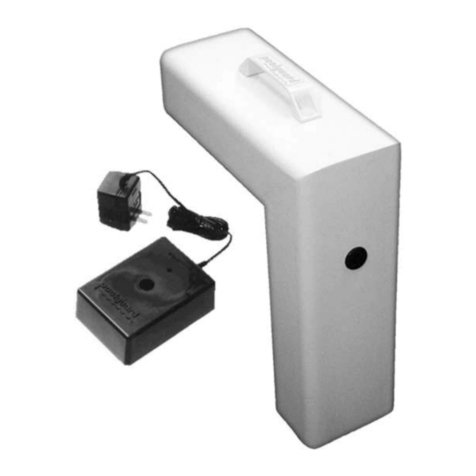
STORING YOUR ALARM (See Figure 1)
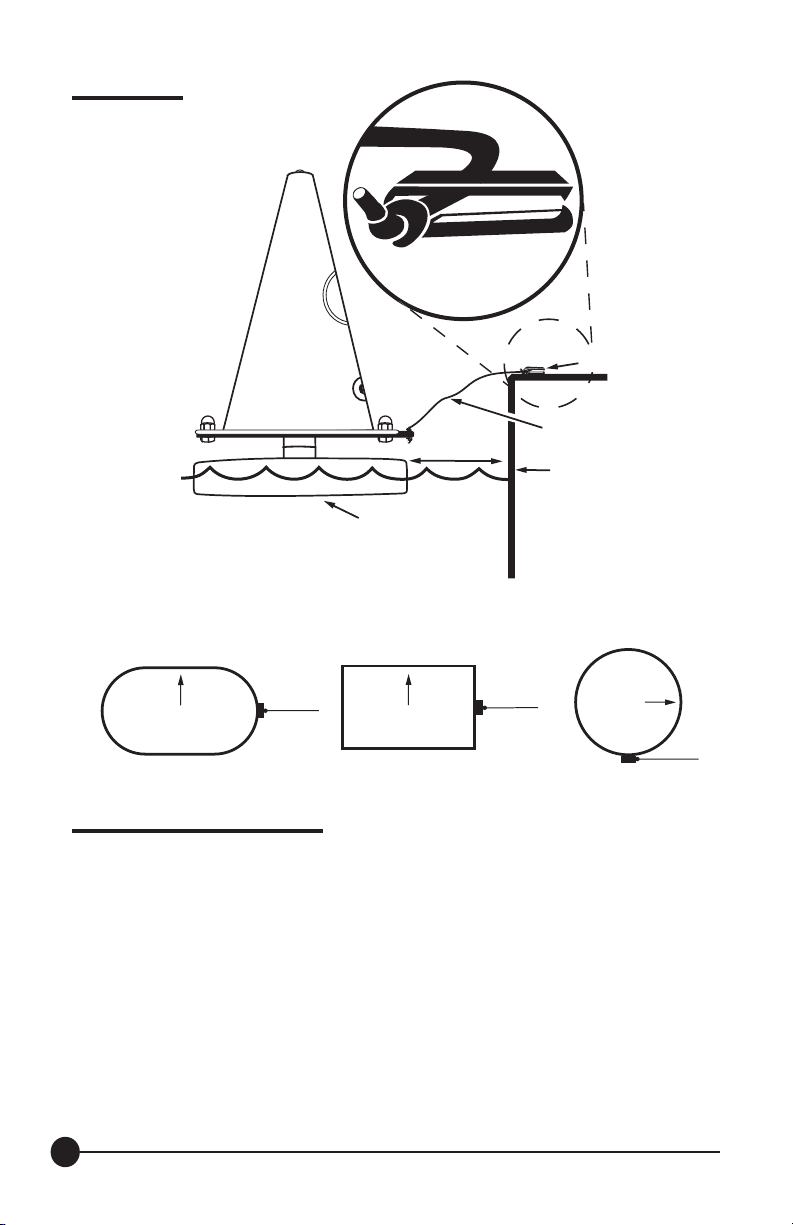
Always use the Red “Safety Buoy” Storage Stand to hold the
“Safety Buoy” alarm when it’s not in the pool. Do not lay the
alarm on its side, this could cause the alarm to sound and
increase the chances of damage. Use the Storage Stand
to hold the alarm when installing the battery. Only use the
storage stand on a hard at surface and in a location
where it cannot be stepped on or damaged.
ALARM WILL NOT SOUND
CHECK THE CONNECTION BETWEEN THE BATTERY
AND THE BATTERY SNAP. If you are testing and it does
not alarm, be sure you are testing properly; putting your feet
in the pool, splashing with your hands, making waves with a
leaf skimmer, or dropping something into the pool that does
not have the proper size, weight and volume WILL NOT SET
THE POOLGUARD ALARM OFF! Testing is very important
and should be done correctly. BE SURE YOUR RETURN
LINE EYEBALL FITTING IS POINTING DOWN.
REMOTE RECEIVER
The only thing that can put the remote receiver into the
alarm mode is the poolside unit. It sends a coded RF (Radio
Frequency) message from the poolside unit to the in-house
remote receiver. When the unit at the pool alarms, the
remote receiver will sound. Maximum Range for the remote
is 200 feet from the poolside unit. Avoid placing the remote
in basements or around metal walls. Be sure that the red
light on the remote is on. Remember the poolside unit must
be beeping (alarming) for the remote to work. If your remote
receiver is not getting a clear signal or no signal from the
poolside unit, try the following: Before plugging in the remote
power supply, be sure to stretch out the cord; do not leave it
tied in a bow as packaged. Your Remote Receiver
is similar to a small portable radio. If your remote is not
sounding when the poolside unit is sounding-move the
remote to different locations, and stand back for a few
seconds for the remote to pick up the signal. You may only
have to move your remote a little to the left or right to bring
in the signal-in some cases you might have to move the
remote to a different location or another room. If you cannot
get a signal on your remote Call Customer Service at
1-(800) 242-7163.
417
PG Buoy Manual 5.5x8.5 031116.indd 4 3/22/16 2:02 PM