manuals.online logo
Brands
  1. Home
  2. •
  3. Brands
  4. •
  5. Ram Mounts
  6. •
  7. Automobile Accessories
  8. •
  9. Ram Mounts GDS RAM-B-138U User manual

Ram Mounts GDS RAM-B-138U User manual

Other Ram Mounts Automobile Accessories manuals

Ram Mounts TOUGH-TRAY User manual

Ram Mounts

Ram Mounts TOUGH-TRAY User manual

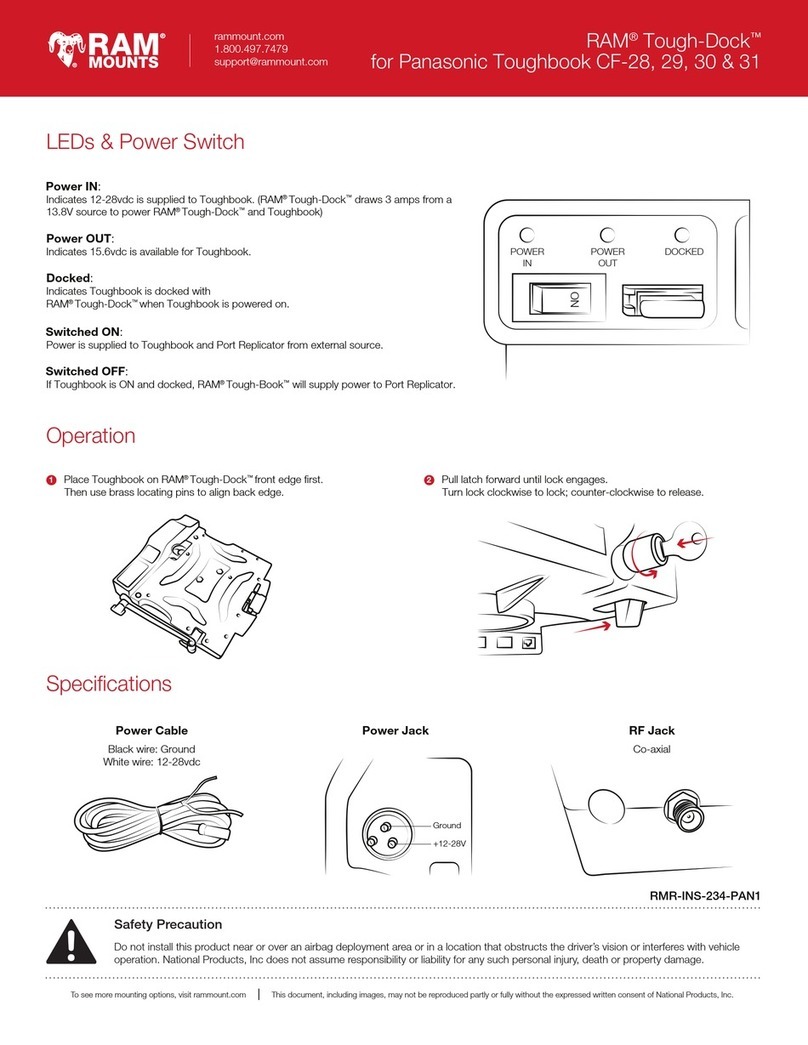
Ram Mounts Tough-Dock User manual

Ram Mounts

Ram Mounts Tough-Dock User manual

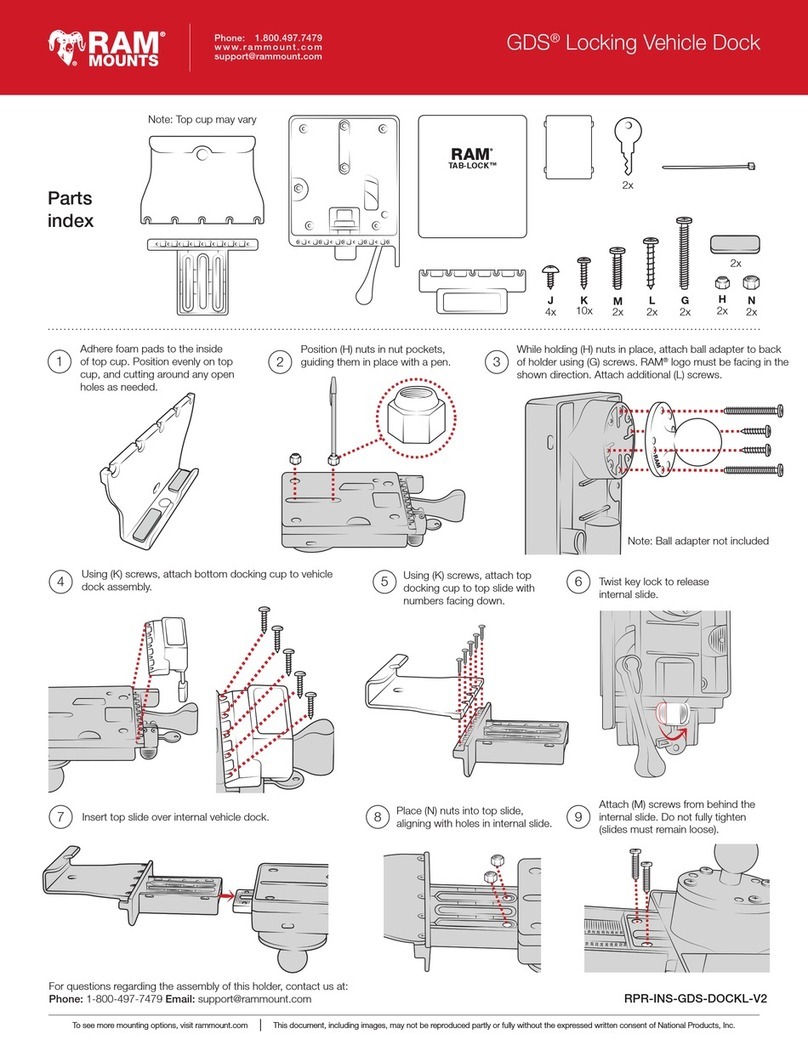
Ram Mounts GDS RPR-INS-GDS-DOCKL-V2 User manual

Ram Mounts

Ram Mounts GDS RPR-INS-GDS-DOCKL-V2 User manual

Ram Mounts GDS RAM-B-138U Installation guide

Ram Mounts

Ram Mounts GDS RAM-B-138U Installation guide

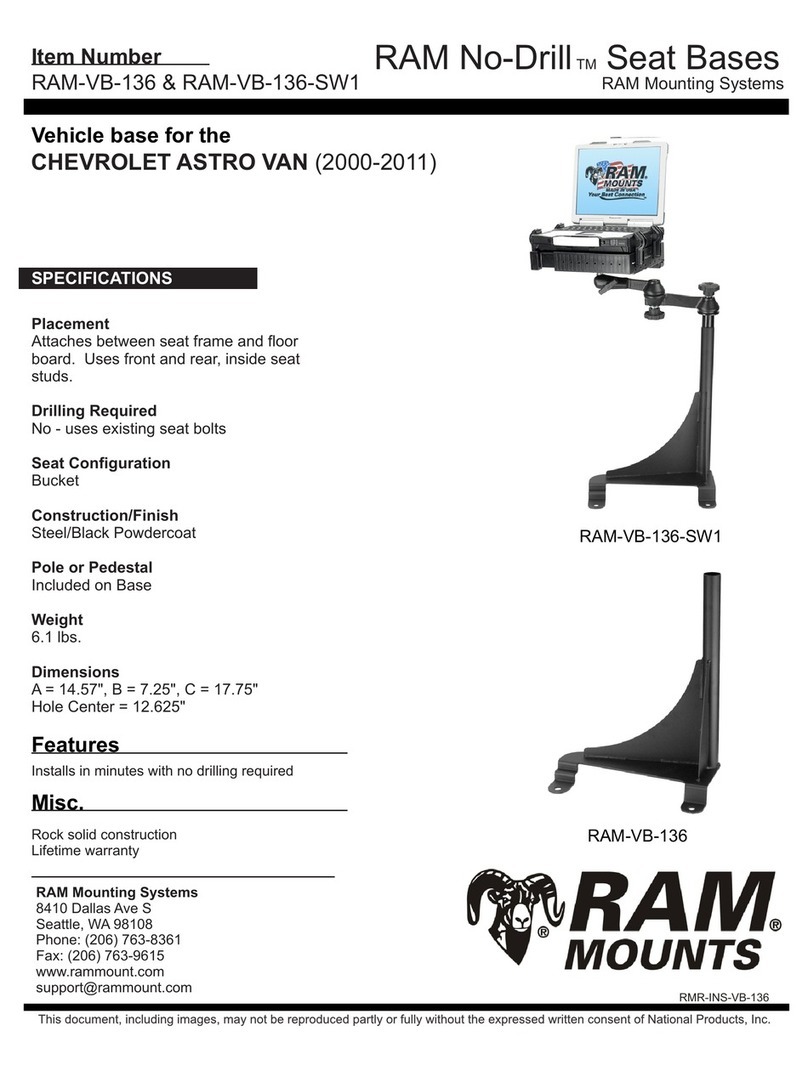
Ram Mounts No-Drill RAM-VB-136 User manual

Ram Mounts

Ram Mounts No-Drill RAM-VB-136 User manual

Ram Mounts RAM AQUA BOX PRO 10 Series User manual

Ram Mounts

Ram Mounts RAM AQUA BOX PRO 10 Series User manual

Popular Automobile Accessories manuals by other brands

Magneti Marelli AC161 Installation instruction

Magneti Marelli

Magneti Marelli AC161 Installation instruction

FDI uEZ GUI Start here

FDI

FDI uEZ GUI Start here

JCROffroad JT Install instructions

JCROffroad

JCROffroad JT Install instructions

Rostra VOXXElectronics 250-1930 owner's guide

Rostra

Rostra VOXXElectronics 250-1930 owner's guide

TOP VEHICLE TECH GR3FORD5 installation manual

TOP VEHICLE TECH

TOP VEHICLE TECH GR3FORD5 installation manual

Safe Fleet PRIME DESIGN AR-2000-BLK manual

Safe Fleet

Safe Fleet PRIME DESIGN AR-2000-BLK manual

Skoda Fabia Combi 5J Fitting instructions

Skoda

Skoda Fabia Combi 5J Fitting instructions

Camcar 40077 Al Mounting instructions

Camcar

Camcar 40077 Al Mounting instructions

Camcar 40089 AL Mounting instructions

Camcar

Camcar 40089 AL Mounting instructions

Impac Tradesman 2000 installation manual

Impac

Impac Tradesman 2000 installation manual

DVB OFFROAD BRSB-01 installation manual

DVB

DVB OFFROAD BRSB-01 installation manual

Safari Snorkel SS385HF installation guide

Safari Snorkel

Safari Snorkel SS385HF installation guide

ULTIMATE SPEED 279746 Assembly and Safety Advice

ULTIMATE SPEED

ULTIMATE SPEED 279746 Assembly and Safety Advice

SSV Works DF-F65 manual

SSV Works

SSV Works DF-F65 manual

ULTIMATE SPEED CARBON Assembly and Safety Advice

ULTIMATE SPEED

ULTIMATE SPEED CARBON Assembly and Safety Advice

Witter F174 Fitting instructions

Witter

Witter F174 Fitting instructions

WeatherTech No-Drill installation instructions

WeatherTech

WeatherTech No-Drill installation instructions

TAUBENREUTHER 1-336050 Installation instruction

TAUBENREUTHER

TAUBENREUTHER 1-336050 Installation instruction

manuals.online logo
manuals.online logoBrands
  • About & Mission
  • Contact us
  • Privacy Policy
  • Terms and Conditions

Copyright 2025 Manuals.Online. All Rights Reserved.

RPR-INS-GDS-DOCK-V1
The exclusive NPI Lifetime Warranty states that all GDS™ non-electronic components and parts are warranted against defect in
materials and workmanship for the life of the product or part. NPI’s Lifetime Warranty covers the product or its components only.
The mounted device is not covered under the Lifetime Warranty and will not be replaced if damaged as a result of mount failure.
This warranty is expressly limited to persons in the United States, and all foreign countries who purchase GDS™ for resale or use
in the ordinary course of the buyer’s business. This warranty does not cover any product or part that has been abused, worn out,
heated, ground or otherwise altered, used for a purpose other than that for which it was intended, or used in a manner
inconsistent with any instructions regarding its use.
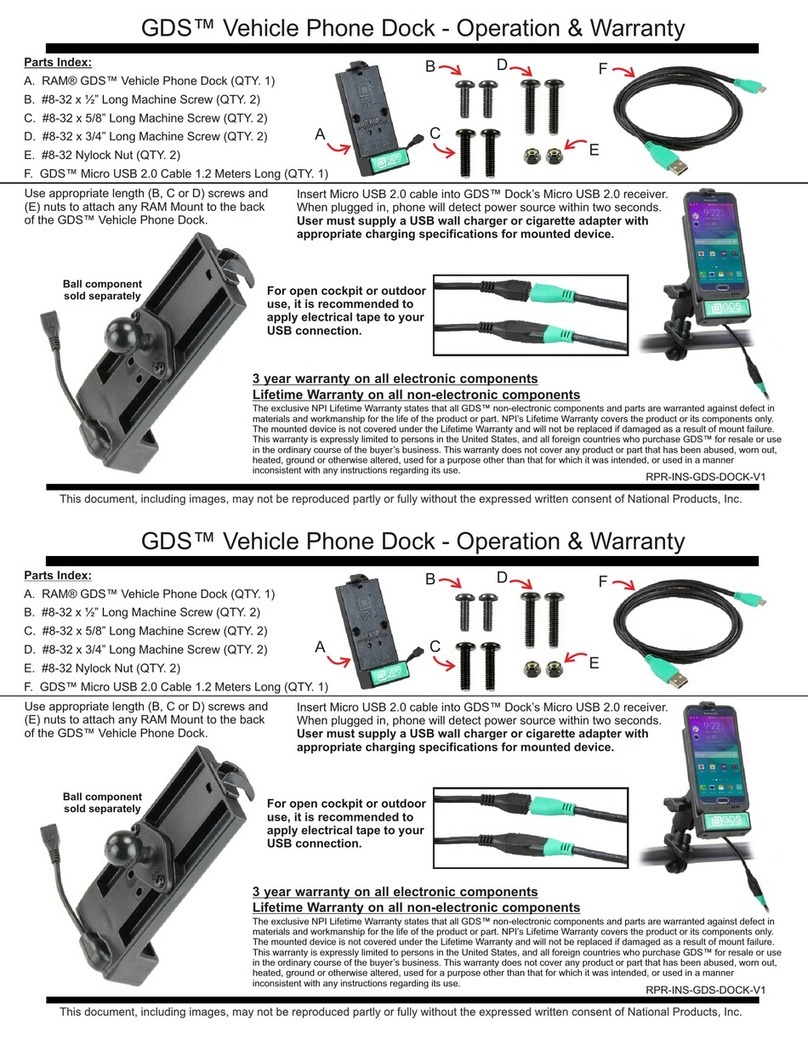
GDS™ Vehicle Phone Dock - Operation & Warranty
3 year warranty on all electronic components
Lifetime Warranty on all non-electronic components
Parts Index:
A. RAM® GDS™ Vehicle Phone Dock (QTY. 1)
B. #8-32 x ½” Long Machine Screw (QTY. 2)
C. #8-32 x 5/8” Long Machine Screw (QTY. 2)
D. #8-32 x 3/4” Long Machine Screw (QTY. 2)
E. #8-32 Nylock Nut (QTY. 2)
F. GDS™ Micro USB 2.0 Cable 1.2 Meters Long (QTY. 1)
Use appropriate length (B, C or D) screws and
(E) nuts to attach any RAM Mount to the back
of the GDS™ Vehicle Phone Dock.
A
BD
C
E
F
Ball component
sold separately
Insert Micro USB 2.0 cable into GDS™ Dock’s Micro USB 2.0 receiver.
When plugged in, phone will detect power source within two seconds.
User must supply a USB wall charger or cigarette adapter with
appropriate charging specifications for mounted device.
For open cockpit or outdoor
use, it is recommended to
apply electrical tape to your
USB connection.

RPR-INS-GDS-DOCK-V1
The exclusive NPI Lifetime Warranty states that all GDS™ non-electronic components and parts are warranted against defect in
materials and workmanship for the life of the product or part. NPI’s Lifetime Warranty covers the product or its components only.
The mounted device is not covered under the Lifetime Warranty and will not be replaced if damaged as a result of mount failure.
This warranty is expressly limited to persons in the United States, and all foreign countries who purchase GDS™ for resale or use
in the ordinary course of the buyer’s business. This warranty does not cover any product or part that has been abused, worn out,
heated, ground or otherwise altered, used for a purpose other than that for which it was intended, or used in a manner
inconsistent with any instructions regarding its use.
GDS™ Vehicle Phone Dock - Operation & Warranty
3 year warranty on all electronic components
Lifetime Warranty on all non-electronic components
Parts Index:
A. RAM® GDS™ Vehicle Phone Dock (QTY. 1)
B. #8-32 x ½” Long Machine Screw (QTY. 2)
C. #8-32 x 5/8” Long Machine Screw (QTY. 2)
D. #8-32 x 3/4” Long Machine Screw (QTY. 2)
E. #8-32 Nylock Nut (QTY. 2)
F. GDS™ Micro USB 2.0 Cable 1.2 Meters Long (QTY. 1)
Use appropriate length (B, C or D) screws and
(E) nuts to attach any RAM Mount to the back
of the GDS™ Vehicle Phone Dock.
A
BD
C
E
F
Ball component
sold separately
Insert Micro USB 2.0 cable into GDS™ Dock’s Micro USB 2.0 receiver.
When plugged in, phone will detect power source within two seconds.
User must supply a USB wall charger or cigarette adapter with
appropriate charging specifications for mounted device.
For open cockpit or outdoor
use, it is recommended to
apply electrical tape to your
USB connection.
All manuals and user guides at all-guides.com
all-guides.com
Mount your GDS™ Dock with IntelliSkin™ anywhere!
National Products Inc.
8410 Dallas Ave S
Seattle WA 98108
Phone: (206) 763-8361
Fax: (206) 763-9615
www.rammount.com
[email protected]
Visit for alternate docks or IntelliSkin™ for any tablet or phone.www.gdstech.com
RPR-INS-GDS-DOCK-V1
Flat Surface Mount
P/N: RAM-B-138U
Rail/Handlebar Mount
P/N: RAM-B-149ZU
Suction Cup Mount
P/N: RAM-B-166U
Motorcycle Fork Stem Mount
P/N: RAM-B-176U
Cup Holder Wedge Mount
P/N: RAP-299-3-B-102U
Brake/Clutch Reservoir Mount
P/N: RAM-B-174U
Mount your GDS™ Dock with IntelliSkin™ anywhere!
National Products Inc.
8410 Dallas Ave S
Seattle WA 98108
Phone: (206) 763-8361
Fax: (206) 763-9615
www.rammount.com
[email protected]
Visit for alternate docks or IntelliSkin™ for any tablet or phone.www.gdstech.com
RPR-INS-GDS-DOCK-V1
Flat Surface Mount
P/N: RAM-B-138U
Rail/Handlebar Mount
P/N: RAM-B-149ZU
Suction Cup Mount
P/N: RAM-B-166U
Motorcycle Fork Stem Mount
P/N: RAM-B-176U
Cup Holder Wedge Mount
P/N: RAP-299-3-B-102U
Brake/Clutch Reservoir Mount
P/N: RAM-B-174U
All manuals and user guides at all-guides.com