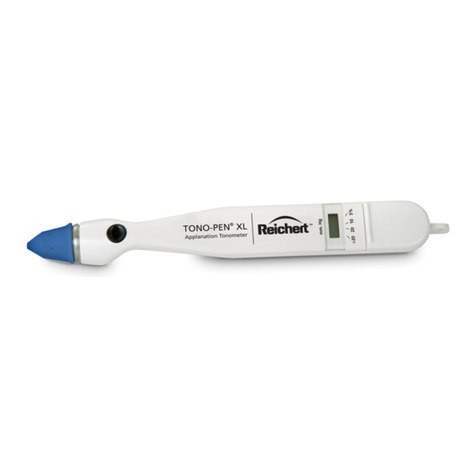
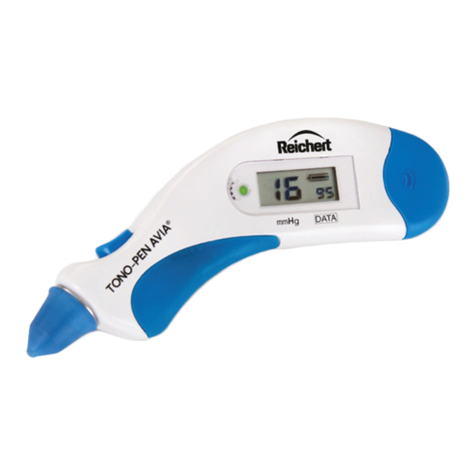
Tono-Pen AVIA®Applanation Tonometer
Quick Reference Guide
980051 Rev. E, 02-08-2017
Reichert, Inc. • 3362 Walden Ave, Depew, New York USA 14043
Toll Free: 888-849-8955 • Tel: (716) 686-4500 • Fax: (716) 686-4545
www.reichert.com • Tono-Pen, Tono-Pen AVIA and Ocu-Film are registered trademarks of Reichert, Inc.
Tono-Pen AVIA Does Not Taking A Reading
• Tip may be dirty. Perform the cleaning procedure. If problem persists, send the pen in
for service.
• Ocu-Film + may be installed incorrectly. Refer to Ocu-Film + Instructions on reverse.
• Use blue Reichert brand Ocu-Film + ONLY. Use of other brandtip cover may affect
readings or may void your warranty.
• If the above does not resolve the issue, STOP and send the unit in for repair.
Tono-Pen AVIA Displays [FAIL]
• Unit may be in verication mode. Perform the verication procedure.
• Verication procedure incorrectly performed. Pen is ipped up when [dn] is displayed.
Perform the verication procedure.
• Tip may be dirty. Perform the cleaning procedure. If problem persists, send the pen in
for service.
Tono-Pen AVIA Turns Off
• Unit is going into power saving mode. If no measurements are taken within 15 seconds,
the Tono-Pen will go into battery saving mode. Turn it on by pressing the button once.
• Battery may be low. Replace the battery, then perform the verication procedure.
Tono-Pen AVIA [FAIL]s Verication
• Tip may be dirty. Perform the cleaning procedure. If problem persists, send the pen in
for service.
• Pen is being ipped up too slowly. The pen should be turned up quickly and smoothly when
[UP] appears.
Troubleshooting Cleaning Procedure
1. Remove the Ocu-Film + tip cover.
2. Hold the tip of the Tono-Pen against the nozzle of a can of
compressed air.
3. Blow air into the tip for approximately 3 seconds. Do not
perform more than 3 times consecutively.
4. The tip will be cold; allow the tip to warm to room temperature.
5. Perform the verification procedure after cleaning.
Number of
Patients
per Week
Number of
Days Between
Cleaning
10 30
100 15
300 7
600 1
Cleaning ScheduleCleaning Tip
Tono-Pen Service
• Go to ww.reichert.com/rma
• Fill out the RMA request form.
• An RMA will be sent to you via email.
• Send in your instrument, inside the protec-
tive carrying case, with a copy of the RMA.