*40782934-01*
V-440HD Ver.2.07 Additional Functions
The following functionality has been added in version 2.07 of the V-440HD.
V-LINK transmission is supported.
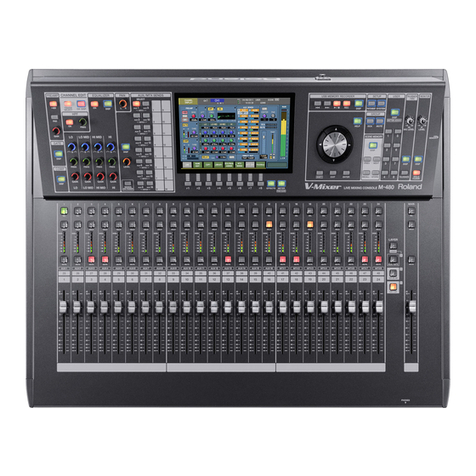
The audio input level of the M-400 RSS live mixing console can be controlled from the V-440HD.
Please go to MIDI Set up and turn 14-5. "V-Link switch" on or use below function to turn V-Link on.
* Up to eight channels can be controlled.
* Refer to the M-400 Owner’s Manual for details on operation.
* The M-400 is controlled by transmitting V-LINK messages (system exclusive data set 1) from the V-440HD. The parameters received
by the M-400 in this case are listed below.
■
V-LINK (Model ID=00H 51H)
* Addresses marked with “#” are received as two bytes, with the data divided into upper byte (upper 3 bits) and lower byte (lower 7 bits).
Example: If the original data is 028AH, a value of 05H is transmitted as the first byte. A value of 0AH is transmitted as the second byte.
* Where “---” appears for the value, it means that the M-400 does not have a corresponding parameter.
+---------------+-------------------------------------------------------+
|Start Address |Description |
+---------------+-------------------------------------------------------+
|10H 00H 00H |V-LINK System Common Preference Area |
|20H 00H 00H |V-LINK Video System Performance Area |
|20H 20H 00H |V-LINK Audio Mixer Parameter Area |
+---------------+-------------------------------------------------------+
●
System Common Preference Area
+--------------+------------------------------------+-----------------------+--------------------------------+
|Address |Parameter Name |Sys.Ex.Value |Meaning of Value |
+--------------+------------------------------------+-----------------------+--------------------------------+
|10H 00H 00H |V-LINK Enabled |00H - 01H |OFF, ON |
|10H 00H 01H |V-LINK MIDI Rx Channel (Clip) |--- |--- |
|10H 00H 02H |V-LINK MIDI Rx Channel (Color) |--- |--- |
|10H 00H 03H |V-LINK Note Message Enabled |--- |--- |
|10H 00H 04H |V-LINK Fast Control Enabled |--- |--- |
|10H 00H 05H |V-LINK MMC Control Mode |--- |--- |
|10H 00H 06H |V-LINK MTC Control Mode |--- |--- |
|10H 00H 07H |V-LINK Auto Mix Mode |--- |--- |
+--------------+------------------------------------+-----------------------+--------------------------------+
●
Video System Performance Area
+--------------+------------------------------------+-----------------------+--------------------------------+
|Address |Description |Sys.Ex.Value | Meaning of Value |
+--------------+------------------------------------+-----------------------+--------------------------------+
|20H 00H 00H |V-LINK Number of Video Mixer Inputs |--- |--- |
+--------------+------------------------------------+-----------------------+--------------------------------+
●
Audio Mixer Parameter Area
+--------------+------------------------------------+-----------------------+--------------------------------+
|Address | Description |Sys.Ex.Value | Meaning of Value |
+--------------+------------------------------------+-----------------------+--------------------------------+
|#20H 20H 00H |V-LINK Audio Mixer Master Level |--- |--- |
|#20H 21H 00H |V-LINK Audio Mixer Channel1 Level |0000H-0768H | Level 0.0 - 100.0% |
|#20H 21H 02H |V-LINK Audio Mixer Channel2 Level |0000H-0768H | Level 0.0 - 100.0% |
|#20H 21H 04H |V-LINK Audio Mixer Channel3 Level |0000H-0768H | Level 0.0 - 100.0% |
|#20H 21H 06H |V-LINK Audio Mixer Channel4 Level |0000H-0768H | Level 0.0 - 100.0% |
|#20H 21H 08H |V-LINK Audio Mixer Channel5 Level |0000H-0768H | Level 0.0 - 100.0% |
|#20H 21H 0AH |V-LINK Audio Mixer Channel6 Level |0000H-0768H | Level 0.0 - 100.0% |
|#20H 21H 0CH |V-LINK Audio Mixer Channel7 Level |0000H-0768H | Level 0.0 - 100.0% |
|#20H 21H 0EH |V-LINK Audio Mixer Channel8 Level |0000H-0768H | Level 0.0 - 100.0% |
+--------------+------------------------------------+-----------------------+--------------------------------+
The MIDI button can now be used to turn V-LINK mode on/off.
In the menu item “14-1. MIDI Sw Mode,” the value of the setting has changed from “V-LINK Indicator” to “V-LINK Sw.”
If you choose “V-LINK Sw,” you’ll be able to use the MIDI button to turn V-LINK mode on/off.
☞
V-440HD version 2.0 Owner’s Manual; p. 65
The RGB input supports 1080/59.94i, 1080/50i, 720/59.94p, and 720/50p.
* The above signals can be input if you choose “Auto” as the setting for “Format Auto Detect” in the “2. HD/RGB Input” menu.
• We have fixed the problem that had caused the setting of the OUTPUT button to fail to be transmitted correctly via MIDI at startup.
• We have fixed the problem in which the Key Assign setting was not remembered in note mode.
Parameters Explanation Values Details
14- 1. MIDI Sw Mode MIDI button function MIDI In/Out Sw Turns MIDI message reception on/off.
V-LINK Sw Turns V-LINK mode on/off.
Improvements in version 2.07
V-440HD M-400
MIDI OUT MIDI INMIDI cable
V-LINK
V-440HD 40782934
1N
Copyright © 2007 ROLAND CORPORATION
All rights reserved. No part of this publication may be reproduced in any form without the written permission of ROLAND CORPORATION.
V-440HD_l_VER207_e.fm 1 ページ 2007年10月5日 金曜日 午後6時56分