PUSH5 REMOTE CHANNELS
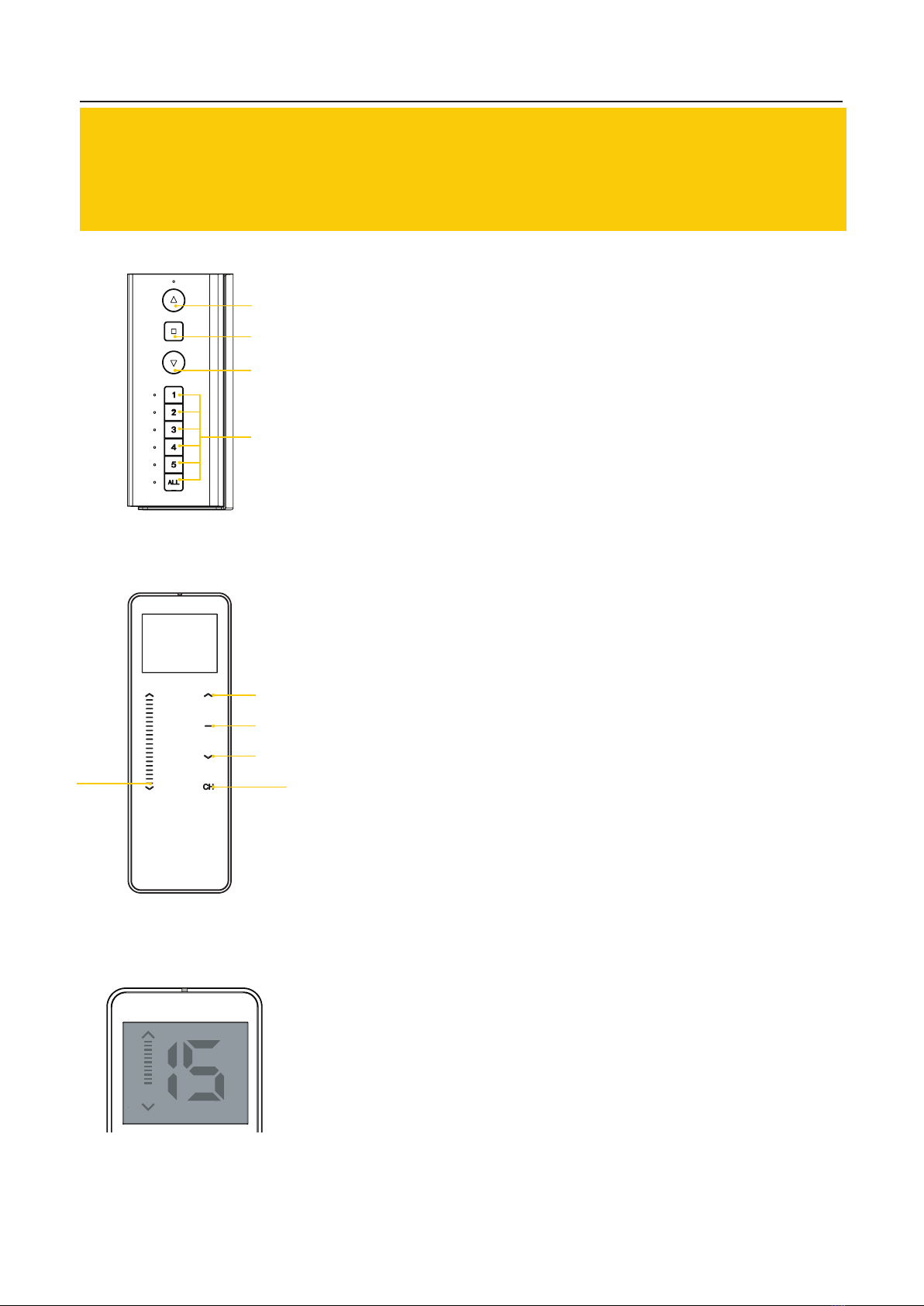
Channels allow the user to select which Zipscreen shade you would
like to control, if multiple systems are installed within the same
vicinity. Every channel is pre-programmed to control a designated
shade/s. To switch between channels, tap the channel number you
desire until a blue illuminated light appears next to the number. You
can also group channels together by subsequently pressing a
combination of numbers until they are illuminated. Alternatively, you
can control all your shades simultaneously by pushing the ‘All’ button.
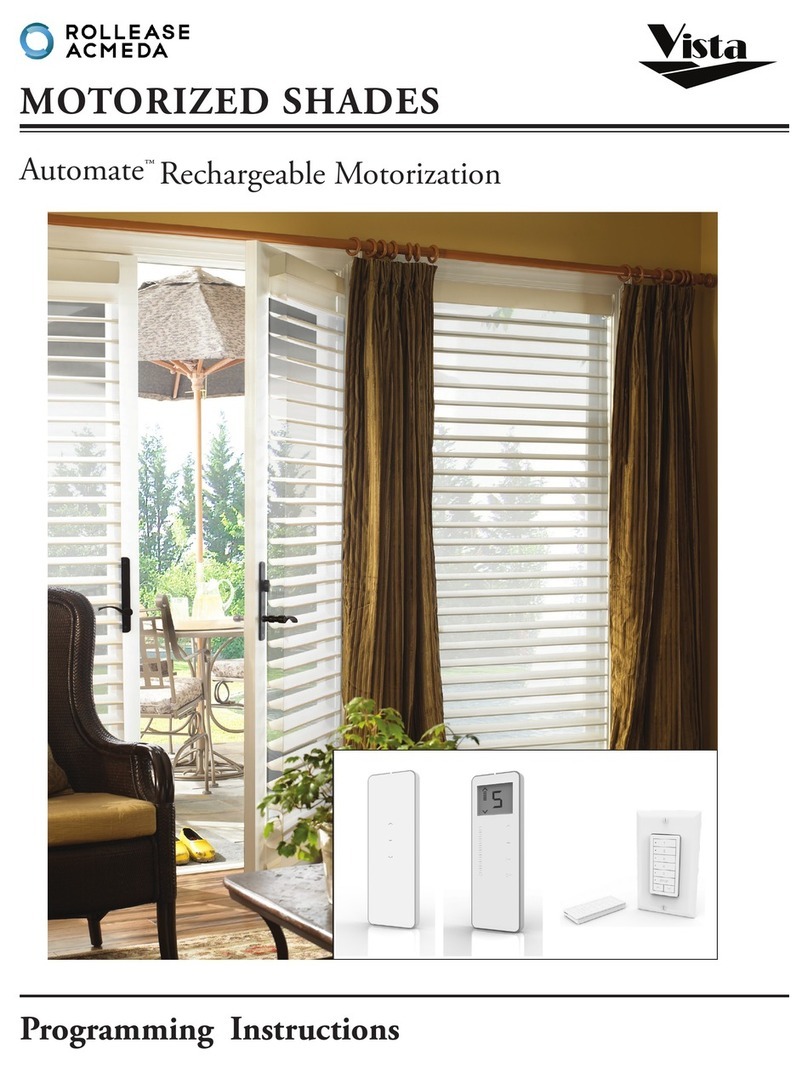
AUTOMATE MOTORIZED CONTROL
AUTOMATE REMOTE
Your Automate remote should be pre-programmed by your installer with set channels for each one of your Zipscreen
outdoor shades. Always keep your remote well-protected and stored away from children, extreme temperatures
and liquid.
Page 3
PARADIGM 15 CHANNEL REMOTE CHANNELS
Channels allow the user to select which Zipscreen™ shade they’d like
to control in the event that multiple shades are installed within the
same vicinity. The Automate Paradigm remote control has the ability to
flick through 15 set channels. Channel ‘0’ allows you to take control of
all Zipscreen™ shades simultaneously, where each channel above ‘0’ is
pre-programmed to control a designated shade. To change the channel
displayed, press the ‘CH’ button, the number displayed will begin to
flash. When the number is flashing, press the up or down buttons to
flick through to your desired channel. Once the remote display’s the
number you desire, press the ‘CH’ button once more, to confirm the
selected channel. For details on which channels correspond to each of
your Zipscreen™ shades, please contact your installer.
CHANNELS
CHANNEL
SET
DOWN
DOWN
STOP
STOP
UP
UP
LEVELLING CONTROL
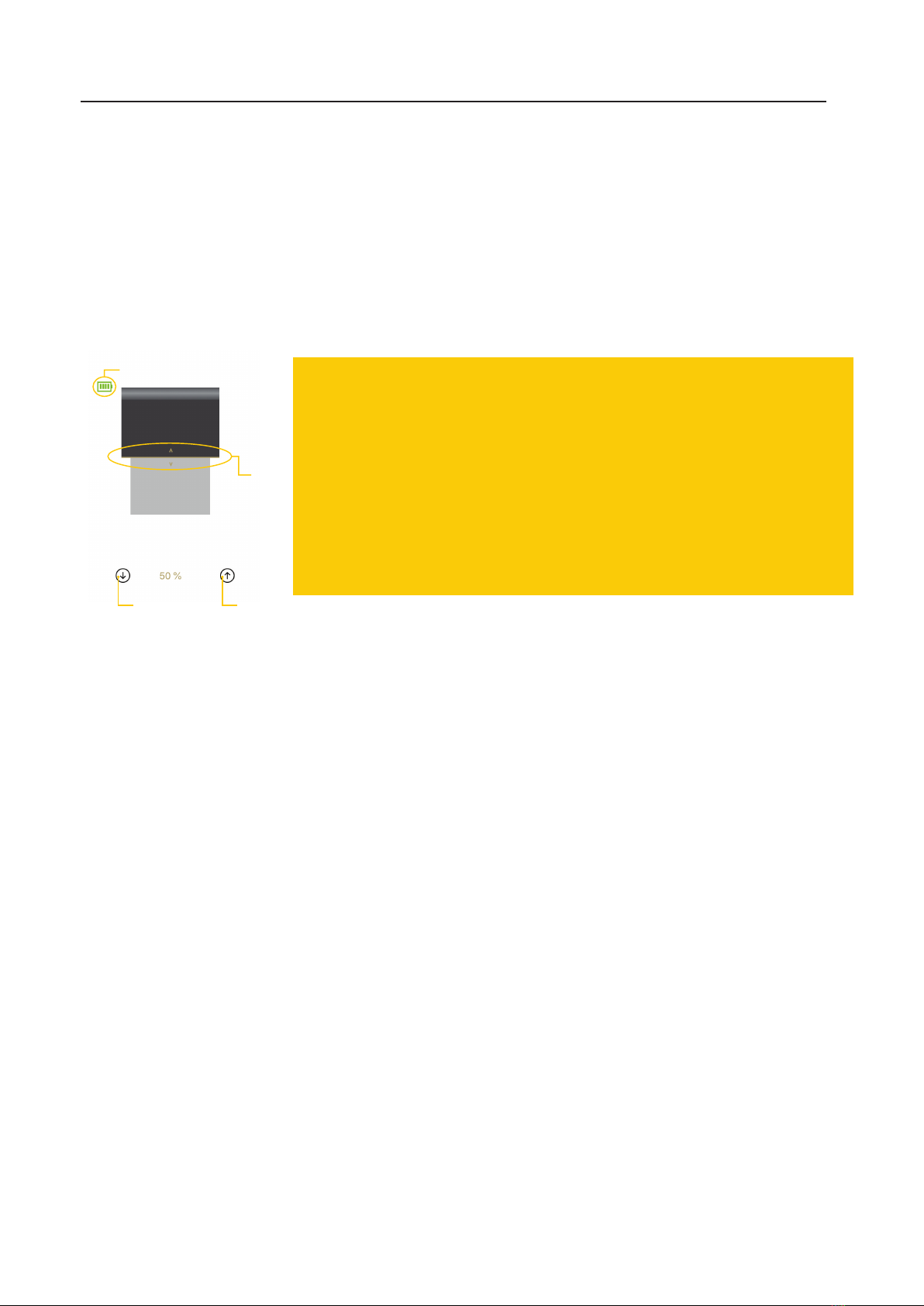
The levelling control bar on the remote, can be used to visualise and
accurately set your preferred shade position. The LCD display will
show a levelling gauge on the left, this gauge represents the position
of your shades. Slide your finger up the leveling
control bar on the remote to raise the shade position or slide it down-
wards to move them down. The gauge displayed will track the move-
ment of your finger along the remote’s leveling control bar. Once you
are happy with the level being shown on the display, release your finger
from the remote and your Zipscreen™ will automatically move to the
position set. In the event that the remote is used to control a group of
shades, they will all perfectly align to the same position.
LEVELLING
CONTROL
BAR