manuals.online logo
Brands
  1. Home
  2. •
  3. Brands
  4. •
  5. Russound
  6. •
  7. Controllers
  8. •
  9. Russound TBL-75 User manual

Russound TBL-75 User manual

Other Russound Controllers manuals

Russound A-C68 User manual

Russound

Russound A-C68 User manual

Russound CA 6.4 User manual

Russound

Russound CA 6.4 User manual

Russound ALTX User manual

Russound

Russound ALTX User manual

Russound CAS44 User manual

Russound

Russound CAS44 User manual

Russound ALTX SC User manual

Russound

Russound ALTX SC User manual

Russound LPTX R2 User manual

Russound

Russound LPTX R2 User manual

Russound Sphere E Series User manual

Russound

Russound Sphere E Series User manual

Russound CA4 User manual

Russound

Russound CA4 User manual

Russound A-BUS A-VC2 User manual

Russound

Russound A-BUS A-VC2 User manual

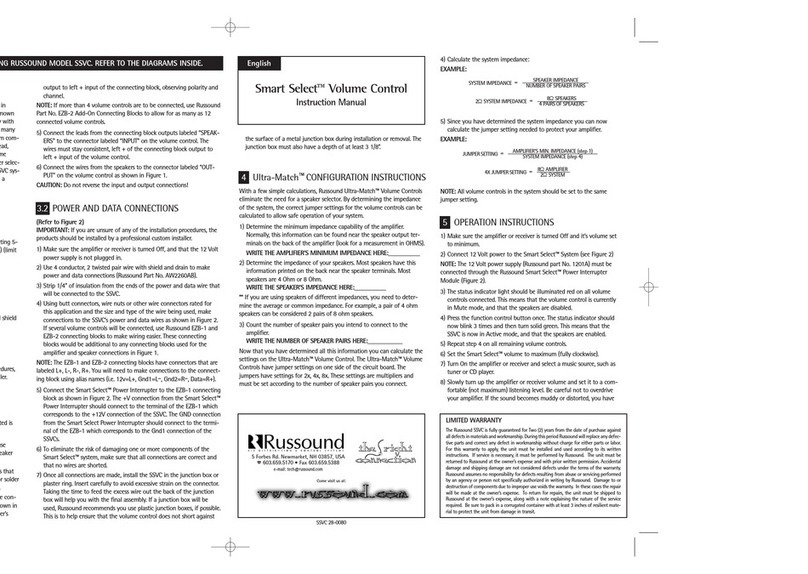
Russound Smart Select Volume Control User manual

Russound

Russound Smart Select Volume Control User manual

Russound BSK-2 User manual

Russound

Russound BSK-2 User manual

Russound CA 4.4pi User manual

Russound

Russound CA 4.4pi User manual

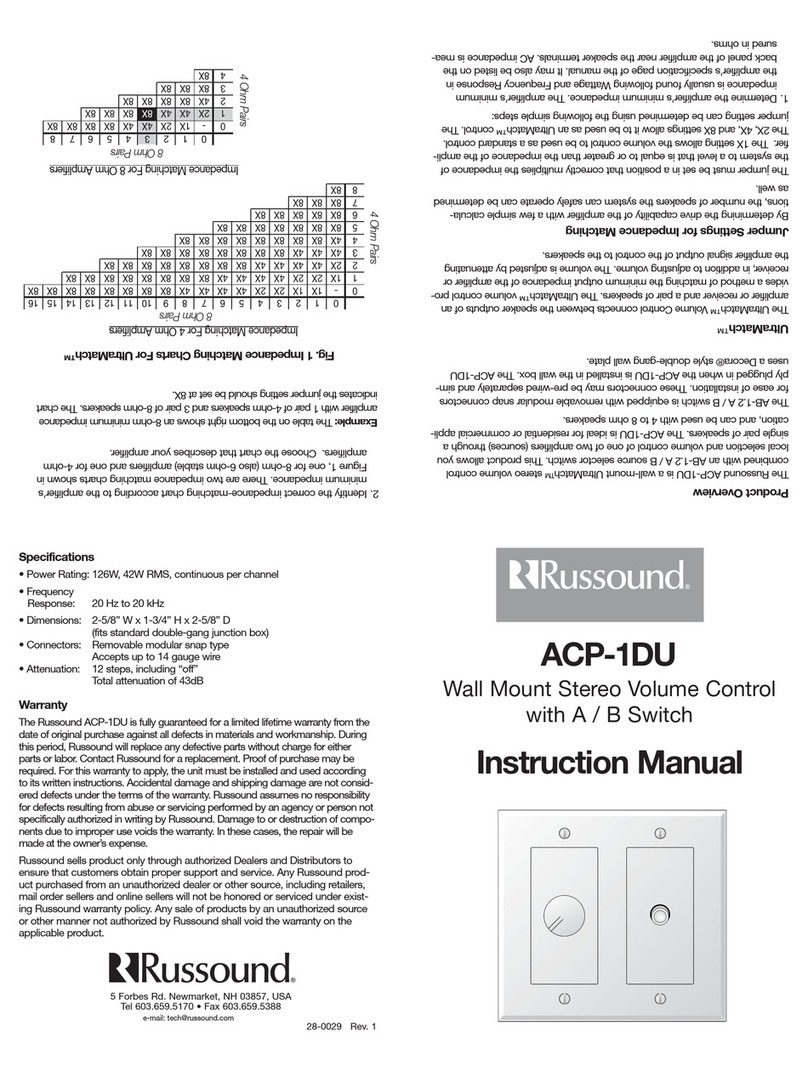
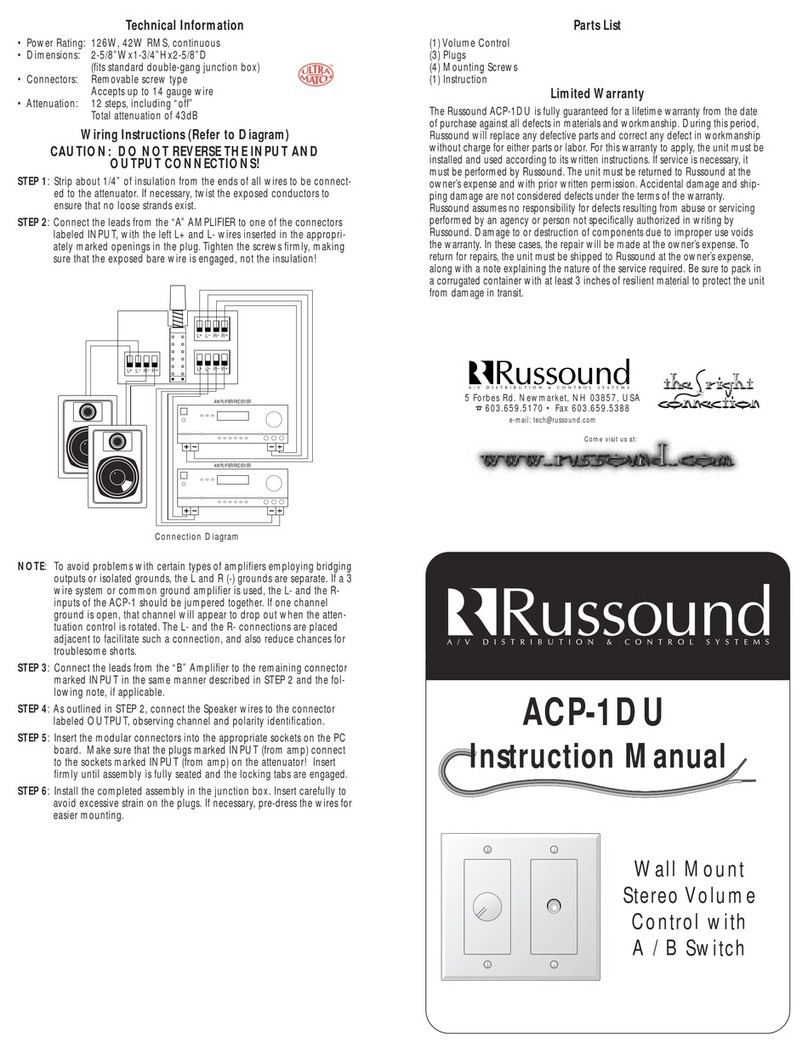
Russound ACP-1DU User manual

Russound

Russound ACP-1DU User manual

Russound WALTX-2 User manual

Russound

Russound WALTX-2 User manual

Russound ACP-1DU 1 User manual

Russound

Russound ACP-1DU 1 User manual

Russound SMART SELECT VOLUME CONTROL User manual

Russound

Russound SMART SELECT VOLUME CONTROL User manual

Russound XLT User manual

Russound

Russound XLT User manual

Popular Controllers manuals by other brands

Sunricher SR-ZV9003T3-RGBW-US Installation

Sunricher

Sunricher SR-ZV9003T3-RGBW-US Installation

Ksenia intro Installation and configuration manual

Ksenia

Ksenia intro Installation and configuration manual

Inovance CAN200 Series manual

Inovance

Inovance CAN200 Series manual

Gauzy LC6 FLEX Controller Installation and operation guide

Gauzy

Gauzy LC6 FLEX Controller Installation and operation guide

Viking SLP-1 Technical practice

Viking

Viking SLP-1 Technical practice

CKD KBX-30E-U Series instruction manual

CKD

CKD KBX-30E-U Series instruction manual

Sharp Energy Sun Flux User manual & installation guide

Sharp Energy

Sharp Energy Sun Flux User manual & installation guide

Yamaha RCX40 user manual

Yamaha

Yamaha RCX40 user manual

AB Quality PowerFlex 400 Frames D-H Service bulletin

AB Quality

AB Quality PowerFlex 400 Frames D-H Service bulletin

Yamaha MJC8 owner's manual

Yamaha

Yamaha MJC8 owner's manual

AL-KO ATC operating instructions

AL-KO

AL-KO ATC operating instructions

Savant SmartControl 2 Deployment guide

Savant

Savant SmartControl 2 Deployment guide

GameSir T3S user manual

GameSir

GameSir T3S user manual

Kostal inveor operating manual

Kostal

Kostal inveor operating manual

Emerson Yarway 20-55 Operating and safety instructions

Emerson

Emerson Yarway 20-55 Operating and safety instructions

CoCo ACM-LV24 Quick installation guide

CoCo

CoCo ACM-LV24 Quick installation guide

Brooks SLA5810/20 Installation and operation manual

Brooks

Brooks SLA5810/20 Installation and operation manual

SIGMA TEK SR 011 Technical manual

SIGMA TEK

SIGMA TEK SR 011 Technical manual

manuals.online logo
manuals.online logoBrands
  • About & Mission
  • Contact us
  • Privacy Policy
  • Terms and Conditions

Copyright 2025 Manuals.Online. All Rights Reserved.

A/V DISTRIBUTION & CONTROL SYSTEMS
5 Forbes Rd. Newmarket, NH 03857
☎ 603.659.5170 • Fax 603.659.5388
e-mail: [email protected]
Come visit us at:
A/V DISTRIBUTION & CONTROL SYSTEMS
TBL-75
Table-Top Volume Control
Instruction Manual
TBL-75
HEADPHONE
Setting the Impedance Switch
1. Determine the minimum impedance capability of the amplifier.
Normally, this information can be found near the speaker output
terminals on the back of the amplifier (look for a measurement
in Ohms Ω).
WRITE THE MINIMUM IMPEDANCE HERE:_______
2. Determine the impedance of the speakers. Most speakers have
this information printed on the back near the speaker terminals.
Most speakers are 4Ω(4 Ohm) or 8Ω(8 Ohm).
WRITE THE IMPEDANCE HERE:_______
NOTE: If you are using speakers of different impedances, you
need to determine the average or common impedance. For
example, a pair of 4Ωspeakers can be considered 2 pair of 8Ω
speakers.
3. Count the number of pairs of speakers connected to the
amplifier.
WRITE THE NUMBER OF PAIRS HERE:_______
4. By dividing the impedance of the speakers (step #2) by the
number of pairs of speakers (step #3), you can determine the
system impedance.
EXAMPLE: 8Ωspeakers ÷4 pair of speakers = 2Ωsystem
impedance.
5. Determine the proper impedance-matching setting by dividing
the amplifier impedance (step 1) by the system impedance (step
4). Note: if the resulting number is between 2 and 4, use X4; if it
Introduction
The TBL-75 Stereo Volume Control is a free-standing table-top
stereo volume control with a front panel headphone jack and built-
in impedance-matching capabilities. It connects between the
speaker-level output of an amplifier or receiver, speaker selector,
etc, and a pair of speakers. The application of the TBL-75 is to
adjust the volume of the connected speakers. The TBL-75 adjusts
the volume of the speakers connected to it by adjusting the signal
from the amplifier to the speakers. All Russound volume controls
are manufactured using a high-quality autoformer design.
Autoformers provide excellent frequency response and efficient use
of amplifier power.
Type of Speaker Wire
For most applications, we recommend you use 16 or 14 gauge,
stranded copper speaker wire for the TBL-75 volume control. For
wire runs longer than 100 feet, 14 gauge wire is recommended. Do
not use wire that is larger than 14 gauge, as it may not fit into the
connector on the TBL-75. Never use solid or aluminum electrical
wire. When running speaker wires inside the walls, most states and
municipalities in the U.S. specify that you must use a speaker cable
with a minimum fire rating of "CL-2" or "CL-3" Consult your
Russound dealer or electrician. Russound offers "CL-3" rated
speaker cable, which is multi-stranded and enclosed in temperature
-resistant PVC jackets specifically designed for this application.
TBL-75 Table-Top Stereo Volume Control
The Russound TBL-75 volume control is a combination of a
standard and impedance-matching control. When used with an
impedance-matching speaker selector, the TBL-75 volume control
should be set in the X1 position. The impedance-matching switch is
located on the back of the chassis of the TBL-75. In this position,
the speaker selector is providing the impedance matching and
protection. When there is no impedance-matching speaker selector
in the system, the impedance-matching switch must be set in a
position that correctly multiplies the impedance of the system to a
level that is equal to or greater than the impedance of the amplifier.
This will protect the amplifier from damage. Impedance-matching
switch settings can be determined by following the steps below.
32
X1
X2
X8
X4
INPUT
OUTPUT
Newmarket, NH U.S.A.
MADE IN KOREA
L+ L- R- R+
L+ L- R- R+
X1
X2
X8
X4
5. Slowly turn up the amplifier or receiver volume and set it to a
comfortable listening level. Be careful not to overdrive the
amplifier. If the sound becomes distorted, you have reached the
limit of the amplifier's volume capability and you should quickly
reduce the volume to avoid damaging the amplifier. Note: 12
o'clock on most receivers is full volume.
6. Adjust the volume of the speakers to the desired listening level
using the TBL-75 volume control.
7. You can turn off the speakers in the room by turning the knob on
the TBL-75 volume control completely counter-clockwise, or by
pressing the corresponding On/Off button on your speaker
selector.
is between 4 and 8, use X8; if it is greater than 8, reduce the
number of pairs of speakers.
EXAMPLE: 8Ωamplifier impedance ÷3Ωsystem impedance =
2.7 impedance-matching switch setting. Because 2.7 is between
2 and 4, use the X4 switch setting.
X1 setting: Use this setting only when the TBL-75 volume control is
used with an impedance-matching speaker selector. The X2, X4
and X8 settings are used when you are not using an impedance-
matching selector. Now that you have determined the proper
switch settings, set all the volume controls in the system to the same
setting (see diagrams opposite).
IMPORTANT: If you are unsure of any of the installation
procedures, the TBL-75 volume control should be installed by a
professional custom installer.
Installation
1. Strip 1/8" of insulation from the ends of all the wires that will be
connected to the TBL-75 volume control. If necessary twist or
solder the ends to keep from fraying and shorting to the other
wires. CAUTION: Do not reverse the input and the output
connections.
2. Connect the leads from the amplifier or speaker selector to the
connector labeled "input". The wires should stay consistent, left+
of the amplifier to the left+ input of the volume control,
observing polarity and identification.
3. As outlined in step #2, connect the speaker wires to the
connector labeled "output".
Operation
1. Make sure the amplifier or receiver is OFF and set the volume to
minimum.
2. Set the TBL-75 volume control to maximum (fully clockwise).
3. If you are using a Russound speaker selector system, locate the
On / Off button which corresponds to the speaker pair you wish
to play. Set it to the On position.
4. Turn on the amplifier or receiver and select a source such as a
CD player.
54
X1
X2
X8
X4
INPUT
OUTPUT
Newmarket, NH U.S.A.
MADE IN KOREA
L+ L- R- R+
L+ L- R- R+
Warranty
This Russound volume control is fully guaranteed against all defects
in materials and workmanship as long as the original purchaser and
user of the volume control owns the unit. During the warranty
period, Russound, at its option, will replace or repair any defective
part and correct any defect in workmanship without charge for
parts or labor. For this warranty to apply, the unit must be installed
and used in accordance to its written instructions. If necessary,
repairs must be performed by Russound. The unit must be returned
to Russound at the owner's expense and with prior written
permission of Russound. Accidental damage and shipping damage
are not considered defects, nor is damage resulting from abuse, or
from servicing performed by an agent or person not specifically
authorized in writing by Russound. Damage to or destruction of
components due to application of excessive power voids the
warranty on those parts. Repairs to components damaged or
destroyed due to application of excessive power will be made by
charging the owner the retail value of the parts and labor for the
repair. To return items for repairs, the unit must be shipped to
Russound at the owner's expense, along with a written explanation
of the nature of the service required. The unit must be packed in a
corrugated container with at least 3 inches of resilient material to
protect the unit from damage in transit. Russound reserves the right
to request proof of purchase. Except to the extent prohibited by
applicable law, no other warranties, whether expressed or implied,
other than the express warranties stated herein, shall apply to units
sold to the purchaser. Russound shall not be liable for any implied
warranty of merchantability or fitness for a particular purpose to any
person other than the original purchaser and user. Under no
circumstances shall Russound be liable for property damage,
economic loss or any consequential damages sustained in
connection with the purchase and use of its products. Some states
do not allow limitations on how long an implied warranty lasts, or
do not allow the exclusion or limitation of incidental or
consequential damages, so the above limitations or exclusions may
not apply to you. Russound neither assumes nor authorizes any
representative or other person to assume for it any obligation or
liability other than such as is expressly set forth herein. This
warranty gives you specific legal rights, and you may also have
other rights which vary, from state to state.
Specifications
Power Handling: 126 Watts /ch. power handling,
42 Watts /ch. RMS.
# of steps: 12 steps, including "Off "
Total Attenuation: 43dB
Frequency response: 20-20kHz, +1 / -.5dB at rated power.
Impedance multipliers: X1, X2, X4 and X8.
Features: - Front panel 1⁄4”headphone jac
- Spring-loaded push terminal wire
connectors.
- 2 channel stereo control.
- Can be used with 4Ωor 8Ωspeakers.
- Up to 16 pair of 8Ωspeakers can be
connected to a 4Ωamplifier.
Terminals: Accommodate up to 14 gauge wire.
Dimensions: 6"W x 6 1/2"D x 1 7/8"H
(15.2cm x 16.5cm x 4.8cm)
Weight: 2.5 lb. (1.14kg.)
76