copyright 2014 ruwido austria gmbh –this document is the intellectual property of ruwido austria gmbh and contains confidential information.
reproduction, modification, communication to third parties and any other use is strictly prohibited without prior written accordance of ruwido.
lllllllllllllllllllllllllll
2016-10-20_ruwido_hotel_manual_codelist_brandlist_2299-1059.doc page 4 from 36
2Programming of the TV database
The remote exits the programming mode after 10 sec. of inactivity.
2.1 Start Programming Mode
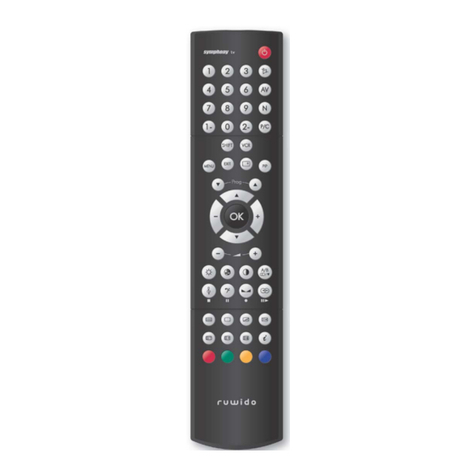
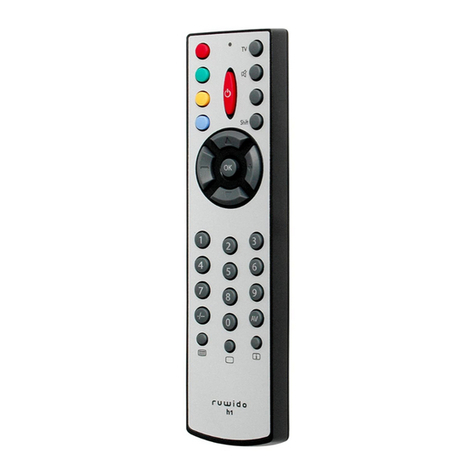
Long press (longer than 3 sec.) the Mute key and the OK key simultaneously till green LED
blinks twice.
2.2 1001 –code search
Start programming mode.
Enter the code 1001; the green LED blinks 2x for code OK or the red LED lights for
2 sec. in the case of wrong code.
Press the "Power" key and keep it pressed till the TV set switches off.
The key "OK" saves the current code.
The key "EXIT" quits the code search without saving
The end of database will be indicated by 5x blinks of the red LED.
In the case the code search was interrupted, a following search will start with the
next to stop code and not at the beginning of the database.
2.3 1003 –brand code search
Start programming mode.
Enter the code 1003; the green LED blinks twice.
Enter the 3-digit code of the brand/manufacturer; the green LED blinks 2x for code
OK or the red LED lights for 2 sec. in the case of wrong code.
Press the "Power" key and keep it pressed till the TV set switches off.
The key "OK" saves the current code.
The key "EXIT" quits the brand code search without saving
The end of brand table will be indicated by 5x blinks of the red LED.
2.4 xxxx Direct Programming
Start programming mode.
Enter the 4-digit code for your TV set (from code list, one after the other); the green
LED blinks twice for a correct code or lights two sec. in red for a not existent code.