manuals.online logo
Brands
  1. Home
  2. •
  3. Brands
  4. •
  5. Sanyo
  6. •
  7. Cassette Player
  8. •
  9. Sanyo VHR-610 User manual

Sanyo VHR-610 User manual

Other manuals for VHR-610

1

Other Sanyo Cassette Player manuals

Sanyo M-1060C User manual

Sanyo

Sanyo M-1060C User manual

Sanyo MCD-X75L User manual

Sanyo

Sanyo MCD-X75L User manual

Sanyo MCD-Z18F User manual

Sanyo

Sanyo MCD-Z18F User manual

Sanyo MCD-ZX530F User manual

Sanyo

Sanyo MCD-ZX530F User manual

Sanyo MCD-S660F User manual

Sanyo

Sanyo MCD-S660F User manual

Sanyo M9998 User manual

Sanyo

Sanyo M9998 User manual

Sanyo VHR-550 User manual

Sanyo

Sanyo VHR-550 User manual

Sanyo RD 5055 User manual

Sanyo

Sanyo RD 5055 User manual

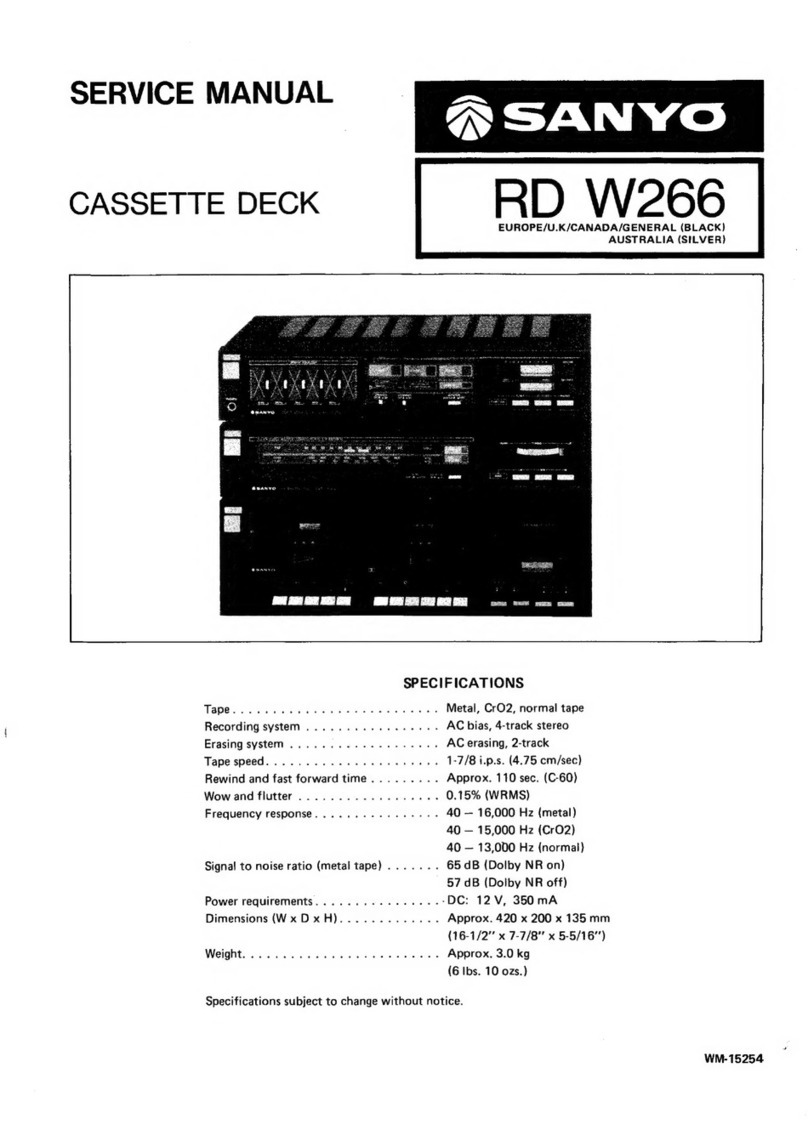
Sanyo RD W266 User manual

Sanyo

Sanyo RD W266 User manual

Sanyo MCD-Z250F User manual

Sanyo

Sanyo MCD-Z250F User manual

Sanyo VHR-450 User manual

Sanyo

Sanyo VHR-450 User manual

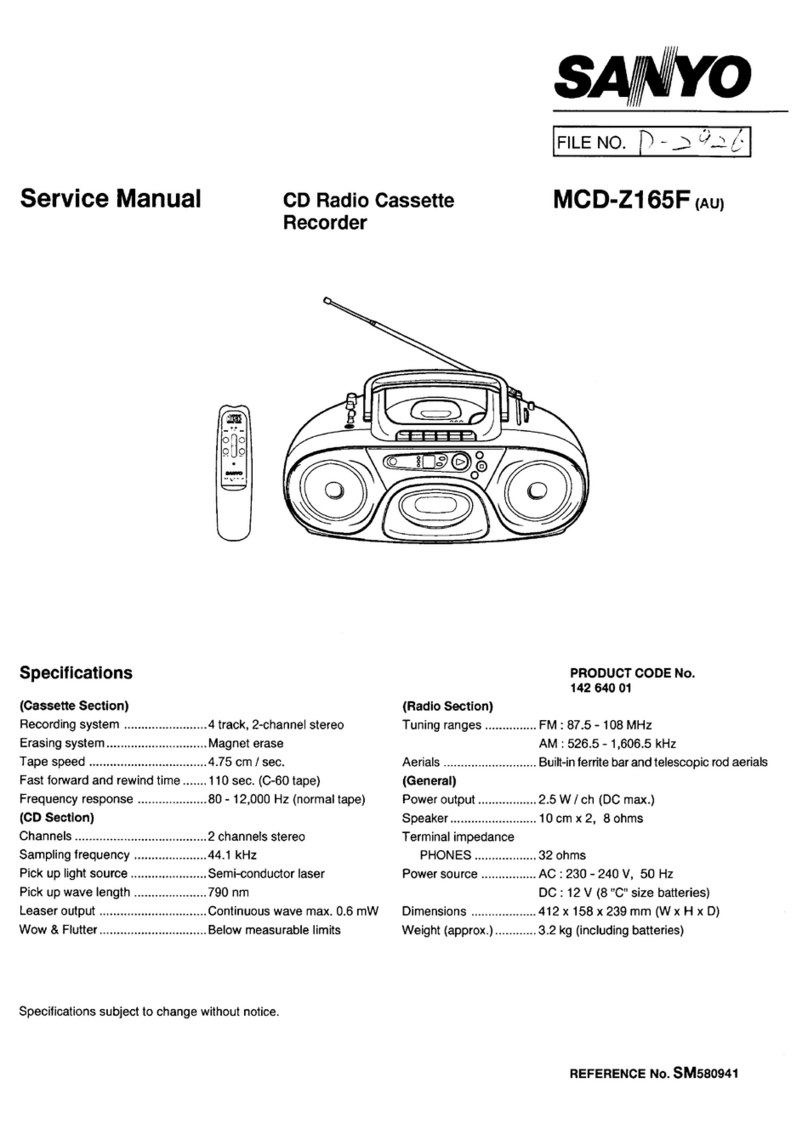
Sanyo MCD-Z165F User manual

Sanyo

Sanyo MCD-Z165F User manual

Sanyo M-1075C User manual

Sanyo

Sanyo M-1075C User manual

Sanyo FXR-303GB User manual

Sanyo

Sanyo FXR-303GB User manual

Sanyo MCD-Z12F Operating manual

Sanyo

Sanyo MCD-Z12F Operating manual

Sanyo VHR-350ES User manual

Sanyo

Sanyo VHR-350ES User manual

Sanyo MCD-Z250F User manual

Sanyo

Sanyo MCD-Z250F User manual

Sanyo M1990FE User manual

Sanyo

Sanyo M1990FE User manual

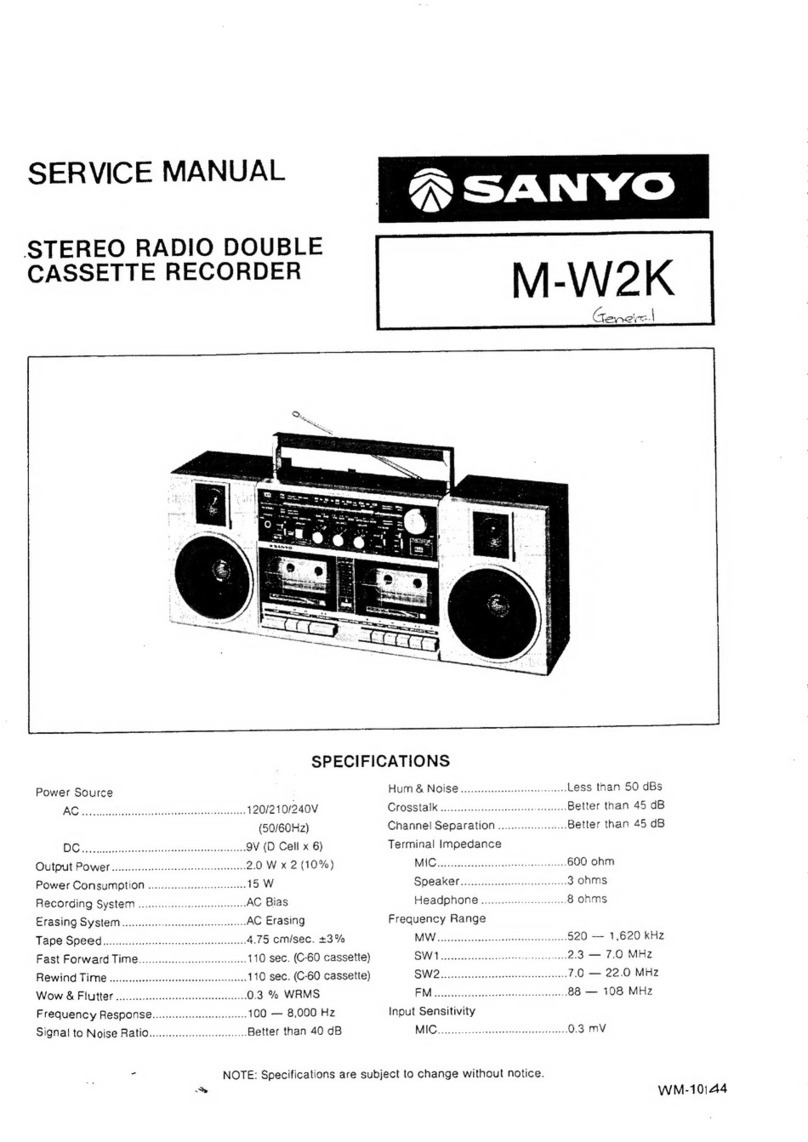
Sanyo M-W2K User manual

Sanyo

Sanyo M-W2K User manual

Sanyo MCD-ZX100F User manual

Sanyo

Sanyo MCD-ZX100F User manual

Sanyo MCD-S670F User manual

Sanyo

Sanyo MCD-S670F User manual

Sanyo MCD-Z8F (AU) User manual

Sanyo

Sanyo MCD-Z8F (AU) User manual

Sanyo MCD-Z8F (AU) User manual

Sanyo

Sanyo MCD-Z8F (AU) User manual

Sanyo MCD-Z95F User manual

Sanyo

Sanyo MCD-Z95F User manual

Popular Cassette Player manuals by other brands

Ahuja CPA-360 Operation manual

Ahuja

Ahuja CPA-360 Operation manual

Sony Pressman TCS-60DV Specifications

Sony

Sony Pressman TCS-60DV Specifications

Philips AQ6485/14 Product information

Philips

Philips AQ6485/14 Product information

Sony TCM-200DV - Cassette Recorder operating instructions

Sony

Sony TCM-200DV - Cassette Recorder operating instructions

Nakamichi BX-300 Service manual

Nakamichi

Nakamichi BX-300 Service manual

Panasonic RQ-E25V operating instructions

Panasonic

Panasonic RQ-E25V operating instructions

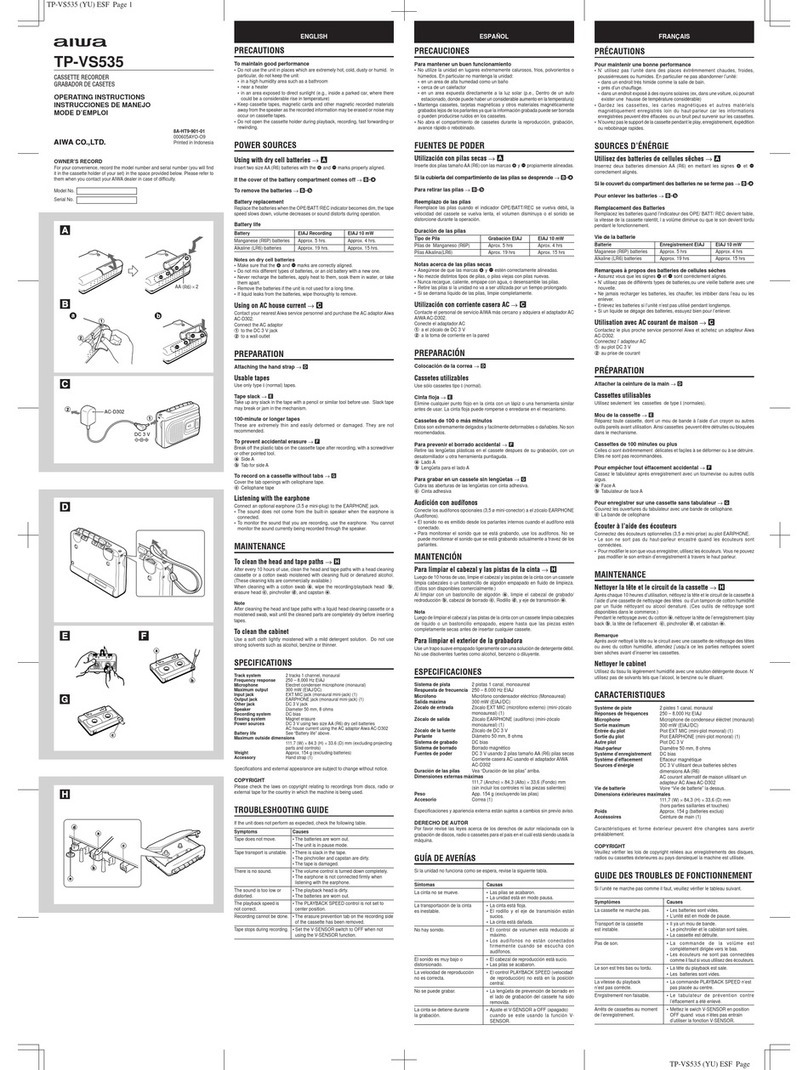
Aiwa TP-VS535 operating instructions

Aiwa

Aiwa TP-VS535 operating instructions

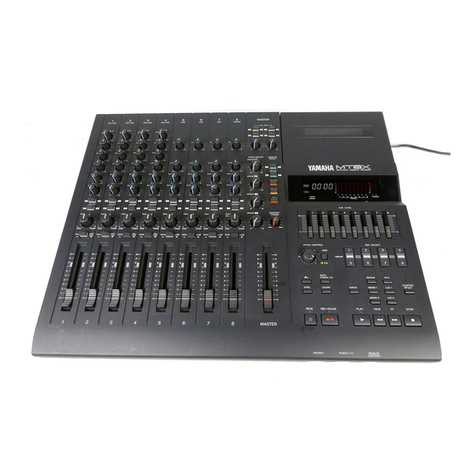
Yamaha MT8X Operation manual

Yamaha

Yamaha MT8X Operation manual

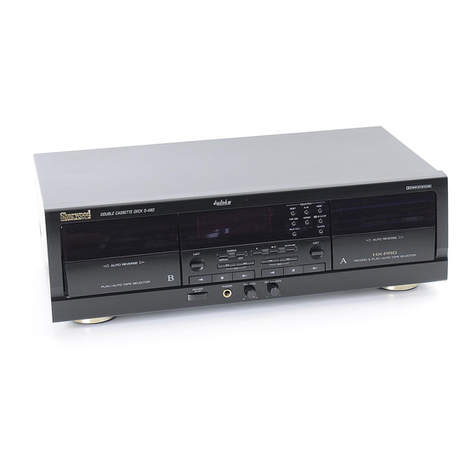
Sherwood Newcastle D-480 operating instructions

Sherwood

Sherwood Newcastle D-480 operating instructions

Manta MA408 user manual

Manta

Manta MA408 user manual

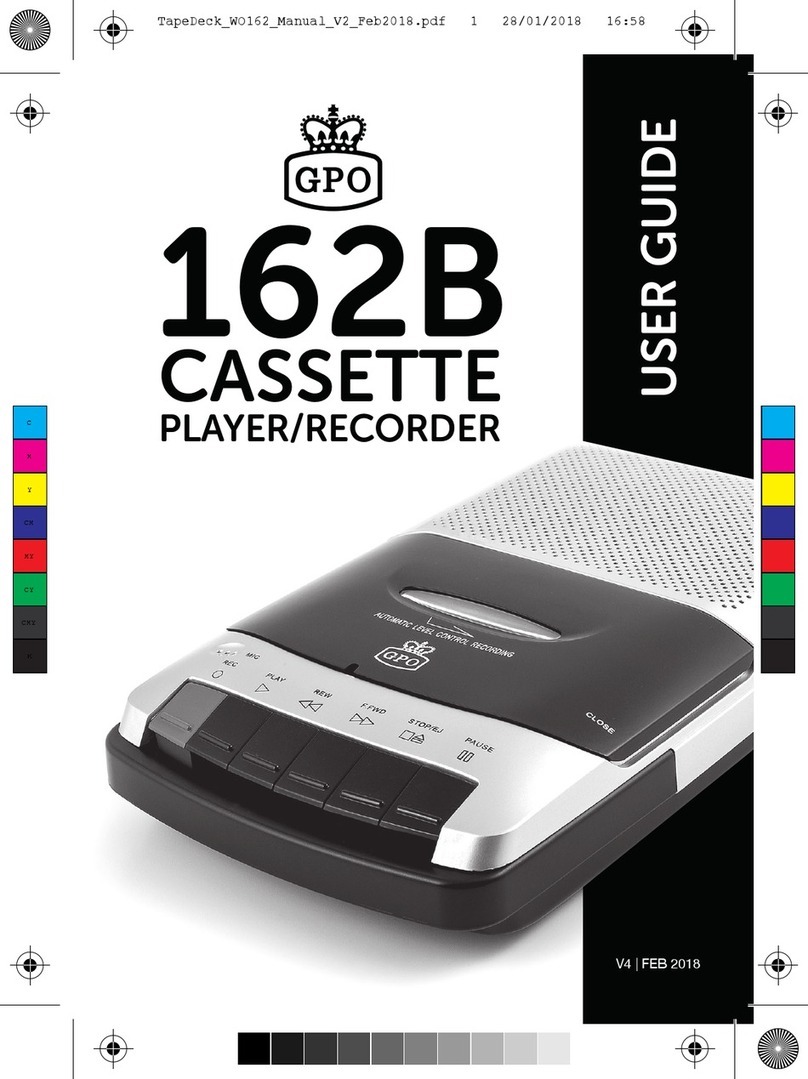
GPO W0162B user guide

GPO

GPO W0162B user guide

Marantz CP230 Service manual

Marantz

Marantz CP230 Service manual

Sony HST-471 Service manual

Sony

Sony HST-471 Service manual

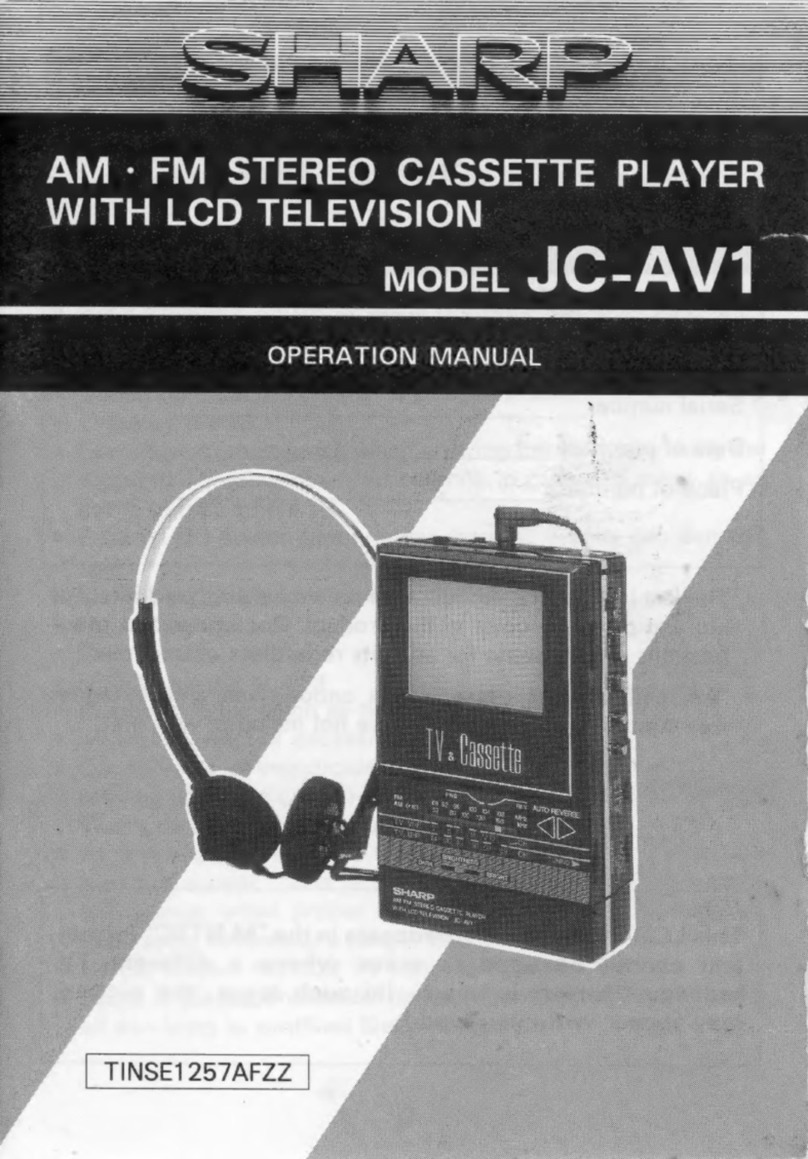
Sharp JC-AV1 Operation manual

Sharp

Sharp JC-AV1 Operation manual

Pioneer CT-W103 Service manual

Pioneer

Pioneer CT-W103 Service manual

Sony CFS-B15 - Am/fm Stereo Cassette Recorder operating instructions

Sony

Sony CFS-B15 - Am/fm Stereo Cassette Recorder operating instructions

Sony WMFS220 - Portable Sports AM/FM Cassette... operating instructions

Sony

Sony WMFS220 - Portable Sports AM/FM Cassette... operating instructions

Aiwa HS-TA21 operating instructions

Aiwa

Aiwa HS-TA21 operating instructions

manuals.online logo
manuals.online logoBrands
  • About & Mission
  • Contact us
  • Privacy Policy
  • Terms and Conditions

Copyright 2025 Manuals.Online. All Rights Reserved.

FILE NO.
~~ ‘, .,(B
SERVICE MANUAL
Video Cassette Recorder
,“,
CONTENTS
SELF-DIAGNOSIS DISPLAY .................................................... 2
1. DISASSEMBLY .................................................................... 5
2. ELECTRICAL ADJUSTMENT .............................................. 9
3. TEST POINTS FOR TAPE PATH ADJUSTMENT .............11
4. PARTS LIST
MECHANISM PARTS ......................................................... 12
LAccessories .................................................................. 14
PACKING MATERIALS ...................................................... 14
CABINET &CHASSIS PARTS ........................................... 14
ELECTRICAL PARTS ........................................................ 15
CIRCUIT DIAGRAMS (Refer to the separate volume)
Sqkkio
VHR”610
(Australia)
(New Zealand)
liiiiq
PA
Please see other materials with Reference
number given in table below.
Materials Model No. Reference No.
V95 I
Mechanism Mechanism MM531433
Manual V95 II
Mechanism MS531500
rp’””uc’s’’’’y”””
The components designated by asymbol (~) in this schematic diagram designates components whose value are of special
slgnlflcance to product safety. Should any component designated by asymbol need to be replaced, use only the part designated
in the parts List. Do not deviate from the resistance, wattage, and voltage ratings shown.
NOTE: 1. Parts order must contain model number, part number, and description.
2. Substitute parts may be supplied as the service parts.
3. N.S.P. :Not available as service parts.
Design and specifications are subject to change without notice.
PF2NIA2 143 16S08 REFERENCE No.SM531 559
SELF-DIAGNOSIS DISPLAY
Mechanism Mode Display/ Head Output Drop Warning Display/ Cylinder Rotation Accumulated
Time Display
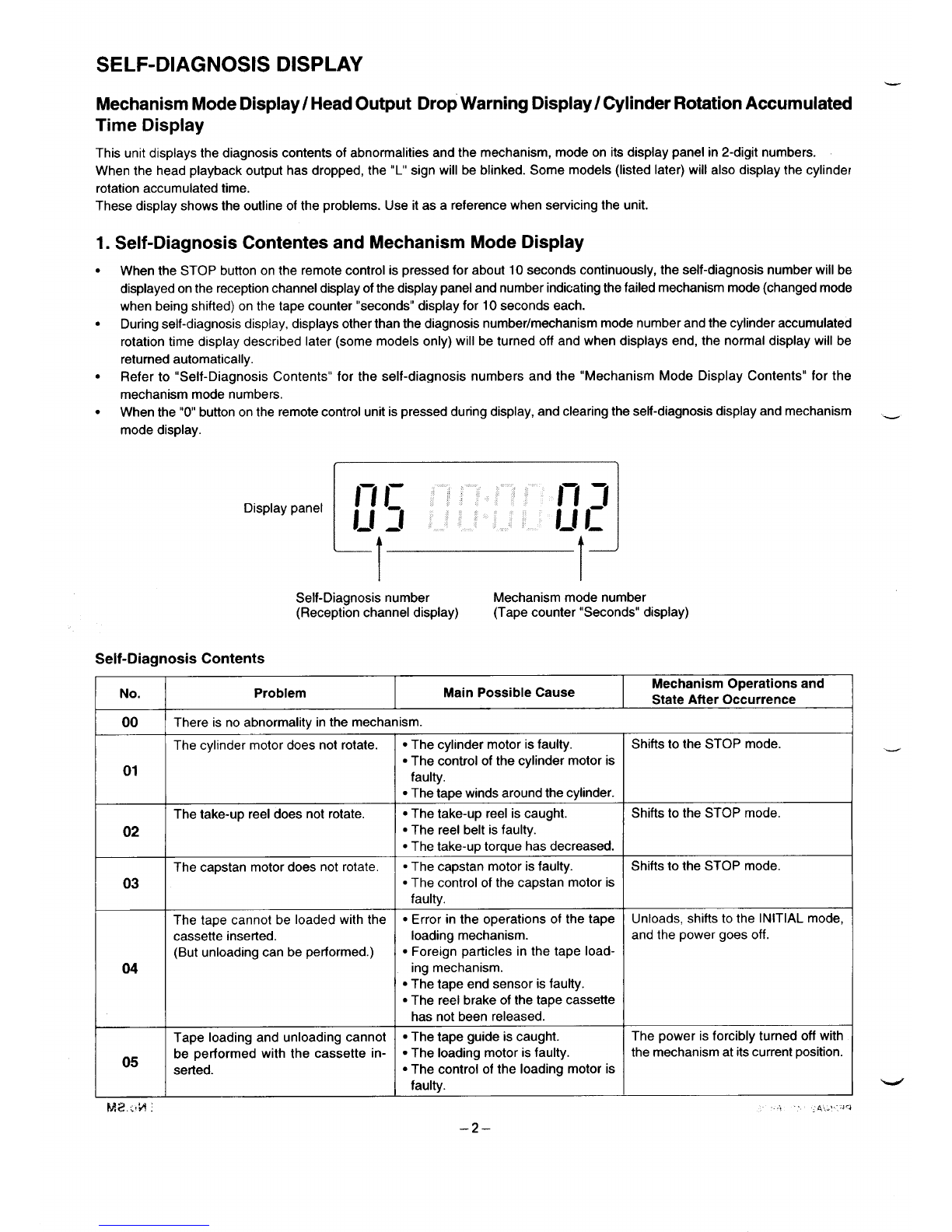
This unit displays the diagnosis contents of abnormalities and the mechanism, mode on its display panel in 2-digit numbers.
When the head playback output has dropped, the “L” sign will be blinked. Some models (listed later) will also display the cylinder
rotation accumulated time.
These display shows the outline of the problems. Use it as areference when servicing the unit.
1. Self-Diagnosis Contentes and Mechanism Mode Display
When the STOP button on the remote control is pressed for about 10 seconds continuously, the self-diagnosis number will be
displayed on the reception channel display of the display panel and number indicating the failed mechanism mode (changed mode
when being shifted) on the tape counter “seconds” display for 10 seconds each.
During self-diagnosis display, displays other than the diagnosis number/mechanism mode number and the cylinder accumulated
rotation time display described later (some models only) will be turned off and when displays end, the normal display will be
returned automatically.
Refer to “Self-Diagnosis Contents” for the self-diagnosis numbers and the “Mechanism Mode Display Contents” for the
mechanism mode numbers.
When the “O” button on the remote control unit is pressed during display, and clearing the self-diagnosis display and mechanism _
mode display.
--
Display panel Ill n g
l-! :1 L1I_
1---
I1-
Self-Diagnosis number Mechanism mode number
(Reception channel display) (Tape counter “Seconds” display)
Self-Diagnosis Contents
INo.
r
04
Problem Main Possible Cause Mechanism Operations and
State After Occurrence
There is no abnormality in the mechanism.
The cylinder motor does not rotate.
The take-up reel does not rotate.
The capstan motor does not rotate
The tape cannot be loaded with the
cassette inserted.
(But unloading can be performed.)
Tape loading and unloading cannot
be performed with the cassette in-
serted.
●The cylinder motor is faulty.
●The control of the cylinder motor is
faulty.
●The tape winds around the cylinder.
●The take-up reel is caught.
●The reel belt is faulty.
●The take-up torque has decreased.
●The capstan motor is faulty.
●The control of the capstan motor is
faulty.
●Error in the operations of the tape
loading mechanism.
●Foreign particles in the tape load-
ing mechanism.
●The tape end sensor is faulty.
●The reel brake of the tape cassette
has not been released.
●The tape guide is caught.
●The loading motor is faulty.
●The control of the loading motor is
faulty.
–2–
Shifts to the STOP mode.
Unloads, shifts to the INITIAL mode,
and the power goes off.
The power is forcibly turned off with
the mechanism at its current position.

.-
L-
No. Problem Main Possible Cause Mechanism Operations and
State After Occurrence
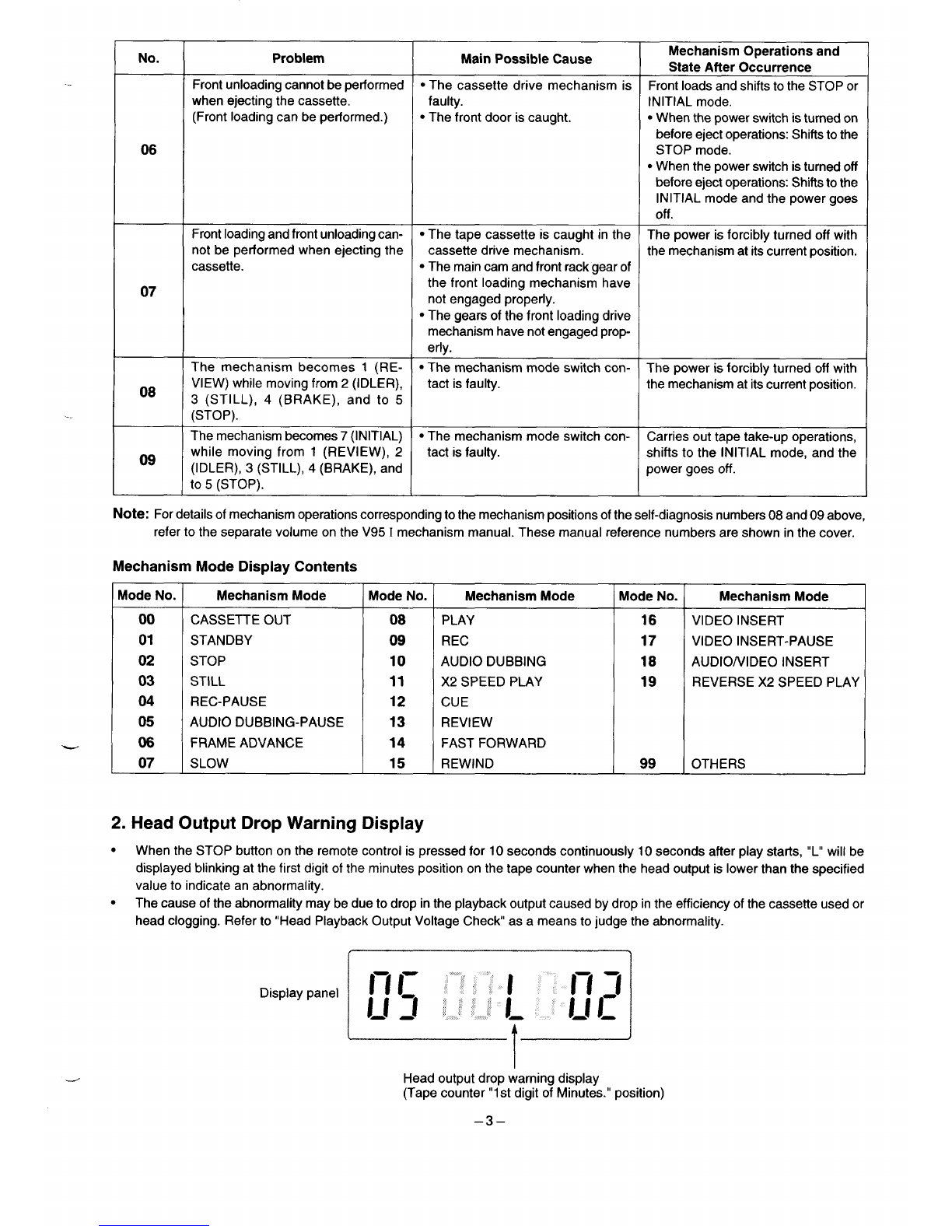
Front unloading cannot be performed ●The cassette drive mechanism is Front loads and shifts to the STOP or
when ejecting the cassette. faulty. INITIAL mode.
(Front loading can be performed.) ●The front door is caught. ●When the power switch is turned on
before eject operations: Shifts to the
06 STOP mode.
●When the power switch is turned off
before eject operations Shifts to the
INITIAL mode and the power goes
off .
Front loading and front unloading can- ●The tape cassette is caught in the The power is forcibly turned off with
not be performed when ejecting the cassette drive mechanism. the mechanism at its current position.
cassette. ●The main cam and front rack gear of
07 the front loading mechanism have
not engaged properly.
●The gears of the front loading drive
mechanism have not engaged prop-
erly.
The mechanism becomes 1(RE- ●The mechanism mode switch con- The power is forcibly turned off with
08 VIEW) while moving from 2(IDLER), tact is faulty. the mechanism at its current position.

3(STILL), 4(BRAKE), and to 5
(STOP).
The mechanism becomes 7(INITIAL) ●The mechanism mode switch con- Carries out tape take-up operations,
08 while moving from 1(REVIEW), 2tact is faulty. shifts to the INITIAL mode, and the
(IDLER), 3(STILL), 4(BRAKE), and power goes off.
to 5(STOP).
Note: For details of mechanism operations corresponding to the mechanism positions of the self-diagnosis numbers 08 and 09 above,
refer to the separate volume on the V95 Imechanism manual. These manual reference numbers are shown in the cover,
Mechanism Mode Display Contents
Mode No. Mechanism Mode Mode No. Mechanism Mode Mode No. Mechanism Mode
00 CASSETTE OUT 08 PLAY 16 VIDEO INSERT
01 STANDBY 09 REC 17 VIDEO INSERT-PAUSE
02 STOP 10 AUDIO DUBBING 18 AUDIO/VIDEO INSERT
03 STILL 11 X2 SPEED PLAY 19 REVERSE X2 SPEED PLAY
04 REC-PAUSE 12 CUE
05 AUDIO DUBBING-PAUSE 13 REVIEW
06 FRAME ADVANCE 14 FAST FORWARD I
07 SLOW 15 REWIND 99 OTHERS
2. Head Output Drop Warning Display
●When the STOP button on the remote control is pressed for 10 seconds continuously 10 seconds after play starts, “L” will be
displayed blinking at the first digit of the minutes position on the tape counter when the head output is lower than the specified
value to indicate an abnormality.
●The cause of the abnormality maybe due to drop in the playback output caused by drop in the efficiency of the cassette used or
head clogging. Refer to “Head Playback Output Voltage Check as ameans to judge the abnormality.
Display panel
--,
HI InJ
IJ 2IL 1[1
--
I
dHead output drop warning display
(Tape counter”1 st digit of Minutes.” position)
–3–
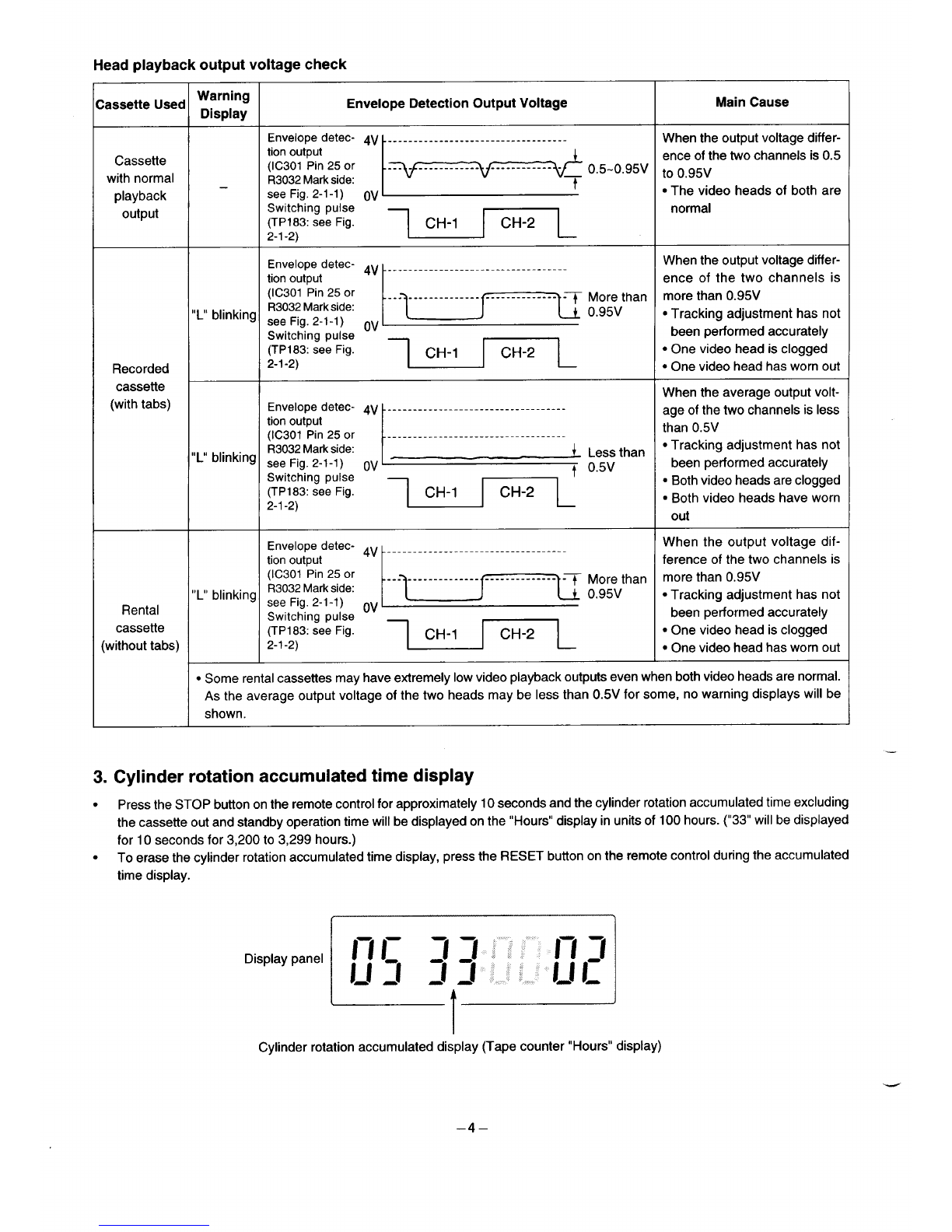
Head playback output voltage check
Warning
:assette Used Display Envelope Detection Output Voltage Main Cause
Envelope detec- 4V -----------------------------------
k+’’-”’” :W:::::n:::
When the output voltage differ-
Cassette tion output
(IC301 Pin 25 or
with normal R3032Markside:
playback –see Fig. 2-l-1) OV
output Switching pulse normal
(TP183: see Fig. CH-1 CH-2
2-l-2)
‘nve’ope ‘etec- 4V When the output voltage differ-
tion output
(IC301 Pin 25 or
R3032Markside:
,,L1lblinking see Fig. 2-l-1) “v ‘::Fan ~+;grn;;’:
Switching pulse
(TP183: see Fig. ●One video head is clogged
Recorded 2-l-2) ●One video head has worn out
cassette
(with tabs) When the average output volt-
Envelope detec- 4V -----------------------------------
tion output
(IC301 Pin 25 or
R3032Markside:
“L” blinking see Fig. 2-l-1) ov ~,,,than ~i:g;;;’;
Switching pulse
(TP183: see Fig. CH-1 CH-2 ●Both video heads are clogged
2-1-2) ●Both video heads have worn
out
Envelope detec- ~v
tion output
(IC301 Pin 25 or
“L” blinking R3032Markside:
Rental ~;t;;in:-;:;se ‘v ‘:p;han ~:gg:d
cassette (TP183: see Fig. CH-1 CH-2
(without tabs) ●One video head is clogged
2-l-2) ●One video head has worn out
●Some rental cassettes may have extremely low video playback outputs even when both video heads are normal.
As the average output voltage of the two heads maybe less than 0.5V for some, no warning displays will be
shown.
3. Cylinder rotation accumulated time display
●Press the STOP button on the remote control for approximately 10 seconds and the cylinder rotation accumulated time excluding
the cassette out and standby operation time will be displayed on the “Hours” display in units of 100 hours. (“33” will be displayed
for 10 seconds for 3,200 to 3,299 hours.)
●To erase the cylinder rotation accumulated time display, press the RESET button on the remote control during the accumulated
Cylinder rotation accumulated display (Tape counter “Hours” display)
–4–
1. DISASSEMBLY
1-1. REMOVAL OF CABINET, MECHANISM UNIT, AND MAIN BOARD
REMOVING THE CABINET PARTS (Fig. l-l-l) 1. Spread out the lock clamps (C) in the arrow direction
1.
2.
Remove the cabinet and bottom cover by removing the four slightly and remove the TM-1 PWB as shown in Fig. 1-1-2.
screws @and four screws @. 2. Remove the screw@ at the chassis.
Remove the front panel by removing the locks of the clamps 3. Remove the red screw@ in the chassis, remove the red
(A) using ascrewdriver, etc. and slightly rotating the bottom screw @, and remove the holder in this order.
part in the direction of the arrow. 4. Remove the two screws ~and two screws @of the
mechanism unit. The two screws @of the cassette tray can
Notes: ●Electrical adjustments for the this model can be
performed with only the cabinet removed.
●When replacing the bottom cover, do not tighten the
screws @too much. Excess tightness may damage
the screws taps on the chassis.
REMOVING THE MECHANISM MAIN UNIT AND THE
CP-1 PWB ASSEMBLY (Fig. 1-1-2 and l-l-3)
After removing the cabinet parts, remove the mechanism unit
and the CP-1 PWB assembly connected as follows.
be removed easily by pushing the tray lock lever in the
arrow direction to remove the lock as shown in the enlarge
view Aand by pushing the lid opener lever in the arrow
direction to remove the lock as shown in the enlarge view
B.
5. Lift up the whole mechanism unit and main board (CP-1
PWB assembly), and as shown in Fig. 1-1-3, push the two
lock clamps (D) of the chassis in the arrow direction so that
they can be removed from the chassis.
._
L
M-PF2LN/-rA-l
Front Panel Unit
ver
Fig. 1-1-1
–5-
M. PF2LNfrA-2
Tray Lock Lever
B
Cassette Tray Fig. 1-1-2
M-PF2LNmA-3
PWB Assembly
T
Chassis
Fig. 1-1-3
–6–
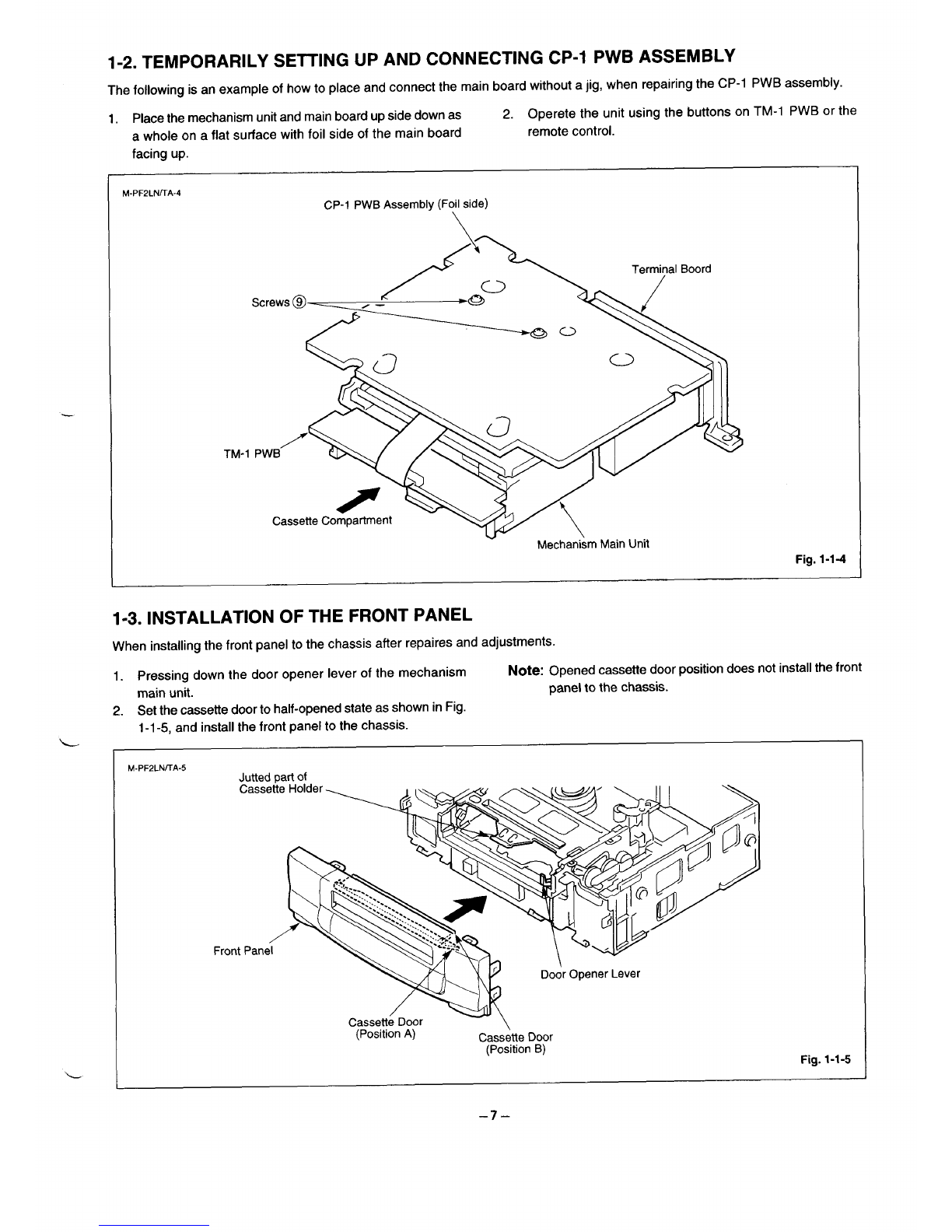
1-2. TEMPORARILY SETTING UP AND CONNECTING CP-I PWB ASSEMBLY
The following is an example of how to place and connect the main board without ajig, when repairing the CP-1 PWB assembly.
1. Place the mechanism unit and main board up side down as 2. Operete the unit using the buttons on TM-1 PWB or the
awhole on a flat surface with foil side of the main board remote control.
facing up.
M-PF2LN~A-4 CP-I PWB Assembly (Foil side)
.
/~~7Boord
Screws @)——___ *
,—
v
/’-
TM-1 PWB \(”+
R
Cassette Compartment
~) 7\
-w \
Mechanism Main Unit Fig. 1-1-4
1-3. INSTALLATION OF THE FRONT PANEL
When installing the front panel to the chassis after repaires and adjustments.
1. Pressing down the door opener lever of the mechanism Note: Opened cassette door position does not install the front
main unit. panel to the chassis.
2. Set the cassette door to half-opened state as shown in Fig.
L
L
1-1-5, and install the front panel to the chassis.
M-PF2LN/TA-5
(Position A) Cassette Door
(Position B) Fig. 1-1-5
–7-
1-4. CIRCUIT BOARD LOCATIONS
L-PF2LNrrA
Sv-1
\/D–i DIAID A.-e,-.,l-.l.,
,w:T\*K –V r-l rvvunci~mlwly
/
\
TM-1 PWB~ “-’s7’
The SV-I PWB is unnecessa~ when the
MN675039S9F1 (P/No. 410276 4600) is
mounting at IC301 in the CP-1 PWB
Assembly.
it
t“.
–8–
2. ELECTRICAL ADJUSTMENT
VCR PRESETTING
This VCR need three basic presetting by using the menus displayed on-screen. After all connection have been made, then follow steps
1to 3to preset the VCR.
The three presetting steps will be displayed in sequence on TV screen. The setting are entered with the remote control.
Turn on the VCR
1. Adjusting the TV receiver to the video channel: The AUTO SETUP screen will appear. When the video channel has been preset,
press the OK button on the remote control.
2. Country selection: Using the numeric button, select the country of use.
3. Language selection: When the desired language has been select, press the MENWTV button directly before prevent auto tuning
will start.
When steps 1to 3have been finish, ready to operate the all operating mode.
2-1. SERVO CIRCUIT ADJUSTMENT
●These adjustments should be done upon completion of the tape transport adjustments.
●If the tape transport adjustments (except the tilt adjustment) are done after these adjustments, follow the procedures again in
section 2-1-3, “switching position adj.”
●When acassette tape is loaded, auto-tracking will be set immediately after starting the first playback. As this will daviate the
tracking center set, be sure to press the channel buttons (+) or (–) once directly after starting playback to prevent auto-tracking
from being set.
2-1-1. TEST EQUIPMENT AND STANDARDS REQUIRED
Oscilloscope Vertical sensitivity :5 mV/DIV, external trigger
Bandwidth :more than 10 MHz
Alignment Tape VHJ-0009 :SP mode, monoscope, 6KHz
Blank Tape VHS-type cassette tape
Monitor TV
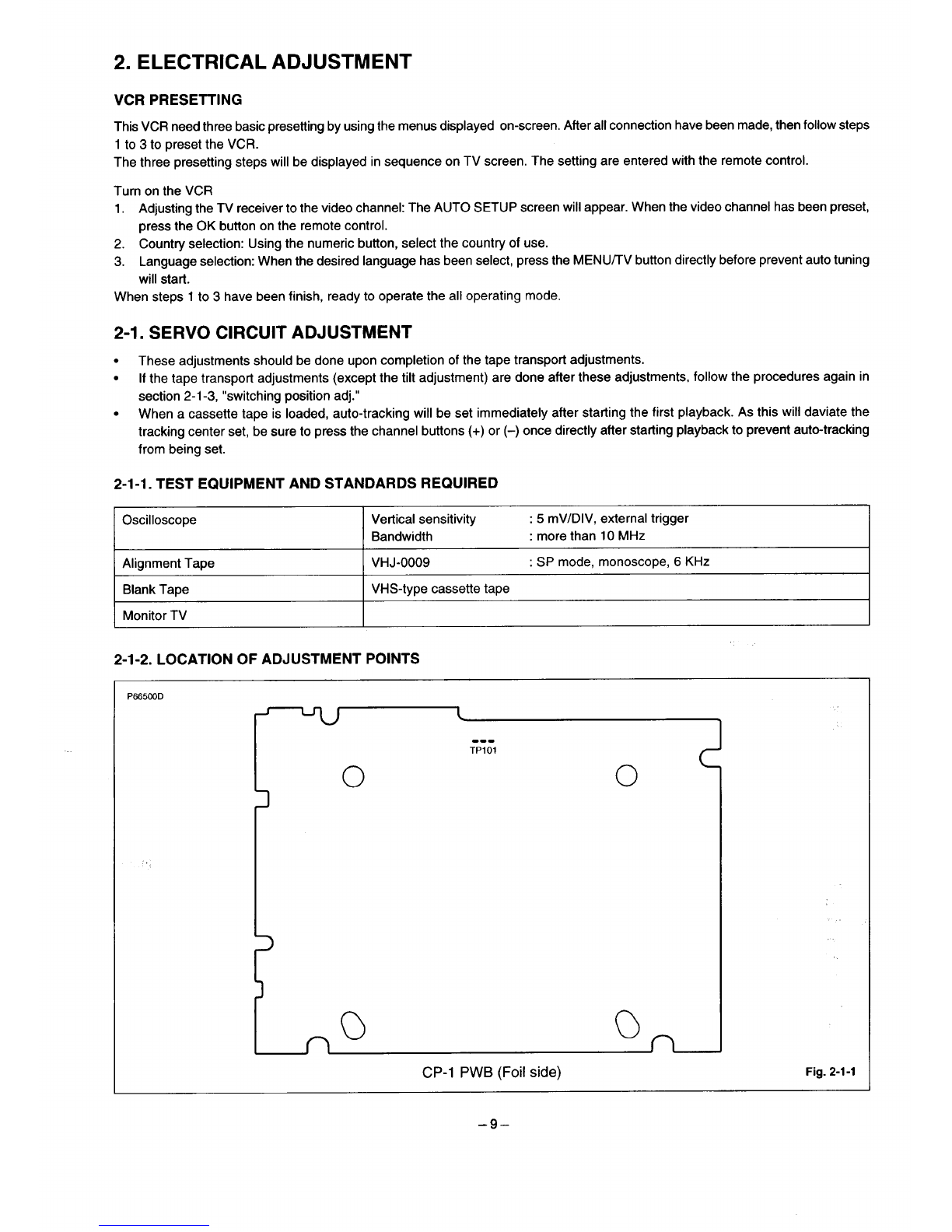
2-1-2. LOCATION OF ADJUSTMENT POINTS
PE65COD
.-.
TP1OI
o0
3
1
no C)n
CP-1 PWB (Foil side) Fig. 2-1-1
–9–
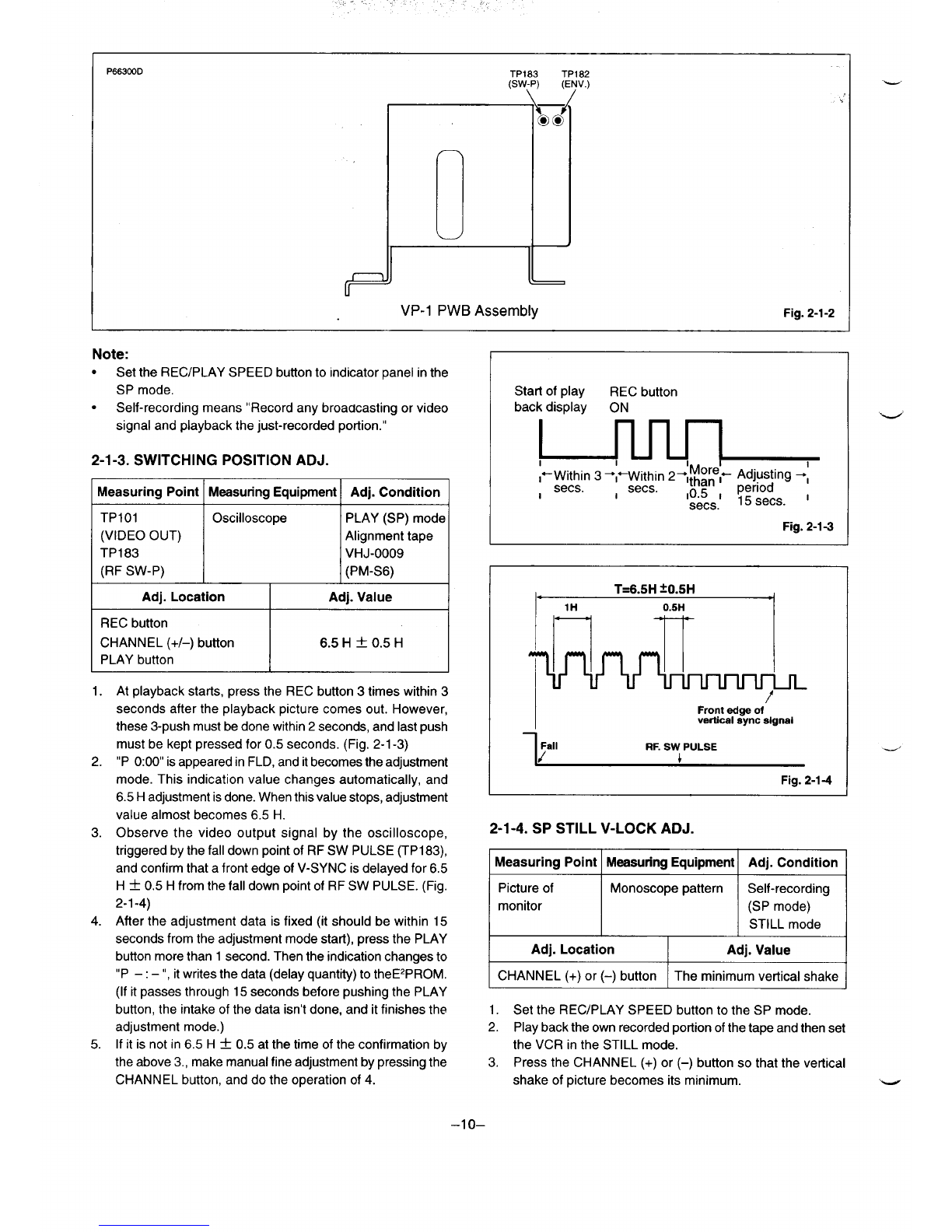
TP183 1
(SW-P) (1
/
I
l:; ..
6- VP-1 PWB Assembly Fig. 2-1-2
Note:
●Set the RECIPLAY SPEED button to indicator panel in the
SP mode.
●Self-recording means “Record any broadcasting or video
signal and playback the just-recorded portion. ”
2-1-3. SWITCHING POSITION ADJ.
IMeasuring Point IMeasuring Equipment IAdj. Condition I
TP101 Oscilloscope PLAY (SP) mode
(VIDEO OUT) Alignment tape
TP183 VHJ-0009
(RF SW-P) (PM-S6)
Adj. Location Adj. Value
REC button
CHANNEL (+/–) button 6.5 H~0.5 H
PLAY button
1. At playback starts, press the REC button 3times within 3
seconds after the playback picture comes out. However,
these 3-push must be done within 2seconds, and last push
must be kept pressed for 0.5 seconds. (Fig. 2-1-3)
2. “P 0:00” is appeared in FLD, and it becomes the adjustment
mode. This indication value changes automatically, and
6.5 Hadjustment is done. When this value stops, adjustment
value almost becomes 6.5 H.
3. Observe the video output signal by the oscilloscope,
triggered by the fall down point of RF SW PULSE (TPI 83),
and confirm that afront edge of V-SYNC is delayed for 6.5
H~0.5 Hfrom the fall down point of RF SW PULSE. (Fig.
2-l-4)
4. After the adjustment data is fixed (it should be within 15
seconds from the adjustment mode start), press the PLAY
button more than 1second. Then the indication changes to
“P –: –”, it writes the data (delay quantity) to theE2PROM.
(If it passes through 15 seconds before pushing the PLAY
button, the intake of the data isn’t done, and it finishes the
adjustment mode.)
5. If it is not in 6.5 H*0.5 at the time of the confirmation by
the above 3., make manual fine adjustment by pressing the
CHANNEL button, and do the operation of 4.
I
IStart of play REC button
back display ON
,sees. ,sees.
IFig. 2-1-3
1. T=6.5H ~0.5H 4
]lH 0.5H ‘1
IFront edge of
vertical eync signal
1 l%,, RF.SW PULSE
Fig. 2-1-4
2-1-4. SP STILL V-LOCK ADJ.
Measuring Point Measuring Equipment Adj. Condition
Picture of Monoscope pattern Self-recording
monitor (SP mode)
STILL mode
Adj. Location Adj. Value
CHANNEL (+) or (–) button The minimum vertical shake
1. Set the REC/PLAY SPEED button to the SP mode.
2. Play back the own recorded portion of the tape and then set
the VCR in the STILL mode.
3. Press the CHANNEL (+) or (–) button so that the vertical
shake of picture becomes its minimum. “w
–lo–