manuals.online logo
Brands
  1. Home
  2. •
  3. Brands
  4. •
  5. Sanyo
  6. •
  7. VCR System
  8. •
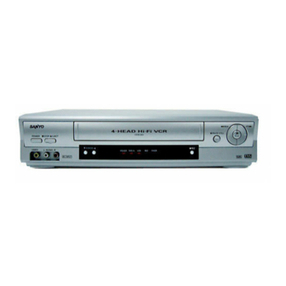
  9. Sanyo VHR-495E User manual

Sanyo VHR-495E User manual

This manual suits for next models

1

Other Sanyo VCR System manuals

Sanyo TLS-4960 User manual

Sanyo

Sanyo TLS-4960 User manual

Sanyo TLS-924 Manual

Sanyo

Sanyo TLS-924 Manual

Sanyo P90 Manual

Sanyo

Sanyo P90 Manual

Sanyo VHR-810 User manual

Sanyo

Sanyo VHR-810 User manual

Sanyo VWM-900 User manual

Sanyo

Sanyo VWM-900 User manual

Sanyo SRT-8040 User manual

Sanyo

Sanyo SRT-8040 User manual

Sanyo VHR-870 User manual

Sanyo

Sanyo VHR-870 User manual

Sanyo VHR-390EX User manual

Sanyo

Sanyo VHR-390EX User manual

Sanyo SRT-8960 User manual

Sanyo

Sanyo SRT-8960 User manual

Sanyo VHR-490 User manual

Sanyo

Sanyo VHR-490 User manual

Sanyo VHR-VT221A / NZ User manual

Sanyo

Sanyo VHR-VT221A / NZ User manual

Sanyo VHR-VX600 User manual

Sanyo

Sanyo VHR-VX600 User manual

Sanyo SRC-850 User manual

Sanyo

Sanyo SRC-850 User manual

Sanyo VHR-650 User manual

Sanyo

Sanyo VHR-650 User manual
Sanyo VHR-VT821A NZ User manual

Sanyo

Sanyo VHR-VT821A NZ User manual

Sanyo VHR-420 User manual

Sanyo

Sanyo VHR-420 User manual

Sanyo SRT-8960P User manual

Sanyo

Sanyo SRT-8960P User manual

Sanyo VHR-489SP User manual

Sanyo

Sanyo VHR-489SP User manual

Sanyo HR-VX200 Manual

Sanyo

Sanyo HR-VX200 Manual

Sanyo VHR-7100 User manual

Sanyo

Sanyo VHR-7100 User manual

Sanyo SRT-6000 User manual

Sanyo

Sanyo SRT-6000 User manual

Sanyo VHR-770 User manual

Sanyo

Sanyo VHR-770 User manual

Sanyo VHR-770 User manual

Sanyo

Sanyo VHR-770 User manual

Sanyo VHR-H531 User manual

Sanyo

Sanyo VHR-H531 User manual

Popular VCR System manuals by other brands

RCA VR678HF user guide

RCA

RCA VR678HF user guide

Zenith VRL4270HF Operating guide & warranty

Zenith

Zenith VRL4270HF Operating guide & warranty

Akai VS-606EA Operator's manual

Akai

Akai VS-606EA Operator's manual

Panasonic NV-SJ412EE operating instructions

Panasonic

Panasonic NV-SJ412EE operating instructions

FUNAI 27C-450 Service manual

FUNAI

FUNAI 27C-450 Service manual

Sony SLV-X37 operating instructions

Sony

Sony SLV-X37 operating instructions

JVC SR-VS20U - Dual Format S-vhs/minidv Recorder instructions

JVC

JVC SR-VS20U - Dual Format S-vhs/minidv Recorder instructions

Grundig GV 7400 EURO Service manual

Grundig

Grundig GV 7400 EURO Service manual

Zenith VCM321 Installation and operating guide

Zenith

Zenith VCM321 Installation and operating guide

JVC HR-A43U, HR-A63U instructions

JVC

JVC HR-A43U, HR-A63U instructions

Aiwa VX-S135U operating instructions

Aiwa

Aiwa VX-S135U operating instructions

RCA VR725HF user guide

RCA

RCA VR725HF user guide

JVC 0703-AH-PJ-BJ instruction manual

JVC

JVC 0703-AH-PJ-BJ instruction manual

TruTech ZV450TT8 owner's manual

TruTech

TruTech ZV450TT8 owner's manual

JVC HR-DVS1EK instructions

JVC

JVC HR-DVS1EK instructions

Sensory Science DDV2120 user guide

Sensory Science

Sensory Science DDV2120 user guide

JVC HR-VP78U instructions

JVC

JVC HR-VP78U instructions

RCA VR611HF user guide

RCA

RCA VR611HF user guide

manuals.online logo
manuals.online logoBrands
  • About & Mission
  • Contact us
  • Privacy Policy
  • Terms and Conditions

Copyright 2025 Manuals.Online. All Rights Reserved.

FILE
NO.
SERVICE
MANUAL
(
Video
Cassette
Recorder
VHR-495E
(U.K.)
VHR-475G
(Germany)
CONTENTS
SELF-DIAGNOSIS
DISPLAY
..........0cceceecuceueeeeee
2
1.
DISASSEMBLY
ices
chu
uw
dacavddigewaud
seemed
ends
5
2.
ELECTRICAL
ADJUSTMENT
............0.cc
cece
eee
9
3.
TEST
POINTS
FOR
TAPE
PATH
ADJUSTMENT
........
14
Please
see
other
materials
with
Reference
No.
4.
PARTS
LIST
given
in
table
below.
ROCESSORIES
sucut
see
syoneuiaeaeeaaatdiearaeen
15
PACKING
MATERIALS
...........00cc
cece
ceeeeeaes
15
Mechanism
|
vo51
Aaeeees
CABINET
&
GHASSIS
PARTS.
~
jucac
csadeeeare
cai
oes
15
Manual
Mechanism
MECHANISM
PARTS
...........0cccceceecceeeueees
16
ELECTRICAL
PARTS
..........cccccceccecueeeueeres
18
CIRCUIT
DIAGRAMS
(Refer
to
the
separate
volume)
PRODUCT
SAFETY
NOTICE
The
components
designated
by
a
symbol
(
A\
)
in
this
schematic
diagram
designates
components
whose
value
are
of
special
significance
to
product
safety.
Should
any
component
designated
by
a
symbol
need
to
be
replaced,
use
only
the
part
designated
in
the
Parts
List.
Do
not
deviate
from
the
resistance,
wattage,
and
voltage
ratings
shown.
NOTE:
1.
Parts
order
must
contain
model
number,
part
number,
and
description.
2.
Substitute
parts
may
be
supplied
as
the
service
parts.
3.
N.S.P.:
Not
available
as
service
parts.
Design
and
specifications
are
subject
to
change
without
notice.
PP4/E,
G2
143
155
00,
31
REFERENCE
No.
SM531434
15500(N)
D1
Vell
hlbbddd
bid
bsdbdssdissidtssdssiiisi¢iisiiiia
7
SELF-DIAGNOSIS
DISPLAY
/
CIOL
TELS
T
TTT
Pere
teteererceritsisseccsssscse,
Mechanism
Mode
Display/Head
Output
Drop
Warning
Display/Cylinder
Rotation
Accumulated
Time
Display
:
This
unit
displays
the
diagnosis
contents
of
abnormalities
and
the
mechanism
mode
on
its
display
panel
in
2-digit
numbers.
When
the
head
playback
output
has
dropped,
the
’’L”
sign
will
be
blinked.
Some
models
(listed
later)
will
also
display
the
cylinder
rotation
accumulated
time.
These
display
shows
the
outline
of
the
problems.
Use
it
as
a
reference
when
servicing
the
unit.
1.
Self-Diagnosis
Contents
and
Mechanism
Mode
Display
*
When
the
STOP
button
on
the
remote
control
is
pressed
for
about
10
seconds
continuously,
the
self-
diagnosis
number
will
be
displayed
on
the
reception
channel
display
of
the
display
panel
and
number
indicating
the
failed
mechanism
mode
(changed
mode
when
being
shifted)
on
the
tape
counter
“seconds”
display
for
3
seconds
each.
*
During
self-diagnosis
display,
displays
other
than
the
diagnosis
number/mechanism
mode
number
and
the
cylinder
accumulated
rotation
time
display
described
later
(some
models
only)
will
be
turned
off
and
when
displays
end,
the
normal
display
will
be
returned
automatically.
*
Refer
to
“Self-Diagnosis
Contents”
for
the
self-diagnosis
numbers
and
the
“Mechanism
Mode
Display
Contents”
for
the
mechanism
mode
numbers.
Display
panel
Self-Diagnosis
number
Mechanism
mode
number
(Reception
channel
display)
(Tape
counter
“Seconds”
display)
Self-Diagnosis
Contents
|
Mechanism
Operations
and
Problem
Main
Possible
Cause
State
After
Occurrence
There
is
no
abnormality
in
the
mechanism.
The
cylinder
motor
does
not
rotate.
The
cylinder
motor
is
faulty.
Shifts
to
the
STOP
mode.
*
The
control
of
the
cylinder
motor
is
faulty.
The
tape
winds
around
the
cylinder.
Shifts
to
the
STOP
mode.
The
take-up
ree!
does
not
rotate.
a
The
capstan
motor
does
not
rotate.
03
The
take-up
reel
is
caught.
¢
The
reel
belt
is
faulty.
The
take-up
torque
has
decreased.
The
capstan
motor
is
faulty.
Shifts
to
the
STOP
mode.
*
The
control
of
the
capstan
motor
is
faulty.
The
tape
cannot
be
loaded
with
the
Error
in
the
operations
of
the
tape
cassette
inserted.
loading
mechanism.
(But
unloading
can
be
performed.)
*
Foreign
particles
in
the
tape
load-ing
mechanism.
*
The
tape
end
sensor
is
faulty.
*
The
reel
brake
of
the
tape
cassette
has
not
been
released.
Unloads,
shifts
to
the
INITIAL
mode,
and
the
power
goes
off.
Tape
loading
and
unloading
cannot
be
|
+
The
tape
guide
is
caught.
The
power
is
forcibly
turned
off
with
the
performed
with
the
cassette
inserted.
*
The
loading
motor
is
faulty.
mechanism
at
its
current
position.
*
The
control
of
the
loading
motor
is
faulty.
=
16502'1)
D2
Mechanism
Operations
and
State
After
Occurrence
Front
loads
and
shifts
to
the
STOP
or
eS
mode.
When
the
power
switch
is
turned
on
before
eject
operations:
Shifts
to
the
STOP
mode.
*
When
the
power
switch
is
turned
off
before
eject
operations:
Shifts
to
the
INITIAL
mode
and
the
power
goes
off.
Main
Possible
Cause
*
The
cassette
drive
mechanism
is
faulty.
The
front
door
is
caught.
Front
unloading
cannot
be
performed
when
ejecting
the
cassette.
(Front
loading
can
be
performed.)
Front
loading
and
front
unloading
cannot
be
performed
when
ejecting
the
cassette.
The
power
is
forcibly
turned
off
with
the
mechanism
at
its
current
position.
*
The
tape
cassette
is
caught
in
the
cassette
drive
mechanism.
*
The
main
cam
and
front
rack
gear
of
the
front
loading
mechanism
have
not
engaged
properly.
*
The
gears
of
the
front
loading
drive
mechanism
have
not
en-
gaged
properly.
The
mechanism
becomes
1
(REVIEW)
while
moving
from
2
(IDLER),
3(STILL),
4
(BRAKE),
andto
5
(STOP).
The
mechanism
mode
switch
con-
tact
is
faulty.
The
power
is
forcibly
turned
off
with
the
mechanism
at
its
current
position.
The
mechanism
becomes
7
(INITIAL)
while
moving
from
1
(REVIEW),
2
(IDLER),
3(STILL),
4
(BRAKE),
and
to
5
(STOP).
The
mechanism
mode
switch
con-
tact
is
faulty.
Carries
out
tape
take-up
operations,
shifts
to
the
INITIAL
mode,
and
the
power
goes
off.
Note:
For
details
of
mechanism
operations
corresponding
to
the
mechanism
positions
of
the
self-diagnosis
numbers
08
and
09
above,
refer
to
the
separate
volume
on
the
V95
1
mechanism
manual.
These
manual
reference
numbers
are
shown
in
the
cover.
Mechanism
Mode
Display
Contents
Mechanism
Mode
Mechanism
Mode
CASSETTE
OUT
STANDBY
STOP
STILL
REC-PAUSE
AUDIO
DUBBING
-
PAUSE
FRAME
ADVANCE
SLOW
Mechanism
Mode
VIDEO
INSERT
VIDEO
INSERT
-
PAUSE
AUDIO/VIDEO
INSERT
REVERSE
X2
SPEED
PLAY
ee
AUDIO
DUBBING
X2
SPEED
PLAY
CUE
REVIEW
FAST
FORWARD
REWIND
OTHERS
2.
Head
Output
Drop
Warning
Display
*
When
the
STOP
button
on
the
remote
control
is
pressed
for
10
seconds
continuously
10
seconds
after
play
starts,
“L”
will
be
displayed
blinking
at
the
first
digit
of
the
minutes
position
on
the
tape
counter
when
the
head
output
is
lower
than
the
specified
value
to
indicate
an
abnormality.
*
The
cause
of
the
abnormality
may
be
due
to
drop
in
the
playback
output
caused
by
drop
in
the
efficiency
of
the
cassette
used
or
head
clogging.
Refer
to
“Head
Playback
Output
Voltage
Check”
as
a
means
to
judge
the
abnormality.
Display
panel
Head
output
drop
warning
display
(Tape
counter
“1st
digit
of
Minutes.”
position)
23>
15500(N)
D3
Head
playback
output
voltage
check
C
U
Warning
:
assette
Used
Display
Envelope
Detection
Output
Voltage
When
the
output
voltage
dif-
Envelope
detec-
4y
|-------------------
een
eee
eee
eee
Cassette
tion
output
ference
of
the
two
channels
with
(1C301
Pin
25
or
sf
-=-\
fT
TTT)
fo
0.5~0.95V
|
is
0.5
to
0.95V
normal
C3016
HOT
side:
zy
*
The
video
heads
of
both
are
playback
an
Fig.
2-1-1)
normal
witching
pulse
ouipus
(TP183:
see
Fig.
CH-
CH-2
2-1-2)
When
the
output
voltage
dif-
ference
of
the
two
channels
is
more
than
0.95V
*
Tracking
adjustment
has
not
been
performed
accurately
*
One
video
head
is
clogged
«
One
video
head
has
worn
out
When
the
average
output
voltage
of
the
two
channels
is
less
than
Envelope
detec-
tion
output
(IC301
Pin
25
or
br
nTYre-en
nner
ene
Ferrera
eee
-+*
More
than
C3016
HOT
side:
0.95V
see
Fig.
2-1-1)
ov
Switching
pulse
(TP183:
see
Fig.
CH-1
CH-2
2-1-2)
oF
L”
blinking
Recorded
cassette
(With
tabs)
Envelope
detec-
4\y
|-----------------------------------
tion
output
ae
(IC301
Pin
25
or
©
pon----22-onennenoeecoe
ee
eetere
eee
Saks
eae
C3016
HOT
side:
Flee
SO
ee
Less
than
|
*
Tracking
adjustment
has
not
INKING
see
Fig.
2-1-1)
OV
4
0.5V
been
performed
accurately
Switching
pulse
¢
Bothvideo
heads
are
clogged
(TP183:
see
Fig.
CH-1
CH-2
is
*
Both
video
heads
have
worn
out
2-1-2}
When
the
output
voltage
dif-
ference
of
the
two
channels
is
more
than
0.95V
*
Tracking
adjustment
has
not
Envelope
detec-
tion
output
(IC301
Pin
25
or
9
b--74e--
een
en
EST
-¢
More
than
C3016
HOT
side:
0.95V
see
Fig.
2-1-1)
OV
so
teed
blinking
Rental
cassette
Sana
been
performed
accurately
;
Switching
pulse
a
«
Onewideo
heads
d
(Without
(TP183:
see
Fig.
CH-1
CH-?
e
vi
eo
head
is
clogge
tabs)
2-1-2)
*
One
video
head
has
worn
out
Some
rental
cassettes
may
have
extremely
low
video
playback
outputs
even
when
both
video
heads
are
normal.
As
the
average
output
voltage
of
the
two
heads
may
be
less
than
0.5V
for
some,
no
warning
displays
will
be
shown.
3.
Cylinder
rotation
accumulated
time
display
Only
VHR-495E
employs
this
function
(However,
this
function
will
be
equipped
only
from
the
middle
of
production.
*
Press
the
STOP
button
on
the
remote
control
for
approximately
10
seconds
and
the
cylinder
rotation
accumulated
time
excluding
the
cassette
out
and
standby
operation
time
will
be
displayed
on
the
"Hours”
display
in
units
of
100
hours.
(’33"
will
be
displayed
for
3
seconds
for
3,300
to
3,399
hours.)
*
To
erase
the
cylinder
rotation
accumulated
time
display,
press
the
RESET
button
on
the
remote
control
during
the
accumulated
time
display.
Displav
panel
Cylinder
rotation
accumulated
display
(Tape
counter
“Hours”
display)
15502(1)
M1
1.
DISASSEMBLY
1-1.
REMOVAL
OF
CABINET,
MECHANISM
UNIT,
AND
MAIN
BOARD
REMOVING
THE
CABINET
PARTS
(Fig.
1-1-1)
1.
Remove
the
cabinet
and
bottom
cover
by
removing
the
four
screws
@
and
four
screws
@).
2.
Remove
the
front
panel
by
removing
the
locks
of
the
clamps
(A)
using
a
screwdriver,
etc.
and
slightly
rotating
the
bottom
part
in
the
direction
of
the
arrow.
Notes:
«
Electrical
adjustments
for
the
this
model
can
be
performed
with
only
the
cabinet
removed.
*
When
replacing
the
bottom
cover,
do
not
tighten
the
screws
(@)
too
much.
Excess
tightness
may
damage
the
screw
taps
on
the
chassis.
REMOVING
THE
MECHANISM
MAIN
UNIT
AND
THE
CP-1
PWB
ASSEMBLY
(Fig.1-1-2
and
1-1-3)
After
removing
the
cabinet
parts,
remove
the
mechanism
unit
and
the
CP-1
PWB
assembly
connected
as
follows.
1.
Spread
out
the
lock
clamps
(C)
in
the
arrow
direction
slightly
and
remove
the
TM-1
PWB
as
shown
in
Fig.
1-1-2.
M-PP4H/G-1
Front
Panel
Remove
the
screw
()
at
the
back
of
the
chassis.
Remove
the
red
screw
©)
in
the
chassis,
remove
the
red
screw
©),
and
remove
the
holder
in
this
order.
Remove
the
two
screws@
and
two
screws
@)
of
the
mechanism
unit.
The
two
screws
©&
of
the
cassette
tray
can
be
removed
easily
by
pushing
the
tray
lock
lever
in
the
arrow
direction
to
remove
the
lock
as
shown
in
the
enlarge
view
A
and
by
pushing
the
lid
opener
lever
in
the
arrow
direction
to
remove
the
lock
as
shown
in
the
enlarge
view
B.
Lift
up
the
whole
mechanism
unit
and
main
board
(CP-1
PWB
assembly),
and
as
shown
in
Fig.
1-1-3,
push
the
two
lock
claws
(D)
of
the
chassis
in
the
arrow
direction
so
that
they
can
be
removed
from
the
chassis.
Main
Unit
Bottom
Cover
Fig.
1-1-1
18502(N)
M2
M-PP2L/E-2
@
og!
Terminal
Board
Tray
Lock
Lever
Lid
Opener
Lever
>
©
tos
—_
o)
Be
@
W
YN
ou
O
TM-1
PWB
M-PP2L/E-3
VP-1
PWB
Assembly
Mechanism
Main
Unit
CP-1
PWB
Assembly
15502(1)
M3
1-2.
TEMPORARILY
SETTING
UP
AND
CONNECTING
CP-1
PWB
ASSEMBLY
The
following
is
an
example
of
how
to
place
and
connect
the
main
board
without
a
jig,
when
repairing
the
CP-1
PWB
assembly.
1.
Place
the
mechanism
unit
and
main
board
up
side
down
2.
Operate
the
unit
using
the
buttons
on
TM-1
PWB
or
the
as
a
whole
on
a
flat
surface
with
the
foil
side
of
the
main
remote
control.
board
facing
up.
M-PP4H/G-4
CP-1
PWB
Assembly
(Foil
side)
Terminal
Boord
Cassette
Compartment
Mechanism
Main
Unit
Fig.
1-1-4
1-3.
INSTALLATION
OF
THE
FRONT
PANEL
When
installing
the
front
panel
to
the
chassis
after
repaires
and
adjustments.
1.
Pressing
down
the
door
opener
lever
of
the
mechanism
Note:
Opened
cassette
door
position
does
not
install
the
main
unit.
front
panel
to
the
chassis.
2.
Set
the
cassette
door
to
half-opened
state
as
shown
in
Fig.
1-1-5,
and
install
the
front
panel
to
the
chassis.
M-PP4H/G-5
Jutted
part
of
Cassette
Holder
Front
Panel
Cassette
Door
(Position
A)
Cassette
Door
(Position
B)
Fig.
1-1-5
15500(N)
L1
1-4.
MAIN
CIRCUIT
BOARD
LOCATIONS
L-PP4/E
AD-1
PWB
3
in
1
Tun
(Tuner/IF/RE
Converter)
AD-5
PWB
for
“at
VP-1
PWB
Assembly
CP-1
PWB
Assembly
ce
PW-1
PWB
eae,
for
VHR-495E
TM-8PWB
for
VHR-475G
15500(N)
S14
2.
ELECTRICAL
ADJUSTMENT
VCR
PRESETTING
There
are
two
types
of
models,
one
type
is
equipped
with
the
OSD
(on
screen
display)
and
the
other
is
not.
For
the
one
with
the
OSD
function,
select
the
required
mode
according
to
the
following
steps.
This
VCR
need
three
basic
presetting
by
using
the
menus
displayed
on-screen.
After
all
connection
have
been
made,
then
follow
steps
1
to
3
to
preset
the
VCR.
The
three
presetting
steps
will
be
displayed
in
sequence
on
TV
screen.
The
setting
are
entered
with
the
remote
control.
Turn
on
the
VCR
1.
Adjusting
the
TV
receiver
to
the
video
channel:
The
AUTO
SETUP
screen
will
appear.
When
the
video
channel
has
been
preset,
press
the
OK
button
on
the
remote
control.
2.
Country
selection:
Using
the
numeric
button,
select
the
country
of
use.
3.
Language
selection:
When
the
desired
language
has
been
select,
press
the
MENU/
TV
button
at
once.
When
steps
1
to
3
have
been
finish,
ready
to
operate
the
all
operating
mode.
‘
1.
SERVO
CIRCUIT
ADJUSTMENT
These
adjustments
should
be
done
upon
completion
of
the
tape
transport
adjustments.
*
—
If
the
tape
transport
adjustments
(except
the
tilt
adjustment)
are
done
after
these
adjustments,
follow
the
procedures
again
in
section
2-1-3,
“switching
position
adj.”
*
When
a
cassette
tape
is
loaded,
auto-tracking
will
be
set
immediately
after
starting
the
first
playback,
as
this
will
deviate
the
tracking
center
set.
Be
sure
to
press
the
channel
buttons
(+)
or
(~)
several
times
directly
after
starting
playback
to
prevent
auto-tracking
from
being
set.
2-1-1.
TEST
EQUIPMENT
AND
STANDARDS
REQUIRED
Oscilloscope
Vertical
sensitivity
:5
mV/DIV,
external
trigger
Bandwidth
:
more
than
10
MHz
Alignment
Tape
VHJ-0009
or
VHJ-0023.
:
SP
mode,
monoscope,
6
KHz
Blank
Tape
VHS-type
cassette
tape
FC
2-1-2.
LOCATION
OF
ADJUSTMENT
POINTS
P36200B1S9
3
in
1
Tuner———»
CN351
TP201(+)—»>
it
Enea
ates
a2-------
ee
c
'
9%
These
VRs
are
posi-
tioned
with
the
models.
TM-9
or
TM-8
PWB
15500(N)
S2
P37400B2S5
TP181
Shield
case
VP-1
PWB
Assembly
Note:
*
Self-recording
means
“Record
any
broadcasting
or
video
signal
and
play
back
the
just-recorded
portion.”
2-1-3.
SWITCHING
POSITION
ADJ.
Measuring
Equipment
|
Adj.
Condition
(VIDEO
OUT)
Alignment
tape
TP183
(SW-P)
(VHJ-0009
or
Adj.
Location
Adj.
Value
VR351
(SW-P)
6.5H+0.5H
2.
Setthe
tracking
control
position
to
the
center
by
pressing
CHANNEL
buttons
(+)
and
(-)
simultaneously.
CHANNEL
buttons
together.
3.
Adjust
VR351
(SW-P)
so
that
the
width
of
“T”
becomes
TP101
Oscilloscope
PLAY
mode
VHJ-0023)
1.
Play
back
the
alignment
tape.
Note:
To
set
tracking
to
center
accurately,
press
the
two
6.5
H
+
0.5
H
as
shown
in
Fig.
2-1-3.
T=6.5H+0.5H
0.5H
Front
edge
of
vertical
sync
signal
RF.
SW.
PULSE
TP183
TP182
Fig.
2-1-2
2-1-4.
SLOW
TRAKCING
ADJ.
Measuring
Equipment
|
Adj.
Condition
Picture
of
Color
bar
generator
Self-recording
monitor
TV
or
(SP
mode)
broadcasting
SLOW
mode
monitor
Blank
tape
Self-recording
(LP
mode)
SLOW
mode
Blank
tape
Adj.
Value
1.
Set
the
tracking
control
to
the
center
position
by
press-
ing
CHANNEL
buttons
(+)
and
(-)
simultaneously.
2.
Play
back
the
self-recorded
portion
and
set
the
VCR
in
the
SLOW
mode
with
the
remote
control
unit.
3.
Confirm
that
there
is
no
noise
on
the
slow
playback
display.
4.
Press
the
CHANNEL
button
(+)
about
three
times
and
check
that
noise
dose
not
appear
at
the
upper
part
of
the
display.
5.
Adjust
the
tracking
control
to
the
center
again.
6.
Press
the
CHANNEL
button
(-)
the
same
number
of
times
as
in
the
step
4
(about
three
times)
and
check
that
noise
dose
not
appear
at
the
lower
part
of
the
display.
Note:
¢
CHANNEL
button
also
servers
as
TRACKING
button.
Adj.
Location
CHANNEL
(+)
button
CHANNEL
(-)
button
—~10—