manuals.online logo
Brands
  1. Home
  2. •
  3. Brands
  4. •
  5. SATO KEIRYOKI
  6. •
  7. Measuring Instrument
  8. •
  9. SATO KEIRYOKI SK-620PH User manual

SATO KEIRYOKI SK-620PH User manual

This manual suits for next models

1

Other SATO KEIRYOKI Measuring Instrument manuals

SATO KEIRYOKI PC-5110 User manual

SATO KEIRYOKI

SATO KEIRYOKI PC-5110 User manual
SATO KEIRYOKI PC-7700II User manual

SATO KEIRYOKI

SATO KEIRYOKI PC-7700II User manual
SATO KEIRYOKI Sophia User manual

SATO KEIRYOKI

SATO KEIRYOKI Sophia User manual
SATO KEIRYOKI PC-51D User manual

SATO KEIRYOKI

SATO KEIRYOKI PC-51D User manual
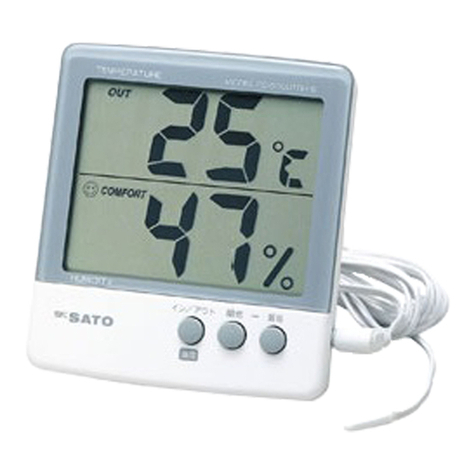
SATO KEIRYOKI PC-5000TRH II User manual
SATO KEIRYOKI

SATO KEIRYOKI PC-5000TRH II User manual

SATO KEIRYOKI SK-100R User manual

SATO KEIRYOKI

SATO KEIRYOKI SK-100R User manual
SATO KEIRYOKI 1410-00 User manual

SATO KEIRYOKI

SATO KEIRYOKI 1410-00 User manual

SATO KEIRYOKI SK-M350-TRH User manual

SATO KEIRYOKI

SATO KEIRYOKI SK-M350-TRH User manual

SATO KEIRYOKI PC-9225 User manual

SATO KEIRYOKI

SATO KEIRYOKI PC-9225 User manual

SATO KEIRYOKI SK-130ITH User manual

SATO KEIRYOKI

SATO KEIRYOKI SK-130ITH User manual
SATO KEIRYOKI SK-610PH-II User manual

SATO KEIRYOKI

SATO KEIRYOKI SK-610PH-II User manual

SATO KEIRYOKI SK-660PH Series User manual

SATO KEIRYOKI

SATO KEIRYOKI SK-660PH Series User manual

SATO KEIRYOKI PC-5400TRH User manual

SATO KEIRYOKI

SATO KEIRYOKI PC-5400TRH User manual

SATO KEIRYOKI PC-7900GT User manual

SATO KEIRYOKI

SATO KEIRYOKI PC-7900GT User manual
SATO KEIRYOKI SK-181GT User manual

SATO KEIRYOKI

SATO KEIRYOKI SK-181GT User manual
SATO KEIRYOKI PC-53D User manual

SATO KEIRYOKI

SATO KEIRYOKI PC-53D User manual
SATO KEIRYOKI PC-5200TRH User manual

SATO KEIRYOKI

SATO KEIRYOKI PC-5200TRH User manual

SATO KEIRYOKI SK-630PH Series User manual

SATO KEIRYOKI

SATO KEIRYOKI SK-630PH Series User manual

SATO KEIRYOKI SK-RHG User manual

SATO KEIRYOKI

SATO KEIRYOKI SK-RHG User manual

SATO KEIRYOKI SK-M350-TRH-I User manual
SATO KEIRYOKI

SATO KEIRYOKI SK-M350-TRH-I User manual
SATO KEIRYOKI SK-650PH User manual

SATO KEIRYOKI

SATO KEIRYOKI SK-650PH User manual

SATO KEIRYOKI SK-93F-II User manual

SATO KEIRYOKI

SATO KEIRYOKI SK-93F-II User manual

SATO KEIRYOKI SK-5RAD-SP User manual

SATO KEIRYOKI

SATO KEIRYOKI SK-5RAD-SP User manual

SATO KEIRYOKI WVAT6D0-3-10 User manual

SATO KEIRYOKI

SATO KEIRYOKI WVAT6D0-3-10 User manual

Popular Measuring Instrument manuals by other brands

Powerfix Profi 278296 Operation and safety notes

Powerfix Profi

Powerfix Profi 278296 Operation and safety notes

Test Equipment Depot GVT-427B user manual

Test Equipment Depot

Test Equipment Depot GVT-427B user manual

Fieldpiece ACH Operator's manual

Fieldpiece

Fieldpiece ACH Operator's manual

FLYSURFER VIRON3 user manual

FLYSURFER

FLYSURFER VIRON3 user manual

GMW TG uni 1 operating manual

GMW

GMW TG uni 1 operating manual

Downeaster Wind & Weather Medallion Series instruction manual

Downeaster

Downeaster Wind & Weather Medallion Series instruction manual

Hanna Instruments HI96725C instruction manual

Hanna Instruments

Hanna Instruments HI96725C instruction manual

Nokeval KMR260 quick guide

Nokeval

Nokeval KMR260 quick guide

HOKUYO AUTOMATIC UBG-05LN instruction manual

HOKUYO AUTOMATIC

HOKUYO AUTOMATIC UBG-05LN instruction manual

Fluke 96000 Series Operator's manual

Fluke

Fluke 96000 Series Operator's manual

Test Products International SP565 user manual

Test Products International

Test Products International SP565 user manual

General Sleep Zmachine Insight+ DT-200 Service manual

General Sleep

General Sleep Zmachine Insight+ DT-200 Service manual

Sensa Core Lacto Spark user manual

Sensa Core

Sensa Core Lacto Spark user manual

VOLTCRAFT UTS-1980 operating instructions

VOLTCRAFT

VOLTCRAFT UTS-1980 operating instructions

EBCHQ 94915 Operation manual

EBCHQ

EBCHQ 94915 Operation manual

Balluff BIP LD2-T017-01-EP-S4 Series user guide

Balluff

Balluff BIP LD2-T017-01-EP-S4 Series user guide

Pulsar IMP Lite Series instruction manual

Pulsar

Pulsar IMP Lite Series instruction manual

ETCR 6800 user manual

ETCR

ETCR 6800 user manual

manuals.online logo
manuals.online logoBrands
  • About & Mission
  • Contact us
  • Privacy Policy
  • Terms and Conditions

Copyright 2025 Manuals.Online. All Rights Reserved.

Instruction manual
for
No. 6400-00 Handy type pH meter
Model SK-620PH
No. 3 Nishi-Fukudacho, Kanda, Chiyodaku, Tokyo 101-0037 Japan
URL: http://www.sksato.co.jp/english/
M.09
1
Introduction
Thank you for purchasing the handy type pH meter Model SK-620PH.
-This pH meter is designed to measure hydrogen ion concentration (pH) and temperature (liquid
temperature). Do not use this instrument for any other purposes.
This instrument has a voltage measurement feature, but do not measure voltages (electromotive force)
when a sensor probe other than the PHP series is connected. Doing so could damage the electronic
circuit of this instrument.
-Read this instruction manual before using the SK-620PH and keep it in a safe place for future references.
Important safety instructions
The SK-620PH is not explosion-proof. Never use it for flammable materials.
DANGER
RISK OF EXPLOSION
-Do not use the pH standard solutions for any purposes other than to calibrate pH meters.
The solutions are not for drinking. Never try to drink it. If accidentally ingested, consult a doctor
immediately.
-For any other inquiries, contact the store where you purchased the instrument or our service network.
Overview
The SK-620PH pH meter is easy-to-operate instrument for measuring hydrogen ion concentration (pH) and
liquid temperature.
The meter can be calibrated at three points (pH4, pH7 and pH10) and provides reliable measurements by
using the built-in automatic temperature compensation.
Features
Large LCD for easy reading
The pH value and the temperature are indicated on a large LCD.
Auto Power-Off
The "auto power-off" function turns off the power automatically if the unit is not operated for 20 minutes.
This conserves battery life if you forget to turn off the unit.
Auto temperature compensation
Once the PHP-31 sensor probe is connected to your SK-620PH, it will perform automatic temperature
compensation to produce more accurate pH measurements.
2
Cautions before use
-Check that the instrument has not been damaged during transport. If damage is found, contact the store
where you purchased the instrument or our service network.
Do not dispose of the carrying case until you have confirmed that the instrument works properly. The
carrying case will be needed when returning the instrument for repair or replacement.
-When the pH of food or drink is to be measured, take a sample (sufficient quantity so that the sensor tip
can be immersed at least 3 cm in the sample) in a separate container for measurement. Do not ingest the
sample after measurement.
-The sensor section is made of glass, so take a great care in handling.
If it is damaged, be careful not to get injured by broken glass.
-The sensor probe is a consumable. It must be replaced with a new one if the electrode is broken, the
performance is degraded or the liquid inside is low. (It is not possible to repair the sensor probe.)
Components names and functions
Main unit
(1) Display
: Displays measurement readings or status of the unit.
(2) PWR key
: Press this key to turn on the unit. To turn off the unit, press the key again.
(3) CAL key
: Enters the calibration mode.
(4) SKIP key
: Moves the pH set values while in the calibration mode.
Enters the manual temperature setting mode when pressed two seconds or more
after the connecting plug for the temperature sensor is disconnected, while in the
measurement mode, calibration mode or MAX/MIN logging mode.
(5) REC key
: The calibration value for the pH 4, pH 7 or pH 10 is stored in the unit memory, if
pressed while in the calibration mode.
Pressing this key while in the measurement mode will move to the MAX/MIN logging
mode and start logging the MAX value (the highest pH value) and the MIN value
(lowest pH value). Pressing the key again will alternately display the MAX value and
MIN value. The maximum and minimum voltage (mV) can also be logged. To return to
the measurement mode, press the REC key for three seconds or more while in the
MAX/MIN logging mode. Pressing this key while in the manual temperature setting
mode will enable the liquid temperature.
1
2
3
4
5
6
7
8
9
3
(6) pH/mV key
: Press this key to switch the pH and mV in the upper LCD in measurement mode.
Increases (↑) the pH values to be calibrated in the calibration mode.
Increases (↑) the set temperature value in the manual temperature measurement
mode.
(7) key
(backlight key)
: Press this key to turn on the backlight on the LCD in the measurement mode.
Decreases (↓) the pH values to be calibrated in the calibration mode.
Decreases (↓) the set temperature value in the manual temperature measurement
mode.
(8) Battery cover
: Uses a 6F22 (006P) 9V battery for this instrument.
(9) Screw for
battery cover
: Secures the battery cover to the main unit.
Top face of the case
(10) pH sensor connecting jack: Used to connect the sensor. This
product uses the BNC connector.
(11) Temperature sensor connecting jack: Used to connect the
temperature sensor. This product uses the 2.5-mm diode plug.
LCD
(12) Display of pH or mV : Displays pH values or mV values in the measurement mode.
Display the calibration values in the calibration mode.
(13) Display of temperature: Displays temperature values in all modes.
(14) Temperature unit : Indicates the unit (°C) of temperature measured.
(15) pH unit : Indicates the unit (pH) of hydrogen ion concentration measured.
(16) Voltage unit : Indicates the unit (mV) of voltage measured.
(17) REC : Lights up when the maximum and minimum pH values or the maximum and
minimum voltage values are being logged. (MAX/MIN logging mode)
(18) MAX : Lights up when the maximum pH or voltage value is displayed.
(19) MIN : Lights up when the minimum pH or voltage value is displayed.
(20) BAT : Lights up when battery power is insufficient. Replace with a new battery
(6F22, 006P).
(21) ATC : Lights up when the temperature sensor is connected.
(22) Display of time/voltage: Indicates the time elapsed since logging (REC) started while in the MAX/MIN
logging mode. Displays "CA" and voltage in the calibration mode.
12
14
13
15
16
17
18
20
21
23
24
19
22
10
11
4
(23) Jack for the RS-232C cable
: The RS-232C cable is plugged into the jack. For details of RS-232C, refer to
"About the RS-232C output"
(24) Jack for the AC adapter
: Connects to the AC adapter provided with this product. For details of the AC
adapter, refer to "About the AC adapter"
Sensor section (PHP-31 sensor probe)
(25) pH sensor connection plug : This product uses the BNC connector.
(26) Temperature sensor connection plug : This product uses the 2.5-mm diode plug.
(27) Sensor cable (approx. 1 m)
(28) Electrode clip
(29) Electrode holding tube
(30) Glass electrode
(31) Liquid junction
(32) Glass electrode protection bottle: Contains the phthalate pH standard solution (set at the factory).
Precautions in use
For proper use of the SK-620PH, be sure to observe the followings:
-This is a precision instrument. Be careful not to drop or knock it.
-The operating temperature range for this instrument is 0 to 50°C and a relative humidity of less than 80%.
Operating this product outside the temperature range may result in unit malfunctions.
-Avoid using this unit in a place exposed to direct sunlight or near a heat source. Otherwise, the case may
become deformed or malfunction may be caused.
-If this instrument is left in a car in the hot summer sun, it will become extremely hot and may malfunction. Do
not leave the unit in such a place.
-If this unit is used in an environment where electrical noise is generated, the display may become unstable
or the measurement error may increase.
-Never disassemble or modify the unit. Doing so may cause malfunctions.
-Do not use this instrument outside the operating range. Doing so may cause malfunctions.
5
-This instrument is not waterproof. Do not place it in water or use it where it may be splashed with water.
-When used outdoors, keep the unit out of rain or water splashes. If it becomes wet, the unit may fail.
-If the unit will not be used for a long period of time, always remove the battery. Otherwise, the battery power
may be wasted and the battery fluid may leak, resulting in malfunctions.
-Keep the battery out of reach of children. If a child swallows a battery accidentally, consult a doctor
immediately.
-Do not dispose of used battery in a fire.
-For environmental protection, dispose of used battery in compliance with local rules and regulations.
-Do not wash or wipe this unit with alcohol, thinner, or other solvents. If the unit becomes dirty, wipe it with a
tightly-wrung towel or the like that has been dipped in warm water with a neutral detergent.
-Do not alter, pull forcibly, bend or bind the sensor probe, as doing so may cause a break in the probe. Also,
do not place heavy objects on the cord or heat it, as doing so damage the cord.
-When measuring, do not let the sensor probe come in contact with the human body.
-When the unit is used for the first time or after it has been stored for several days, the pH measurement
response may be slower. In such cases, immerse the sensor probe electrode in either the pH standard
solution or water and let it stand for one hour. For more accurate measurement, immerse it 12 hours at
least in the pH 4 standard solution before use. * (Do not turn on the unit during this immersion time.)
-The sensor probe electrode of this unit may be damaged or its useful life may be shortened if it is used for
liquids such as organic solvents, oils, adhesives, strong acids (pH 0 to pH 2), strong alkalis (pH 12 to pH 14)
and surface-active agents.
-The pH reading may become unstable when pure water is measured.
-If the pH standard solution contacts the skin (hand), immediately wash the contaminated skin with running
water. If the solution gets into the eyes, immediately rinse with water and consult a doctor.
-Keep the pH standard solution out of reach of children. If accidentally ingested, consult a doctor immediately.
-When using the AC adapter (optional), do not connect or disconnect the power cord with wet hands.
Otherwise, electrical shock or short-circuit may occur.
Installing and replacing battery
(1) Install the battery before connecting the probe to the unit.
Remove the probe from the unit before when replacing battery,
(2) Remove the screw holding the battery cover by turning it counterclockwise with a Phillips screwdriver (be
careful not to be missing the screw).
(3) When replacing the battery, remove the old battery (6F22, 006P).
(4) Install a new 9V battery (6F22, 006P) by referring to the polarity marks (+ and -) on the battery compartment.
(5) Place the battery cover on the unit and secure it to the unit with the screw.
Note: When "BAT" is lit on the LCD, immediately replace all the battery with new ones.
Otherwise the measurement accuracy may be affected or malfunction may occur.
9V battery (6F22, 006P) is available at convenience stores, home centers and electric appliance
stores.
6
Installing a Vinyl Cover on the Unit
To protect the SK-620PH main unit from water splashes, we recommend putting the vinyl cover on the unit
before use. The cover also prevents the unit from becoming dirty.
(1) Open the cover mouth and place the unit inside. When the unit is in the cover, its back side should be
aligned with the Velcro closure side on the vinyl cover.
(2) Pass the pH sensor connecting jack (BNC connecter) through the mouth of the vinyl cover, and then close
the Velcro closure.
(3) When removing the vinyl cover, disconnect the sensor probe first, and then remove in the reverse order of
installation.
Note: * The vinyl cover is not waterproof (splash-proof) according to the Japanese Industrial Standard
* When the unit is contained in the vinyl cover, static electricity could build up on the vinyl cover and
cause pH readings to become unstable. In such cases, remove the cover before use.
Glass electrode protection bottle
To prevent the glass electrode from becoming dry, the PHP-31 sensor probe is equipped with a glass
electrode protection bottle which contains the phthalate pH standard solution. Remove the protection bottle
before measuring. Reinstall the protection bottle after measurement.
1. Removing the glass electrode protection bottle
1-1.Hold the sensor probe upright so as not to spill the standard
solution in the protection bottle. Turn the protection bottle
counterclockwise while pressing the cap.
1-2.Slide the cap to take it out from the sensor probe as shown in the figure
on the right.
2. Installing the glass electrode protection bottle
2-1.Install the protection bottle to the sensor probe in the reverse order of removal.
2-2.Hold the sensor probe upright so as not to spill the standard solution in the
protection bottle. Turn the protection bottle clockwise while pressing the cap.
2-3.After installing the protection bottle, push in the sensor probe until its tip hits the bottom of the
protection bottle.
Note: * When installing or removing the glass electrode protection bottle, pay attention not to spill the
standard solution in the bottle. If the standard solution comes in contact with the skin (hand),
immediately wash the contaminated skin with running water. If the solution gets into the eyes,
immediately rinse with water and consult a doctor.
cap
protection bottle
7
* If the standard solution in the bottle is spilled, replenish the bottle with the phthalate pH standard
solution to protect the glass electrode from becoming dry. Adding distilled water, pure water or tap
water before storing is recommended.
Before measuring
(1) Connect the PHP-31 sensor probe to the main unit.
(2) Press the PWR key. The whole LCD lights up for three seconds to indicate that the unit has been turned on.
When the temperature of the sample liquid is known, disconnect the temperature sensor connecting plug
and press the SKIP key for two seconds or more to enter the manual temperature setting mode. Set the
temperature to the desired reading by using the pH/mV key (↑) or the key (↓). Press the REC key to
confirm.
(3) Perform the pH calibration after changing the battery or when a very accurate pH
measurement is necessary.
(4) The unit is turned off by the auto power-off function if no key is operated for 20
minutes. Turn off the auto power-off beforehand if measurement is to be done
continuously. Press the PWR key while pressing the CAL key at the same time to
turn on the unit, and then release the PWR key. When the "n" character appears on the display, release
the CAL key. This cancels the auto power-off.
Note: Auto power-off is no longer cancelled once the unit is turned off. Perform the auto power-off canceling
each time as necessary.
Calibration mode
By performing the 3-point calibration, this instrument can accurately measure the pH. Perform the pH
calibration in the following cases:
a) After replacing the sensor probe
b) After replacing the battery
c) When very accurate measurement is necessary
For more accurate measurement, calibration of about once a day is recommended.
For calibrating the SK-620PH, prepare the following items.
pH 4 standard solution (phthalate solution): pH 4.01 (at 25°C)
pH 7 standard solution (neutral phosphate solution): pH 6.86 (at 25°C)
pH 10 standard solution (carbonate solution): pH 10.01 (at 25°C)
Distilled water, pure water or tap water
Four beakers (each beaker to contain one type of standard solution or water (distilled, pure or tap water)
To ensure accuracy, perform calibration at the same temperature as the material to be measured. The pH
standard solution bottle which comes with the instrument can be used as a substitute for a beaker.
How to calibrate the SK-620PH series pH meter
(1) Connect the PHP-31 sensor probe to the main unit.
(2) Press the PWR key to turn on the unit. The unit enters the measurement mode. Remove the glass
electrode protection bottle from the sensor probe.
(3) Thoroughly wash the glass electrode with water (distilled, pure or tap water).
8
(4) Absorb the water on the glass electrode, and then press the CAL key to enter the calibration mode. Check
that [4.00] is displayed on the LCD and "CA: Voltage" appears on the display.
Note: "Err" is displayed on the voltage section of the LCD, if the sensor probe is not
connected to the unit or the glass electrode is dry. To reset the display to the
voltage, place the glass electrode in the pH standard solution. If the reset fails,
the sensor probe or the standard solution may be faulty. Refer to the
troubleshooting section.
(5) Immerse the glass electrode into the pH 4 standard solution. Slowly stir the solution with the electrode, and
then hold the sensor probe still until the voltage reading becomes stable.
(6) When the voltage reading becomes stable, set the calibration value to "4.01" by
pressing the pH/mV or key.
The pH value of the standard solution at 25°C is "4.01".
For the relation between the pH value of standard solution and the temperature, refer
to the section "Relation between the pH value and temperature" on page 20.
For example, when the pH standard solution is 40°C, the pH calibration value is "4.04".
(7) Press the REC key to store the calibration value in the unit memory.
“SA” is displayed on the LCD to indicate that the calibration data has been stored in
the unit memory. Now the pH 4 calibration is complete.
(8) The unit automatically proceeds to the pH 7 calibration. Wash the glass electrode
with water (distilled, pure or tap water).
(9) After washing, use clean filter paper, cotton swabs or tissue paper to absorb the water on the glass
electrode. When wiping the glass electrode to absorb water, be careful not to rub the glass electrode.
Otherwise static electricity will build up and the pH readings will become unstable.
(10) Perform calibration on pH 7 and pH 10 by using the same procedure as for pH 4.
The figure above shows the case The figure above shows the case
when the pH 7 standard solution is 26.3°C. when the pH 10 standard solution is 26.3°C
Every data for each pH calibration must be stored in the unit memory by pressing the REC key.
(11) After approx. 3 seconds, the unit returns to the measurement mode.
When the pH 10 calibration is complete, "End" is displayed on the LCD.
An accurate pH measurement is possible with the procedures described above.
Note: While in the calibration mode, "CA" and the voltage are displayed on the LCD. When an acid
solution is measured, the voltage value is positive. When an alkaline solution is measured, the
voltage value is negative. Note that in the LCD, the symbol for minus is not displayed. Also, the
values displayed are 4-digit numbers; the voltage is displayed such as XXX.X mV.
9
Note: The table below shows the pH value range to be entered for calibration.
Calibration point
pH value range
pH 4
3.50 to 4.50
pH 7
6.50 to 7.50
pH 10
9.50 to 10.50
Note that it is not possible to perform calibration using the oxalate standard solution
(pH 1.68 at 25°C) or borate standard solution (pH 9.18 at 25°C)
CAL key REC key REC Key REC Key
Measurement mode Calibration pH4 Calibration pH7 Calibration pH10
Calibration mode
Auto-return (after three seconds)
Note: The set temperature values are not displayed if an error code (E1 or E2) is displayed in the pH display
section (mV display). Once the error code is reset or the unit is turned off and on again, the set
temperature value will be displayed. For details of the error codes, refer to "Troubleshooting".
Relation between pH value and temperature
When performing calibration, set the pH value according to the temperature of the standard solution as
follows;
Standard solution
Name of solution
Temp.
pH value
Temp.
pH value
pH 4
Phthalate solution
0 ℃
4.00
30℃
4.02
5 ℃
4.00
35℃
4.02
10℃
4.00
40℃
4.04
15℃
4.00
45℃
4.05
20℃
4.00
50℃
4.06
25℃
4.01
-
-
pH 7
Neutral
phosphate solution
0 ℃
6.98
30℃
6.85
5 ℃
6.95
35℃
6.84
10℃
6.92
40℃
6.84
15℃
6.90
45℃
6.83
20℃
6.88
50℃
6.83
25℃
6.86
-
-
pH 10
Carbonate solution
0 ℃
10.32
30℃
9.97
5 ℃
10.24
35℃
9.92
10℃
10.18
40℃
9.89
15℃
10.12
45℃
9.86
20℃
10.06
50℃
9.83
25℃
10.01
-
-
JIS Z 8802-2011
Measuring procedure
(1) Connect the sensor probe to the main unit. When the PHP-31 sensor, which is capable of measuring both
pH and temperature, is used, connect both the BNC plug (pH) and the diode plug (temperature).