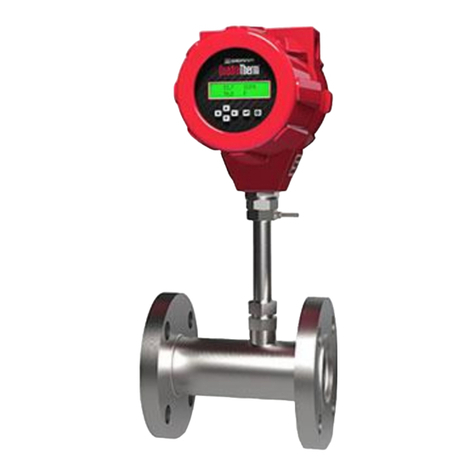
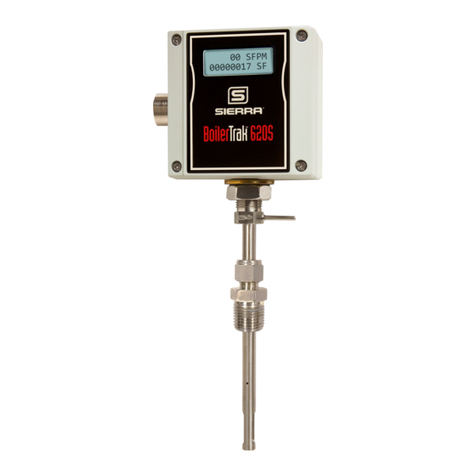
Use the table below as a guide while using the worksheet on the next page to record your notes.
NOTE! Please read the entire quick-start procedure before beginning installation.
TM500
TM500
9
Introduction
3 PULSE (+)
4 PULSE (-)
5 Tx/Rx (+)
2 SWITCH INPUT (-)
1 SWITCH INPUT (+)
POWER (+) 1
POWER (-) 2
4-20mA #1 (+) 3
4-20mA #1 (-) 4
4-20mA #2 (+) 5
4-20mA #2 (-) 6
TS2
TS1
F1
0.75A
TP1
TP2
POWER
#4
#6
#3
#5
#2
Cable Shield
Electronics Enclosure
RED WHT
BLU YEL
Probe Sensor Wired By Fox
SENSOR
Remote Enclosure
#7
#8
#1
Splice
Green Wire
Shield Wire (insulate)
F1 F2 F3 F4
Initializing...
F1 F2 F3 F4
Initializing...
3 PULSE (+)
4 PULSE (-)
7 COMMON
6 Tx/Rx (-)
5 Tx/Rx (+)
2 SWITCH INPUT (-)
1 SWITCH INPUT (+)
POWER (+) 1
POWER (-) 2
4-20mA #1 (+) 3
4-20mA #1 (-) 4
4-20mA #2 (+) 5
4-20mA #2 (-) 6
TS2
TS1
F1
0.75A
TP1
TP2
TM500Customer PLC or DCS
+12 TO 24VDC
PULSE OR ALARM OUTPUT
12 TO 24VDC RETURN
+
-
2.4K OHM TYPICAL WITH 24VDC POWER
1.2K OHM TYPICAL WITH 12VDC POWER
ID OUTER
DIAMETER
FLOW
4X = INLINE
8X = INLINE
15X = INSERTION
PIPE ID MIN.
INDICATOR:
- POINT IN DIRECTION
OF FLOW
- LOOSEN SET SCREWS TO
ROTATE HOUSING ±90º, ±180º
- TIGHTEN SET SCREWS
WHEN DONE
FLOW
FLOW
0.73"
(18.5 mm)
L
C
F1 F2 F3 F4
ACCESS THE
DISPLAY BY
UNSCREWING
COVER
REMOVE SCREWS
ON DISPLAY TO
ROTATE DISPLAY
±180°
1. Record inside diameter (ID). Ensure the actual pipe ID
matches the pipe ID shown on the factory calibration
certificate. If IDs do not match, refer to "Pipe Diameter" on
page 61.
2.
Record up/downstream straight-pipe requirements based on
Pipe ID and meter style (insertion or inline). [refer to p. 23]
3.
The Flow Direction Indicator must point in the direction of
flow.
The housing can be rotated for a better view of the meter's
display. Note that the 2 set screws must be loosened before
the housing will turn. [refer to p. 29]
4.
Ensure correct probe depth setting. If using 1 ½" size pipe,
please see note on p. 26.
5.
If needed, the orientation of display can be rotated in 90°
increments for a better view.
[refer to p. 30 for more information]
6. Ensure power wiring [p. 37] and 4-20mA wiring [p. 39 -
p. 40] properly connected. [refer to Wiring section p. 35
for more information]
7.
Ensure remote wiring is correct if remote option ordered.
[refer to p. 46 - p. 48 for more information]
8.
Verify you have the proper output signal wiring
[refer to p. 39 - p. 45 for more information]
9.
Apply power to the flow meter.
10. Check the remaining flow meter settings by accessing the meter settings either through the front panel of the
display or by using the TM500-ViewTM software. Record the settings in the spaces given for items A - F on
the following page.
Quick Start Guide