2
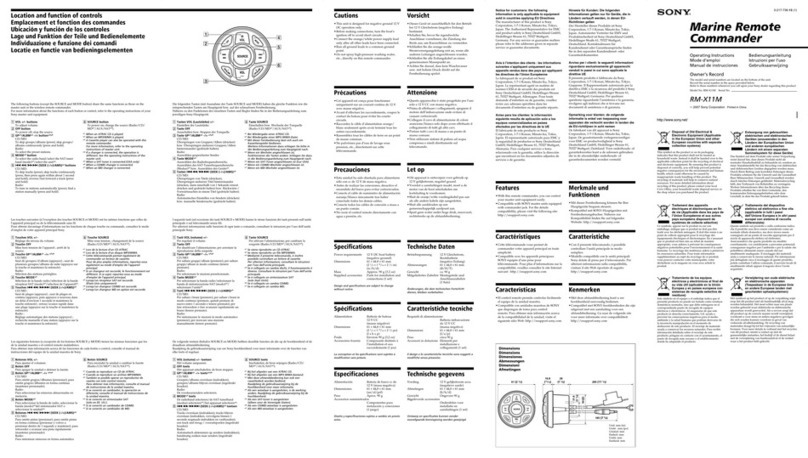
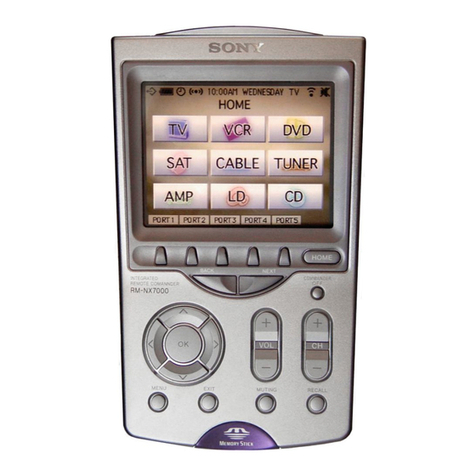
RM-NX7000
TABLE OF CONTENTS
Specifications ............................................................................ 1
1. GENERAL ................................................................... 3
2. DISASSEMBLY
2-1. Disassembly Frow ........................................................... 5
2-2. Case (Lower) Nickel Hydrogen Battery..........................5
2-3. Case (Upper) Block Assy ................................................6
2-4. Switch Block Assy........................................................... 6
2-5. Main Board ...................................................................... 7
3. TEST MODE ............................................................... 8
4. DIAGRAM
4-1. Block Diagram – Main Section (1/2) – .......................... 10
4-2. Block Diagram – Main Section (2/2) – .......................... 11
4-3. Shematic Diagram – Main Section (1/6) – ..................... 12
4-4. Shematic Diagram – Main Section (2/6) – ..................... 13
4-5. Shematic Diagram – Main Section (3/6) – ..................... 14
4-6. Shematic Diagram – Main Section (4/6) – ..................... 15
4-7. Shematic Diagram – Main Section (5/6) – ..................... 16
4-8. Shematic Diagram – Main Section (6/6) – ..................... 17
4-9. Plinted Wiring Board – Main Section (SideA) – ........... 18
4-10. Plinted Wiring Board – Main Section (Side B) – ........... 19
4-11. Shematic Diagram – LED Section – ..............................20
4-12. Plinted Wiring Board – LED Section – ......................... 20
5. EXPLODEDVIEWS ................................................. 21
6. ELECTRICAL PARTS LIST .................................. 22
Flexible Circuit Board Repairing
•Keep the temperature of the soldering iron around 270°C
during repairing.
•Do not touch the soldering iron on the same conductor of the
circuit board (within 3 times).
•Be careful not to apply force on the conductor when soldering
or unsoldering.
Notes on chip component replacement
•Never reuse a disconnected chip component.
•Notice that the minus side of a tantalum capacitor may be
damaged by heat.
• Memory Stick and are trademarks of Sony Corporation.
• Memory Stick Duo, and “Memory Stick PRO”
are trademarks of Sony Corporation.
•“TouchEngine” is a trademark of Sony Corporation.
• Microsoft and Windows are registered trademarks of Microsoft
Corporation in the United States and/or other countries.
• All other names of systems and products are trademarks or
registered trademarks of their respective owners. ™ and ®marks
are omitted in this manual.
• Microsoft®Windows®XPProfessional and Microsoft®Windows®
XP Home Edition are mentioned as Windows XP in this manual.
•Microsoft®Windows®2000 Professional is mentioned asWindows
2000 in this manual.
• Microsoft®Windows®Millennium Edition is mentioned as
Windows Me in this manual.
•Microsoft®Windows®98SecondEdition is mentioned asWindows
98 SE in this manual.
Unleaded solder
Boards requiring use of unleaded solder are printed with the lead-
free mark (LF) indicating the solder contains no lead.
(Caution: Some printed circuit boards may not come printed with
the lead free mark due to their particular size.)
: LEAD FREE MARK
Unleaded solder has the following characteristics.
•Unleadedsolder melts at atemperature about40°C higher than
ordinary solder.
Ordinary soldering irons can be used but the iron tip has to be
applied to the solder joint for a slightly longer time.
Soldering irons using a temperature regulator should be set to
about 350°C.
Caution: The printed pattern (copper foil) may peel away if
the heated tip is applied for too long, so be careful!
•Strong viscosity
Unleaded solder is more viscous (sticky, less prone to flow)
than ordinary solder so use caution not to let solder bridges
occur such as on IC pins, etc.
•Usable with ordinary solder
It is best to use only unleaded solder but unleaded solder may
also be added to ordinary solder.
Note on chip component replacement
•Never reuse a disconnected chip component.
•Notice that the minus side of a tantalum capacitor may be
damaged by heat.
•IC1 (microcomputer) and IC7 (flash RAM) on Main board
cannot be replaced individually.
Replace it with Main board assembly for service.