55
SECTION 2
DIAGRAMS
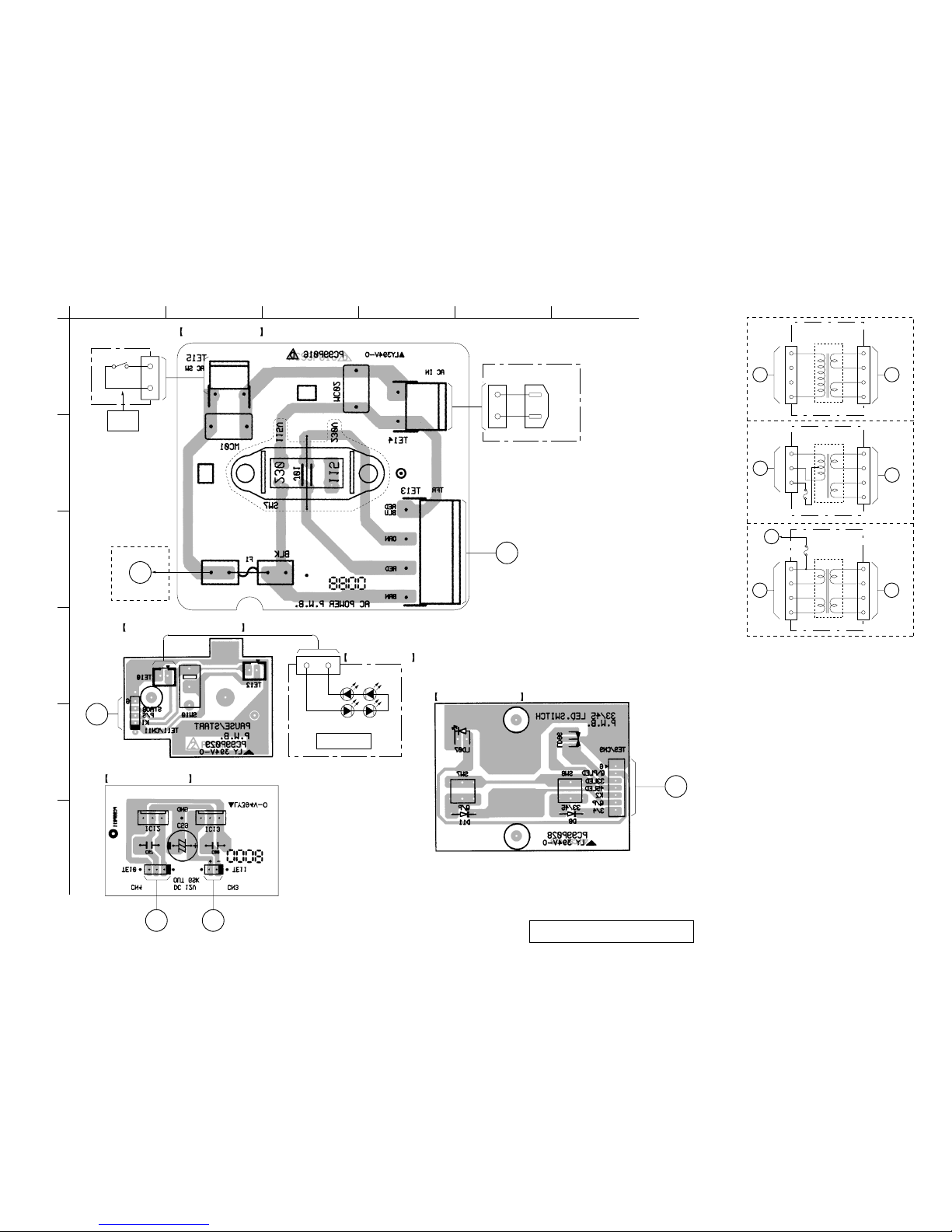
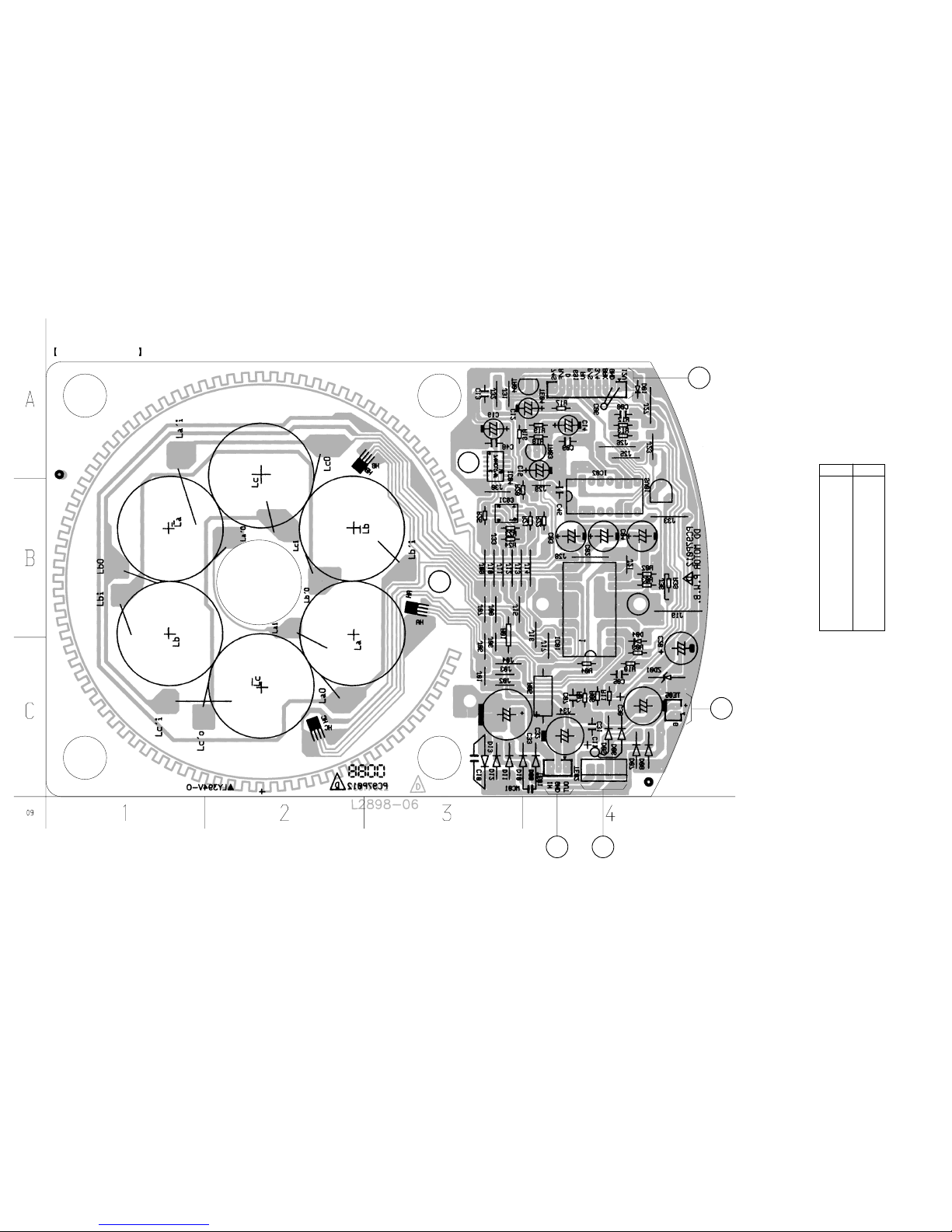
Note on PrintedWiring Board:
•X: parts extracted from the component side.
•Y: parts extracted from the conductor side.
•b: Pattern from the side which enables seeing.
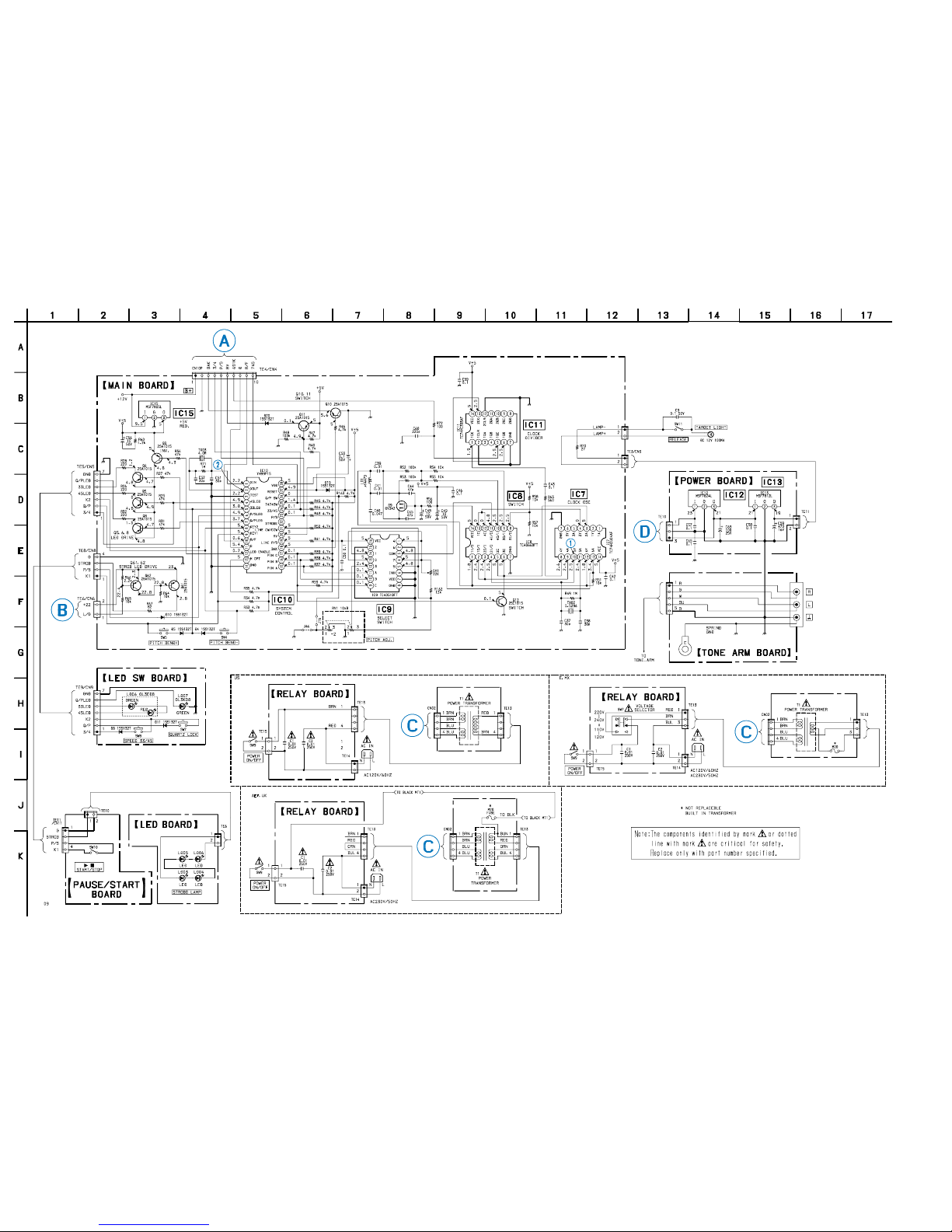
Note on Schematic Diagram:
• All capacitors are in µF unless otherwise noted. pF: µµF
50 WV or less are not indicated except for electrolytics
and tantalums.
• All resistors are in Ωand 1/4W or less unless otherwise
specified.
•C: panel designation.
•U: B+ Line.
•V: B– Line.
• Voltages are dc with respect to ground under no-signal
conditions.
no mark : Power on
• Voltages are taken withaVOM (Input impedance 10MΩ).
Voltage variations may be noted due to normal produc-
tion tolerances.
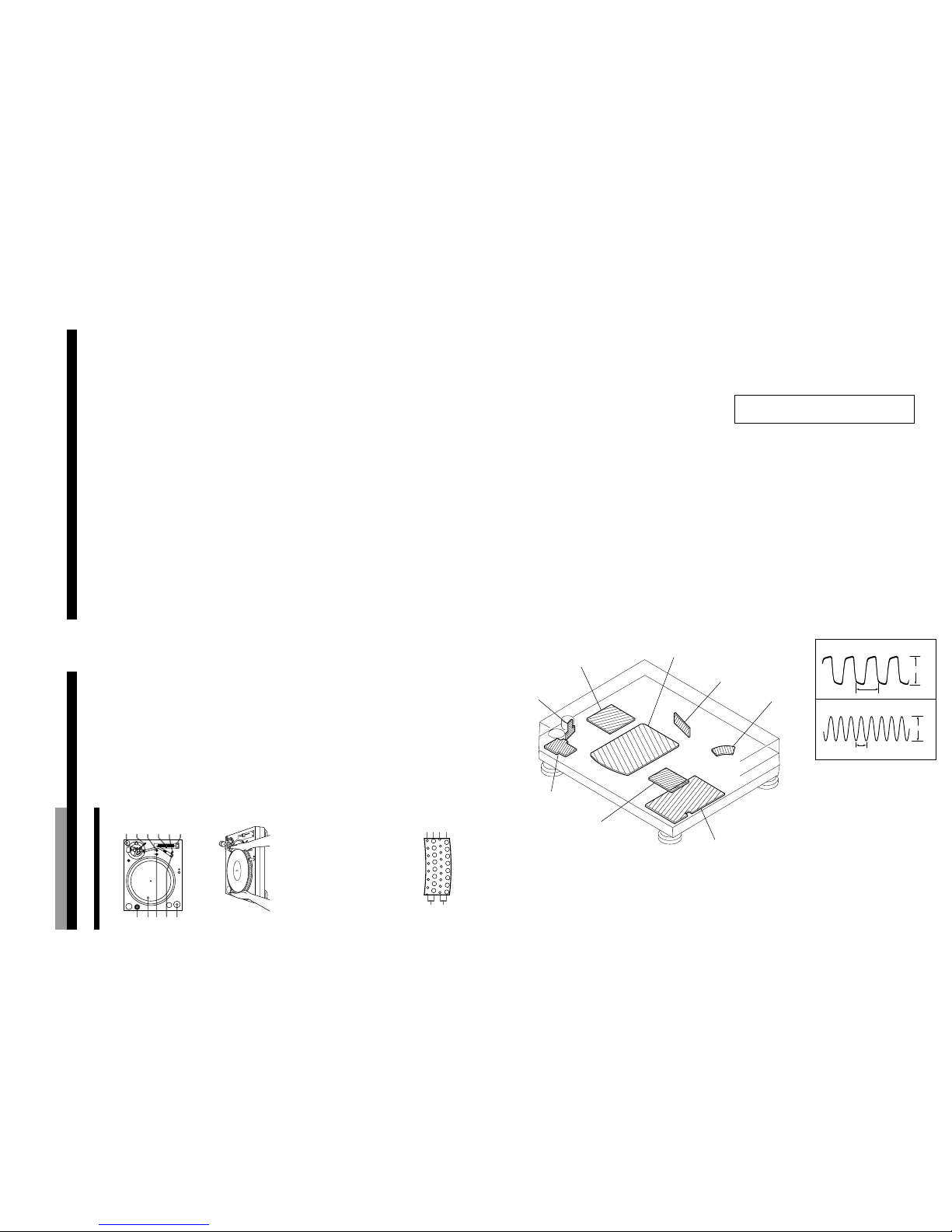
2-1. Circuit Boards Location
Note: The components identified by mark 0or dotted line
with mark 0are critical for safety.
Replace only with part number specified.
NOTE FOR PRINTED WIRING BOARD AND SCHEMATIC DIAGRAM
7
OperationsOperations
5
Remove the protective cover from the cartridge
and release the arm stopper.
6
Set the cueing lever in the up position.
Move the tonearm to the desired point on the
record.
7
Set the cueing lever to the down position.
The tonearm will descend slowly to the record and
play will begin.
8
If you want to change the pitch, press the
QUARTZ lock button (the QUARTZ indicator will
turn off). Then adjust the pitch by moving the
PITCH ADJ. knob.
The distance from the center position to the
farthest point on the scale represents a change of
10% in the pitch. You can also use the
PITCH BEND + and – buttons to change the pitch
(see “Using the PITCH BEND + and – buttons” on
page 8).
9
If you wish, you can return to normal speed
(33 1/3 or 45 rpm) while the PITCH ADJ. knob is
off center by pressing the QUARTZ lock button
(the QUARTZ indicator will turn on).
Press the QUARTZ lock button again to go back to
the previous pitch setting (the QUARTZ indicator
will turn off).
Note
The PITCH ADJ. knob does not function while the
QUARTZ lock is on (i.e., while the QUARTZ indicator is
on).
10
To adjust the volume, use the respective channel
fader on the mixer, or the volume control on the
stereo component system or amplifier.
To stop play
1Set the cueing lever in the up position and return
the tonearm to the arm stand.
Attach the protective cover onto the cartridge to
prevent damage to the stylus.
2Press Bx START/STOP.
The platter stops rotating.
Secure the tonearm with the arm stopper.
3Turn POWER to OFF.
To pause play
Press Bx START/STOP or set the cueing lever in the
up position to raise the stylus.
Playing a Record
5
8
6
3,8,9
5
8,9
6,7
1
4
2
3
Before playing a record, be sure the PHONO/LINE
switch on the mixer is set to PHONO.
1
Place a record on the platter.
Note
Place only one record on the platter at a time. If two or
more records are stacked on the platter, the stylus will
not make proper contact with the grooves and the
quality of reproduction will be impaired.
2
Turn the POWER switch to ON.
The strobo lamp, the QUARTZ lock indicator, and
SPEED indicator light up.
Turn the POWER switch on the mixer and
amplifier to ON also.
3
Set PITCH ADJ. knob to the center position.
When the turntable is turned on, the platter speed
is automatically set to 33 rpm. Verify that the
green indicator lights up.
4
Press Bx START/STOP.
The platter starts rotating.
If you select 33 rpm when the turntable is
connected to a 50 Hz power source, the uppermost
row of the strobe dots should appear to stand still.
33
45
45
33
50 Hz
60 Hz
(Continued)
8
Operations
To play an another part of the record
1Set the cueing lever to the up position to raise the
stylus.
2Move the tonearm to the desired position.
3Set the cueing lever to the down position.
To play a 45 single
Place the supplied 45 adaptor onto the spindle.
Press SPEED to select 45 rpm.
The green indicator changes to red.
After you have finished using the adaptor, return it to
the adaptor tray.
Using the PITCH BEND + and – buttons
You can use the PITCH BEND + and –buttons to
synchronize the beat of the selection playing on one
turntable with the beat of another selection playing on
the other turntable. You can use these buttons even if
the QUARTZ lock button is turned on or off.
1Use the PITCH ADJ. knob to synchronize the
speed of the selection playing on one of the
turntables with the speed of the selection on the
other turntable.
2Press the PITCH BEND + and –buttons to
synchronize the beat of both selections. Pressing
and holding down the + or –button causes the
selection to play 10% faster or slower than the
normal playing speed.
z
If the strobe dots are not stationary when the PITCH
ADJ. knob is set to the center position
Adjust the platter speed by sliding the PITCH ADJ.
knob toward + or –until the strobe dots become
stationary.
z
If you have an extra headshell, keep it in the
headshell holder.
POWER board
TONE ARM boar