manuals.online logo
Brands
  1. Home
  2. •
  3. Brands
  4. •
  5. SOUNDMASTER
  6. •
  7. Radio
  8. •
  9. SOUNDMASTER Exclusiv Line TR 7 User manual

SOUNDMASTER Exclusiv Line TR 7 User manual

Other SOUNDMASTER Radio manuals

SOUNDMASTER UR270RO User manual

SOUNDMASTER

SOUNDMASTER UR270RO User manual

SOUNDMASTER UR210 User manual

SOUNDMASTER

SOUNDMASTER UR210 User manual

SOUNDMASTER NR-965CD User manual

SOUNDMASTER

SOUNDMASTER NR-965CD User manual

SOUNDMASTER dab200 User manual

SOUNDMASTER

SOUNDMASTER dab200 User manual

SOUNDMASTER DAB80 User manual

SOUNDMASTER

SOUNDMASTER DAB80 User manual

SOUNDMASTER ELiTEline IR4400 User manual

SOUNDMASTER

SOUNDMASTER ELiTEline IR4400 User manual

SOUNDMASTER HighLine TR 50USB User manual

SOUNDMASTER

SOUNDMASTER HighLine TR 50USB User manual

SOUNDMASTER URD470SW User manual

SOUNDMASTER

SOUNDMASTER URD470SW User manual

SOUNDMASTER FUR6005 User manual

SOUNDMASTER

SOUNDMASTER FUR6005 User manual

SOUNDMASTER IR4000DAB User manual

SOUNDMASTER

SOUNDMASTER IR4000DAB User manual

SOUNDMASTER NR961 User manual

SOUNDMASTER

SOUNDMASTER NR961 User manual

SOUNDMASTER Highline TR-18 USB User manual

SOUNDMASTER

SOUNDMASTER Highline TR-18 USB User manual

SOUNDMASTER UR600SW User manual

SOUNDMASTER

SOUNDMASTER UR600SW User manual

SOUNDMASTER IR2023 User manual

SOUNDMASTER

SOUNDMASTER IR2023 User manual

SOUNDMASTER DAB150 User manual

SOUNDMASTER

SOUNDMASTER DAB150 User manual

SOUNDMASTER SCD2120 User manual

SOUNDMASTER

SOUNDMASTER SCD2120 User manual

SOUNDMASTER BCD 250 Reference manual

SOUNDMASTER

SOUNDMASTER BCD 250 Reference manual

SOUNDMASTER highline IR4000WE User manual

SOUNDMASTER

SOUNDMASTER highline IR4000WE User manual

SOUNDMASTER DAB112 User manual

SOUNDMASTER

SOUNDMASTER DAB112 User manual

SOUNDMASTER ELiTEline IR4400 User manual

SOUNDMASTER

SOUNDMASTER ELiTEline IR4400 User manual

SOUNDMASTER UR2022 User manual

SOUNDMASTER

SOUNDMASTER UR2022 User manual

SOUNDMASTER UR2170 User manual

SOUNDMASTER

SOUNDMASTER UR2170 User manual

SOUNDMASTER HighLine UR 2150USB User manual

SOUNDMASTER

SOUNDMASTER HighLine UR 2150USB User manual

SOUNDMASTER KCD50 User manual

SOUNDMASTER

SOUNDMASTER KCD50 User manual

Popular Radio manuals by other brands

EisSound KBSound iSelect user manual

EisSound

EisSound KBSound iSelect user manual

Midland 1001LWX owner's manual

Midland

Midland 1001LWX owner's manual

Konig HAV-SR41 manual

Konig

Konig HAV-SR41 manual

Roberts exprssion manual 

Roberts

Roberts exprssion manual 

VDigi DD3.0 Operation manual

VDigi

VDigi DD3.0 Operation manual

Radio Shack 21-1863 owner's manual

Radio Shack

Radio Shack 21-1863 owner's manual

Roberts Stream 207 instruction manual

Roberts

Roberts Stream 207 instruction manual

Sony Walkman SRF-M97 Service manual

Sony

Sony Walkman SRF-M97 Service manual

Stanley FatMax FMC770 manual

Stanley

Stanley FatMax FMC770 manual

auna DAB-Radio 10026947 manual

auna

auna DAB-Radio 10026947 manual

HYT TC-320 user manual

HYT

HYT TC-320 user manual

B-Tech GMRS-V2 manual

B-Tech

B-Tech GMRS-V2 manual

Weierwei VEV-V8 user manual

Weierwei

Weierwei VEV-V8 user manual

Telefunken TF-1505 instruction manual

Telefunken

Telefunken TF-1505 instruction manual

Makita LXRM03 instruction manual

Makita

Makita LXRM03 instruction manual

PRESIDENT TEDDY R. owner's manual

PRESIDENT

PRESIDENT TEDDY R. owner's manual

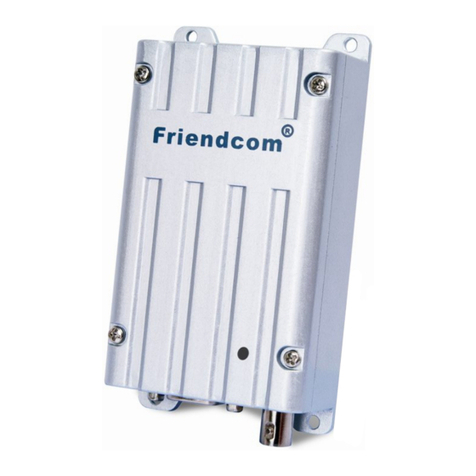
FRIENDCOM FC-302V user manual

FRIENDCOM

FRIENDCOM FC-302V user manual

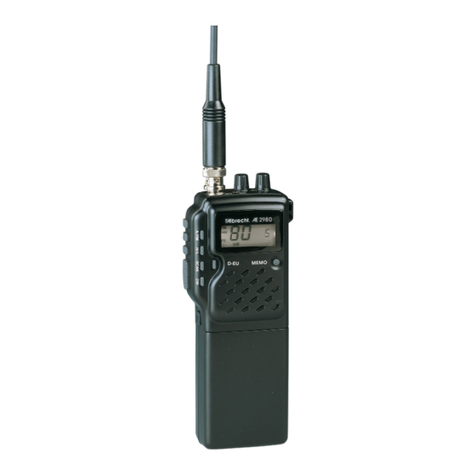
Albrecht AE 2980 user guide

Albrecht

Albrecht AE 2980 user guide

manuals.online logo
manuals.online logoBrands
  • About & Mission
  • Contact us
  • Privacy Policy
  • Terms and Conditions

Copyright 2025 Manuals.Online. All Rights Reserved.

Bedienungsanleitung
INSTRUCTION MANUAL
Mode d´emploi
TR 7
Copyrights by Woerlein GmbH, D-90556 Cadolzburg
Location of Controls and Indicators
Diagram of Back and Front Panel.
Back Panel
1. FM Antenna Place the FM wire antenna in a proper location for best
reception
2. Aux In Socket Connect a stereo or mono audio source to this stereo input
socket i.e. CD player or a TV
3. Headphone Socket Connect a separate headphone jack to this socket to listen
the unit, and the main speaker will be turned off
4. Main Lead Connect to the power sources
Front Panel
5. Main Speaker 3” speaker drive is built-in
6. Mode Switch OFF - Turn the knob left to turn off the unit
FM - Turn the knob to middle to switch on FM band
AM - Turn the knob to right to switch on AM band
7. Tuning Indicator This indicator will glow brightest when the best reception is
achieved
8. Volume Knob Turn clockwise to increase volume
Turn anti-clockwise to decrease volume
9. Power On Indicator The indicator will grow when the power is on
10. AM Frequency Dial Window Show the AM frequency range
11. Frequency Tuning Knob Turn clockwise to turn the FM /AM Frequency range from
88-108KHz /530-1700KHz
12. FM Frequency Dial Window Show the FM frequency range
Gb 1
Operating Instructions
 Make sure the AC power cords from system are properly connected to AC 220-240V~50Hz
house
1) Power on the unit by turning the Mode Switch.
2) Power On Indicator will glow at the same time.
3) Select FM or AM band.
4) Adjust the desired station as follows:
Turn the frequency tuning knob in clockwise to select the best reception and stop on the station.
At this moment, the tuning indicator will glow brightest. Repeat this procedure until reaching on
your desired station.
5) If you achieve the station, the tuning indicator will glow on the main unit.
6) Adjust the volume control as desired by volume knob.
7) Turn the Mode Switch to OFF when finish listening.
ANTENNA INFORMATION
FM
Make sure the FM lead wire antenna is unwound and extended to its full length. It may be
necessary to vary the direction of this wire antenna until you find the position that provides the best
reception for your favorite FM station.
AM
The AM ferrite bar antenna is inside the main unit. If AM reception is unsatisfactory, you may have
to turn the main unit slightly unit you find the position that provides the best reception.
ROBBER FEET INSTALLATION
Before installation, use a polishing cloth or dry cloth to wipe off dust and dirt on the bottom of the
units. The rubber feet come with self-adhesive tape. Put the rubber feet on the four corners of the
bottom of the unit.
Care and Maintenance
Care of the Radio Set
If the radio set becomes dusty wipe it with a soft dust cloth. Do no use any wax, polish sprays, or
abrasive cleaners on the set.
Caution
Never allow any water or other liquid to get inside the unit while cleaning.
The radio shall not be exposed to dripping or splashing and that no objects filled with liquids, such
as vases, shall be placed on the radio.
Specifications
FM Frequency 87.5 – 108MHz
AM Frequency 540 – 1600 KHz
Speaker Output Power 6W RMS / 50W P.M.P.O
Power Supply 230V~50Hz
Specification and the design are subject to possible modifications without notice due to improvement.
Gb 2